




Instructions for adding attachments to an invoice during or after creation.
-
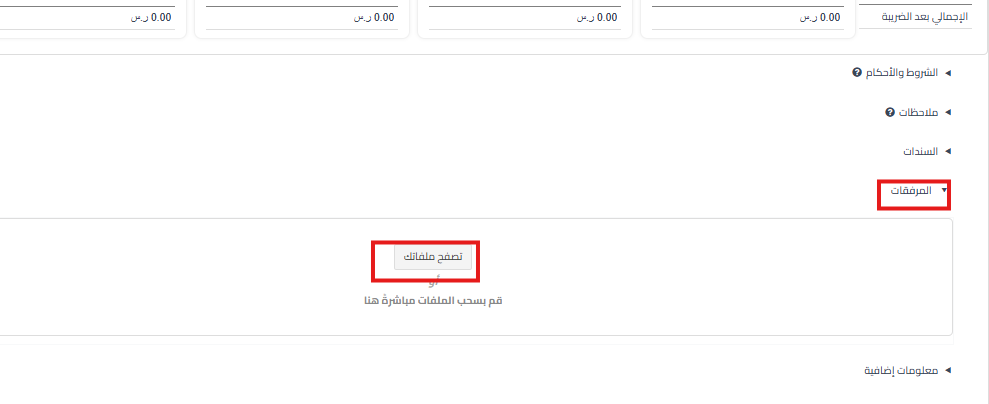
During invoice creation:
- Go to the bottom of the invoice creation page.
- Click on “Attachments“.
- Select “Browse Your Files“.
- Select the file you want to attach.
-
After creating the invoice:
- Go to “Sales” > “Sales Invoices”.
- Click “View” next to the desired invoice.
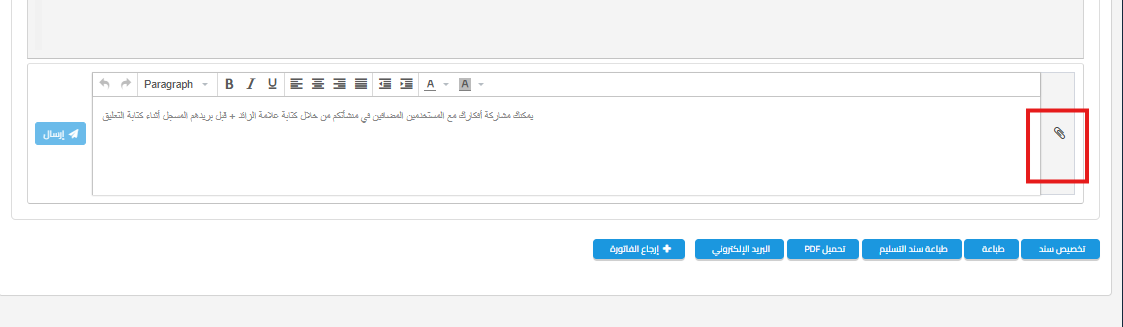
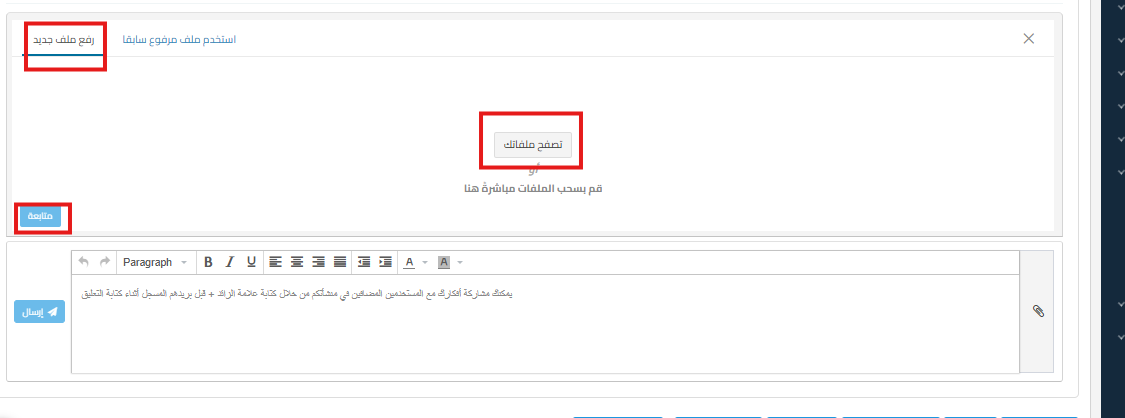
- Scroll to the bottom of the page and click on the attachments option shown.
- Upload the desired file.

Then the file will be attached

Additional Notes:
- You can attach multiple files to an invoice
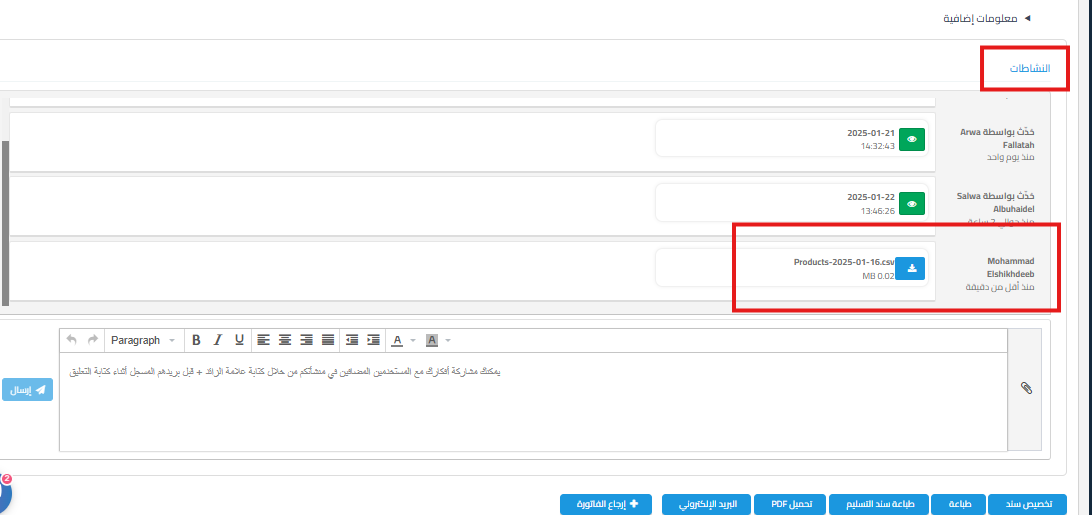
- Attached files are available for viewing when you access the invoice in the Activities section as shown below.

Keywords:
-
How do I attach a file while creating the invoice?
-
Where can I find the attachments option when creating the invoice?
-
Can I upload a document with the invoice while creating it?
-
Is there a way to add an attachment before saving the invoice?
-
I can’t find the attachments button when issuing the invoice, where is it?
-
How do I add an attachment after creating the invoice?
-
Can I attach a file after saving the invoice?
-
Where do I go to add a document to an old invoice?
-
Can I reopen an invoice and attach a file to it?
-
Where can I find the files attached to the invoice?
-
Does the attachment appear in the Activities section?
-
Can I see the attachment when I access the invoice?
-
Where do the attachments appear after I upload them?
-
What types of files can I attach to the invoice?
-
Can I attach more than one file to the same invoice?



