




Learn how to issue a sales debit note against an approved sales invoice in Qoyod, when to use one, and how it is submitted to the Zakat, Tax and Customs Authority (ZATCA).
What is a sales debit note, and when do you use it?
A sales debit note is a document you issue after a sales invoice is approved to increase the amount a customer owes. Use it in three cases:
- You delivered extra quantities not covered by the original invoice.
- The agreed price rose after the invoice was issued.
- You need to charge the customer an additional fee or cost.
A debit note increases the amount owed by the customer, while a credit note reduces it.
Path in Qoyod
Sales › Debit Notes › New debit note
Required permissions
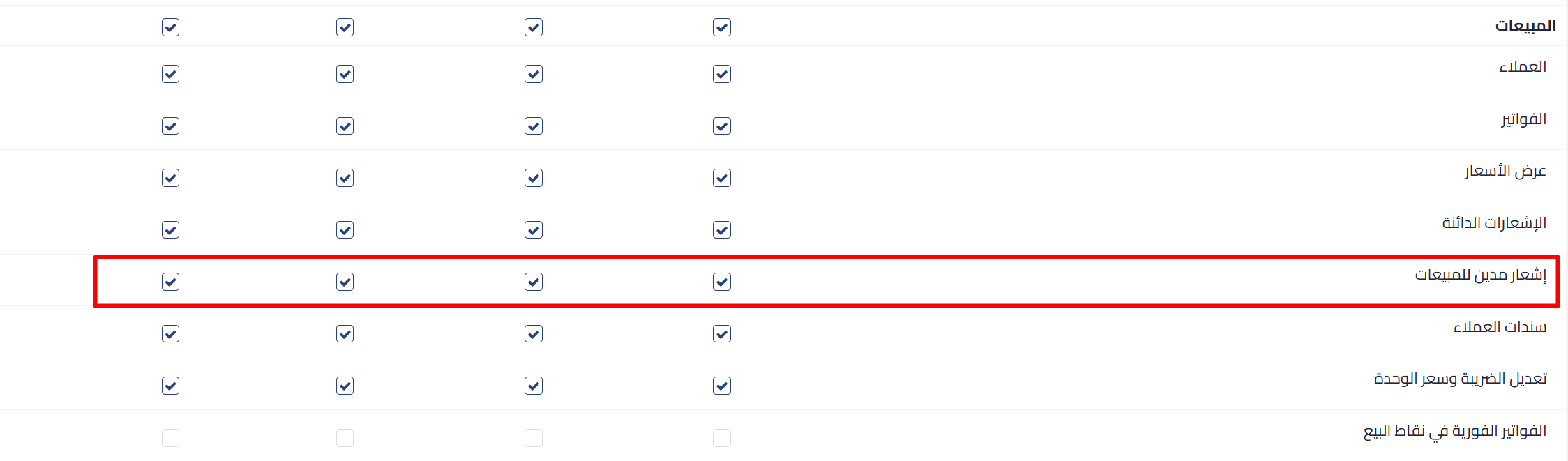
The feature has independent permissions: view, create, approve, and delete. They are enabled automatically for the main user and for anyone who already holds the credit note permission. For every other role, enable the permission manually from user settings.
 View full size
Settings to review before your first note
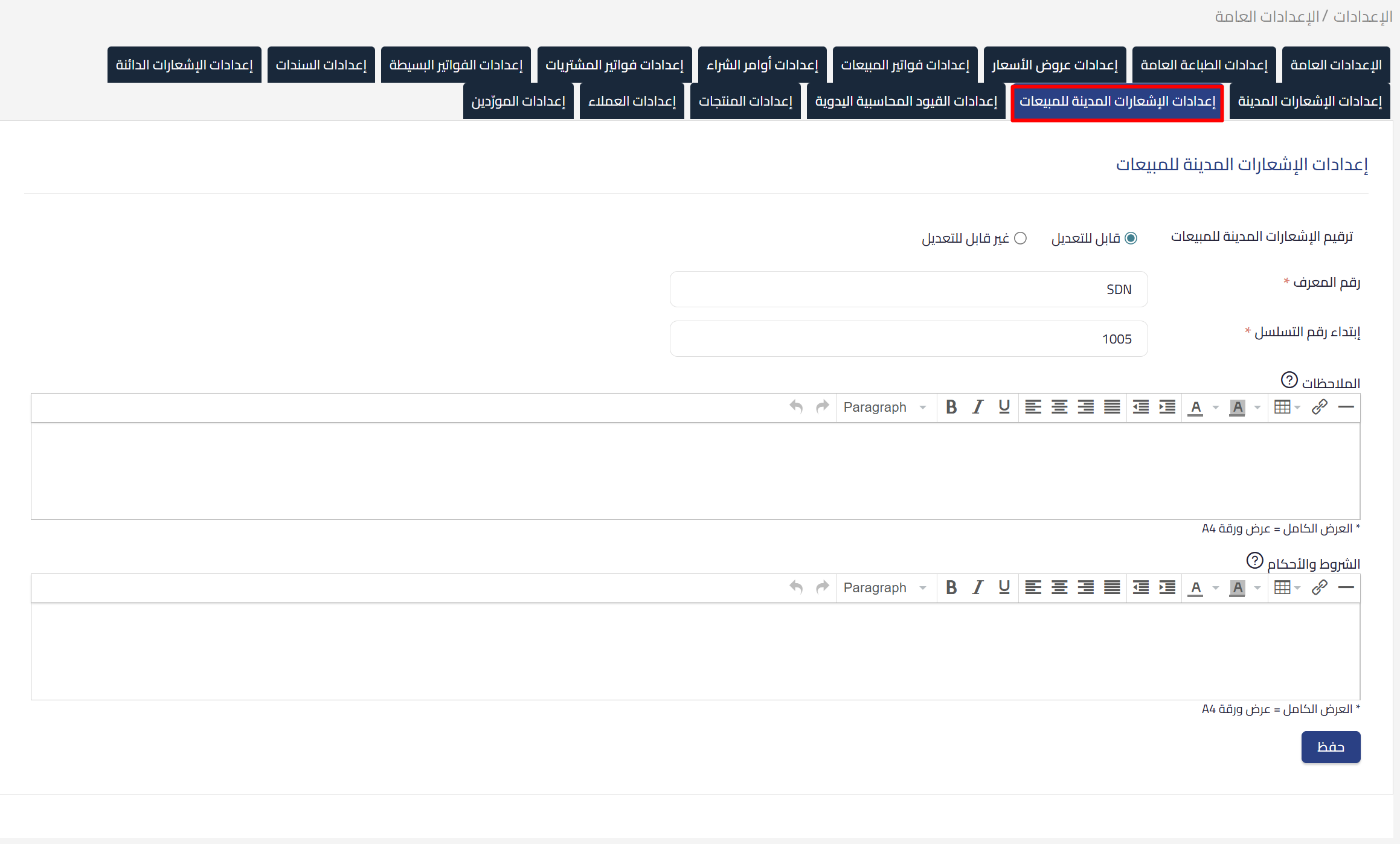
Before you issue the first note, you can set the following from sales settings:
- Numbering prefix (optional): the default is
SDN. - Numbering method (optional): automatic or manual.
- Default notes and terms (optional): shown automatically on every new note.
 View full size
Steps to issue a debit note
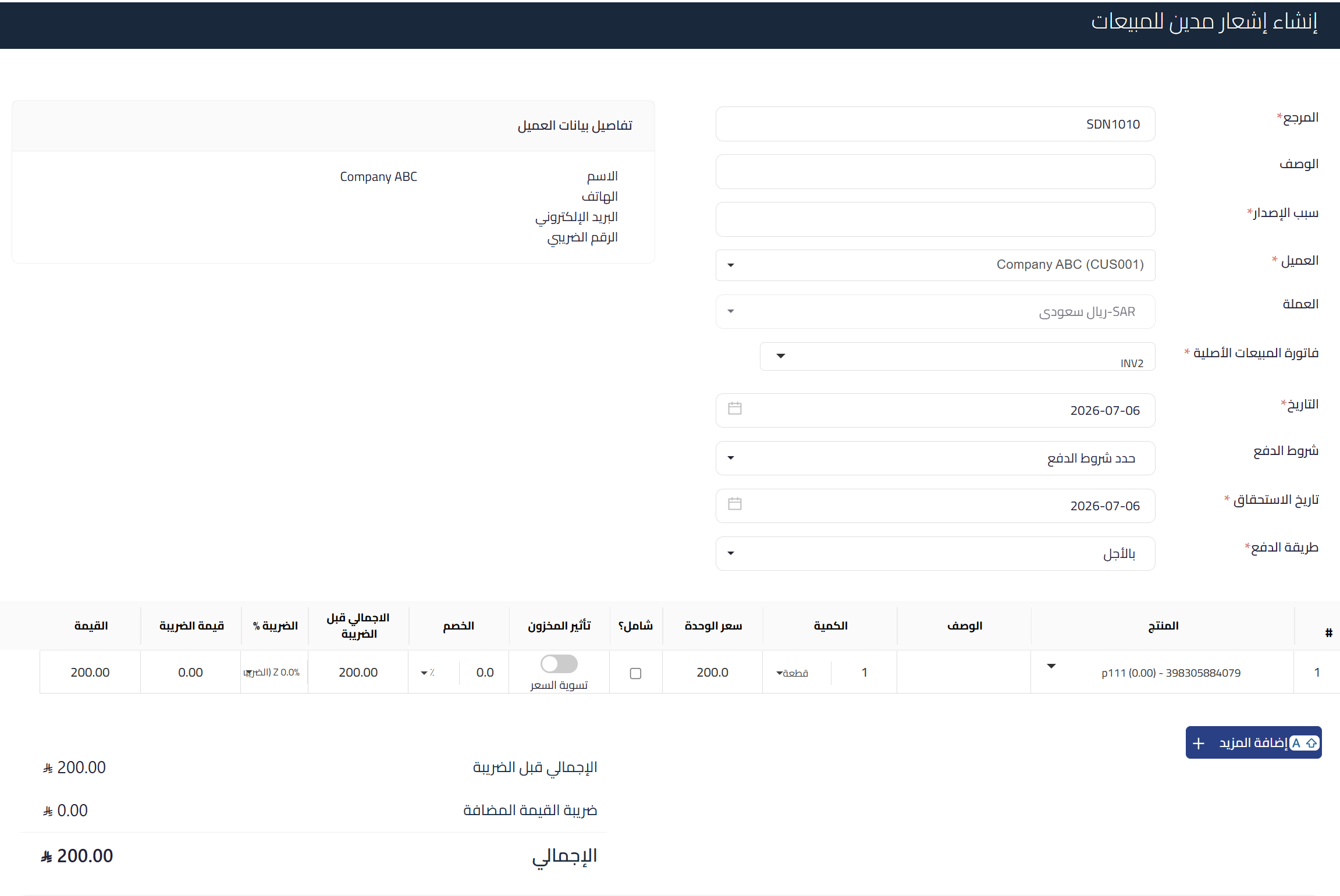
- Open an approved sales invoice, or go to the debit notes list and choose “New debit note”.
- Link the note to a single sales invoice. It inherits the customer, location, and currency from that invoice automatically.
- Add the line items for the increase: extra quantity, price difference, or fees. Qoyod validates each field before you can save.
- Apply a discount at the line-item level if needed. A document-level discount is not supported.
- Save the note.
 View full size
Inventory impact
For products whose quantities Qoyod tracks, an “Inventory impact” toggle appears next to each line item:
- When enabled: the quantity is deducted from inventory on approval, and its value is recorded at the current average cost.
- When left off: only revenue and the customer’s account are affected, not inventory.
Services and non-tracked products do not show this toggle and are not affected by inventory.
 View full size
Approval and accounting entries
On approval, Qoyod records the sales and tax entries automatically and adds a “Debited” tag to the original invoice. Accounts receivable is debited by the total value including tax, while sales and value-added tax are credited per line item. When inventory impact is enabled, cost of goods sold and inventory entries are added.
Important: once approved, the note becomes read-only. You cannot edit or delete it. To correct a mistake, issue a credit note. Additional fields are the one exception, and stay editable after approval.
ZATCA compliance
The note is submitted to the Zakat, Tax and Customs Authority as a document of type 383:
- A clearance tax invoice for business and government customers, through the Fatoora platform.
- A simplified note for individuals, reported within 24 hours.
The submission status appears on the note page. Approved notes in registered establishments cannot be deleted.
Track your notes from the list
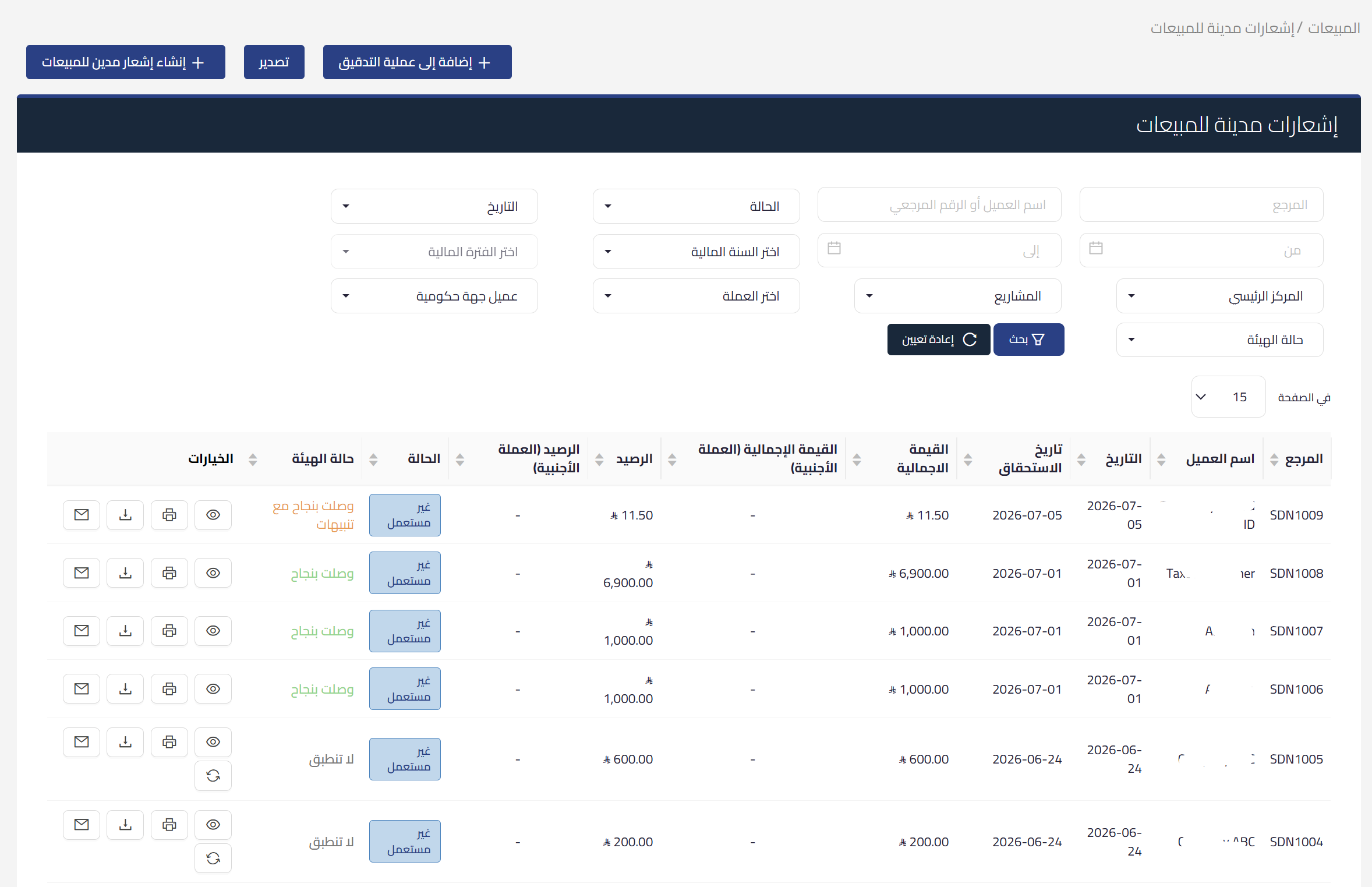
From the debit notes list in the Sales module, you can track every note, its status, and its submission status to the authority.
 View full size
Effect on your VAT return
The note appears in the sales adjustment section of the return and increases the net value-added tax due. The period is set by the issue date or the due date depending on your settings, and government customers follow the cash basis.
Frequently asked questions
What is the difference between a debit note and a credit note?
A debit note increases the amount the customer owes, while a credit note reduces it. If you make a mistake on an approved debit note, you correct it by issuing a credit note, because a debit note cannot be edited or deleted after approval.
Can I link the note to more than one invoice?
No. Each debit note links to a single sales invoice, and it inherits the customer, location, and currency from that invoice.
Where do I create the note?
In two ways: directly from an approved sales invoice page, or from the debit notes list in the Sales module.
Can I edit or delete the note after approval?
No. After approval it becomes read-only, and approved notes in registered establishments cannot be deleted. Corrections are made through a credit note. Additional fields are the one exception, and stay editable after approval.
Does the note affect inventory?
Only if the line item is a tracked product and you enabled the “Inventory impact” toggle. In that case, inventory decreases on approval and the value is recorded at the current average cost. Services and non-tracked products are not affected.
Is the note compliant with the authority’s requirements?
Yes, as a document of type 383. It is issued as a tax invoice for business and government customers, and as a simplified note for individuals reported within 24 hours, with the submission status shown on the note page.



