




This article explains the future issue date warning in Qoyod, which appears when the invoice date is later than today, and how to resolve it before submission to reduce the risk of invoice rejection.
When this alert appears
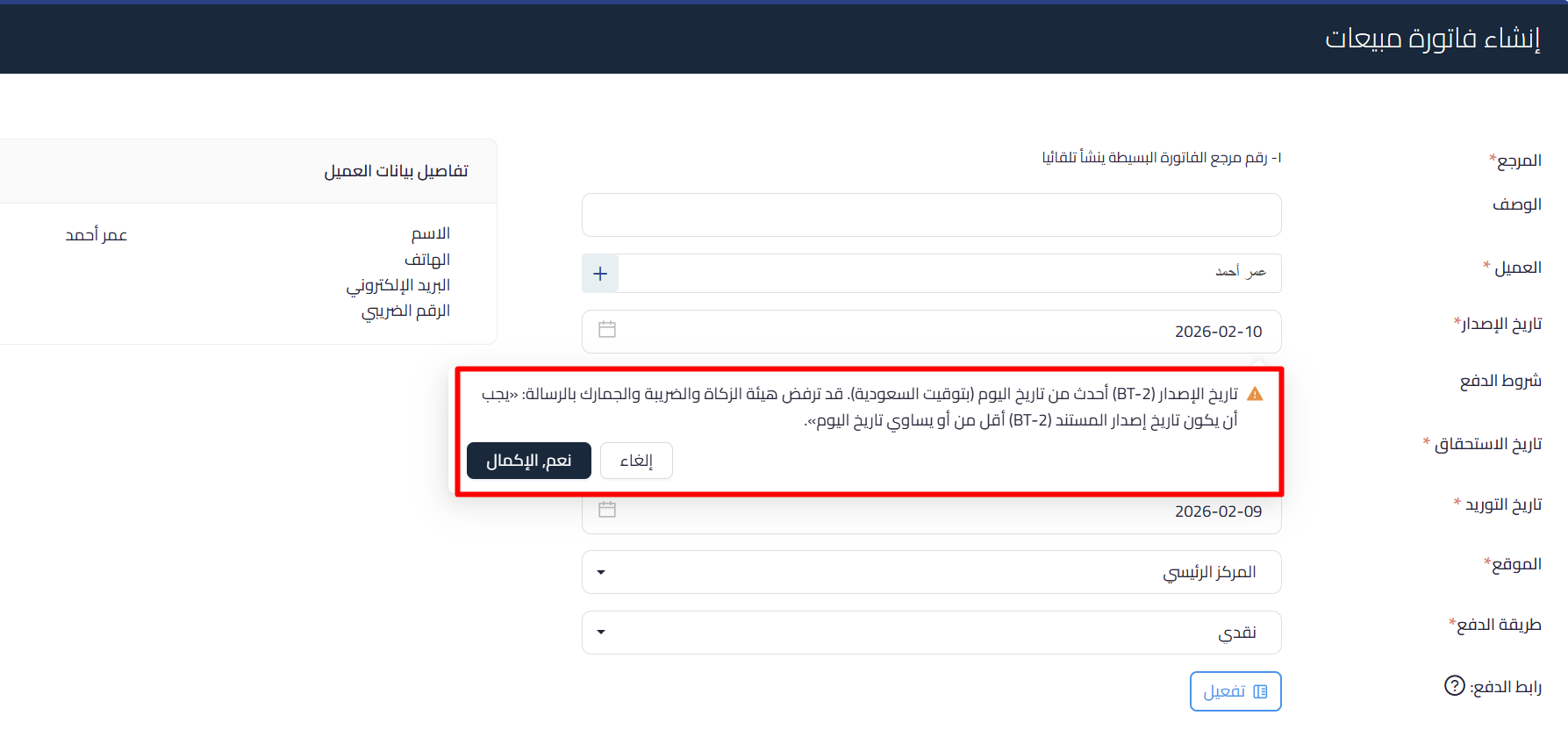
The warning appears when saving an invoice whose issue date is later than today in Saudi time. The invoice is saved, but the warning stays visible because the Zakat, Tax and Customs Authority may reject documents dated in the future on submission.
 View full size
Path in Qoyod
Sales › Sales Invoices › Create sales invoice
Resolution steps
- When the warning appears, review the “Issue date” field on the invoice.
- Change the date to be equal to or earlier than today.
- After correcting the date, complete saving or submitting the invoice to the authority.
- If you are sure of the date and wish to proceed, you can choose “Yes, complete”, knowing the authority may reject a future-dated document.
Fields
- Issue date (BT-2) (required): the invoice issue date, which must be equal to or earlier than today in Saudi time.
Notes
- This is a warning that does not block saving, but it highlights a high risk of rejection, so correcting the date before submission is strongly advised.
- The authority requires the document issue date (BT-2) to be equal to or earlier than today.



