




This article explains the zero-rate tax reason code alert in Qoyod, which appears when a line item has a 0% tax rate without a reason code, and how to choose the correct code before submission to reduce the risk of invoice rejection.
When this alert appears
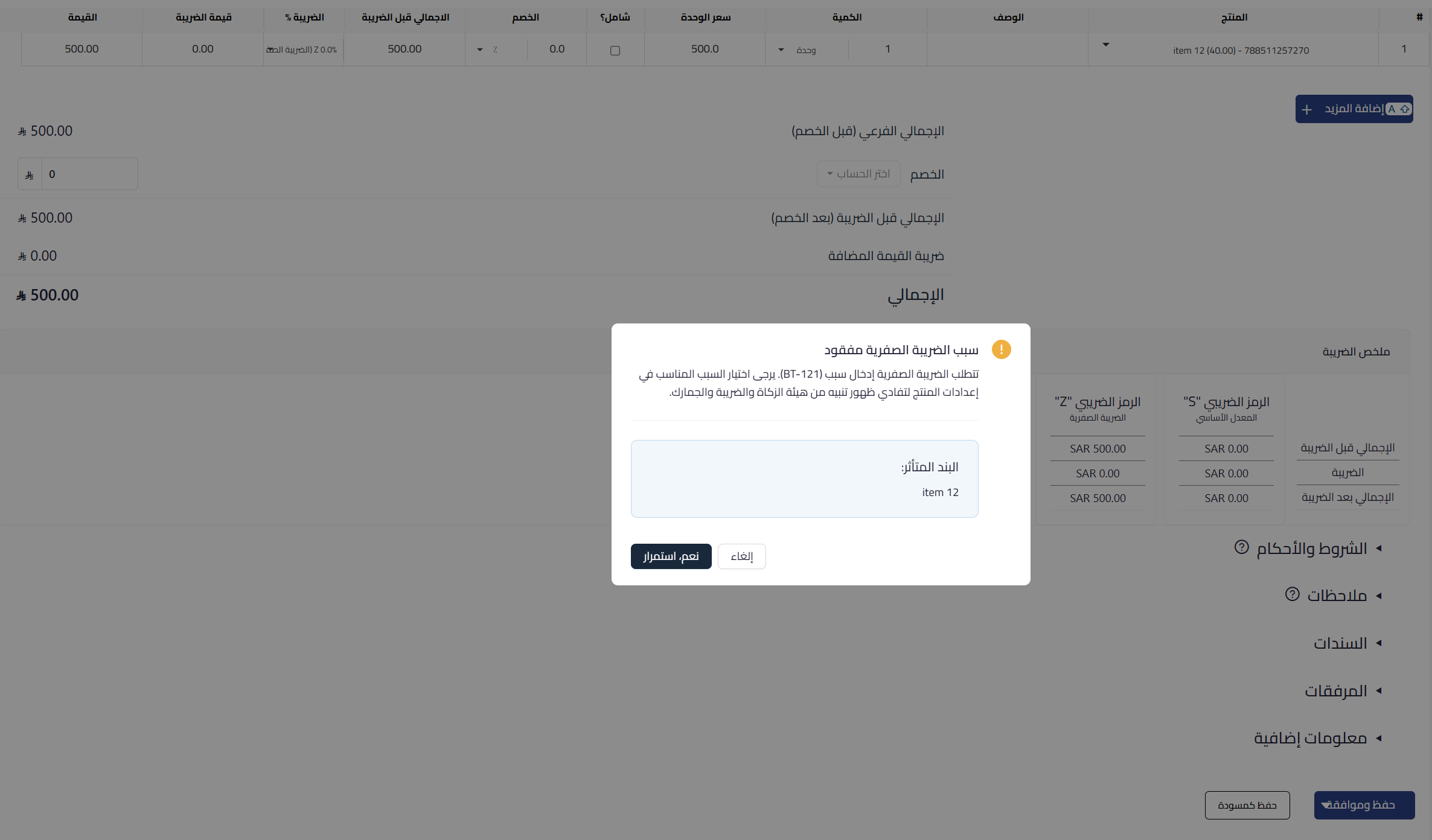
The alert appears when saving an invoice that contains a line item with a 0% tax rate without a zero-rate tax reason code (BT-121) selected, such as export of goods or international transport. You can proceed, but choosing the appropriate code is advised so the invoice is submitted correctly to the authority. This alert concerns zero-rated line items and differs from the exemption alert, which concerns VAT-exempt items.
 View full size
Path in Qoyod
Sales › Sales Invoices › Create sales invoice
Resolution steps
- When the alert appears, identify the affected line item carrying the 0% tax rate.
- Go to the product settings and choose the appropriate zero-rate tax reason code (such as export of goods or international transport).
- Return to the invoice and confirm the code appears on the line item.
- Complete saving the invoice and submitting it to the authority after adding the code.
Fields
- Zero-rate tax reason code (BT-121) (required for zero-rated items): the reason for applying 0% to the item, chosen from the authority’s approved reasons list.
- Tax rate: when 0% is selected for the item, the reason code becomes required for the invoice data to be complete.
Notes
- This is a non-blocking guidance alert, and you can proceed via “Yes, continue”, but submitting the invoice without the reason code raises the risk of rejection by the authority.
- The reason code is configured in the product settings, so once set it appears automatically on similar line items.



