




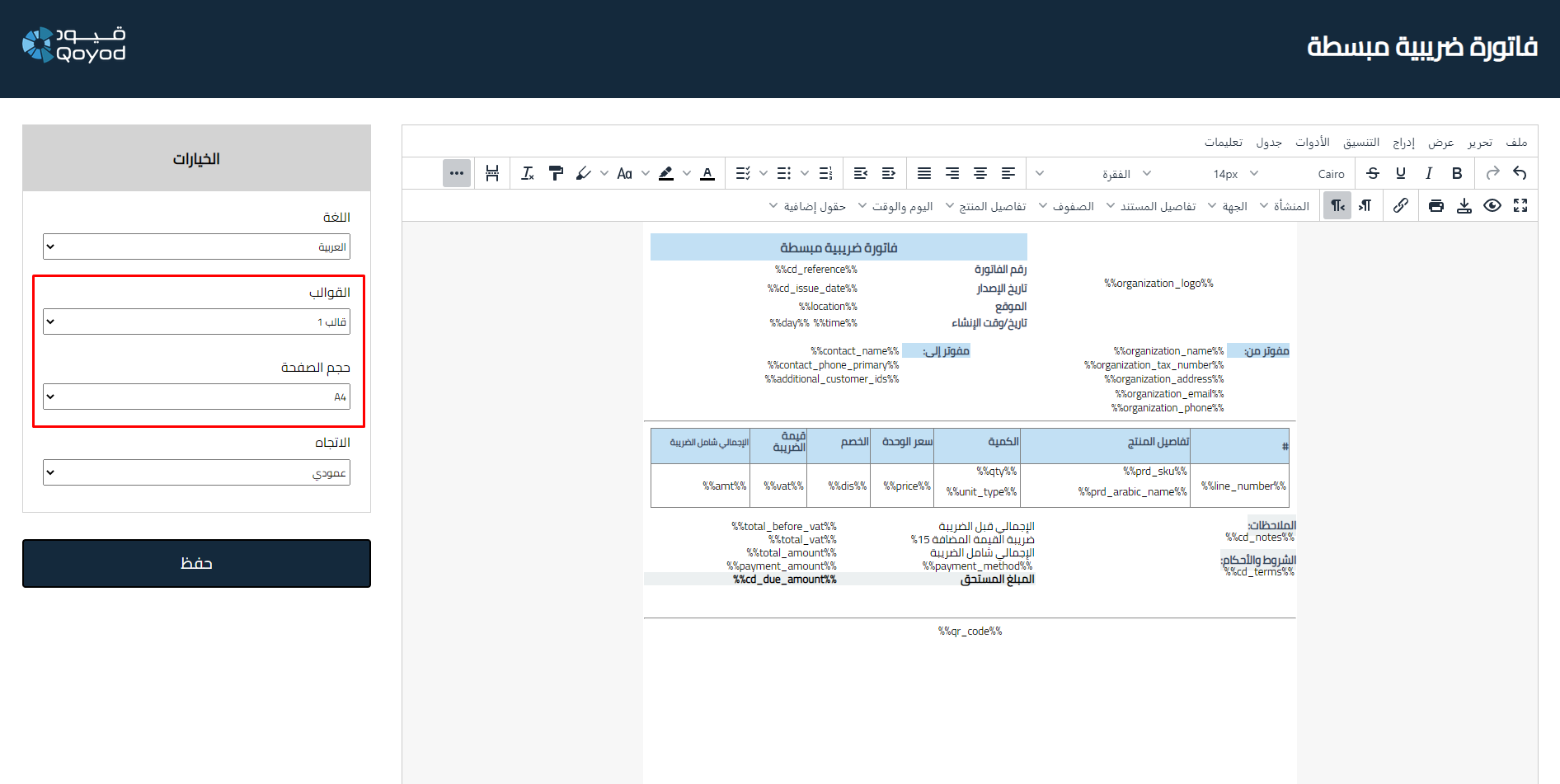
You can choose the appropriate page size for printing invoices by going to Settings, then General Settings, then selecting Sales Invoices Settings, for example, from the top options and opening the designer from the bottom of the page by following these steps:
- Choose the page size from the available printing options:
- A4
- A5
- MM 80
- Select the size you want to use based on your needs for printing different invoices such as sales invoices, quotes, purchase orders, purchase invoices, receipts, and debit and credit notes.
Additional Notes:
- Make sure to select the appropriate size for printing according to the required dimensions.
- All sizes are available for printing through the system and you can switch between them easily.



