Qoyod
Pricing

 Knowledge Base

How to Use the New Designer for Simple Invoice Formatting

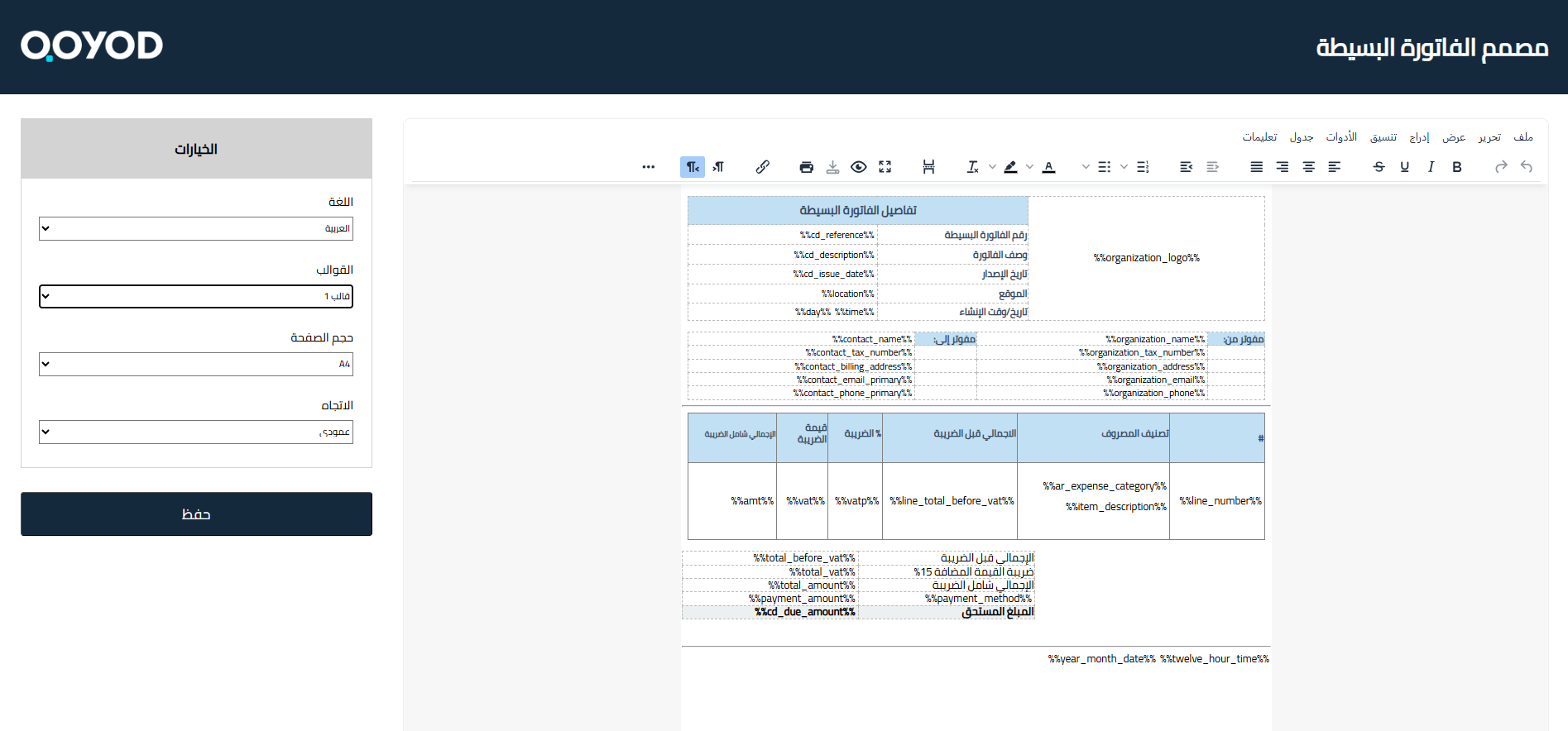
You can now design the simple invoice according to your needs using the new simple invoice designer

To start using the new simple invoice designer: go to General Settings – Simple Invoice Settings – Try the New Designer

  • Template: You can choose one of the templates added by Qoyod
  • Language: Choose your preferred language
  • Page Size: Based on your printing paper settings
  • Orientation: Portrait or Landscape

8a23802146496c86 How to Use the New Designer for Simple Invoice Formatting | Qoyod

For more information about the new designer click here

Keywords for inquiry:

  • Where can I find the new simple invoice designer?

  • How do I start designing a simple invoice?

  • How do I format the simple invoice?
  • How do I edit the simple invoice design?
  • What are the steps to use the new simple invoice designer?

  • How do I access the simple invoice formatting settings?

  • Can I change the appearance of the simple invoice?

  • How do I choose the appropriate template for the simple invoice?

  • Can I change the language of the simple invoice?

مركز المساعدة

لم تجد ما تبحث عنه؟

لا تقلق، لدينا المزيد من أدوات المساعدة.

ندوات مباشرة يقدمها فريق قيود لمساعدتك في استخدام البرنامج بسهولة والرد على أسئلتك.

تعرّف على أحدث تحديثات فيود والتحسينات المستمرة والخصائص الجديدة في مكان واحد.

فريقنا جاهز لمساعدتك وتقديم الدعم الفوري لأي مشكلة تواجهها على مدار الساعة