Qoyod
Pricing

 Knowledge Base

How to Set a Default Sales Invoice Location per User

You can set the default location for sales invoices for each user from the Settings section.
To set the default location:

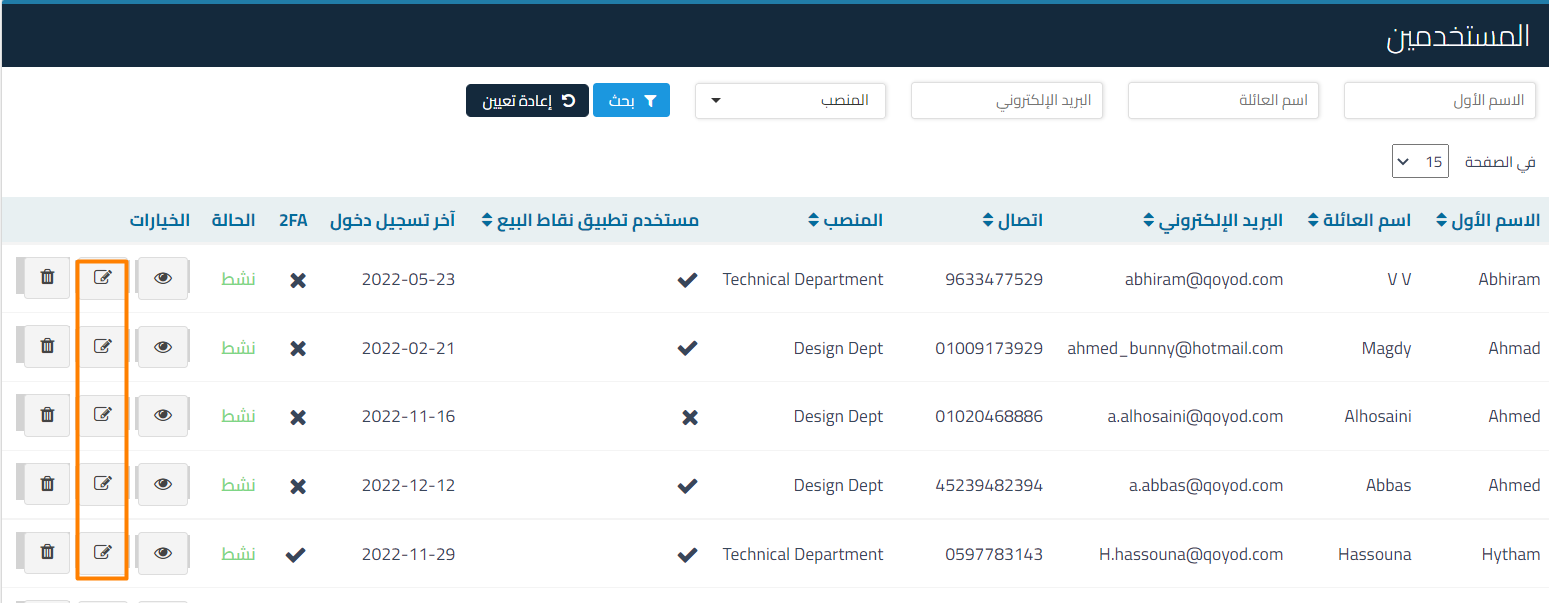
Go to Users from the Settings menu
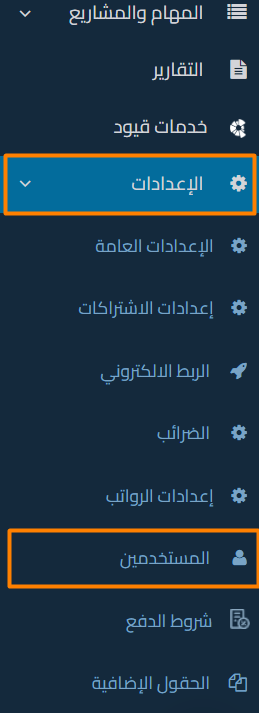
732e8bec3bdcbb07 How to Set a Default Sales Invoice Location per User | Qoyod

And select Edit for any user

7d574fc5e824bdb8 How to Set a Default Sales Invoice Location per User | Qoyod

And select the appropriate default location for any user, then click Save
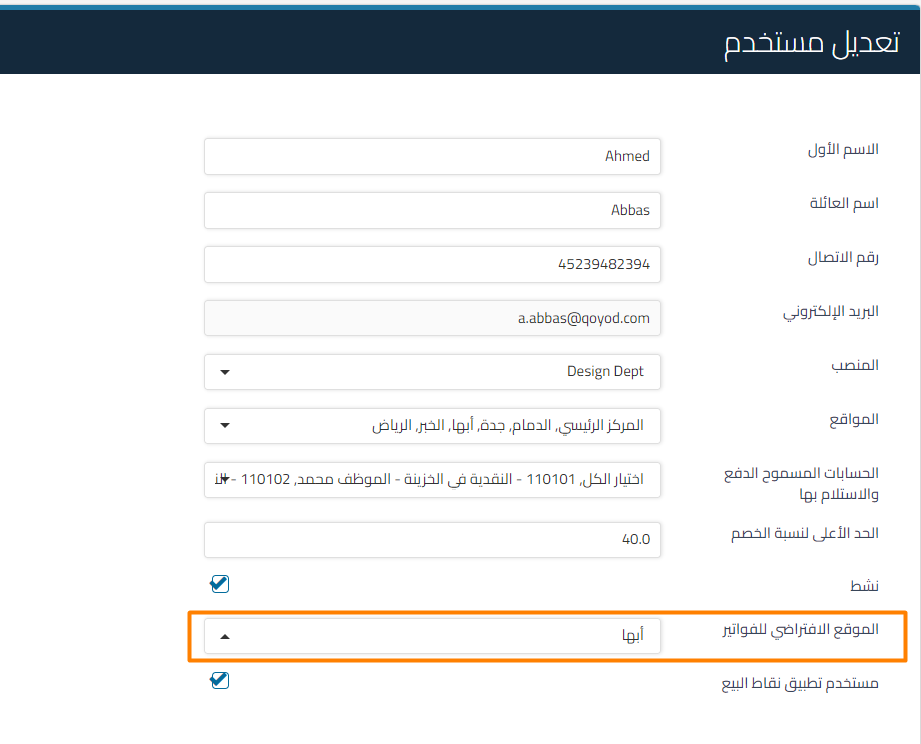
57755c315a773f51 How to Set a Default Sales Invoice Location per User | Qoyod

And when creating any invoice, the previously set location from Settings will appear
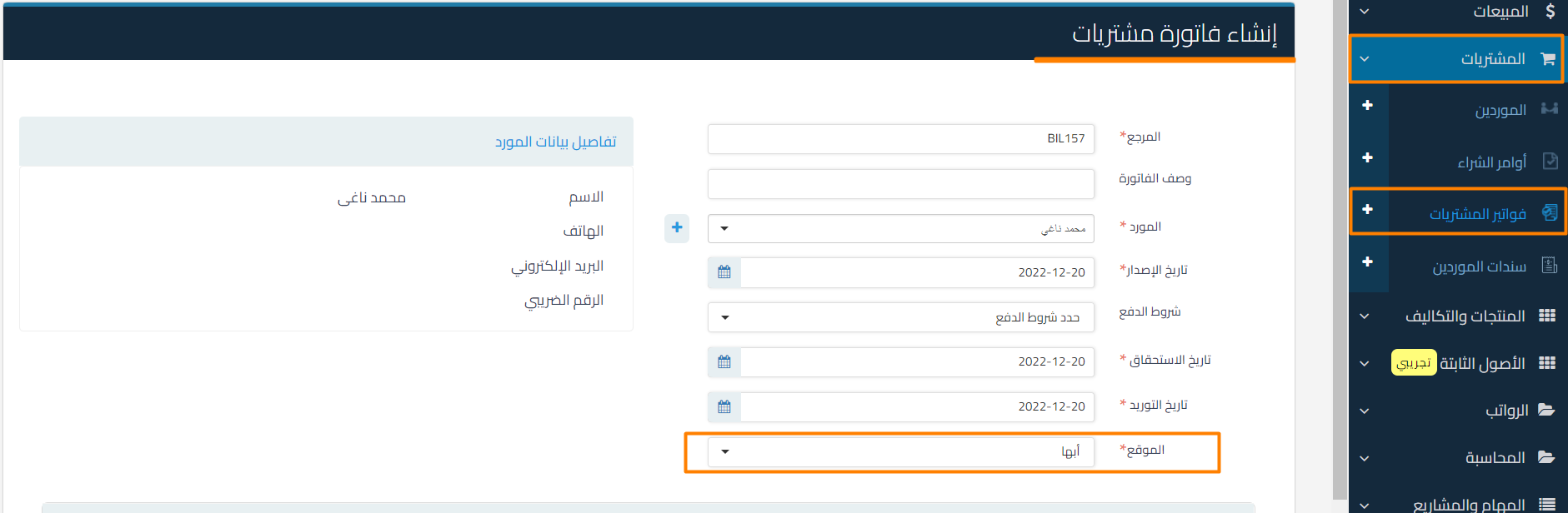
91474199a98bc116 How to Set a Default Sales Invoice Location per User | Qoyod

Additional Notes:

  • When creating a new invoice, the location previously selected for this user will be automatically set.
مركز المساعدة

لم تجد ما تبحث عنه؟

لا تقلق، لدينا المزيد من أدوات المساعدة.

ندوات مباشرة يقدمها فريق قيود لمساعدتك في استخدام البرنامج بسهولة والرد على أسئلتك.

تعرّف على أحدث تحديثات فيود والتحسينات المستمرة والخصائص الجديدة في مكان واحد.

فريقنا جاهز لمساعدتك وتقديم الدعم الفوري لأي مشكلة تواجهها على مدار الساعة