




You can review business documents and values using the Accounting Quality feature in Qoyod. Follow the steps below:
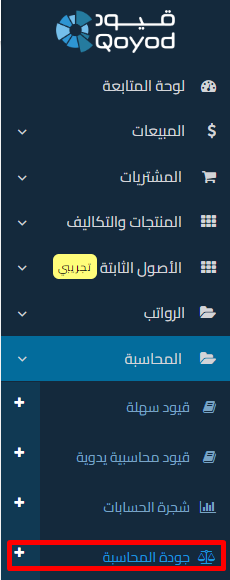
1- Go to Accounting Quality – Create an audit process
 View full size
 View full size
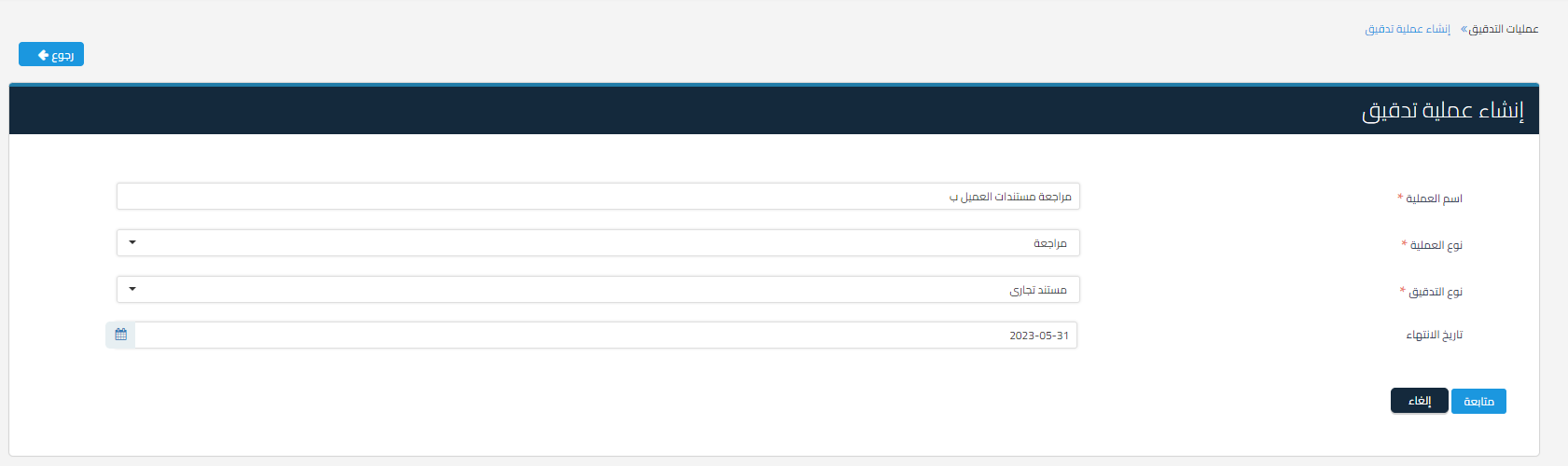
2- Fill in the necessary information such as: process name, process type (review or matching), audit type (business document, value, or entry), and audit process end date
 View full size
3- If the audit type is:
a- Business documents
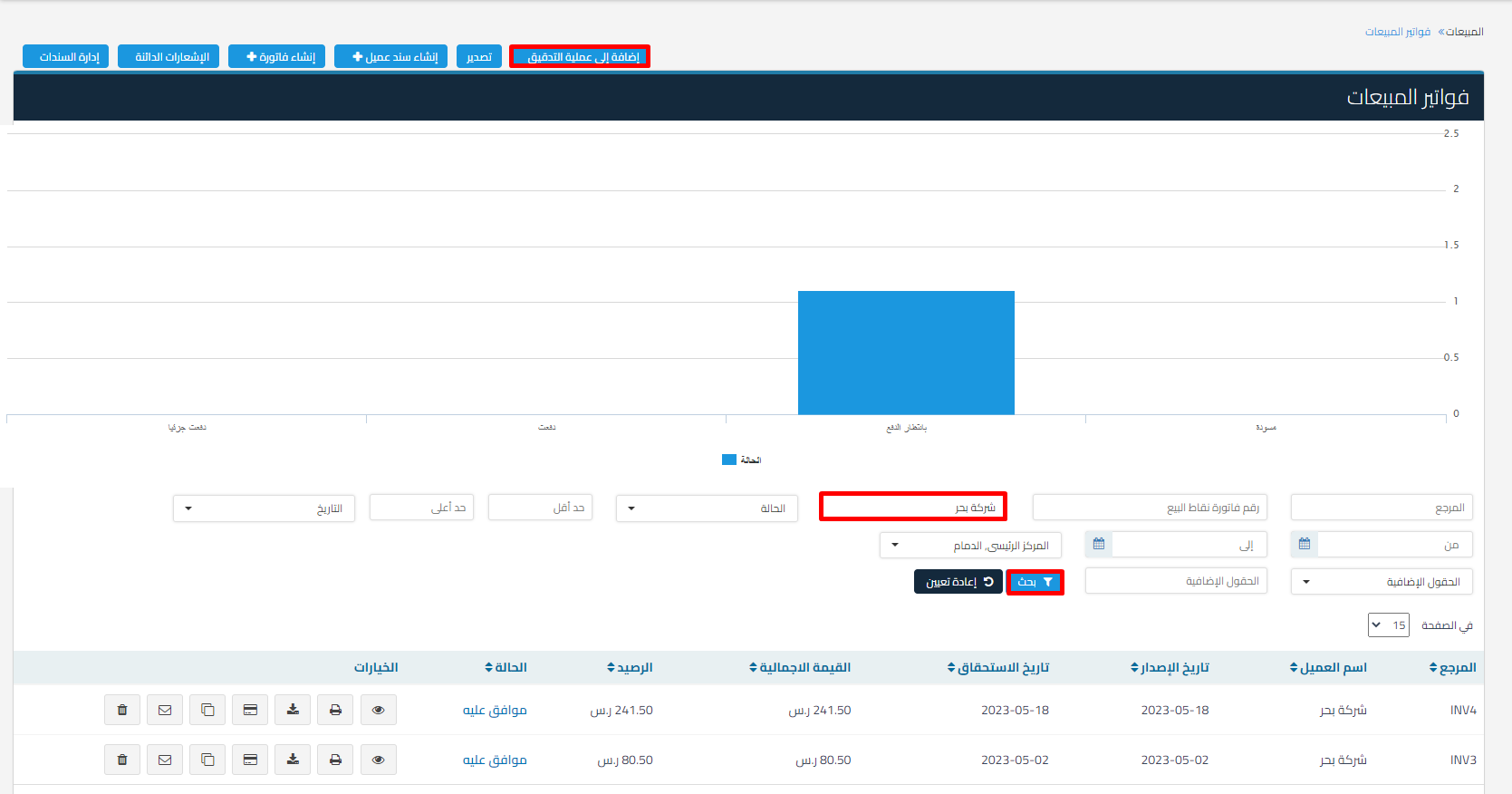
Go to the business documents page such as invoices, quotes, credit notes, or debit notes, and apply the necessary filtering to send the required documents for the audit process (if no filter is applied, all documents will be sent), and then click “Add to audit processes”
 View full size
b- Value:
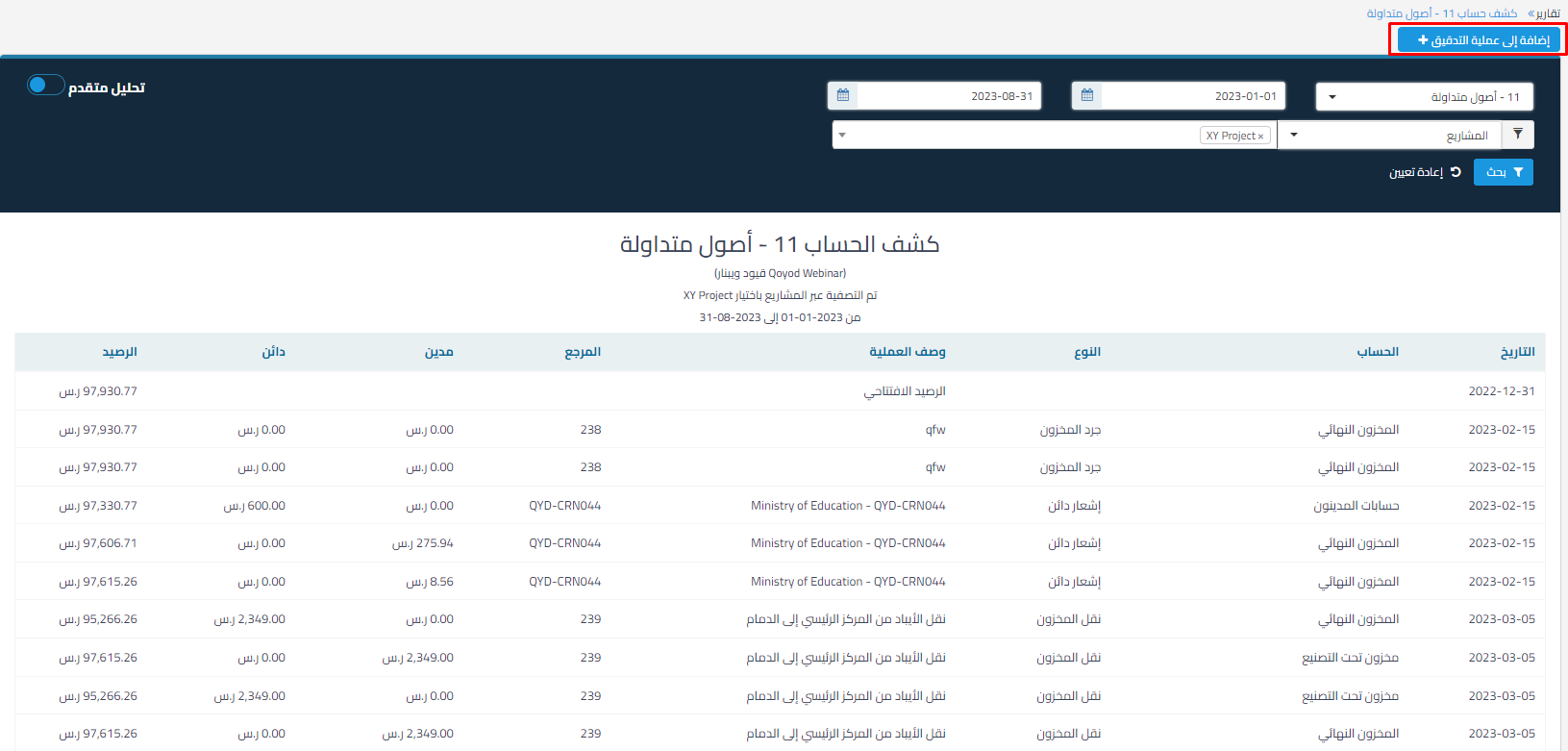
This is used to review or match values in the bank statement. Go to Reports – select the Bank Statement report – select the required account and apply the necessary filtering, and then click “Add to audit processes” and select the type “Value”
 View full size
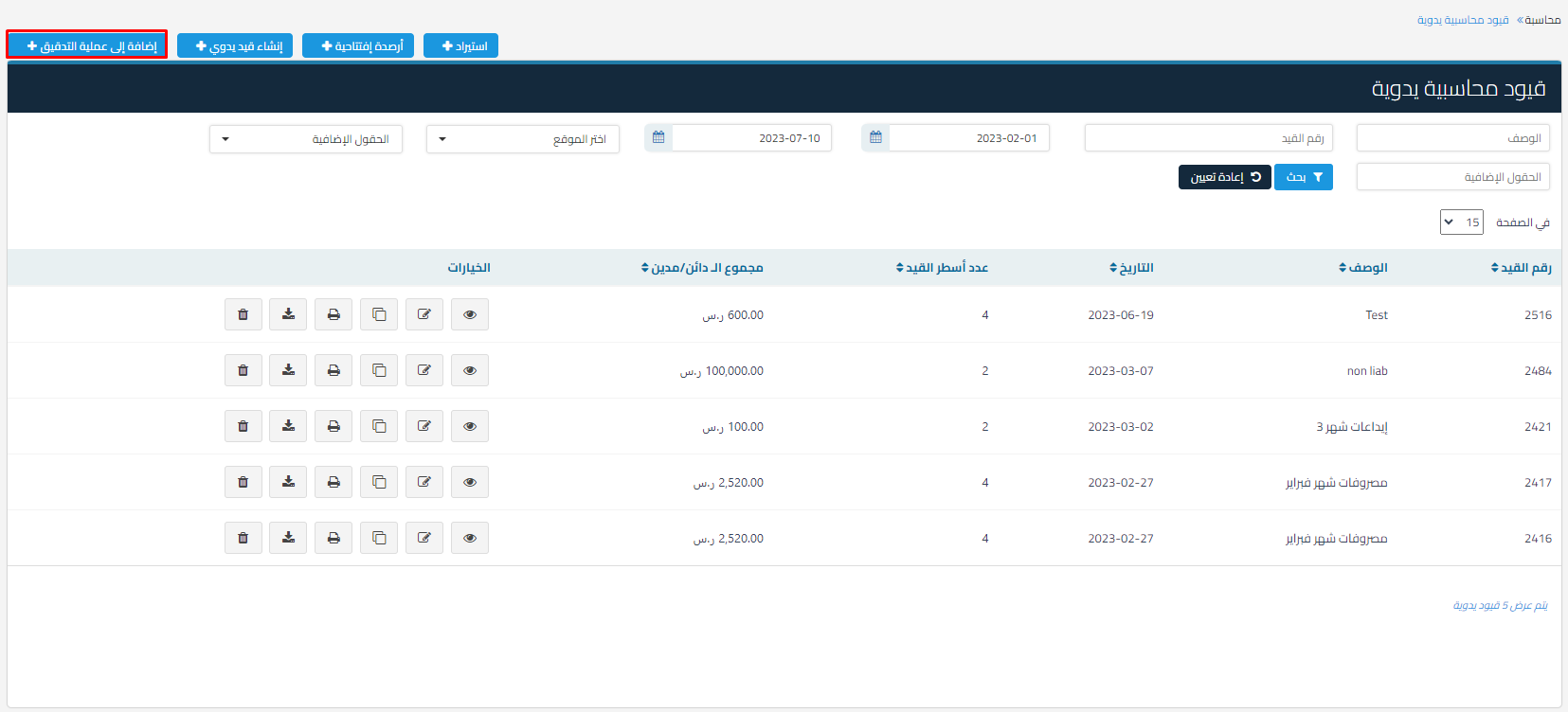
c- Entry:
This is used to review journal entries
by going to the manual daily entries page, quick entries, journal entries, or entries linked to the bank statement, applying the necessary filtering, and then clicking add to audit process
 View full size
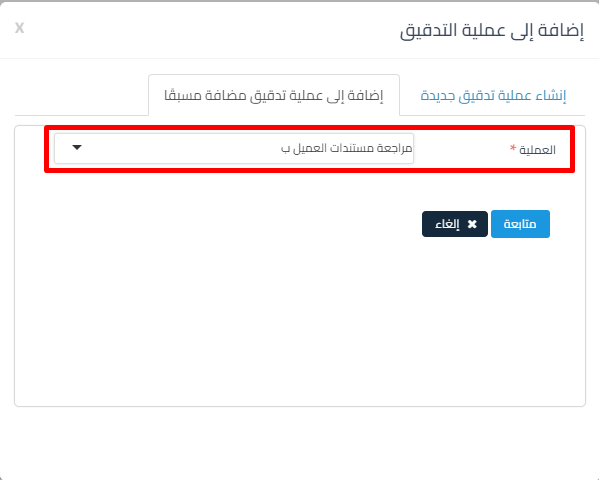
4- Choose either to create a new audit process or add to a previously added process
 View full size
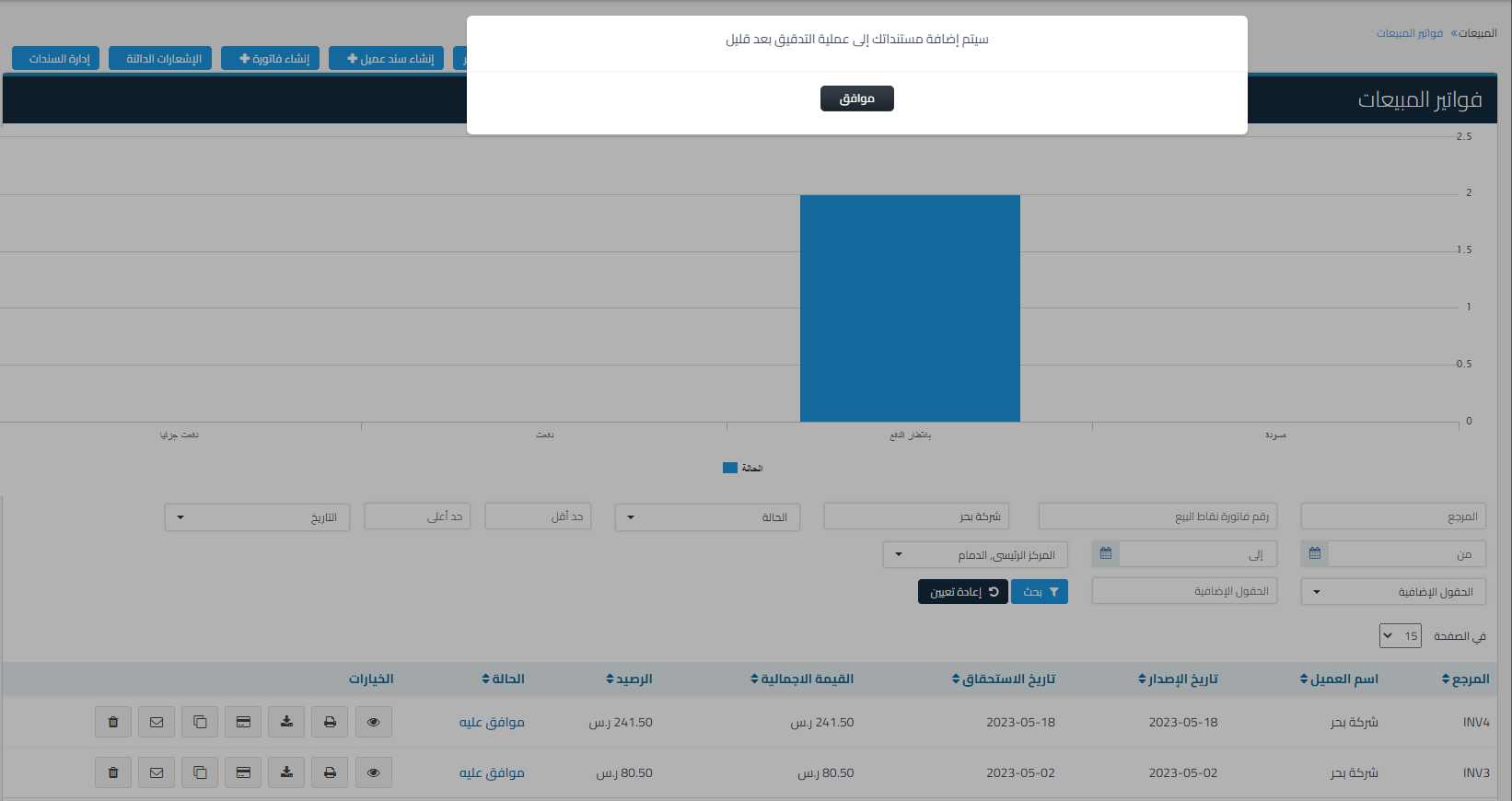
4- The documents will be sent shortly
 View full size
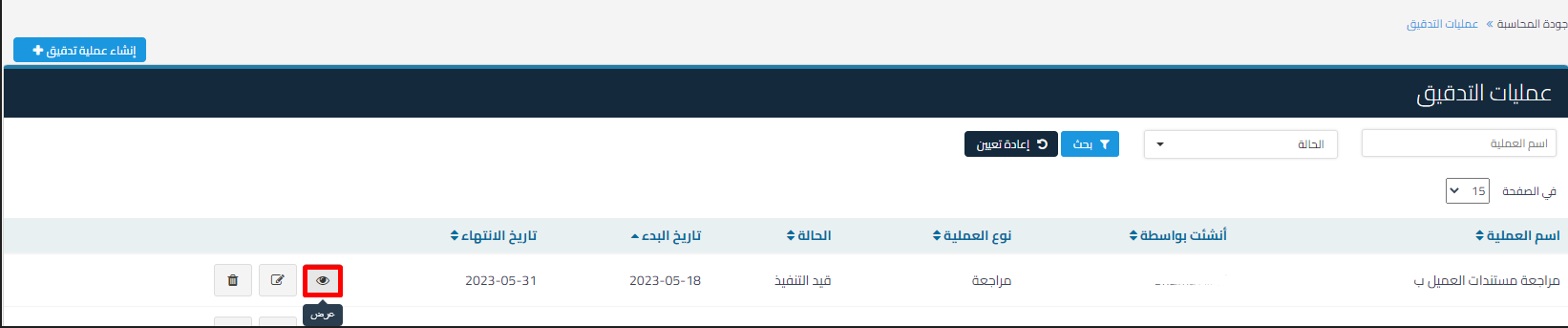
5- Go to the Accounting Quality page and click “View” for the audit process you want to start
 View full size
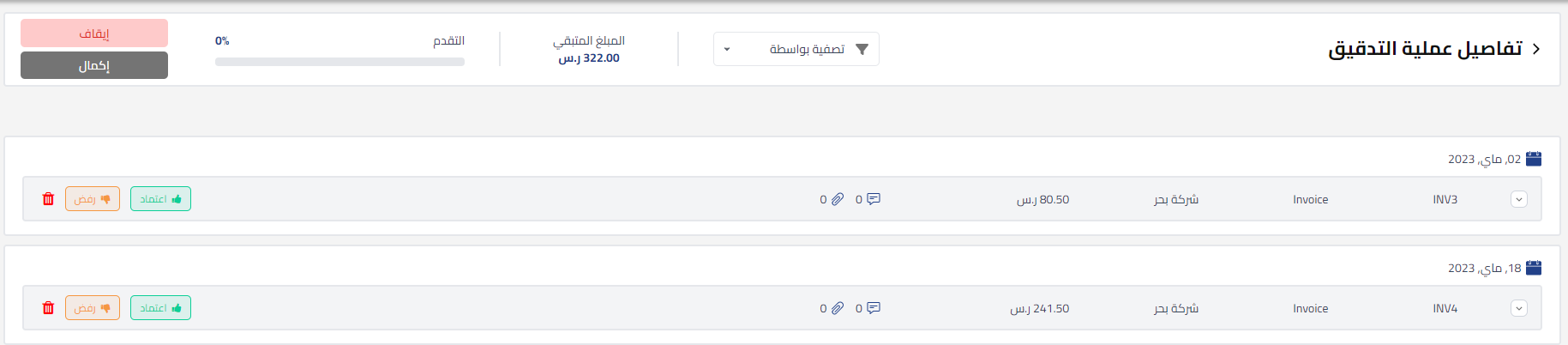
6- The page displays all processes with status “Pending”. Perform the necessary review and click approve, reject, or delete the item from the audit process
 View full size
7- To view all approved, rejected, and pending processes, you can click “Filter by”
 View full size
and select the required status
 View full size
8- You can click pause to suspend the audit process (and reopen it later), or when the audit process is complete, click complete:
 View full size
Additional resource:
Watch the tutorial video for more details:
Review Documents, Entries, and Values



