




You can create and modify manual journal entries directly from the Qoyod app on mobile.
You can access manual journal entries from the mobile app from the main menu under the Accounting tab
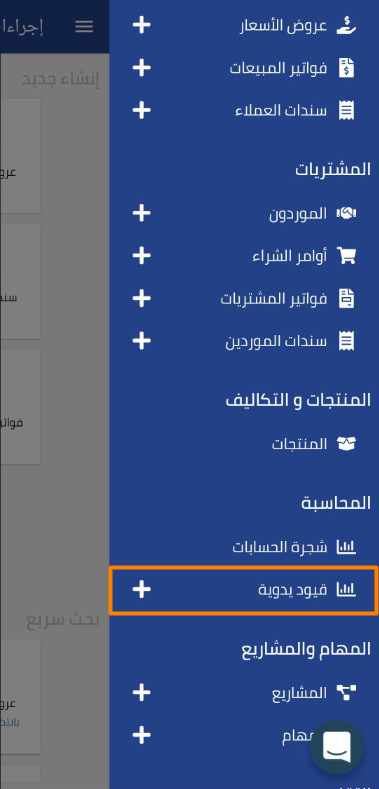 View full size
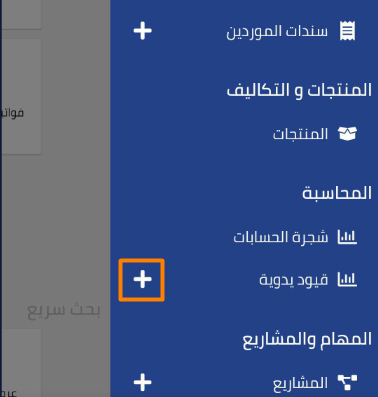
You can create a manual journal entry directly from the menu by tapping the “+” sign next to ” Manual Journal Entries “
 View full size
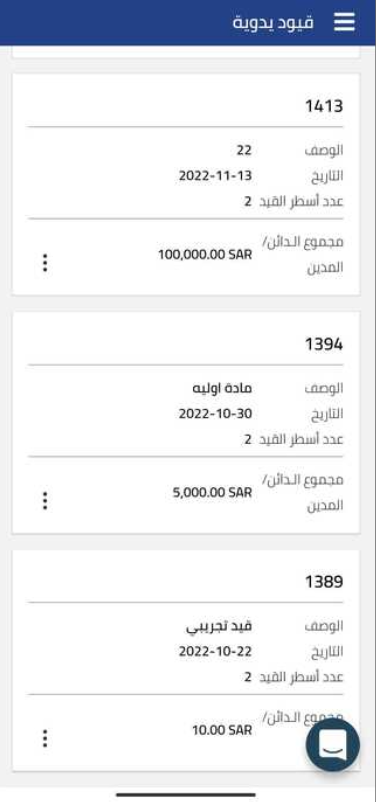
When you select manual journal entries, a page appears with all journal entries previously created in your entity
 View full size
You can perform several operations from the toolbar at the top of the page
 View full size
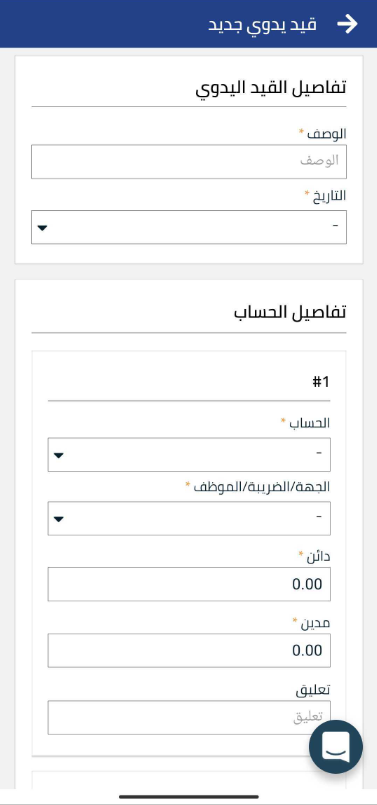
Such as creating a new manual journal entry
 View full size
Search or filter by any of the following data
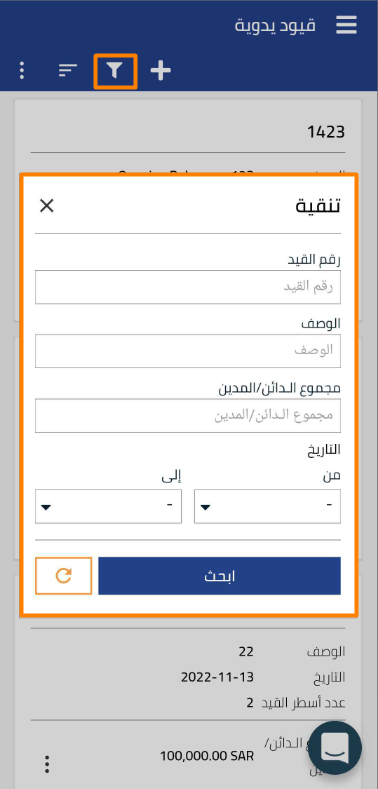 View full size
Sort the appearance of journal entries in a specific way
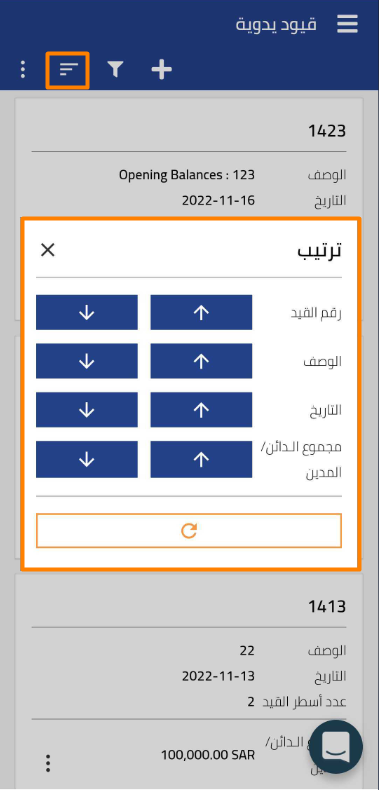 View full size
Additional notes:
-
Manual journal entries created in the app are updated directly in the system.
-
You can edit manual journal entries from the same page by tapping on the selected entry and modifying it as needed.



