




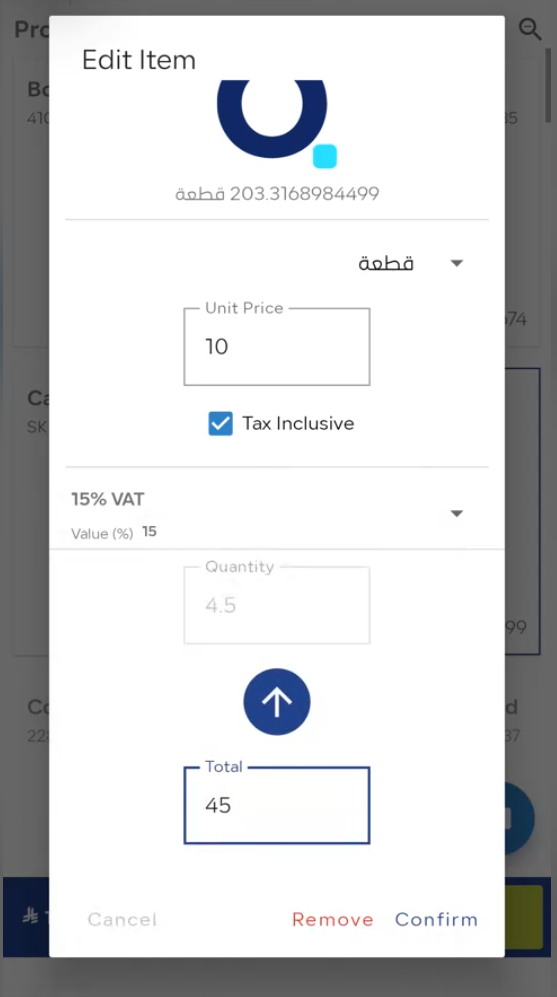
You can enter the total amount for the item directly in the POS screen, and the system will automatically calculate the quantity based on the unit price and VAT.
Steps
-
Enable the Feature
-
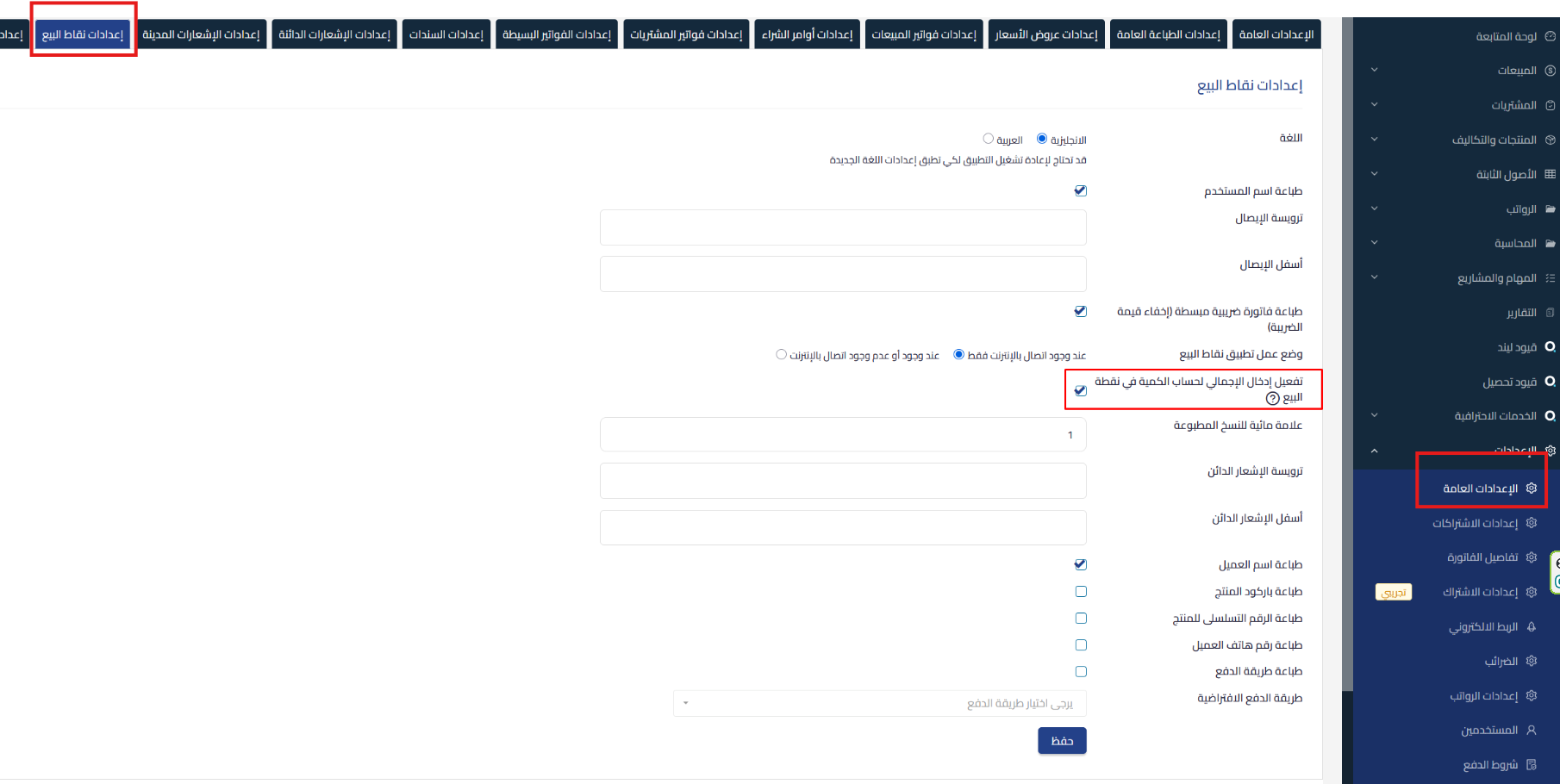
Go to POS Settings in Qoyod through Settings, then General Settings, and you’ll find “POS Settings” in the top options. This option will only appear if you’re a POS user.
-
Enable the option “Enable Total Input to Calculate Quantity in POS”
-
-
Using the Feature in POS
-
When you enter the total amount for the item, the system will automatically calculate the quantity based on the unit price and VAT
-
Continue to complete the sale as usual

-
When to Use It?
-
When you know the final sale value in advance
-
When you want the system to automatically calculate the quantity to facilitate sales transactions
Important Notes
-
Make sure to enable the option in Settings before using it
-
The automatic calculation depends on the unit price and VAT entered



