




Yes, you can link salaries to multiple cost centers in the system.
The way to do this is by adding multiple salary types and linking each type to the appropriate account and a different cost center.
This way you can track salary costs for each center independently.
Steps to add a new salary type:
-
Go to Settings
-
Select Payroll Settings
-
Click on Payroll Components
-
Click the New Salary Component
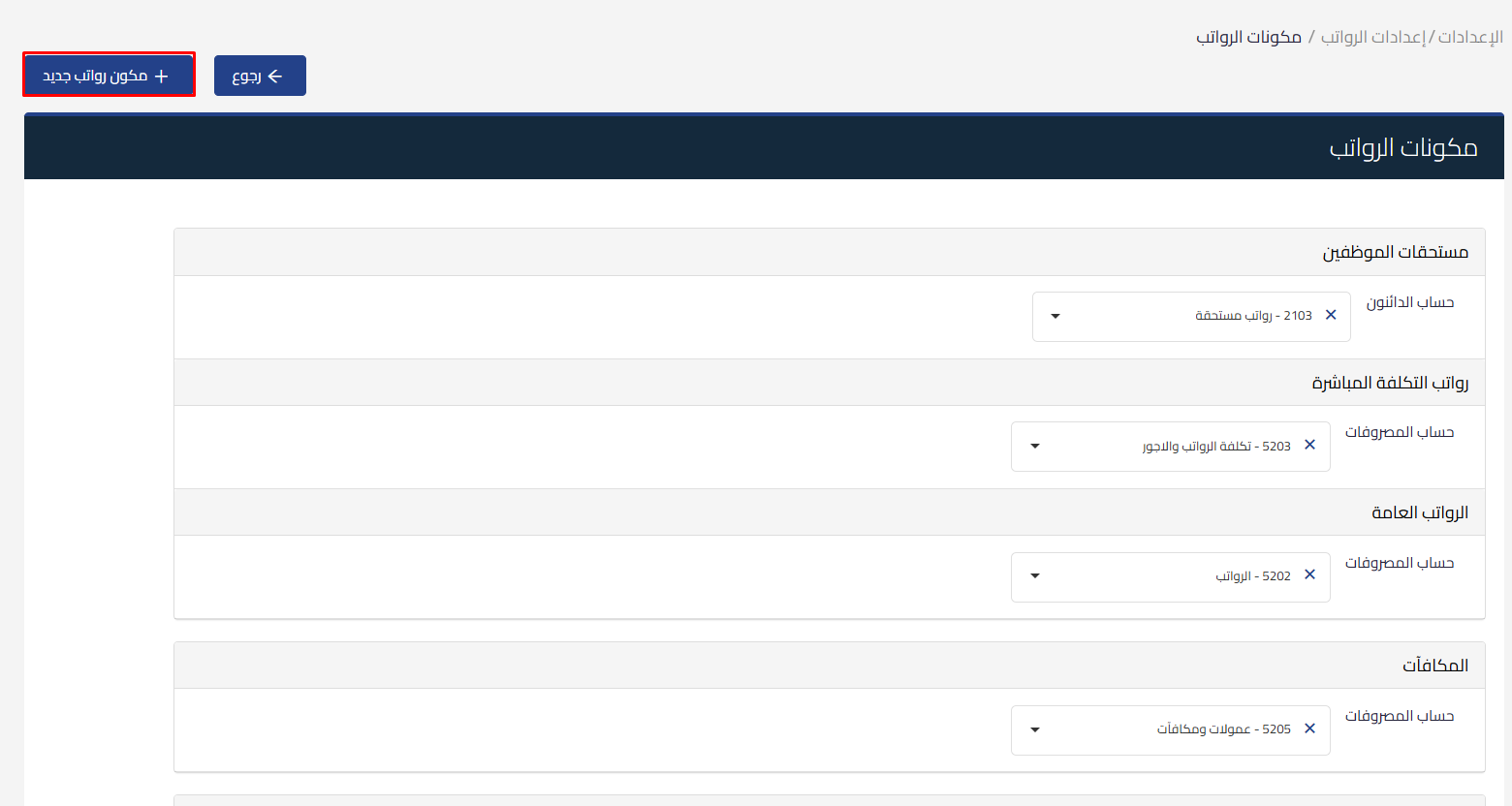
button
Fill in the new type data:
-
Enter the type name in Arabic and English
-
Select the account linked to the type (expense or asset) from the chart of accounts
-
Click Save

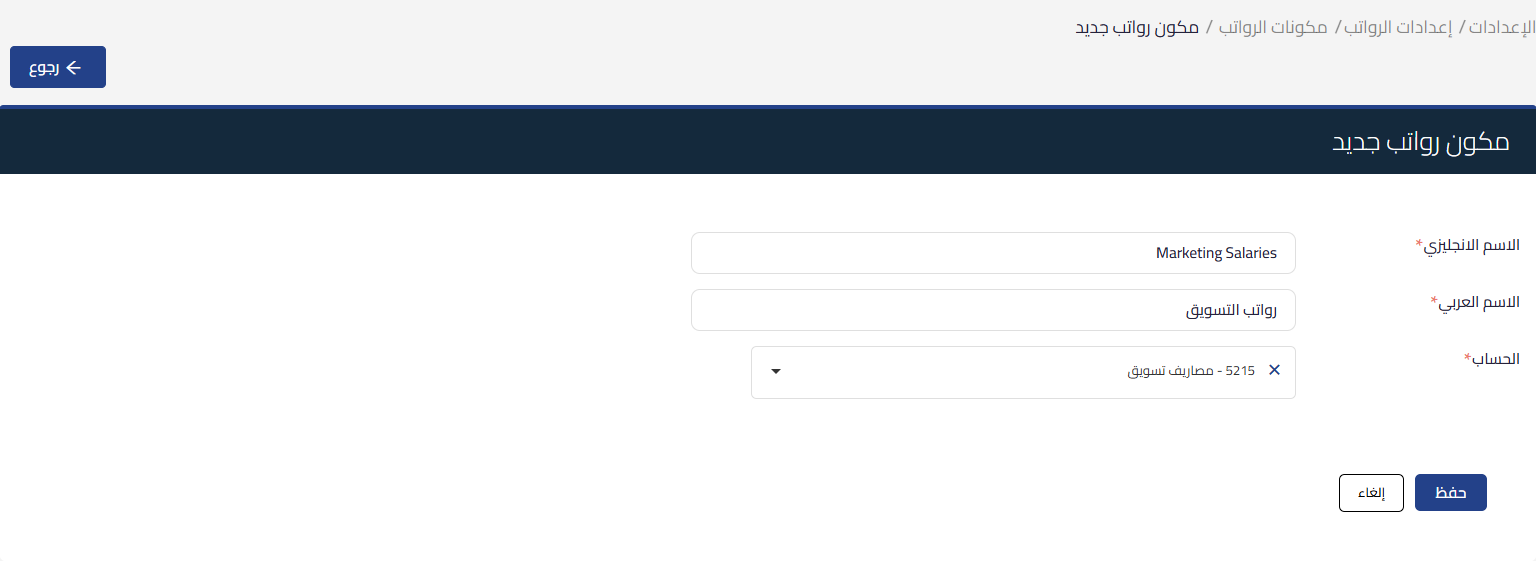
After saving:
-
The type appears directly on the employee page under the “Employment type” section

-
You can use the new type in setting up the payroll flow
-
You can delete the type from payroll components if it’s not linked to any employee
-
Or you can edit it and the change will appear in future flows
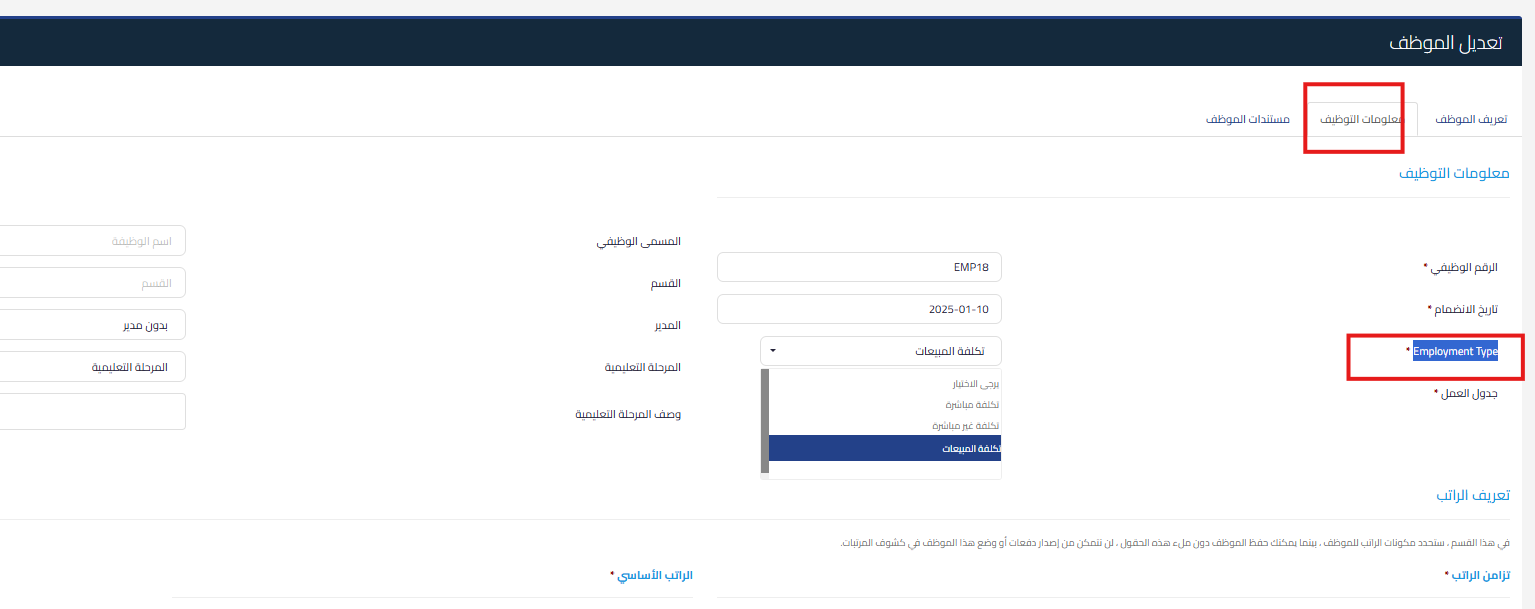
Additional features:
-
You can filter employees by employment type
-
You can track the cost of each salary type accurately through its linked accounts
- You cannot link the payroll flow to a specific project, but you can create an account in the chart of accounts for a specific project (such as Project X Salaries) and add a new salary type and assign it to this account
When should the issue be escalated?
-
If the new type doesn’t appear on the employee page
-
If you can’t save the type or link it to the account
-
If an error appears when setting up the flow after linking the new type



