




Explanation of how to extract invoices that have zero or exempt tax through system reports
Steps to follow:
Customer Response:
You can extract invoices with zero tax this way:
First: Accessing the Report
-
Go to Reports
-
Select Sales Tax Invoices
-
Select the required period
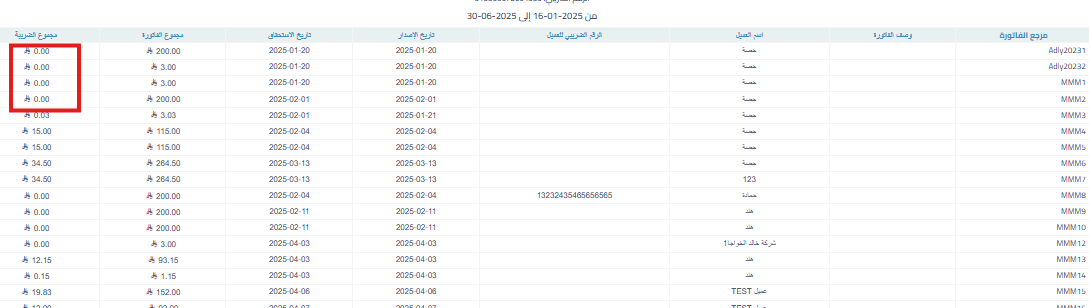
Second: Checking the Tax Value
-
You will see a column named Total Tax
-
If the value is “0”, then the invoice has zero or exempt tax

Additional Notes:
-
Some invoices may contain products that are subject to tax and others that are not, so the total tax may not be zero
-
You must check the invoice details manually in mixed cases



