




Explanation of available payment methods for performance guarantee when creating or paying invoices.
Procedures:
-
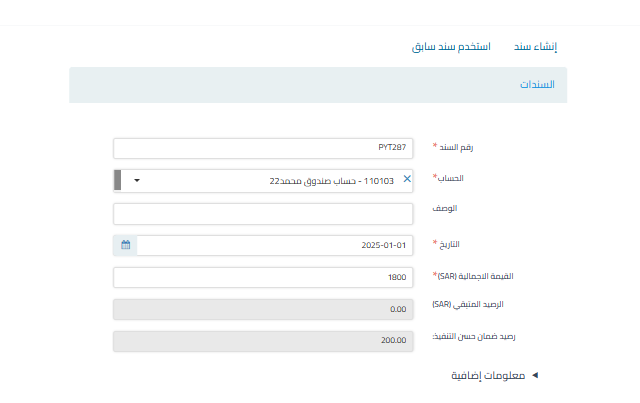
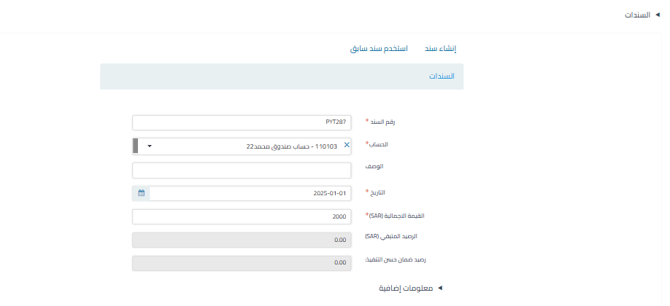
When creating a sales invoice from the documents field:
- Case 1: If the amount paid is less than or equal to the amount due:
- The entire amount is allocated to payables only.
- The entire amount is allocated to payables only.
- Case 2: If the amount paid is higher than the amount due:
- The difference is automatically allocated to the performance guarantee.

- The difference is automatically allocated to the performance guarantee.
- Case 1: If the amount paid is less than or equal to the amount due:
-
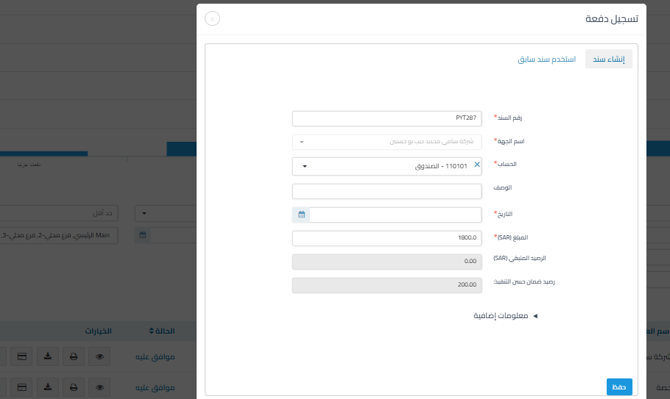
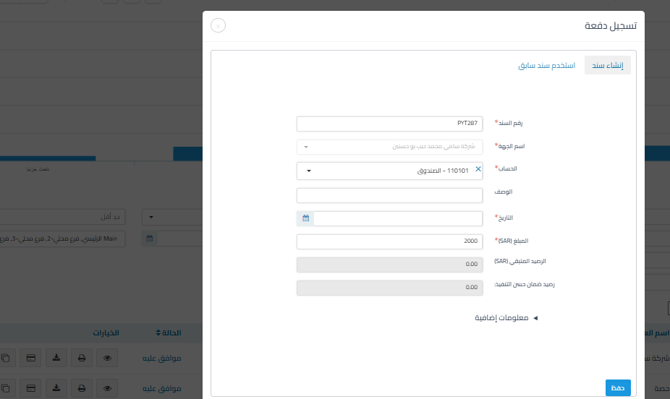
By paying the invoice from the main sales invoices page:
- Case 1: If the amount paid is less than or equal to the amount due:
- The entire amount is allocated to payables only.

- The entire amount is allocated to payables only.
- Case 2: If the amount paid is higher than the amount due:
- The difference is automatically allocated to the performance guarantee.

- The difference is automatically allocated to the performance guarantee.
- Case 1: If the amount paid is less than or equal to the amount due:
Additional Notes:
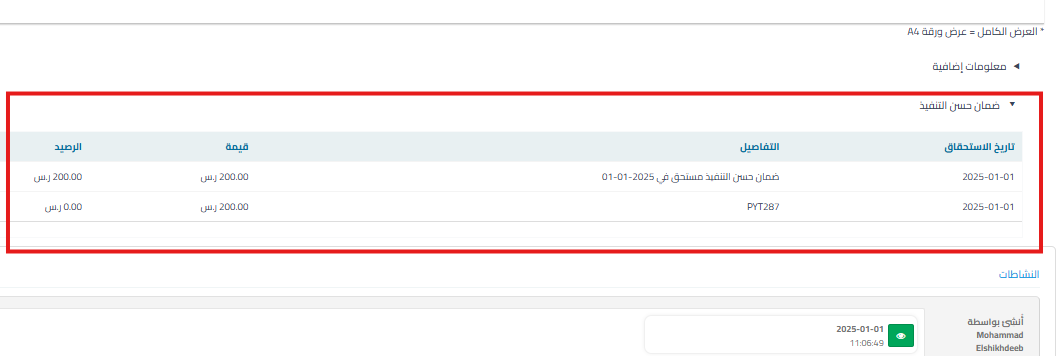
- The performance guarantee appears in a dedicated section of the invoice with clarification of the associated documents.

Keywords:
-
How do I pay the performance guarantee with the invoice?
-
Can I add an extra amount to the invoice so that the performance guarantee is calculated?
-
When is the guarantee calculated automatically if I pay the invoice?
-
If I pay the same amount as the invoice, will the performance guarantee be calculated?
-
What happens if I pay more than the required invoice amount?
-
Does the system differentiate between the amount due and the performance guarantee?
-
Must I add the guarantee when creating the invoice or at the time of payment?
-
Where does the performance guarantee appear on the invoice?
-
Can I see the guarantee details within the invoice page?
-
How do I know which document is associated with the performance guarantee?



