




Learn how to enable the distinction between sales tax and purchase tax, set up the related accounts in the system, and see how they appear in reports.
Steps to follow:
How to do it:
You can distinguish between purchase tax and sales tax this way:
First: Enable the option to distinguish sales tax from purchase tax
-
Go to Settings
-
Choose General Settings
-
Enable the option Distinguish between sales tax and purchase tax
-
Click Save

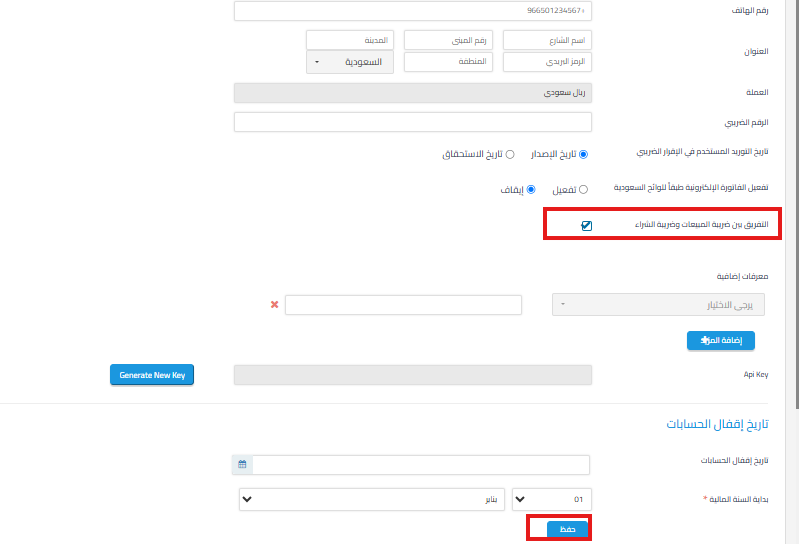
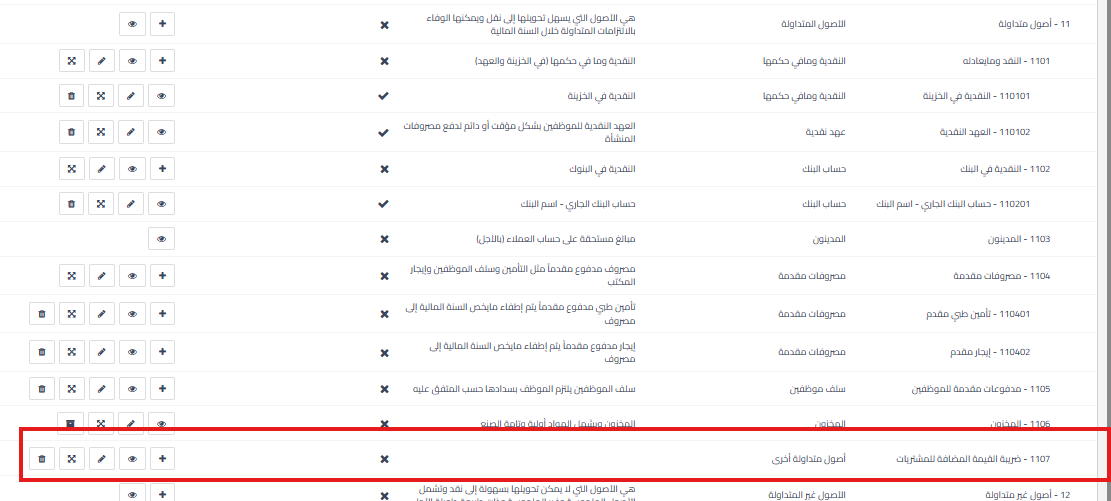
Second: Set up the purchase tax account
-
Go to Accounting > Chart of Accounts
-
Click the + sign next to Current Assets
-
Add a new account named “Value Added Tax – Purchases”

Third: Update the sales tax account
-
In the Chart of Accounts, edit the existing tax account
-
Change its name to “Value Added Tax – Sales”


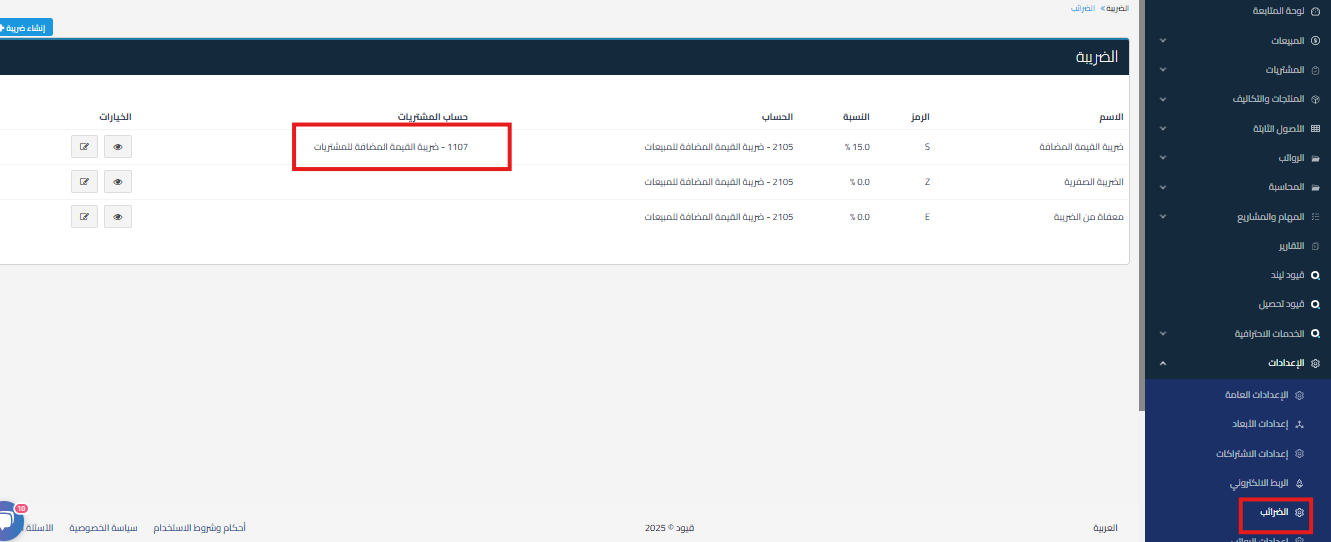
Fourth: Configure tax settings
-
From Settings > Taxes
-
Click Edit next to Value Added Tax
-
Select the new purchase tax account
-
Click Save

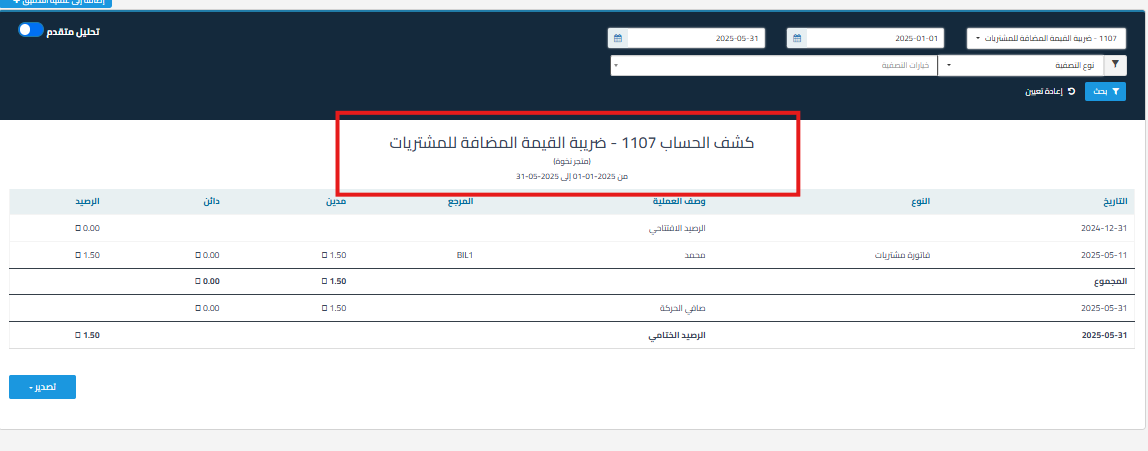
Fifth: View Reports
-
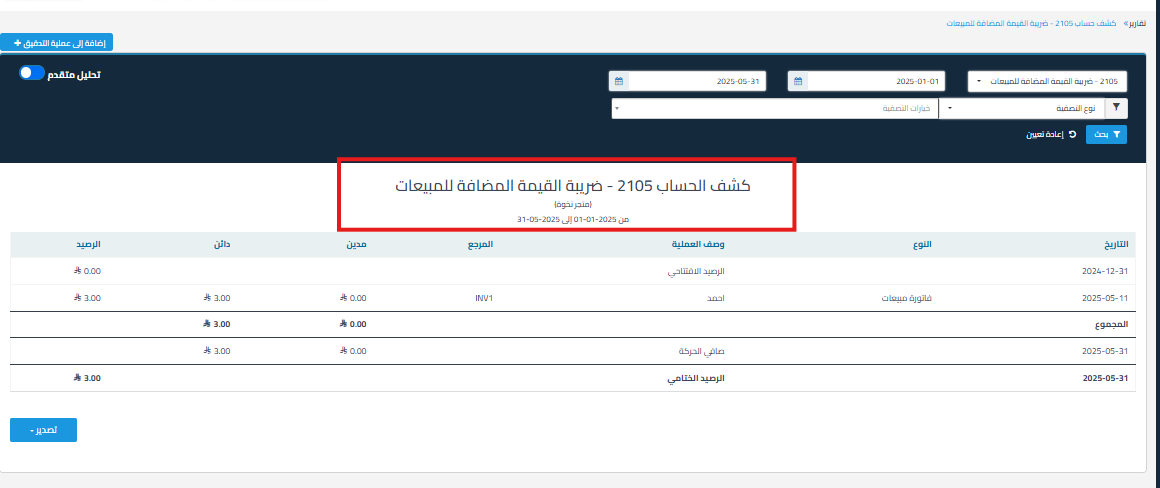
Go to Reports > Account Statement
-
Generate an account statement for the purchase account and another statement for the sales account.


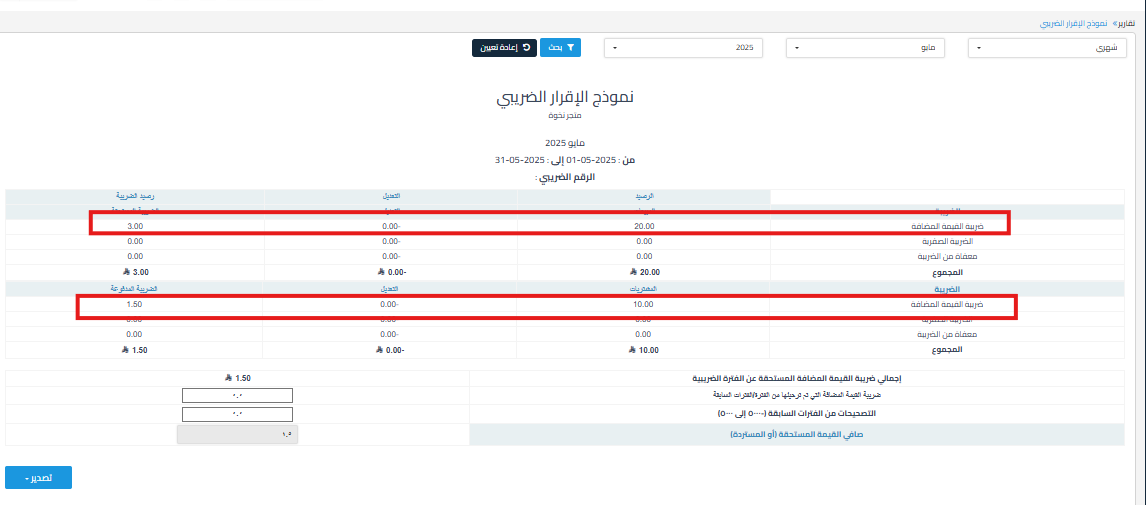
Both accounts are reflected in the tax return as shown below:
Additional Notes:
-
The system automatically separates amounts after setting up the accounts.
-
You can track each tax separately through the account statement report.
- You cannot edit the purchase account after adding it to the tax.
- The tax return will be linked to two accounts (Value Added Tax – Purchases account and Value Added Tax – Sales account) and is affected by invoices. However, for manual entries and simple invoices, only the Value Added Tax – Sales account (2105) is affected, and the Value Added Tax – Purchases account is not. Therefore, make sure to record purchase tax only through purchase invoices.
Explanatory Video
{% video_player “embed_player” overrideable=False, type=’hsvideo2′, hide_playlist=True, viral_sharing=False, embed_button=False, autoplay=False, hidden_controls=False, loop=False, muted=False, full_width=False, width=’1362′, height=’720′, player_id=’235256490171′, style=” %}
-
Here’s a practical explanatory video: How to enable the feature to distinguish between sales tax and purchase tax and how it works



