Qoyod
Pricing

 Knowledge Base

Testing ZATCA Integration with Fatoora Simulation: Steps and Transition to Official Integration via Fatoora Portal

Clarification about the test connection method with the General Authority of Zakat and Tax, where the test connection feature with the General Authority of Zakat and Tax has been made available through “Fatoora Simulation”.

  • Steps:

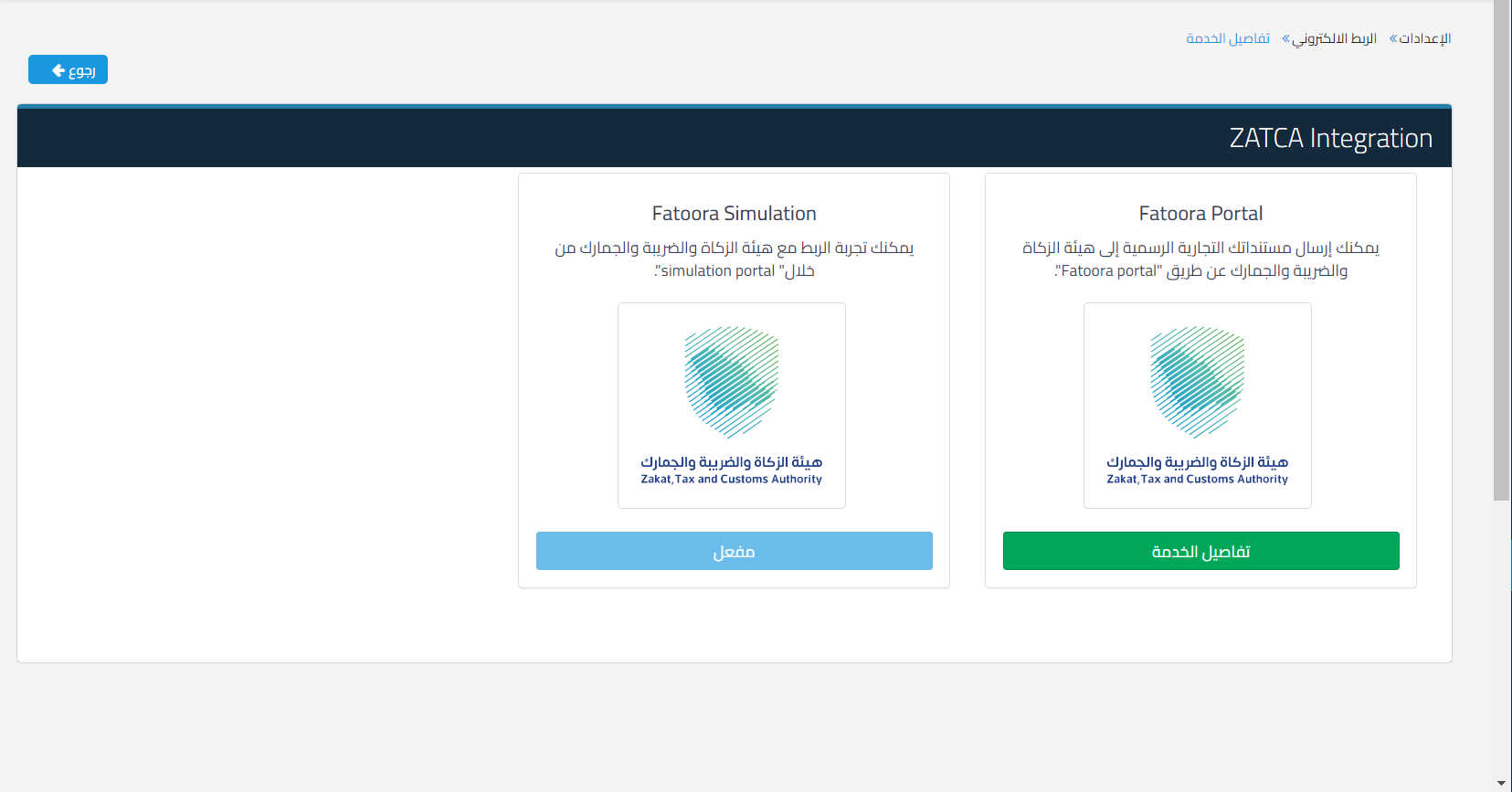
Go to Settings, then Electronic Linking, then click on Connection with the General Authority of Zakat and Tax, and click on Fatoora Simulation
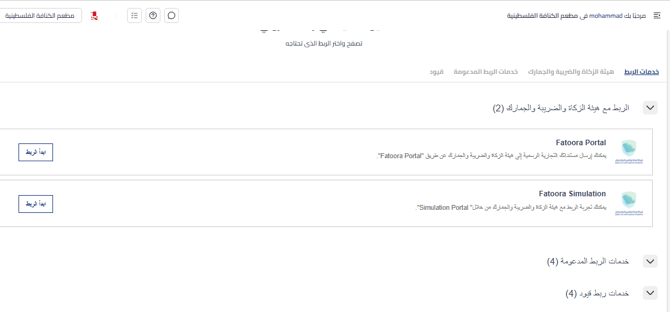
e5c28b2d0e076a9e Testing ZATCA Integration with Fatoora Simulation: Steps and Transition to Official Integration via Fatoora Portal | Qoyod

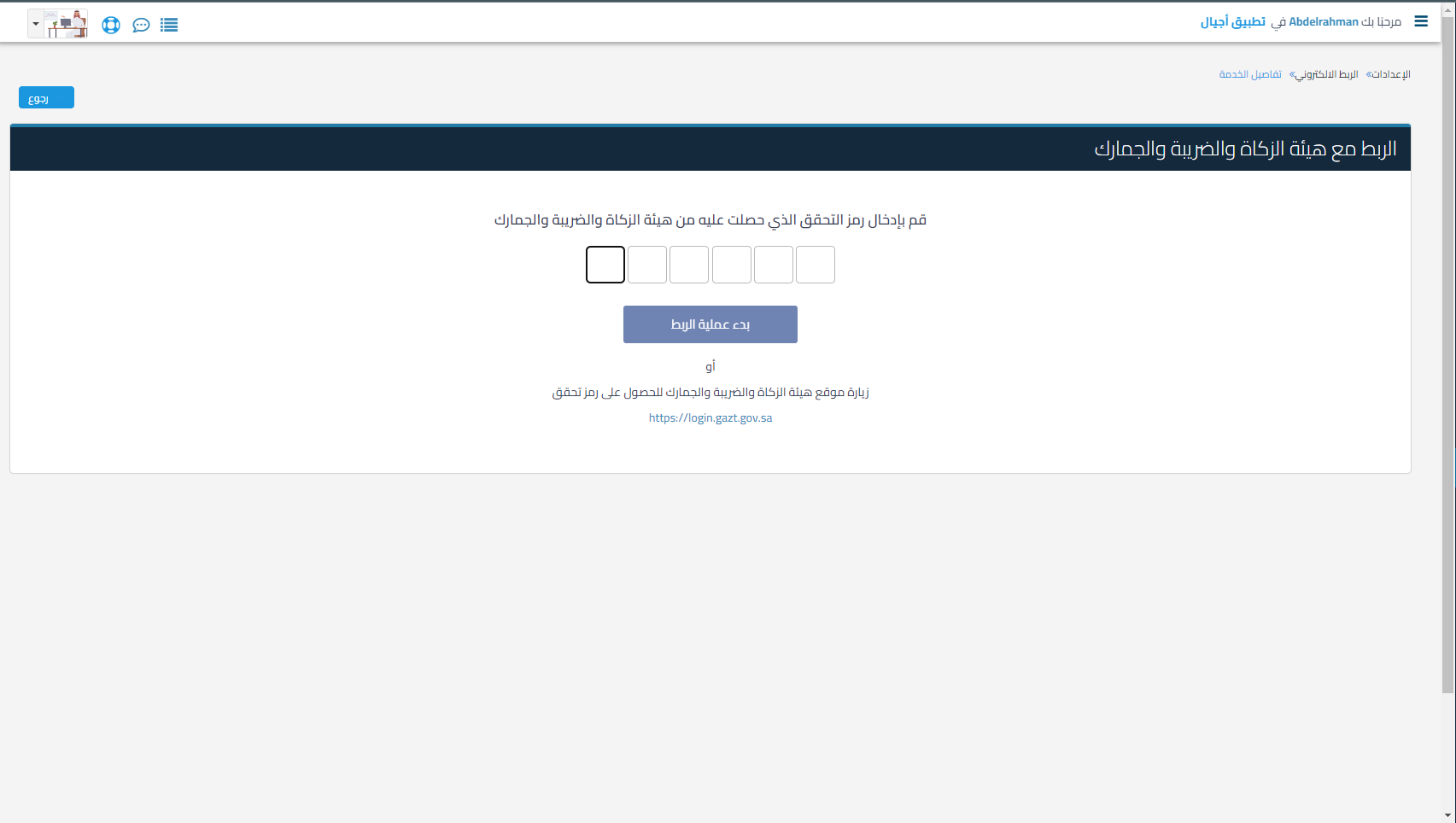
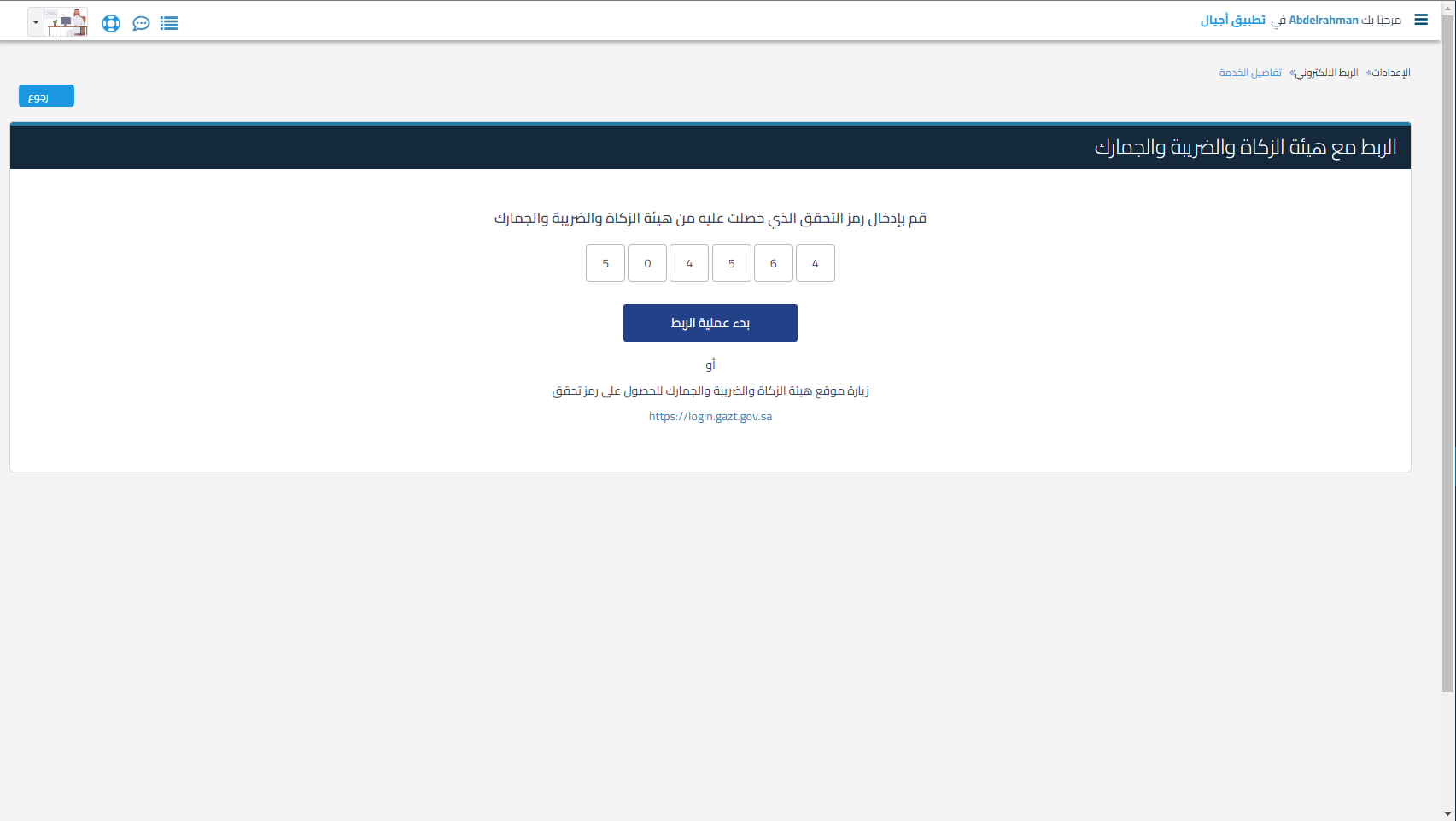
By entering the verification code you received from the General Authority of Zakat and Tax, which is obtained from the General Authority of Zakat and Tax and Income website, where it does not arrive by mobile message or email

Then click on the link and then enter the “Virtual Simulation Platform”
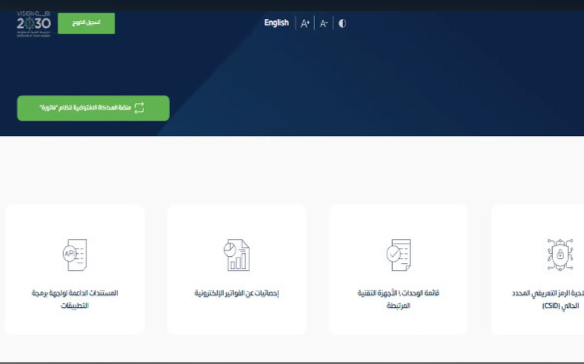
c1290ea8a35b153d Testing ZATCA Integration with Fatoora Simulation: Steps and Transition to Official Integration via Fatoora Portal | Qoyod

46d19aa7cf1ac1f0 Testing ZATCA Integration with Fatoora Simulation: Steps and Transition to Official Integration via Fatoora Portal | Qoyod

and click on Start Connection

032b616b0513f272 Testing ZATCA Integration with Fatoora Simulation: Steps and Transition to Official Integration via Fatoora Portal | Qoyod
0450162a5b6dd9e4 Testing ZATCA Integration with Fatoora Simulation: Steps and Transition to Official Integration via Fatoora Portal | Qoyod

You can connect with the Authority and send documents officially through connecting with “Fatoora Portal”

مركز المساعدة

لم تجد ما تبحث عنه؟

لا تقلق، لدينا المزيد من أدوات المساعدة.

ندوات مباشرة يقدمها فريق قيود لمساعدتك في استخدام البرنامج بسهولة والرد على أسئلتك.

تعرّف على أحدث تحديثات فيود والتحسينات المستمرة والخصائص الجديدة في مكان واحد.

فريقنا جاهز لمساعدتك وتقديم الدعم الفوري لأي مشكلة تواجهها على مدار الساعة