




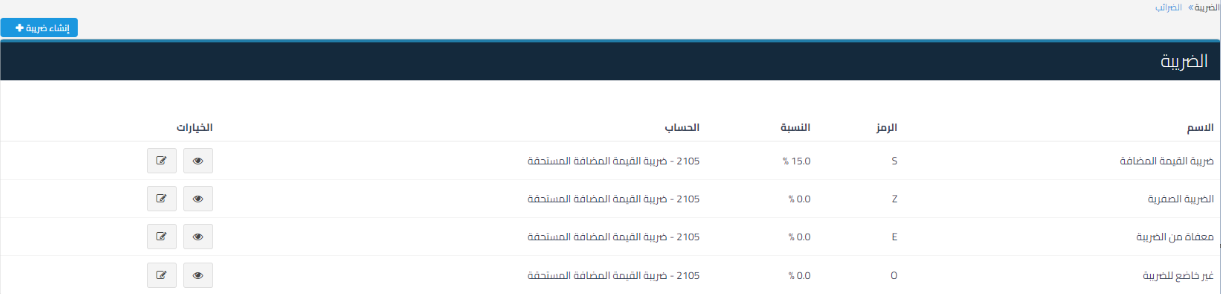
Clarification of tax codes according to the requirements of the General Authority of Zakat and Tax and Customs, as tax codes have been added to clarify the type of tax imposed on each line item according to the requirements of the General Authority of Zakat and Tax and Customs. The codes are as follows:
- S: Value Added Tax at the standard rate
- Z: Zero-rated tax
- E: Exempt tax
- O: Non-taxable
Locations where tax codes appear:
-
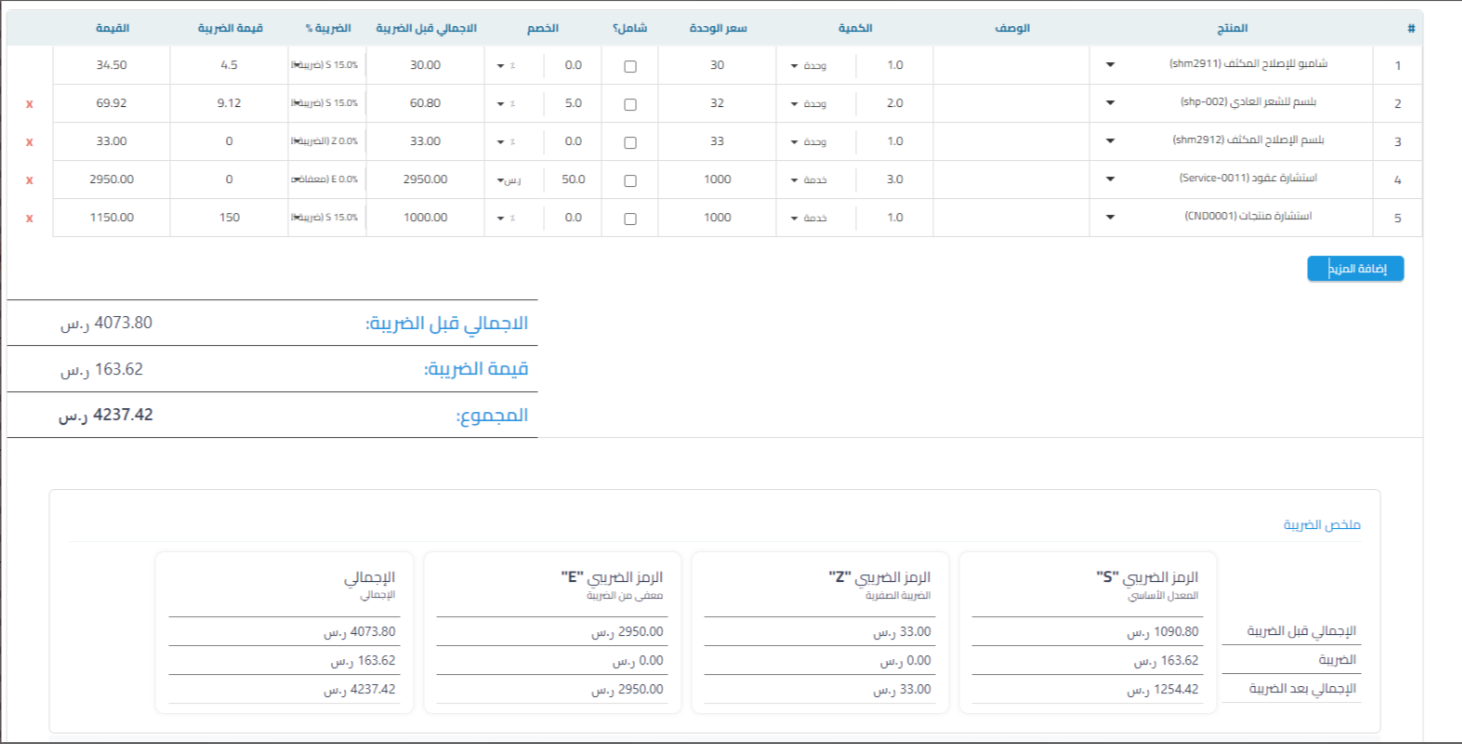
Tax codes appear automatically in the following documents for entities with e-invoice enabled:
- Sales Invoice
- Credit Note
- Debit Note
-
Columns linked to codes S, Z, E are displayed automatically, with the addition of the O code column in case there are non-taxable line items.

-
The tax return connection has been updated to reflect tax codes instead of tax ID:
- S: Value Added Tax at the standard rate
- Z: Zero-rated tax
- E: Exempt tax
Additional notes:
- These updates aim to ensure document compliance with the requirements of Phase 2 of the e-invoice.
- The tax summary is updated automatically when documents are created or displayed.



