




Instructions on how to view details of a deleted accounting entry.
Answer:
You cannot restore a deleted accounting entry, and you cannot directly view the details of the line items of a deleted entry. However, you can view other information through reports by:
- Go to Reports.
- Select User Operations Report.
- Search for Delete Activity.
- Click View next to the activity you want to view.
The following data will be displayed:
- Entry Description
- Manual Entry Date
- Total Credit and Debit
- Deleted Manual Entry Number
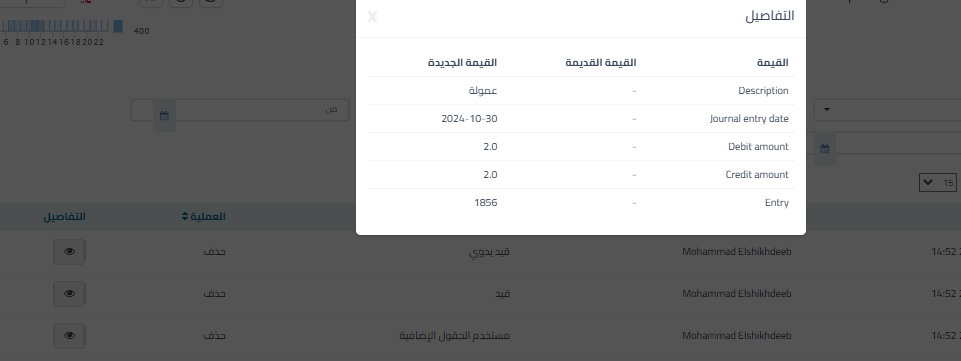
Additional Notes:
- Details of the debit and credit accounts do not appear in the report and cannot be accessed.



