Qoyod
Pricing

 Knowledge Base

How to Search for Journal Entries Using Comments Added to Entry Lines

Explanation of how to search for accounting entries using comments added in entry rows.

Answer

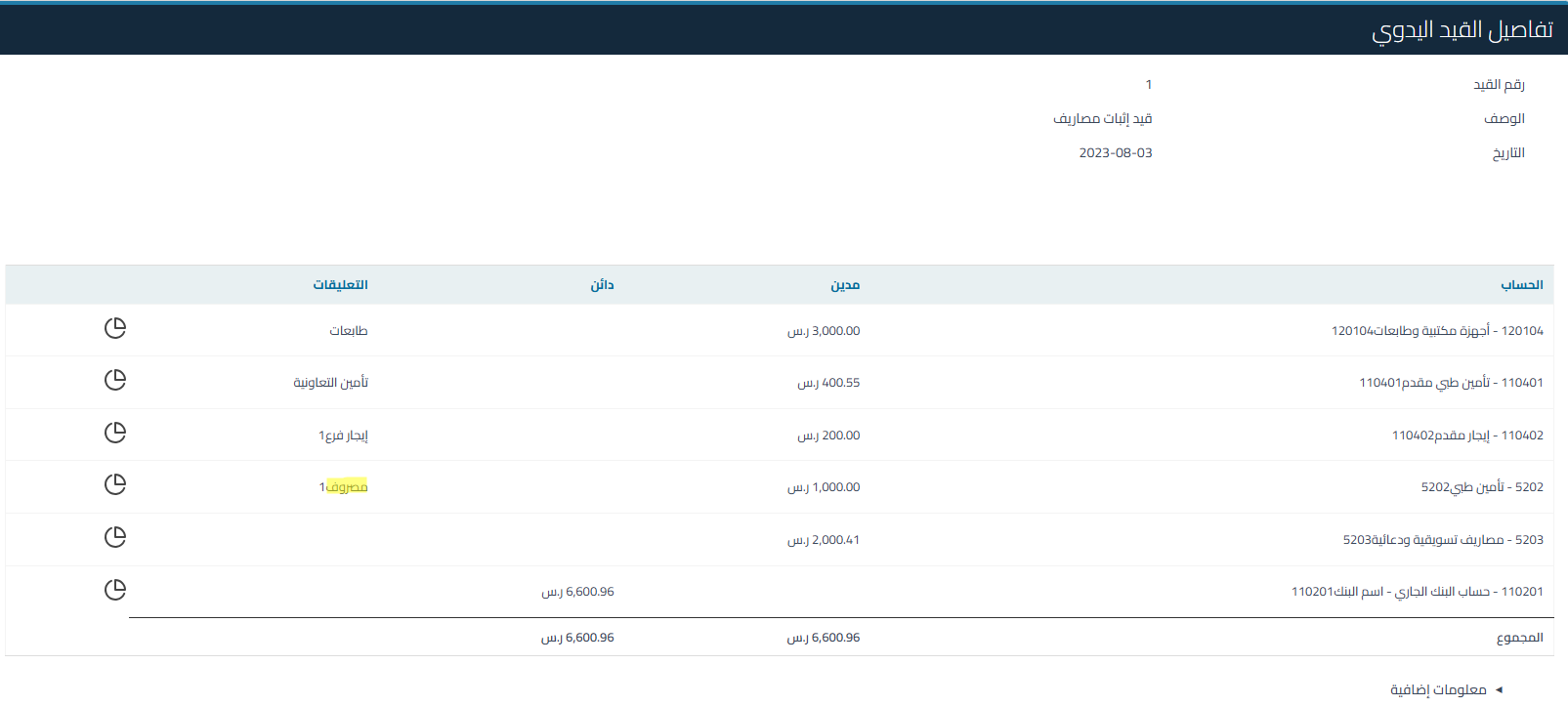
Yes, users can search for accounting entries through comments added in entry rows. This feature allows you to easily access specific entries using keywords found in the comments.

How to Search:

1. Go to Accounting, then Manual Accounting Entries, and write the comment in the field shown in the image
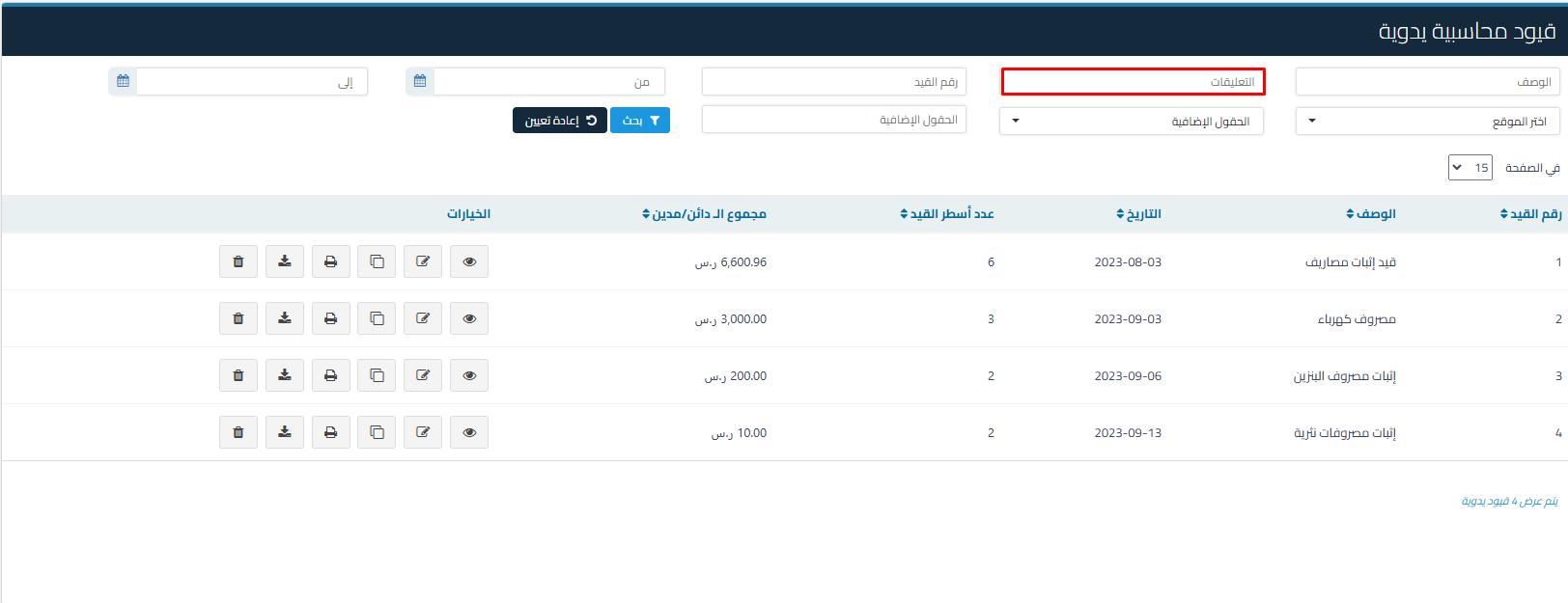
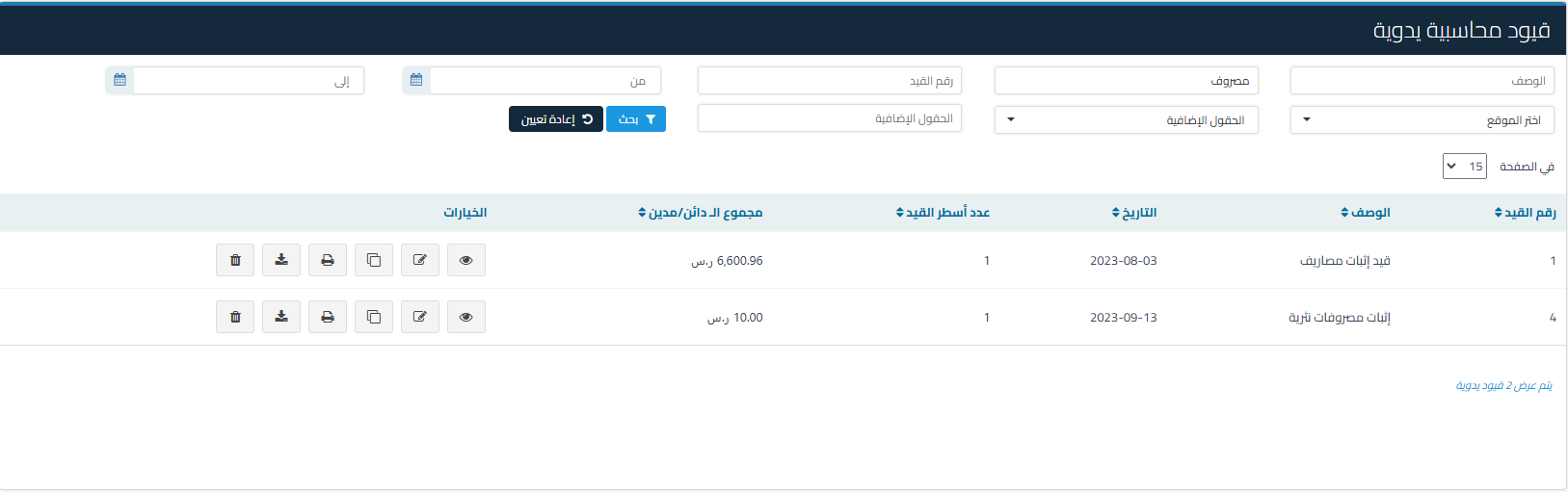
63f54aa78ddb022d How to Search for Journal Entries Using Comments Added to Entry Lines | Qoyod

31dc3b4bde612fd1 How to Search for Journal Entries Using Comments Added to Entry Lines | Qoyod

15fb4a8317c5e26d How to Search for Journal Entries Using Comments Added to Entry Lines | Qoyod

Help Center

Can't find what you're looking for?

Don’t worry — we have more ways to help.

Live webinars hosted by the Qoyod team to help you master the software with ease.

Discover Qoyod’s latest releases, continuous improvements, and new features.

Our team is ready to help you with instant support for any issue you face.