Qoyod
Pricing

 Knowledge Base

How to Display Product Costs During Inventory Transfers Between Locations: Why Costs Don’t Appear, How to Show Average Values by Source and Destination, and Enabling Average Value Display Permissions for Users

Explanation of how product cost appears when performing an inventory transfer between locations, and how to enable the permission to display the average value.

Customer Answer:

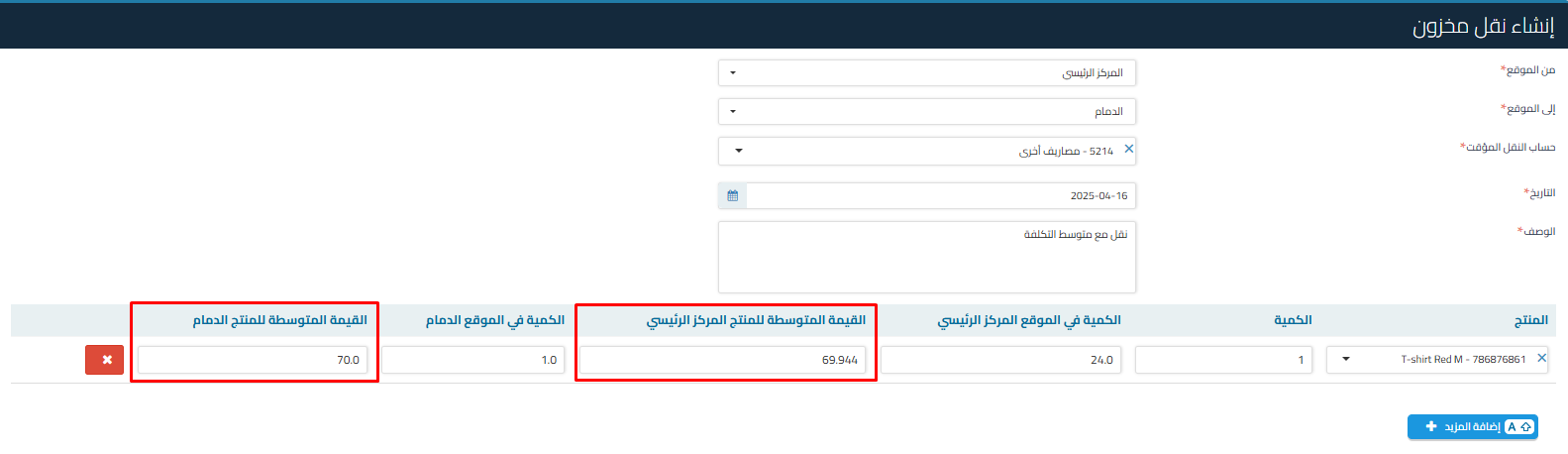
The product cost (average value) appears at the time of inventory transfer based on the location:

  • The product’s average value is displayed in:

    • The location from which the transfer is made

    • The location to which the transfer is made

      e792d55a6286be4c How to Display Product Costs During Inventory Transfers Between Locations: Why Costs Don't Appear, How to Show Average Values by Source and Destination, and Enabling Average Value Display Permissions for Users | Qoyod

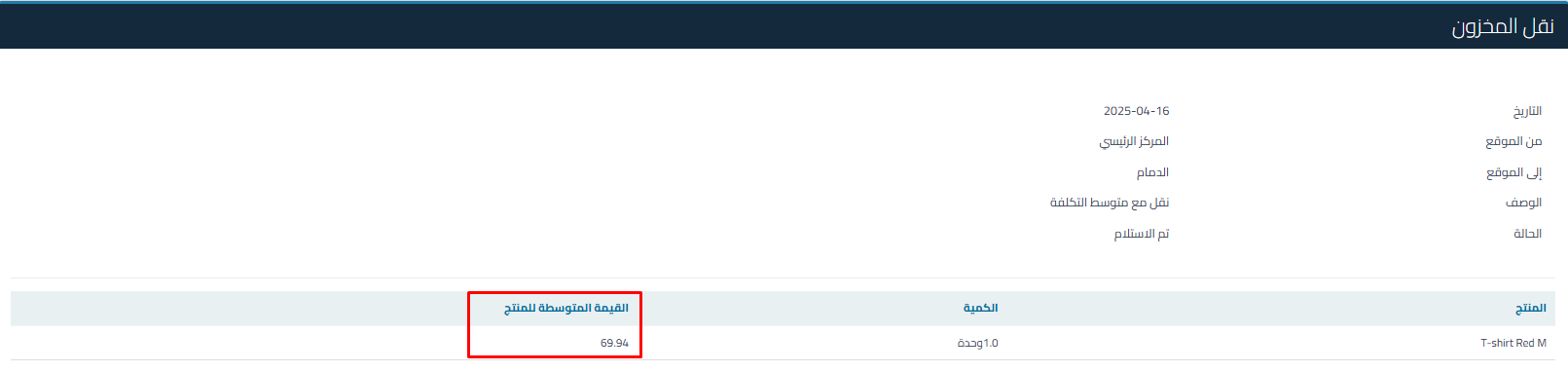
  • When you view the inventory details, you will see only the cost of the transferred product based on the average cost of the location you transferred from

    b8709b3ae43d25f4 How to Display Product Costs During Inventory Transfers Between Locations: Why Costs Don't Appear, How to Show Average Values by Source and Destination, and Enabling Average Value Display Permissions for Users | Qoyod

  • You can export the inventory transfer and it will show the average cost, but you must have the permission to display the average value
Steps to enable the average value display feature for users:

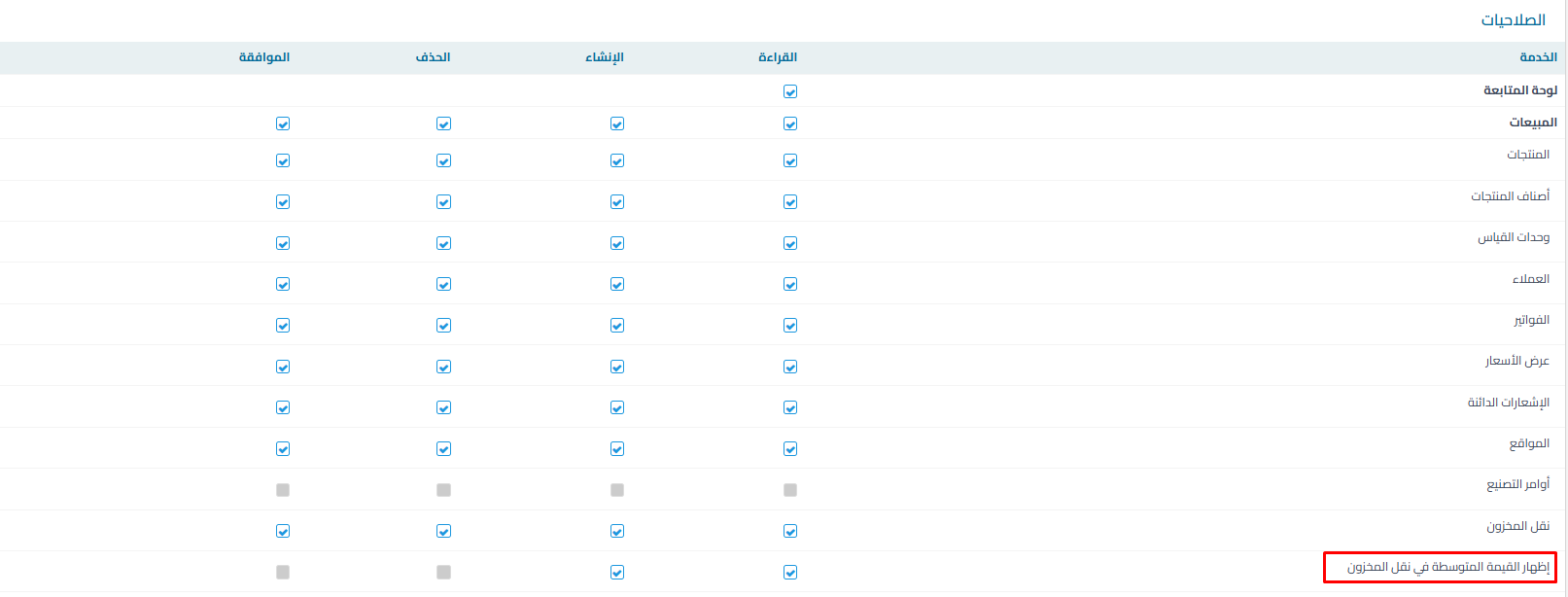
    • Go to: Settings > Users > Manage Roles

    • Enable the option: Show average value for inventory transfer

      6258f77fd1534e15 How to Display Product Costs During Inventory Transfers Between Locations: Why Costs Don't Appear, How to Show Average Values by Source and Destination, and Enabling Average Value Display Permissions for Users | Qoyod

Additional Notes:

  • If the cost does not appear for you, make sure you have the permission

مركز المساعدة

لم تجد ما تبحث عنه؟

لا تقلق، لدينا المزيد من أدوات المساعدة.

ندوات مباشرة يقدمها فريق قيود لمساعدتك في استخدام البرنامج بسهولة والرد على أسئلتك.

تعرّف على أحدث تحديثات فيود والتحسينات المستمرة والخصائص الجديدة في مكان واحد.

فريقنا جاهز لمساعدتك وتقديم الدعم الفوري لأي مشكلة تواجهها على مدار الساعة