




Clarification on the ability to enable or disable notifications sent to your email according to user preferences.
Answer:
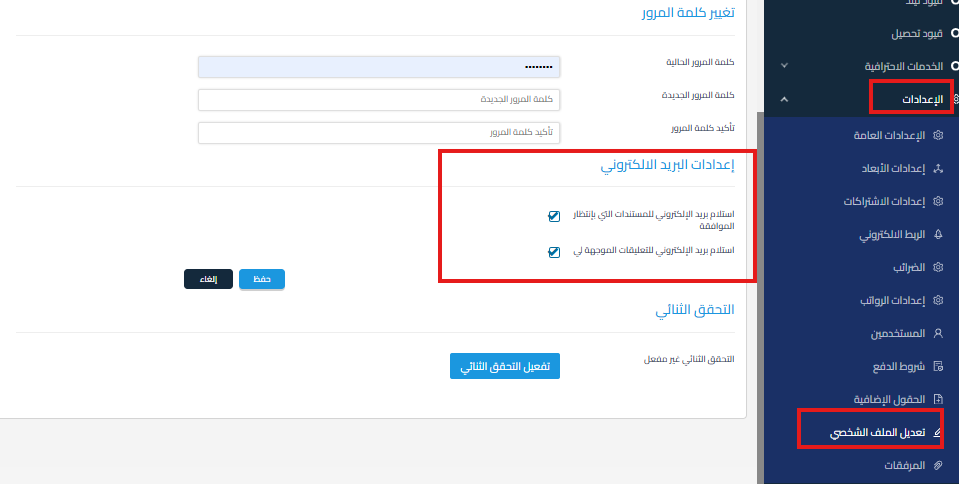
- You can control email notifications by modifying their settings.
- To do this:
- Go to Settings.
- Click on Edit Profile.
- Scroll down to Email Notifications Settings.
- Enable or disable the notifications you want.
Important Note:
- Currently, each user in Qoyod controls their own email notification settings from within their personal account.
-
Can the main user (Super Admin) disable notifications for another user?
No.
As a Super Admin user, you cannot disable or modify email notifications for another user from your account.Notification settings are unique to each user and can only be modified by the account owner themselves.



