




You can reconcile the bank statement in Qoyod using the audit operations feature. Follow these steps:
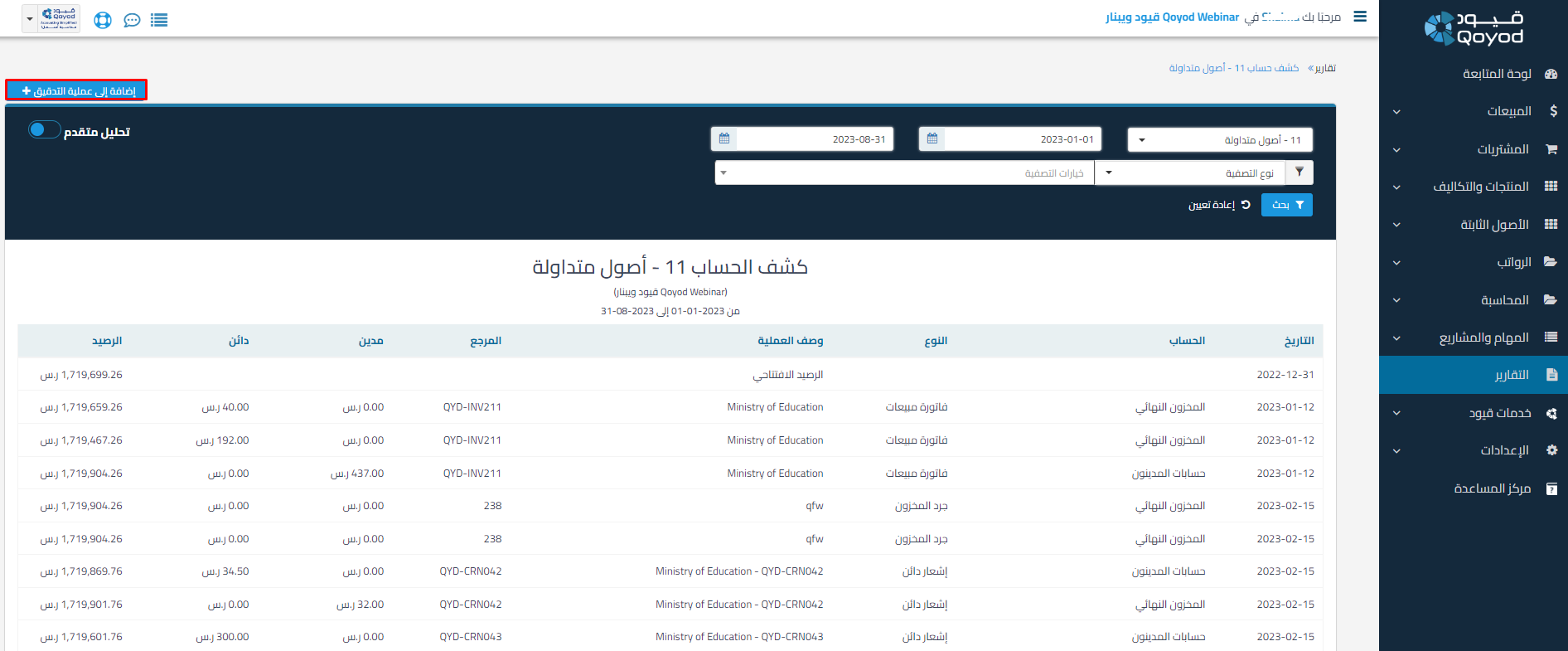
1- Through Reports – select the Bank Statement report
2- Apply filters such as date, filter type, and advanced analysis, then click “Add to Audit Operation”
 View full size
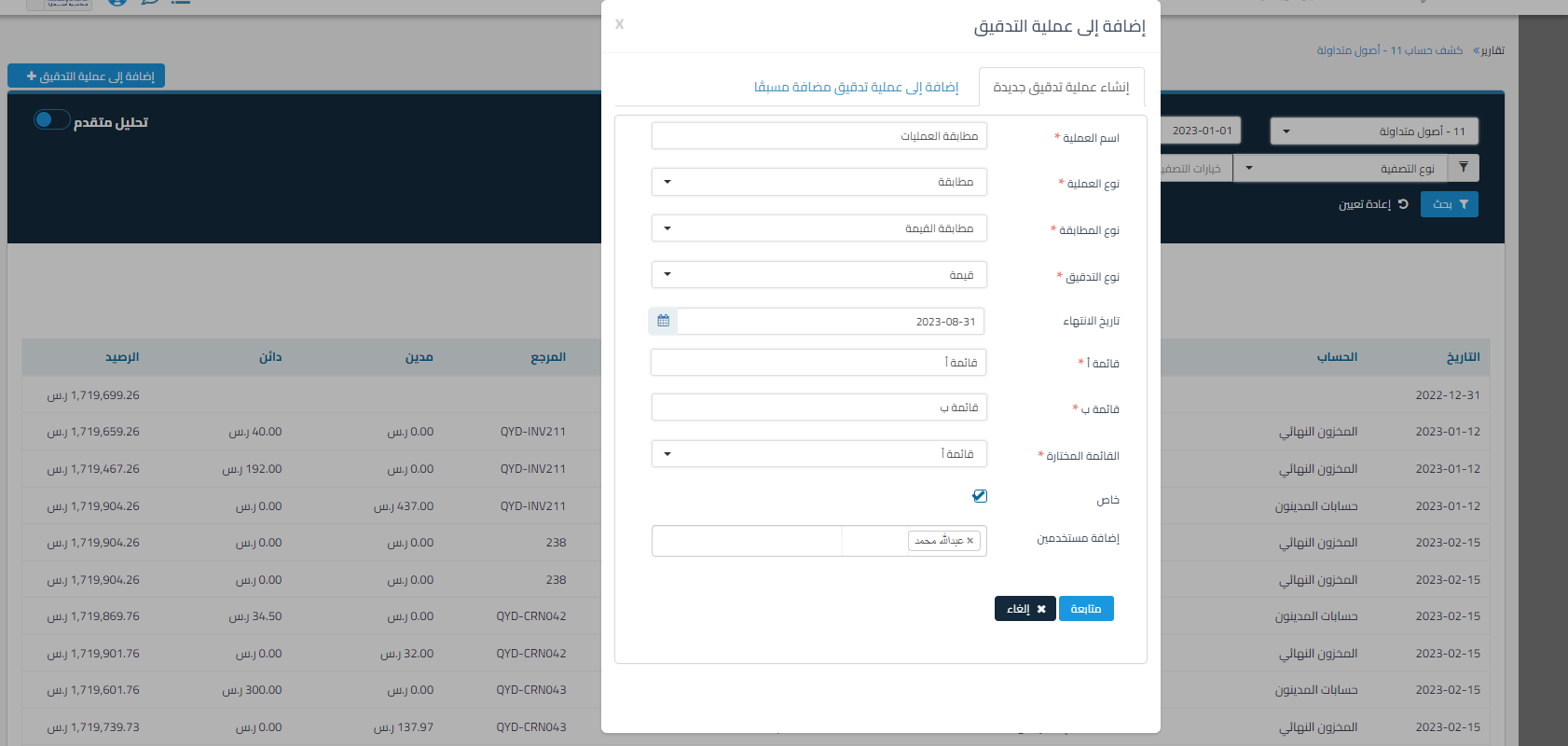
3- Add to a new audit operation or a previously added audit operation of reconciliation type, fill in the data, then proceed
 View full size
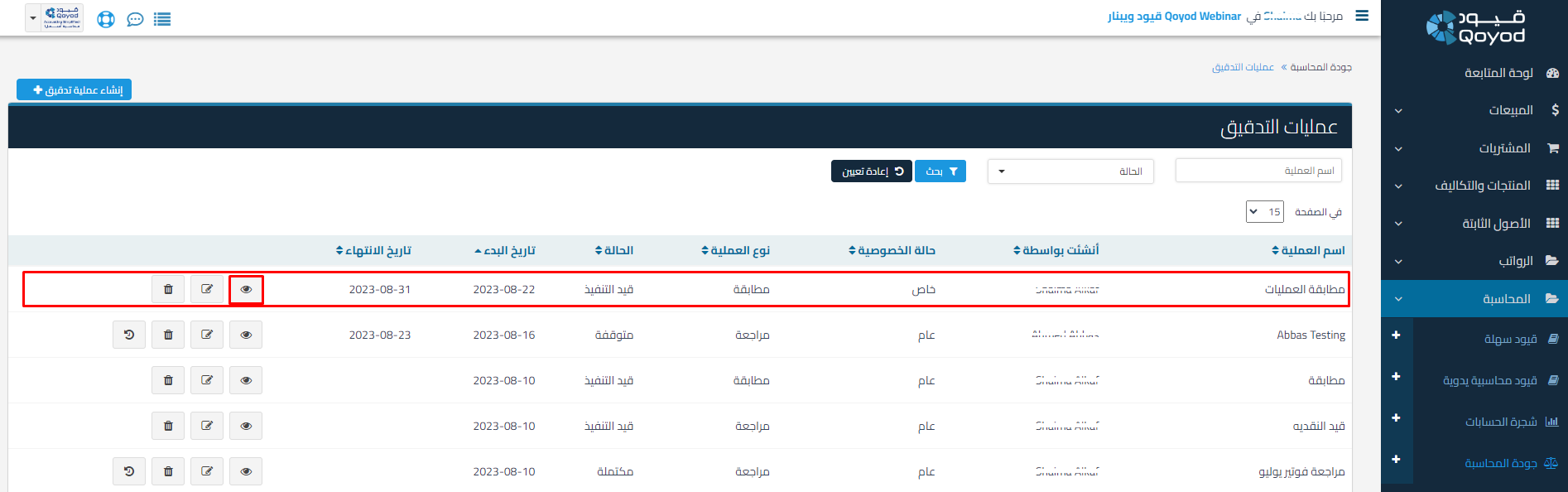
4- Through Accounting – Accounting Quality – select the audit operation that was added
 View full size
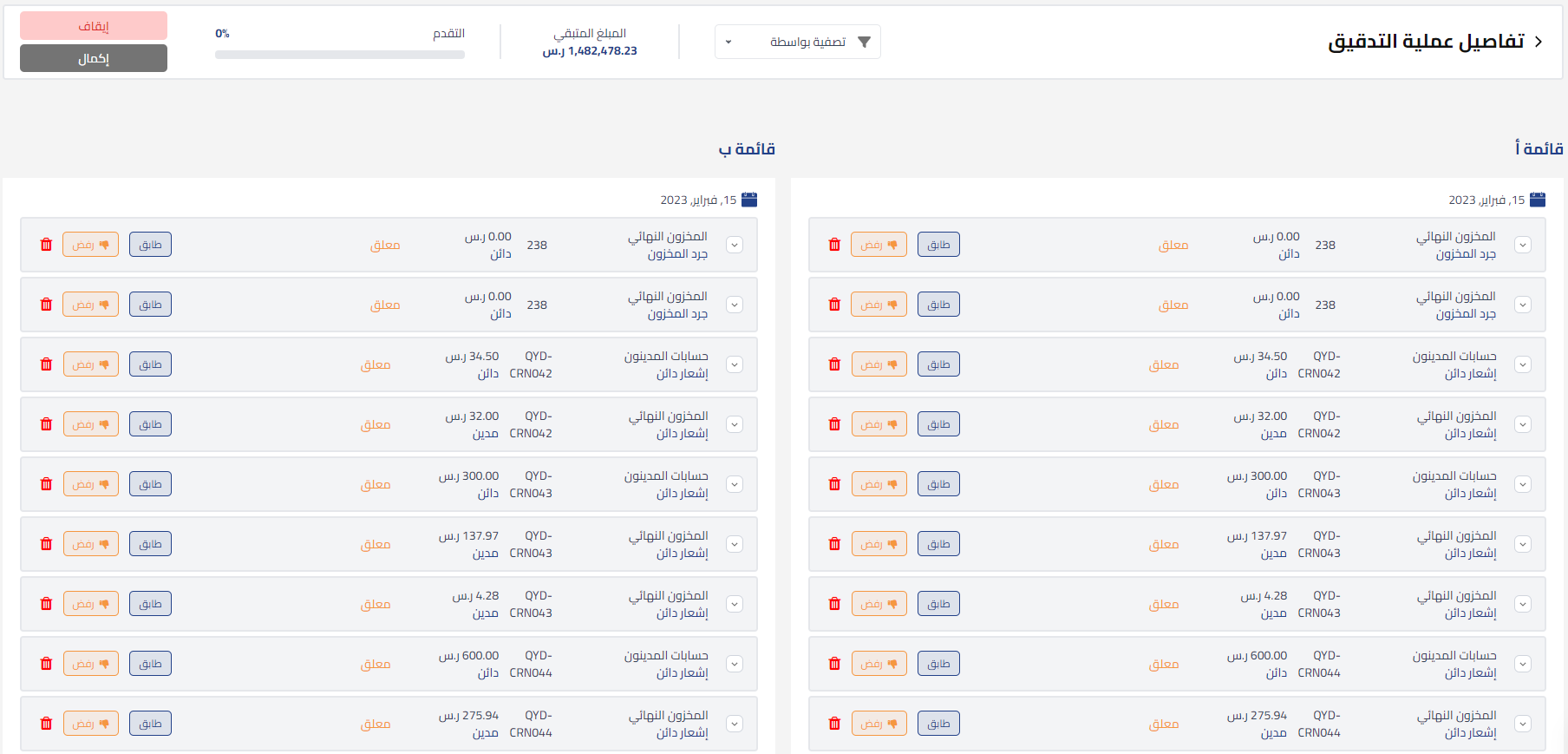
5- After adding the other list, you can begin the reconciliation process
 View full size
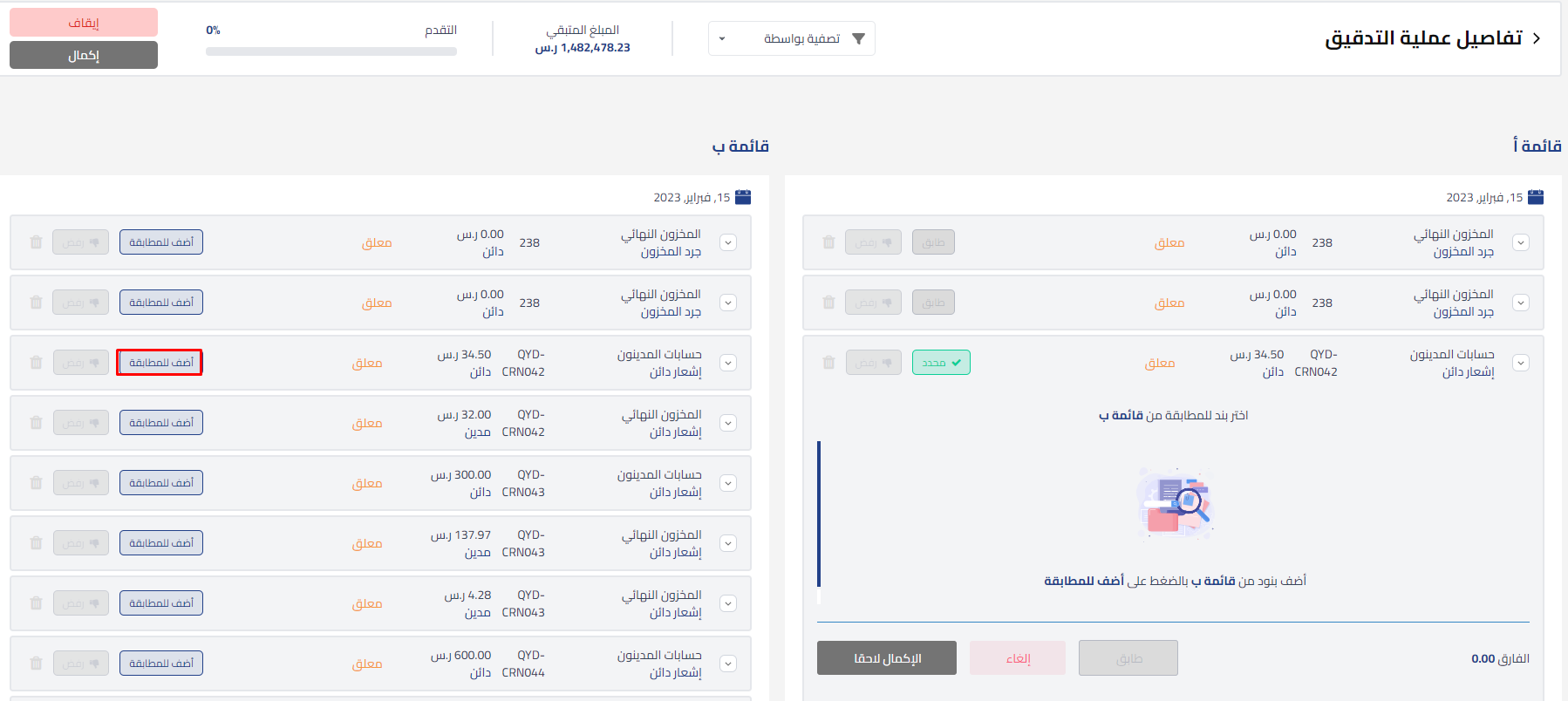
6- By clicking the “Match” icon in either list, for example list A, it will change to “Selected” and the reconciliation list from list B will open so you can add the related documents through “Add to Match”
 View full size
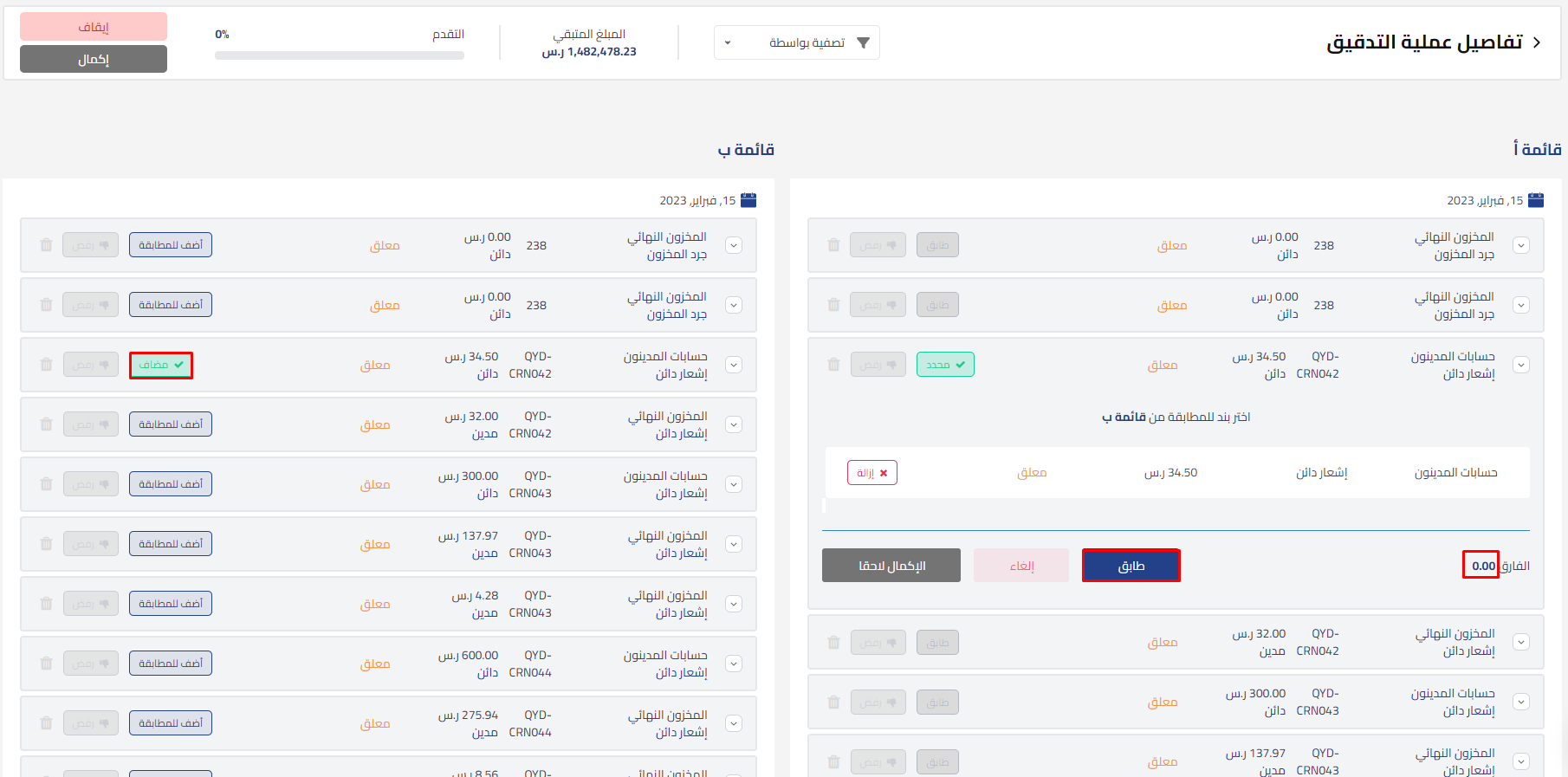
7- After adding it to the match, and when the difference becomes 0 in the value reconciliation type, you can click “Match”
 View full size
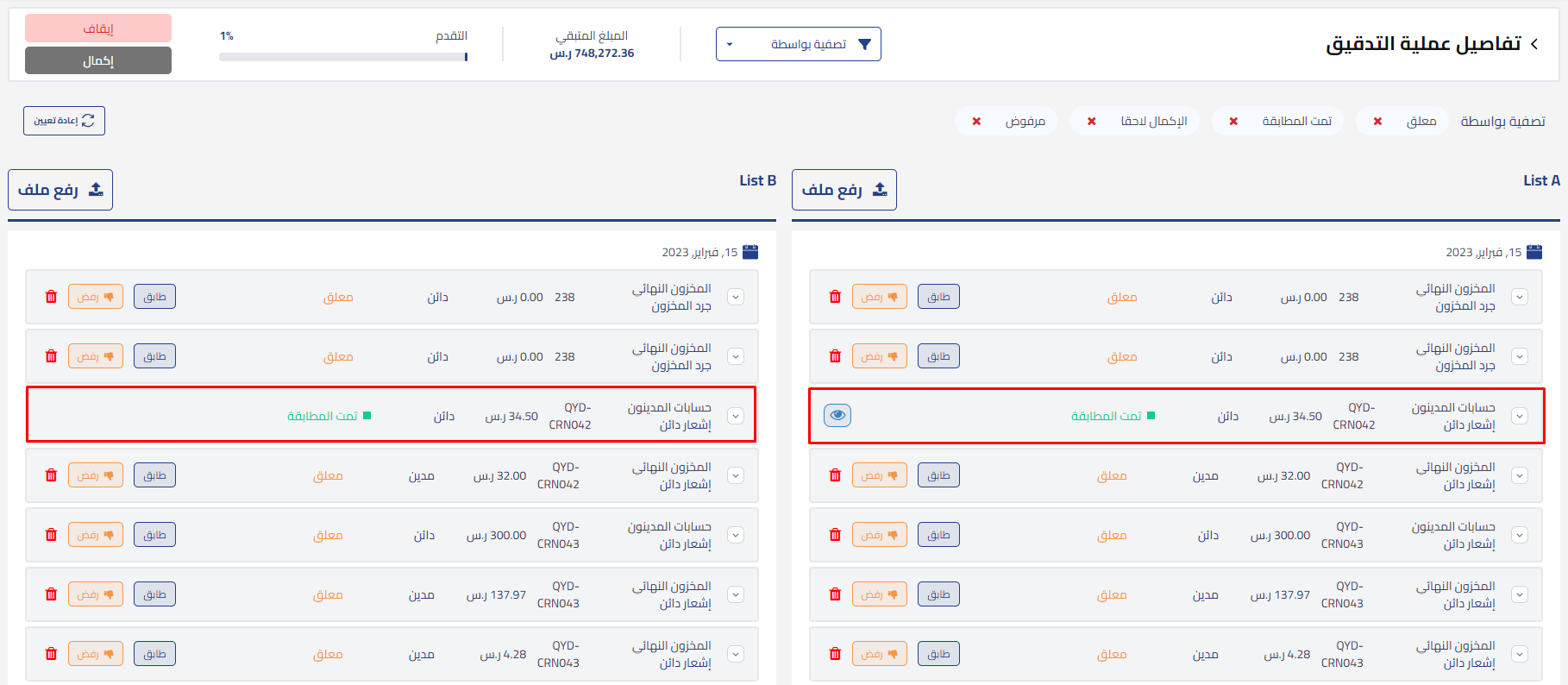
8- The status will change to “Matched”, and if there is a difference, you can click “Complete Later” to make the necessary adjustments and reconciliation until you achieve a zero difference.
 View full size
Additional Resource:
Watch the tutorial to learn more:
Reconciling Bank Statement in Qoyod



