




Guidelines on the ability to export quotations to Excel and display custom fields and using the alternative solution.
When exporting quotations to Excel, custom fields are not included directly. However, you can filter quotations based on custom fields through the following steps:
- Go to Sales – Quotations.
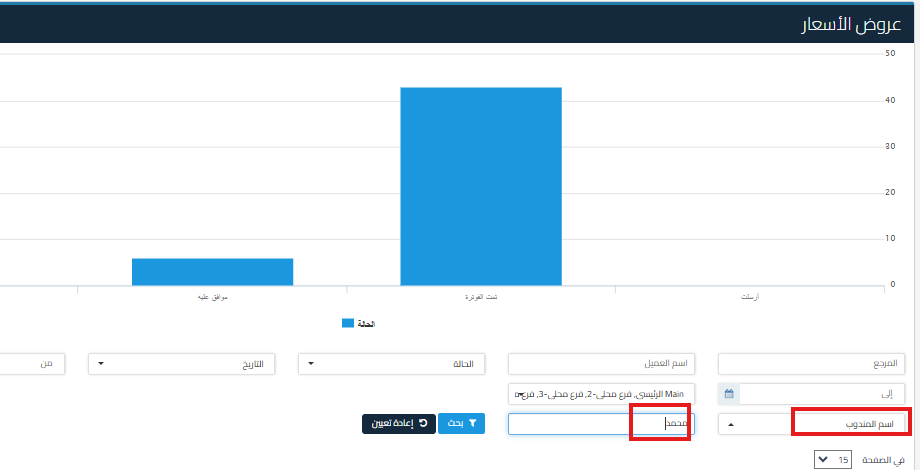
- From the filter options, choose the custom field you want to filter by, such as Sales Rep Name.
- Type the name of the sales rep you want to filter by in the search box.
- After filtering, you can export the results to Excel via the Export icon in the top options.
Alternative Solution:
- Custom fields cannot be exported directly in an Excel file. However, you can use filtering as explained above to get the required data and export it.
Additional Notes:
- Make sure to select the custom fields in the filter options before exporting.
- Exporting data after filtering will include only the results that match the selected filter options.



