




This article explains how to add the additional identifier for a government entity directly from within the invoice in Qoyod, when issuing an invoice for a government (B2G) customer with no additional identifier saved.
When this alert appears
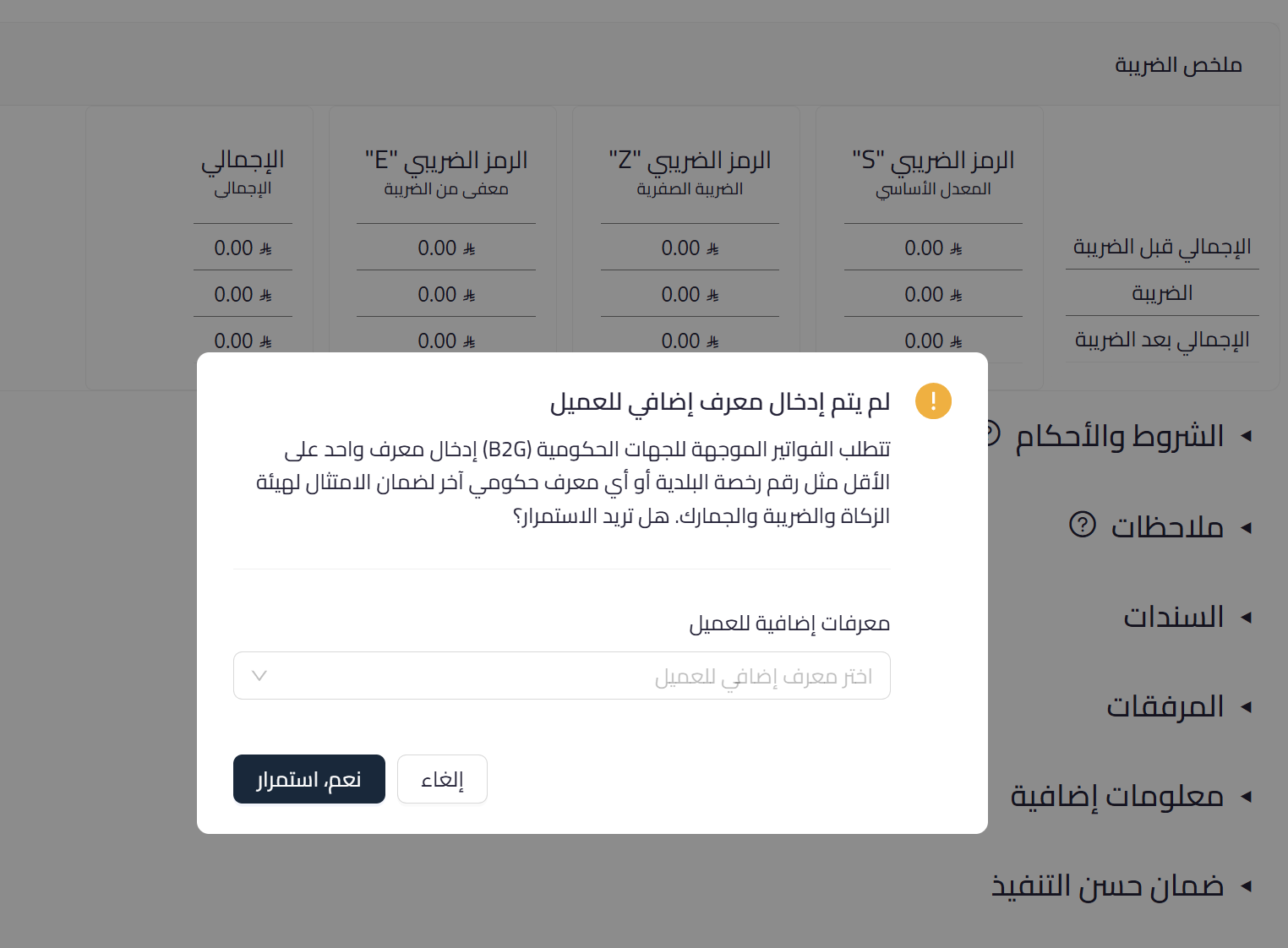
Government (B2G) invoices require at least one additional identifier for the customer, such as a municipality license number or another government identifier. If this identifier is not saved in the customer record, a selection field appears when saving the invoice to add it directly, without leaving the customer record.
 View full size
Path in Qoyod
Sales › Sales Invoices › Create sales invoice
Resolution steps
- When the “Other Buyer IDs” field appears, open the list and choose the appropriate additional identifier type for the government entity.
- Enter the identifier value as held by the entity.
- Complete saving the invoice, and the identifier is saved automatically to the customer record for future invoices.
Fields
- Additional customer identifier (required for B2G invoices): the government entity’s identifier; its type is chosen from the list, then its value is entered.
Notes
- This is a non-blocking guidance alert, and you can proceed, but adding the identifier reduces the risk of rejection of the government entity’s invoice.
- Entry happens directly from within the invoice and is saved to the customer record, so there is no need to leave and edit the record manually.
- For more on the missing government customer identifier alert and its compliance impact, see the dedicated article on the government entities invoice alert.



