




This article explains the seller additional identifier (BT-29) alert in Qoyod, which appears when creating an invoice without this identifier saved for the account owner, and how to add it to reduce the risk of invoice rejection under Phase 2.
When this alert appears
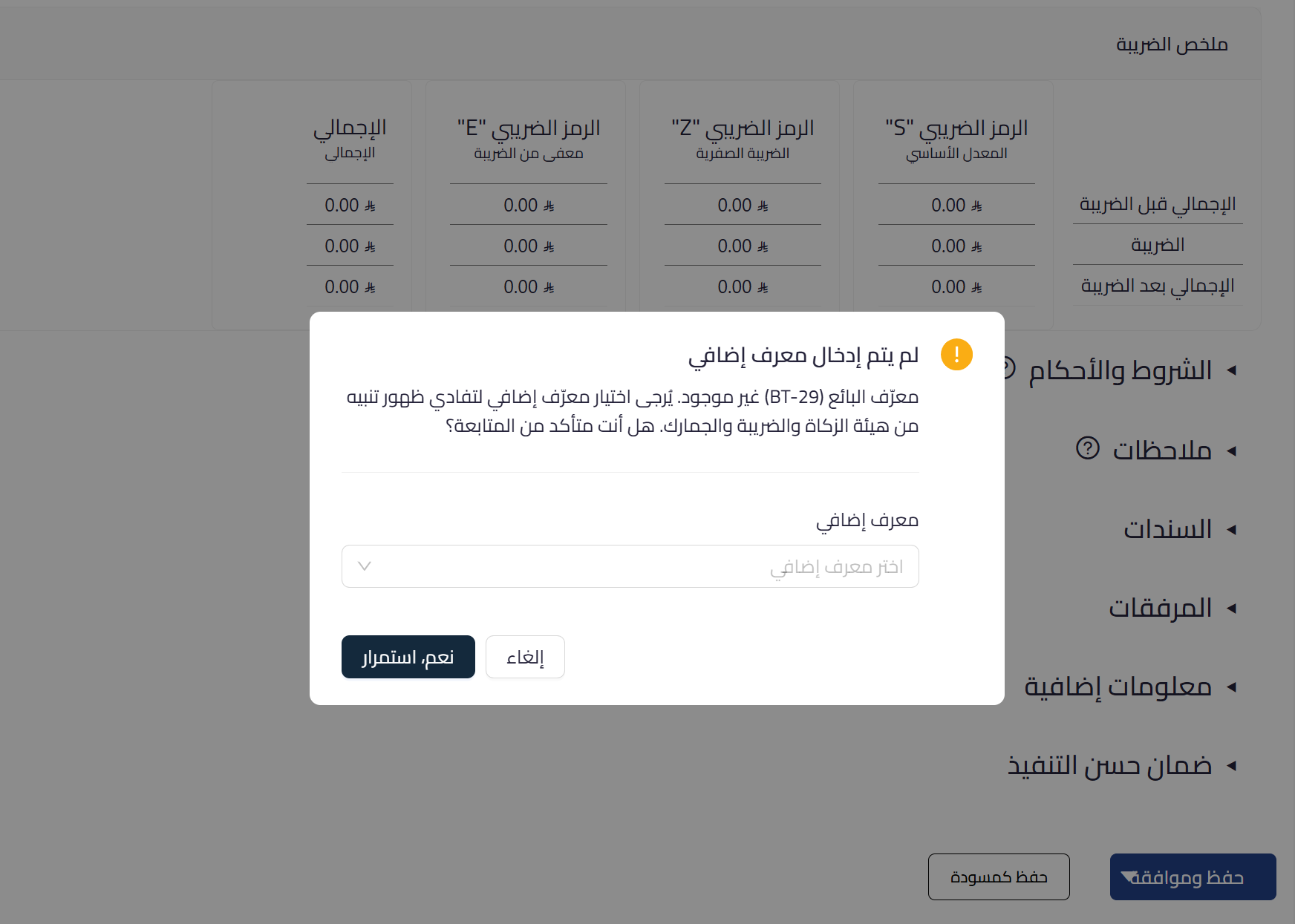
BT-29 is an additional identifier for the seller, meaning the account owner rather than the customer, and is required under Phase 2. If it is not saved in the establishment settings, an alert appears while creating the invoice with the option to add it directly from the same screen.
 View full size
Path in Qoyod
Sales › Sales Invoices › Create sales invoice
Resolution steps
- When the alert appears, open the “Additional identifier” list and choose the appropriate seller identifier type.
- Enter the identifier value belonging to the account owner.
- Complete saving the invoice, and the identifier is used in the Phase 2 data.
- To avoid the alert recurring, save the seller additional identifier once in the establishment settings.
Fields
- Seller additional identifier (BT-29) (required under Phase 2): an additional identifier for the account owner; its type is chosen from the list, then its value is entered.
Notes
- This is a non-blocking guidance alert, and you can proceed, but adding the seller identifier reduces the risk of invoice rejection under Phase 2.
- This identifier belongs to the seller (the account owner) and differs from the customer identifiers shown in government entity invoices.
- Saving it once in the establishment settings makes it available on all invoices without re-entry.



