




This article explains the customer tax address alert in Qoyod, which appears when the customer’s address is incomplete under Phase 2 requirements, and how to complete the address data to reduce the risk of invoice rejection.
When this alert appears
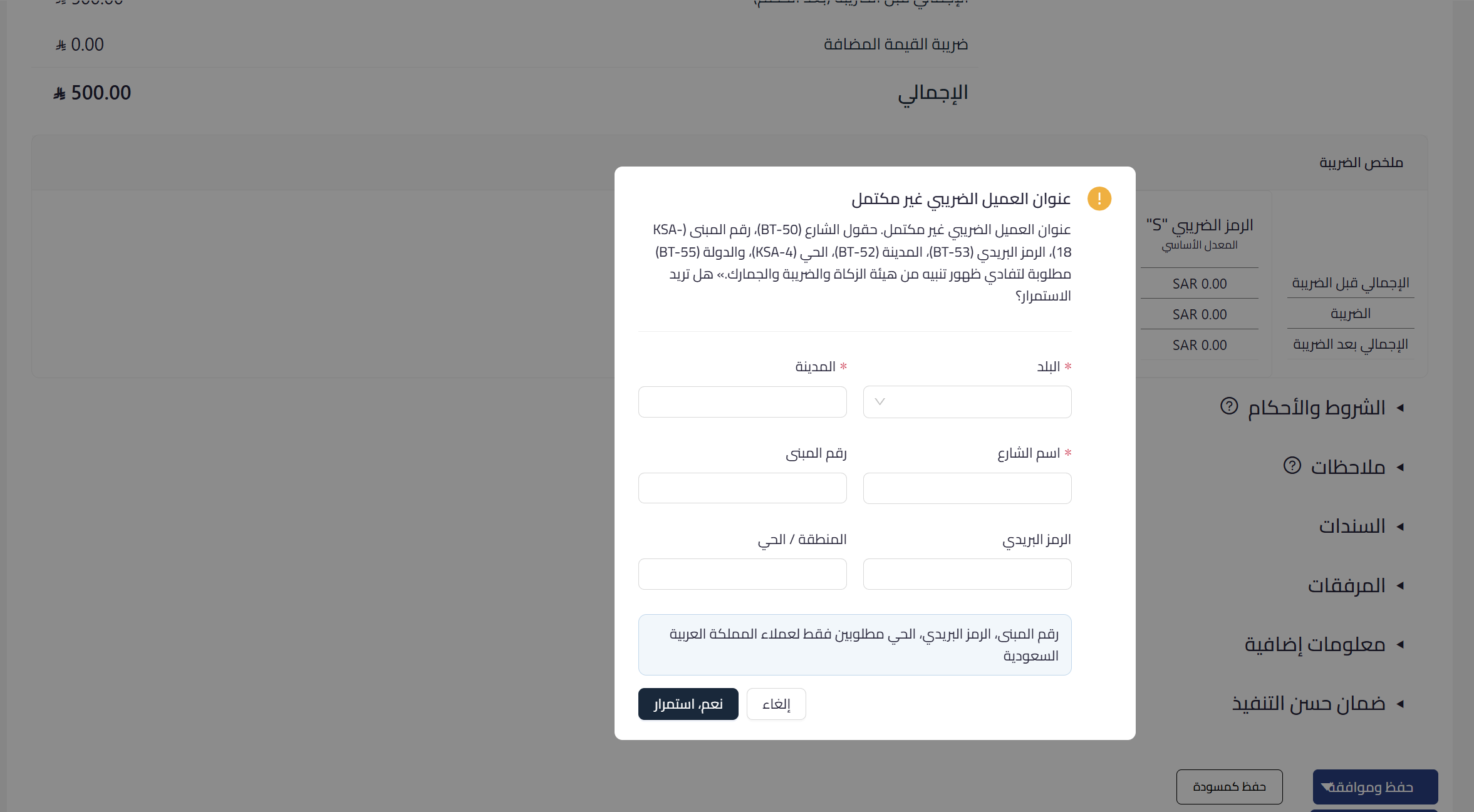
Phase 2 requires a structured address with specific fields for the customer. The alert appears when saving an invoice where the customer’s tax address is incomplete, asking you to complete the missing fields before continuing. Building number, postal code, and district are required for customers in Saudi Arabia.
 View full size
Path in Qoyod
Customers › Customer data › Address
Resolution steps
- When the alert appears, complete the missing address fields directly from the dialog or from the customer record.
- Enter the building number, street name, district, city, postal code, and country.
- Save the customer data so the record is updated.
- Return to the invoice and complete saving it once the address is complete.
Fields
- Street name (BT-50): the street name of the customer’s address.
- Building number (KSA-18): required for customers in Saudi Arabia.
- District (KSA-4): required for customers in Saudi Arabia.
- City (BT-52): the customer’s city.
- Postal code (BT-53): required for customers in Saudi Arabia.
- Country (BT-55): the customer’s country.
Notes
- This is a non-blocking guidance alert, but completing the address reduces the risk of invoice rejection due to incomplete address data.
- Updating the address in the customer record makes it ready for future invoices without re-entry.



