




This article explains the government entities invoice alert in Qoyod, which appears when issuing an invoice for a government customer with no additional identifier, and its impact on compliance and how to act to reduce the risk of rejection.
When this alert appears
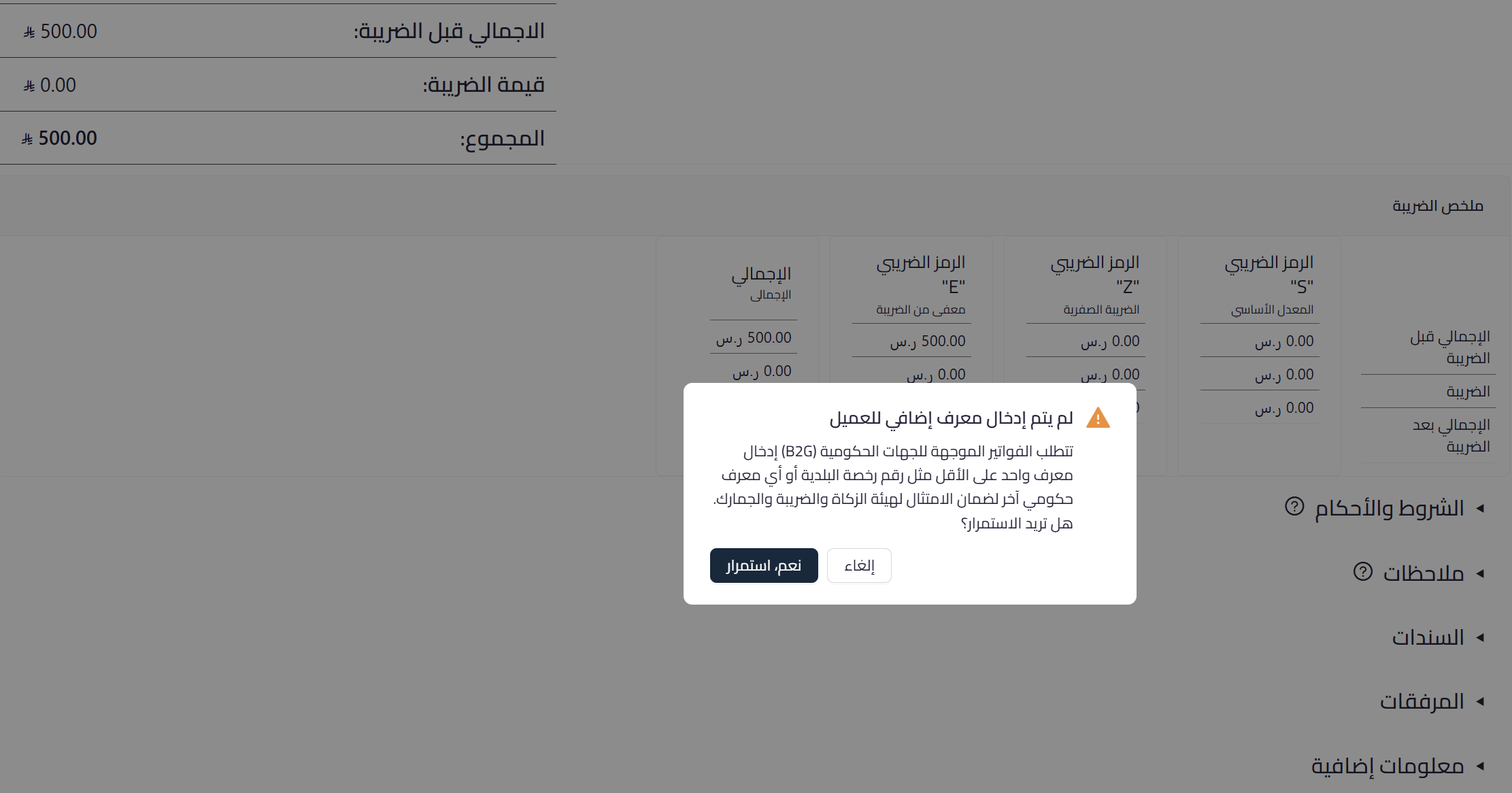
When creating an invoice or credit note for a government (B2G) customer, Qoyod checks for an additional identifier for the customer. If it is missing, an alert appears asking you to add it, because the absence of the identifier raises the risk of invoice rejection by the Zakat, Tax and Customs Authority.
 View full size
Path in Qoyod
Sales › Sales Invoices › Create sales invoice
Resolution steps
- When the alert appears, add at least one additional identifier for the government customer before proceeding.
- You can add it directly from within the invoice; find the entry steps in detail in the article on adding the government entity additional identifier.
- After adding the identifier, complete saving the invoice.
Notes
- This is a non-blocking guidance alert, and you can proceed, but submitting a government entity invoice without an additional identifier raises the risk of its rejection.
- Government entity invoices require at least one additional identifier, such as a municipality license number or another government identifier.
- This article focuses on the alert and its compliance impact; the steps to add the identifier from within the invoice are in the article on adding the government entity additional identifier.



