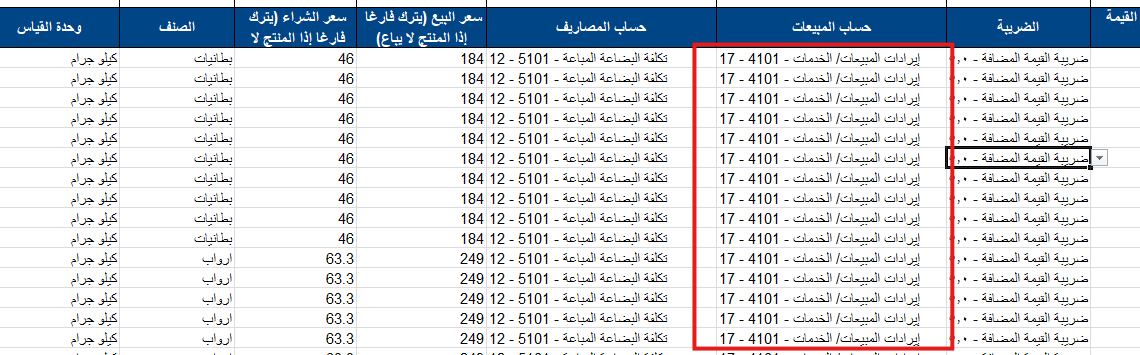
Clarification of a common error when selecting sales and expense accounts during product import, as one of the reasons for file import failure is the incorrect selection of sales and expense accounts in Excel.
Answer:
- When selecting a sales account or expense account in Excel, the account number may change automatically when dragging the data to fill the remaining cells.
- This causes the file to be rejected upon import.
- Solution:
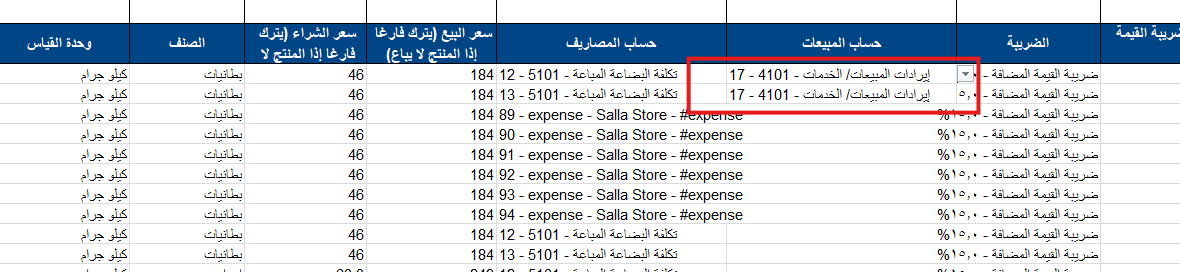
- You must enter the first two cells manually.
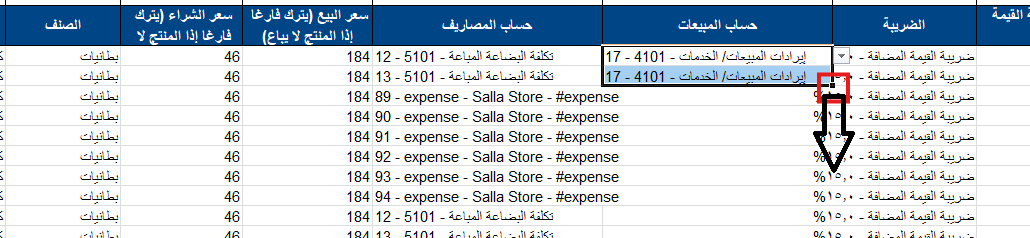
- After that, select the two cells and drag the data to the remaining cells to ensure the account numbers remain correct.
Practical Example:
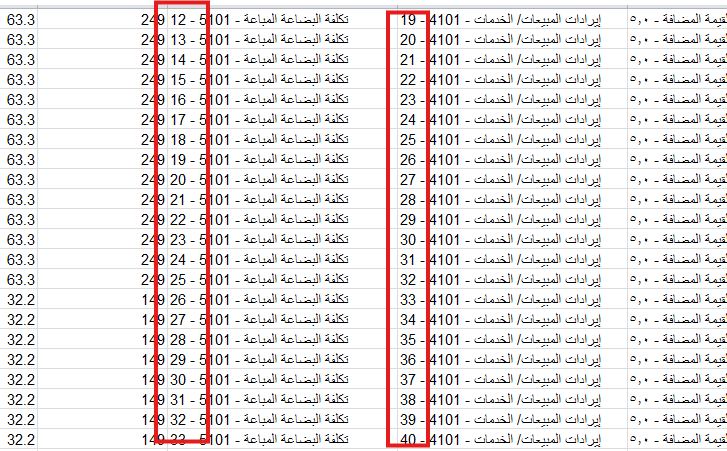
This customer was facing an issue uploading the product import file. After verification, it was found that they dragged the data incorrectly, which caused the account numbers to change. For example, the cost of goods sold account was number 19, but when dragging the cells for the remaining products, it became 20, 21, 22, and so on.
Solution:
1. Select the first two cells manually
2. Select the two cells and drag to the remaining cells
So the data will be as follows: