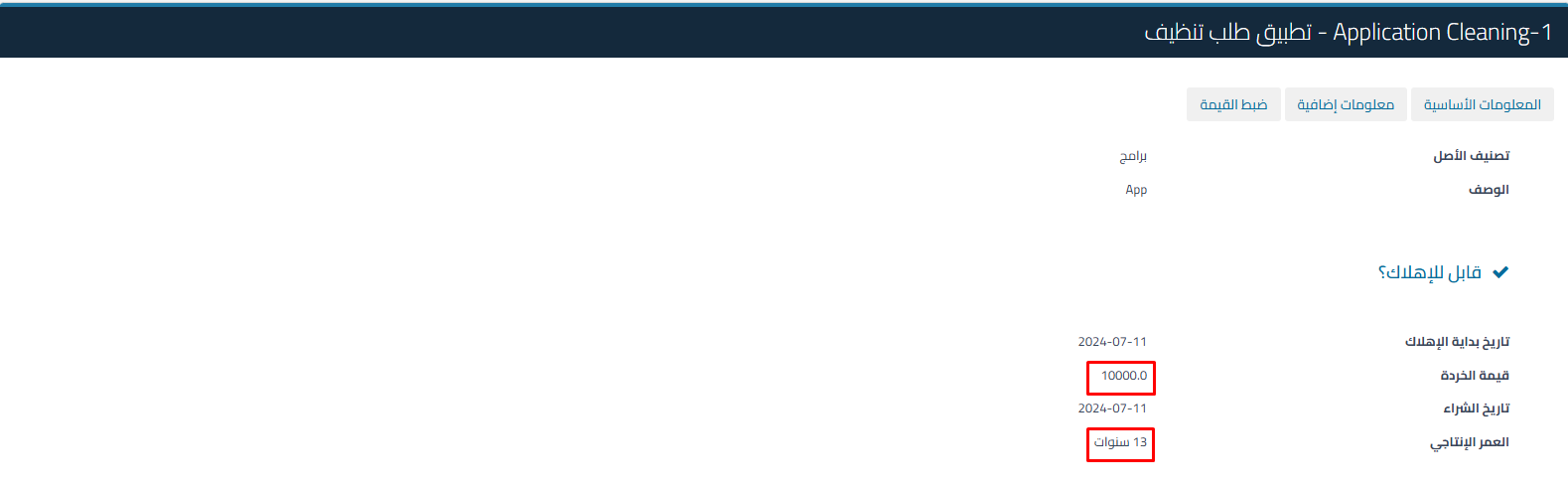
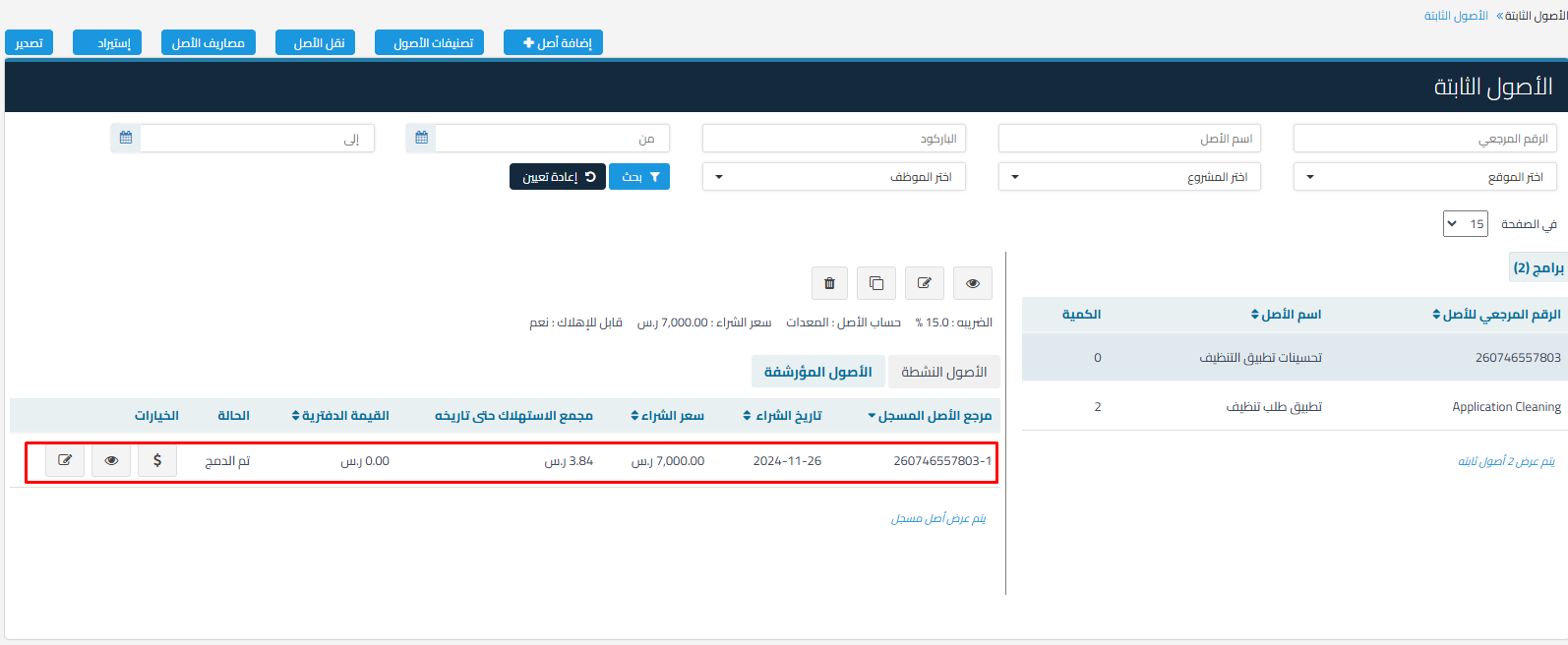
Here’s an explanation of how to add a purchase invoice to update the value of the main asset and consolidate assets and expenses.
- A purchase invoice can be added to consolidate asset and expense values with the main asset.
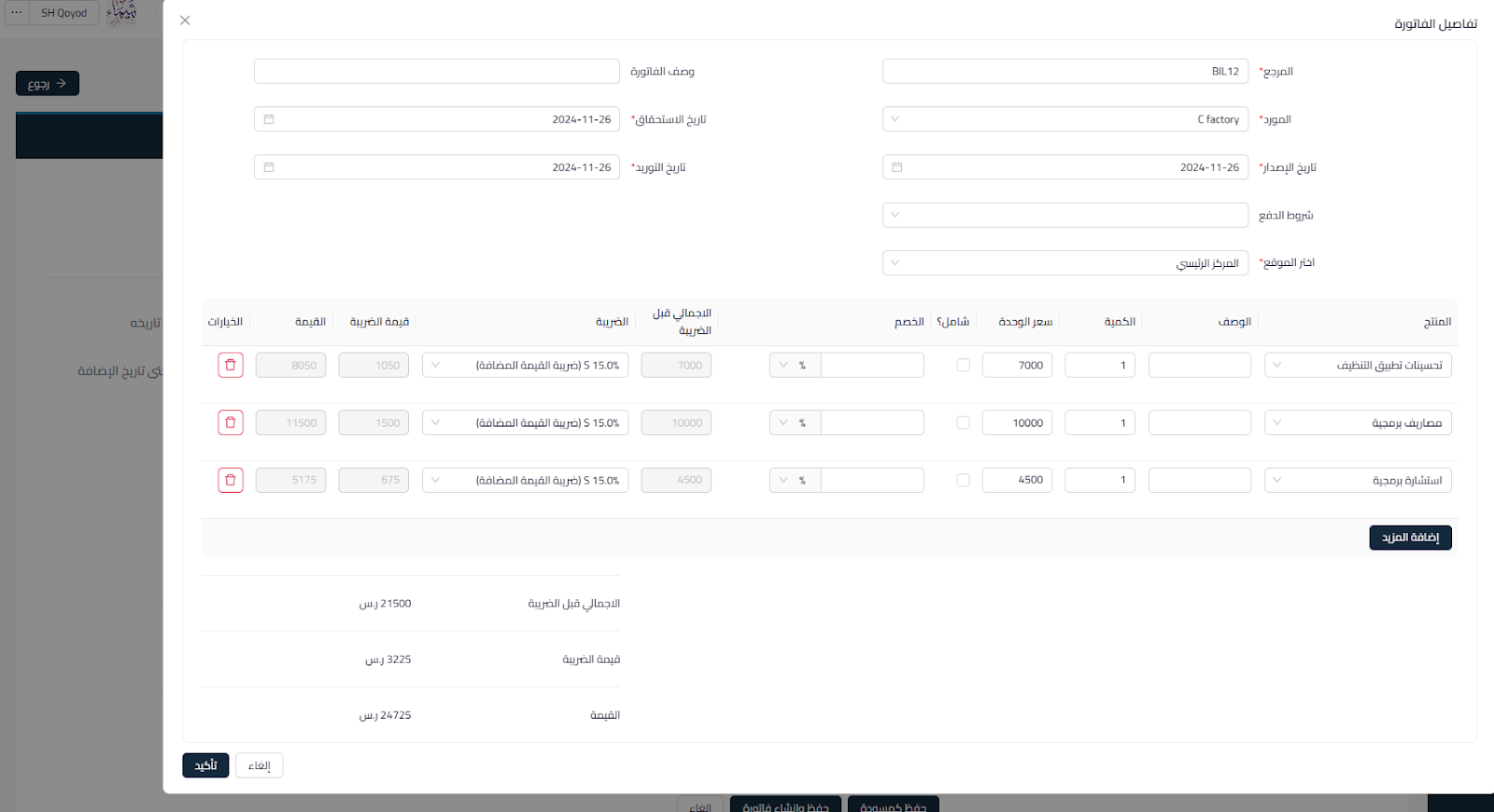
- The invoice can contain fixed assets, an expense, or non-inventoried products.
How to add a purchase invoice to an asset:
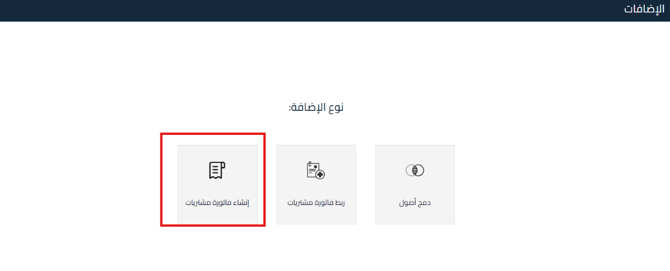
- Go to Fixed Assets – Additions.

- Click on “Add New”.
- Choose the addition type: Create a purchase invoice.

-
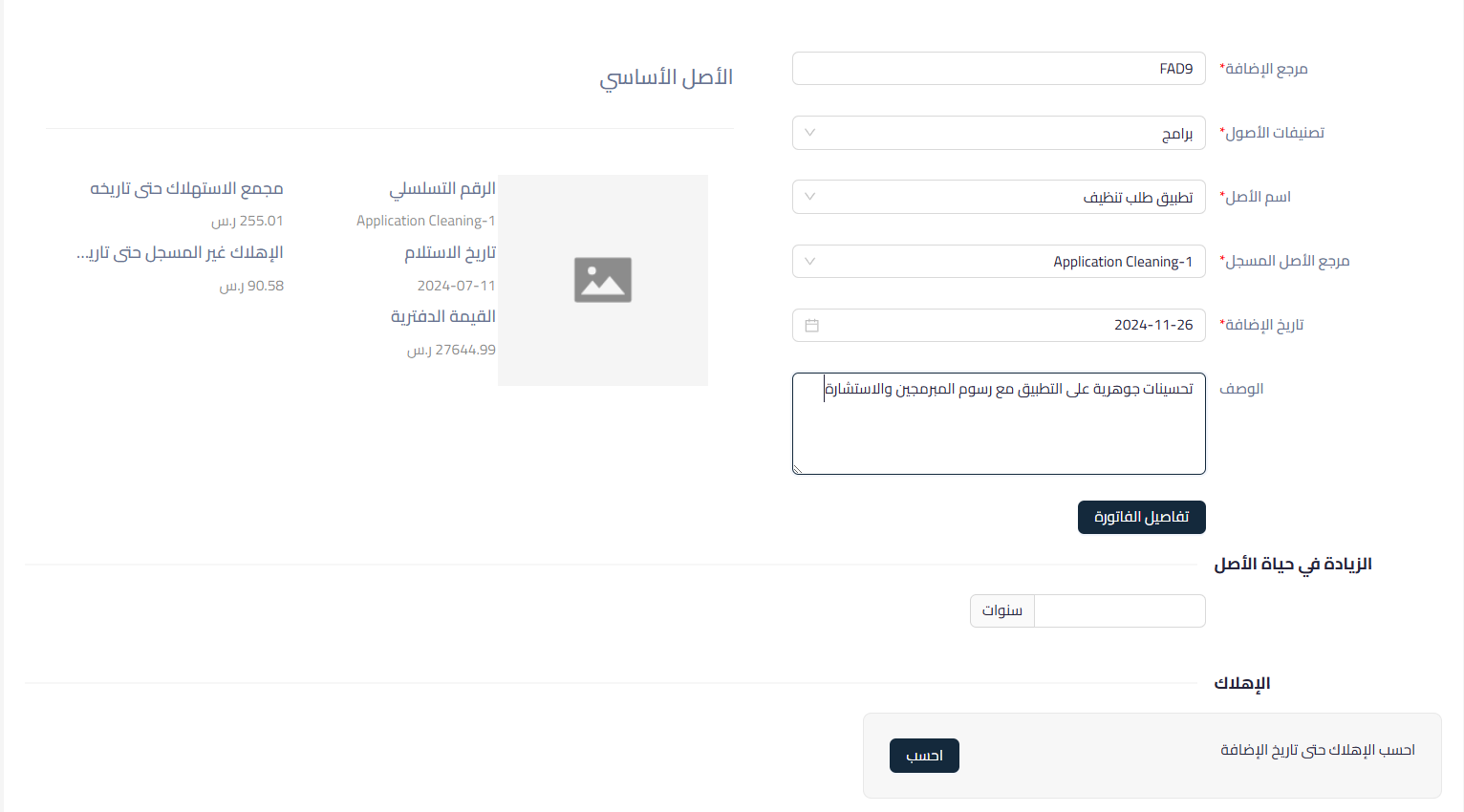
By selecting the main asset into which the assets will be consolidated:
- Addition Reference: Automatically filled.
- Asset Classification: Choose the main asset classification.
- Asset Name: Choose the asset to be consolidated.
- Registered Asset Reference: Specify the asset to be consolidated.
- Addition Date: Specify the date of adding assets through consolidation.
- Description: Can be added optionally.

- Fill in the invoice details.

Main Asset Information:
- Serial Number: To know additional details about the asset.
- Receipt Date: Set to determine the start of depreciation calculation. If not filled in previously, it can be filled in when making the addition.
- Accumulated Depreciation to Date: The value of accumulated depreciation recorded to the date of addition is displayed.
- Unrecorded Depreciation to the Addition Date: Unrecorded depreciation to the addition date is displayed.
- Book Value: The book value of the asset to the date of addition (unrecorded depreciation value does not appear)
After reviewing the asset, the following is filled in:
- Increase in Asset Life: An optional choice if the improvement will extend the useful life of the asset.
- Depreciation Calculation:
- Recorded Depreciation: Unrecorded depreciation up to the addition date will be calculated.
- Manual Depreciation: Depreciation can be added manually as needed.
-
After calculating depreciation, you can save and link the invoice or save it as a draft to complete it later.
Impact of the Addition on the Asset:
- Increase in the value of the main asset (by adding the value of expenses, fixed assets, or non-inventoried products).
- Increase in the useful life and calculate depreciation on the new value of the asset.

- Inclusion of the registered asset in the invoice as an archived asset within the main asset.

- The value of expenses and non-inventoried products is reflected in the value of the fixed asset.