




A detailed explanation of the steps for creating and implementing the bank reconciliation process in Qoyod software to ensure the bank statement matches the accounting system data.
To perform bank reconciliation, you can follow these steps:
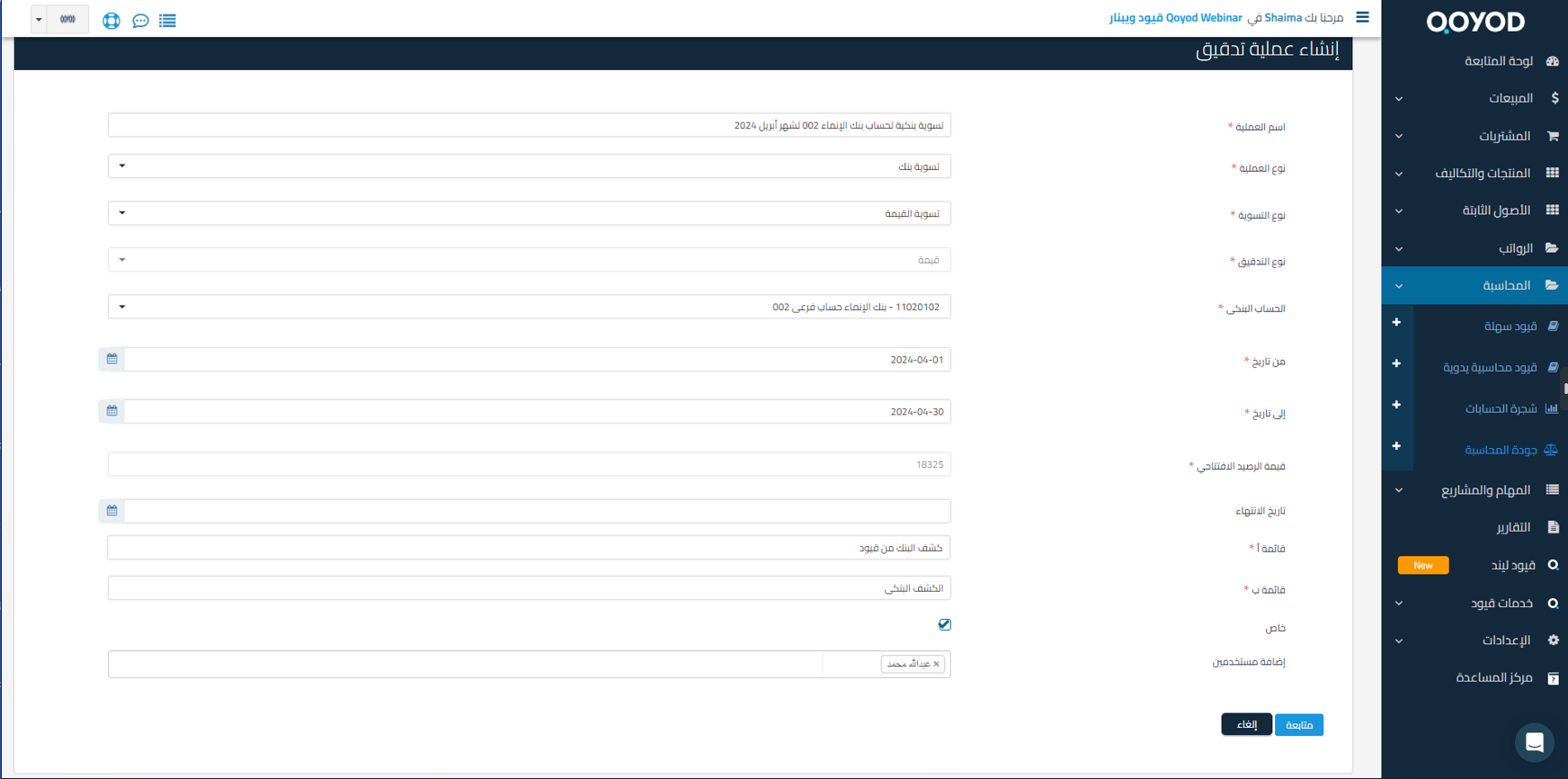
Through Accounting – Accounting Quality – Audit Operations
1- Create an audit operation
2- Add the operation name and select the audit type: Bank Reconciliation
3- Select the bank account and the period to be reconciled
4- The opening balance value for the selected account appears to confirm that the balance matches the bank statement
6- Set the expected end date to complete the bank reconciliation process (optional)
7- Rename the lists (optional)
8- If you select “Private”, specify the users who will have permission to access and perform the required bank reconciliation
9- Click Continue
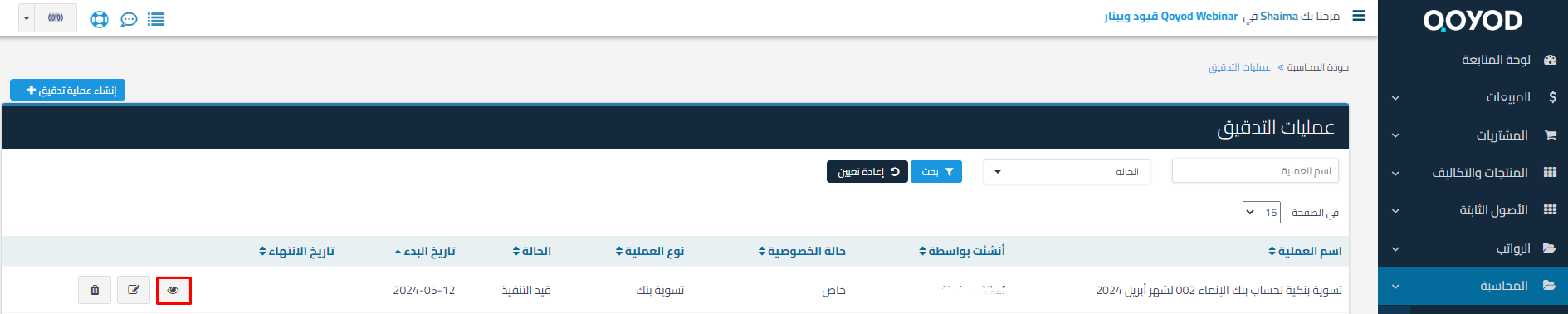
10- After creating the audit operation, click “View Audit Operation” to start the bank reconciliation:
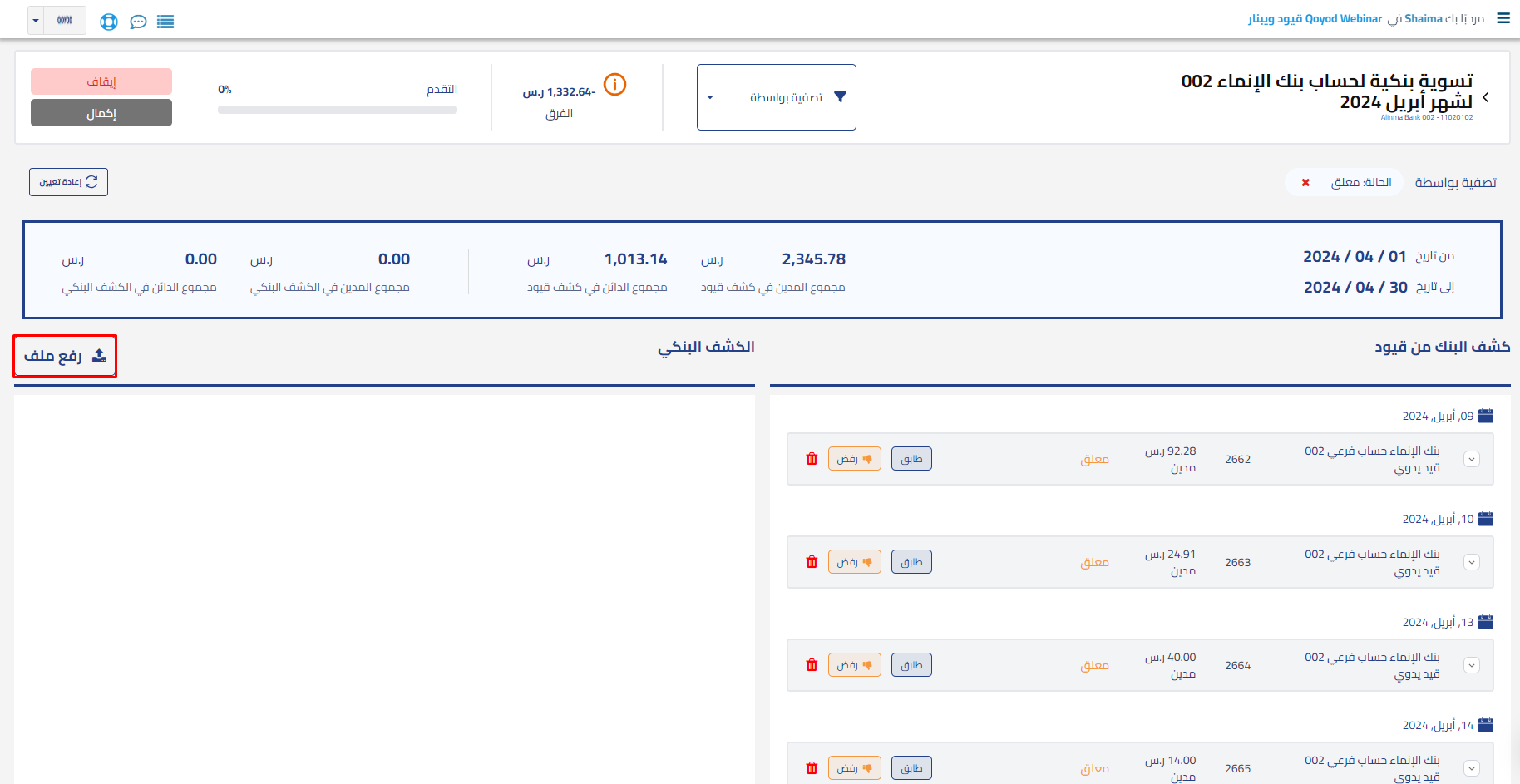
11- From the view, review the account statement transactions for the specified period in the selected account, then click “Upload File” to upload the bank statement to start the reconciliation process
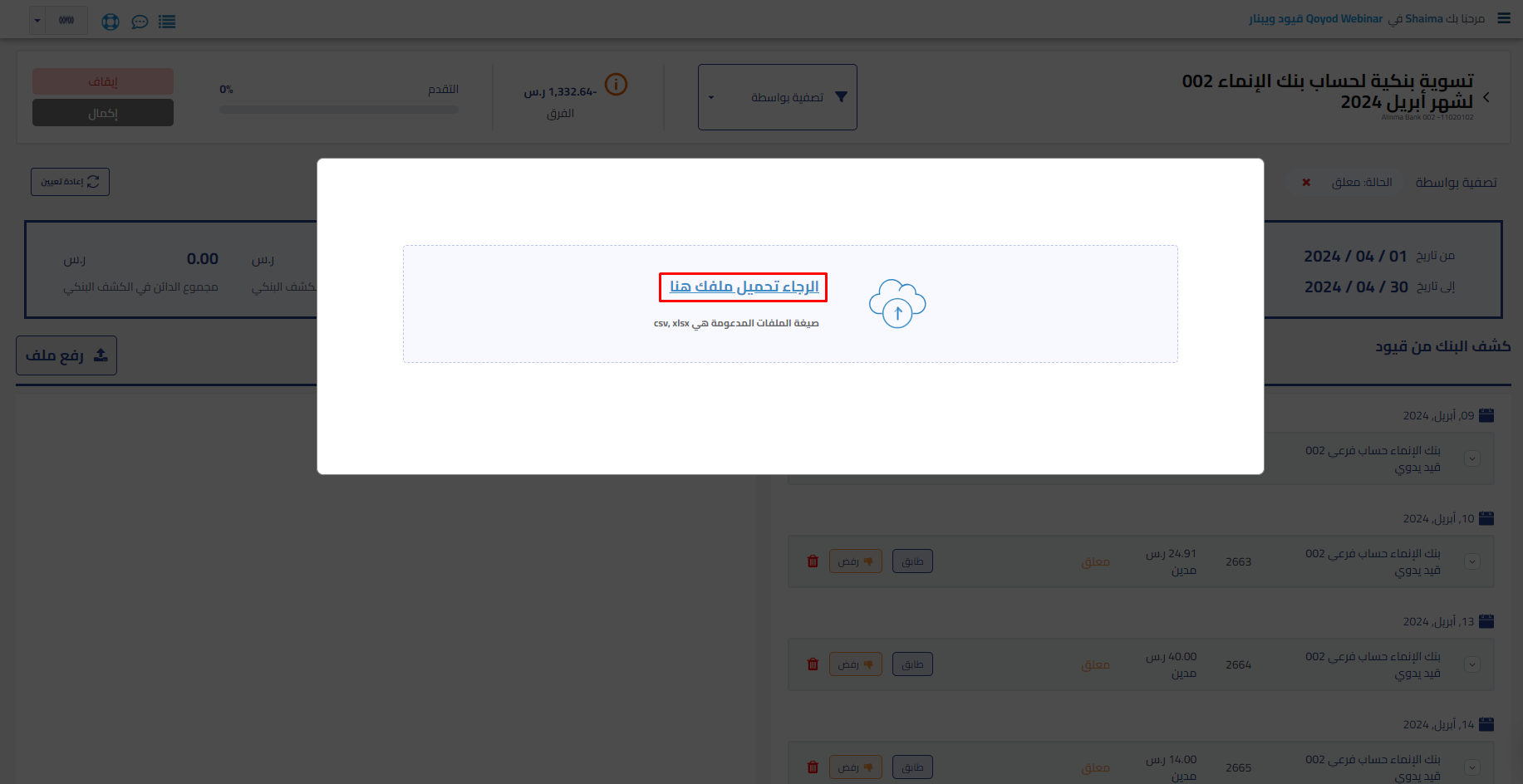
12- Map the required table headers and add optional headers as needed
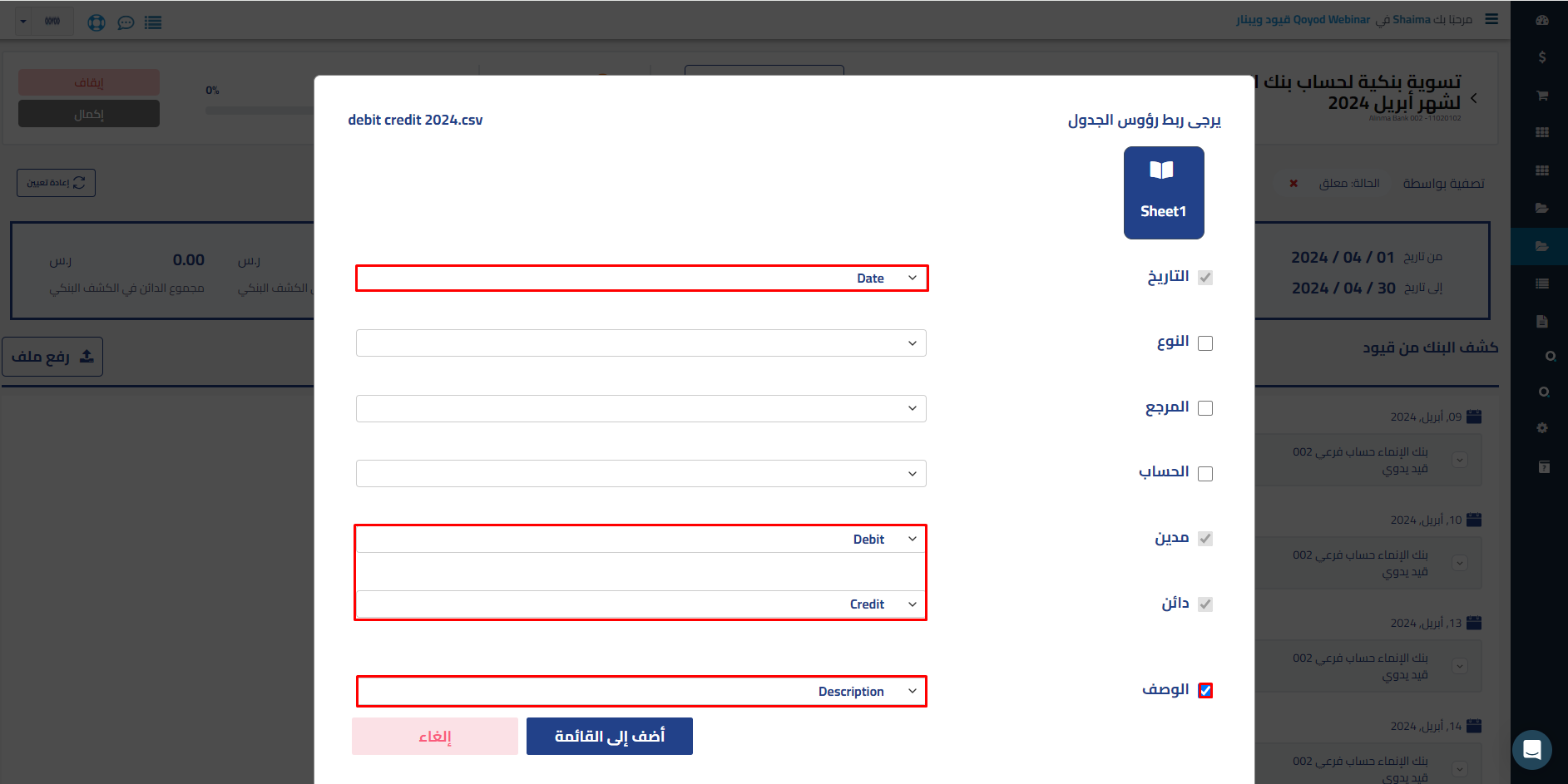
13- After verifying the upload, the bank statement will be uploaded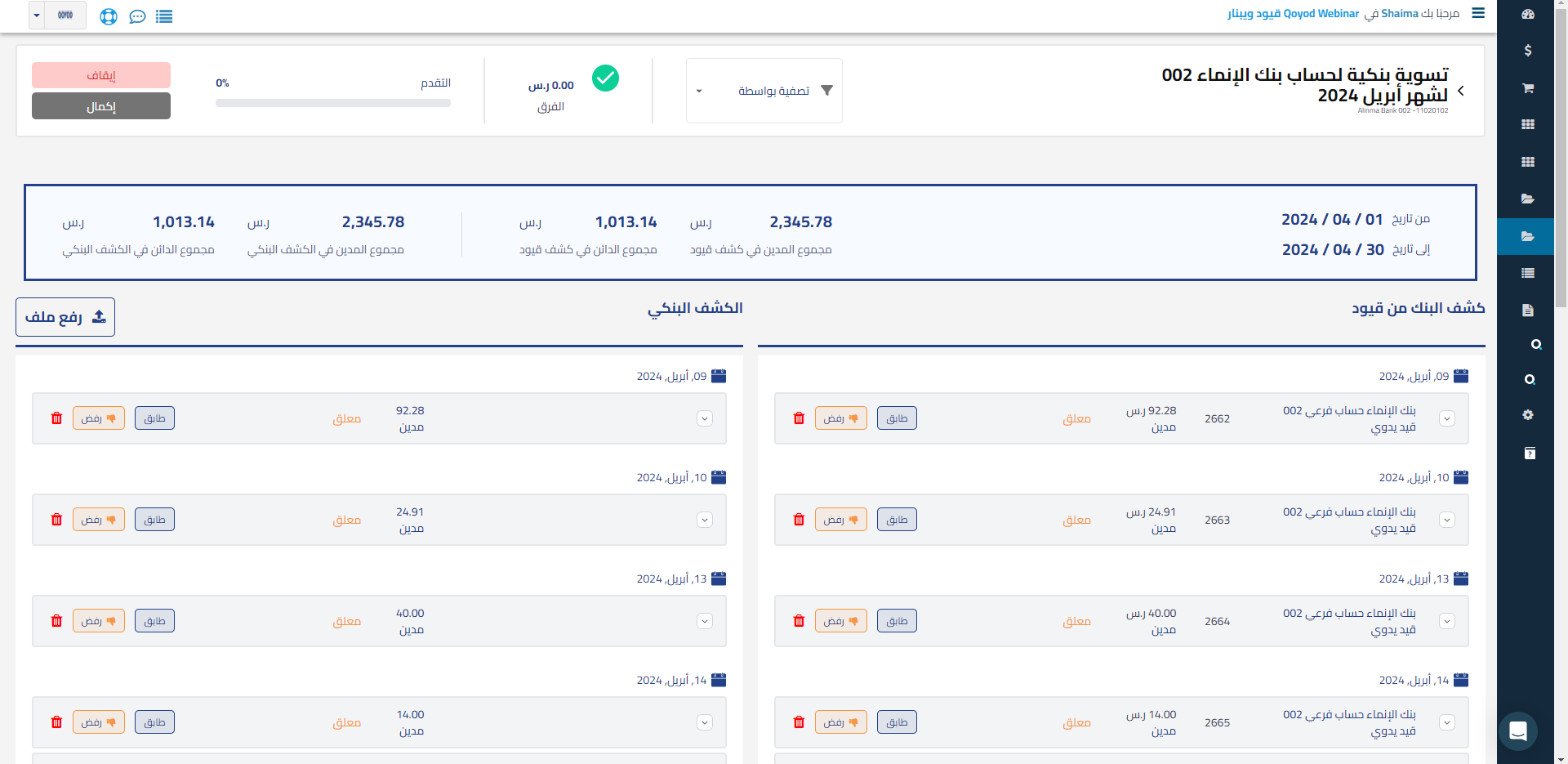
14- If there is a difference, perform the necessary matching operations until the difference appears and is resolved, then update the bank statement in Qoyod to close the difference with the bank statement and complete the bank reconciliation process
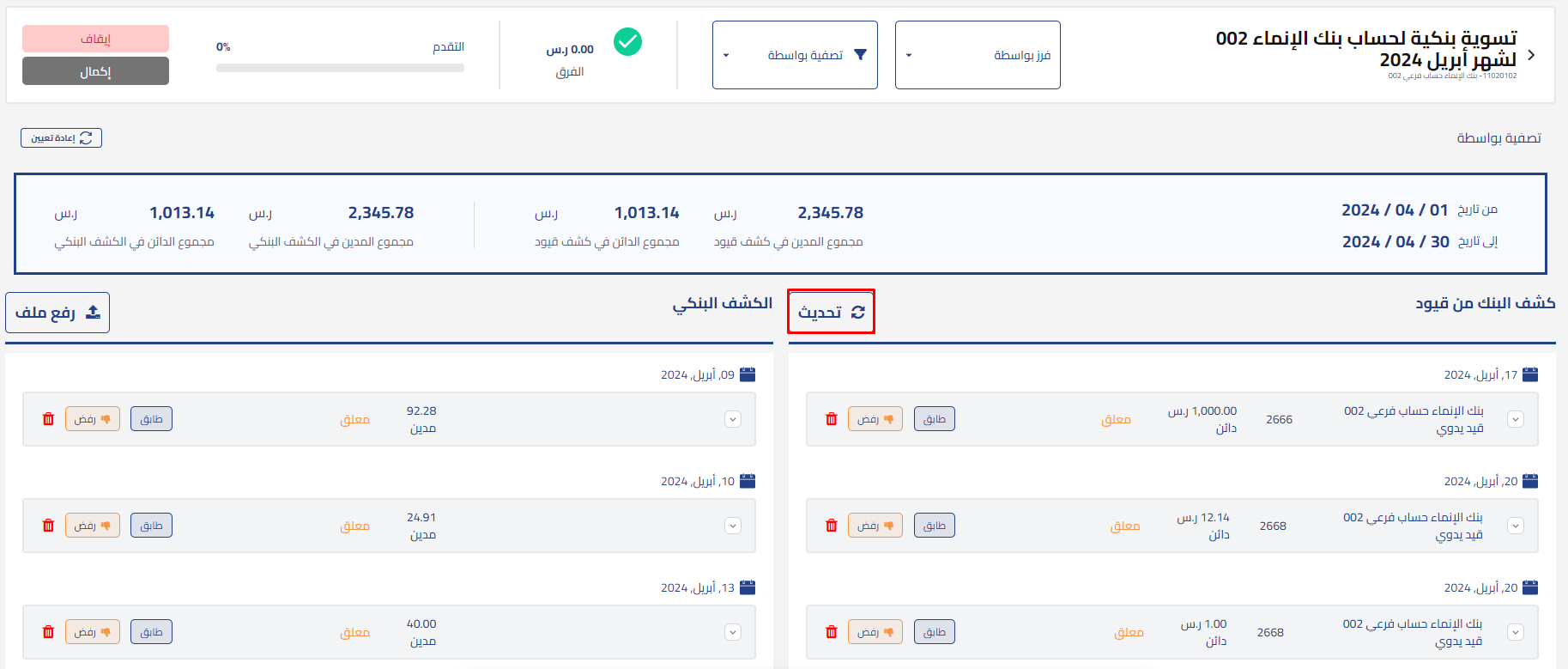
Here is the helpful content that explains bank reconciliation with images: Bank reconciliation explained step by step (with screenshots)



