




Guidelines on how to upload statement files such as bank statements or customer/supplier statements, and compare them with the statement in the Qoyod system using audit operations of the ‘Reconciliation’ type.
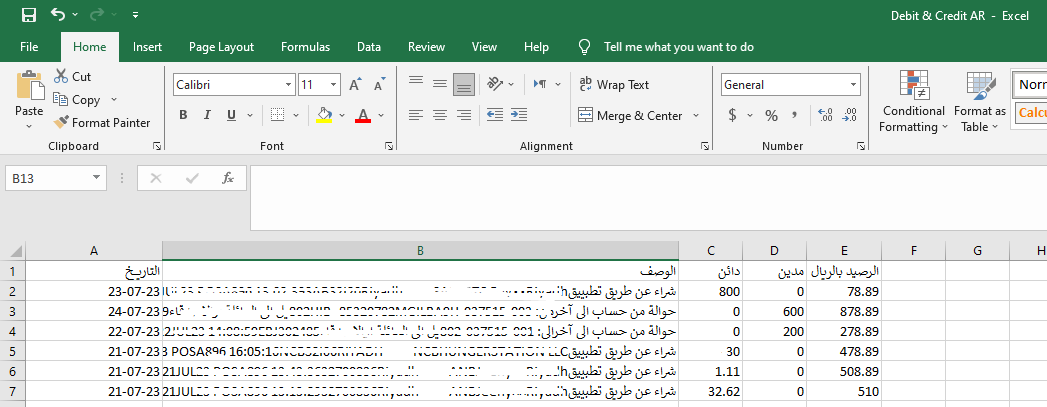 View full size
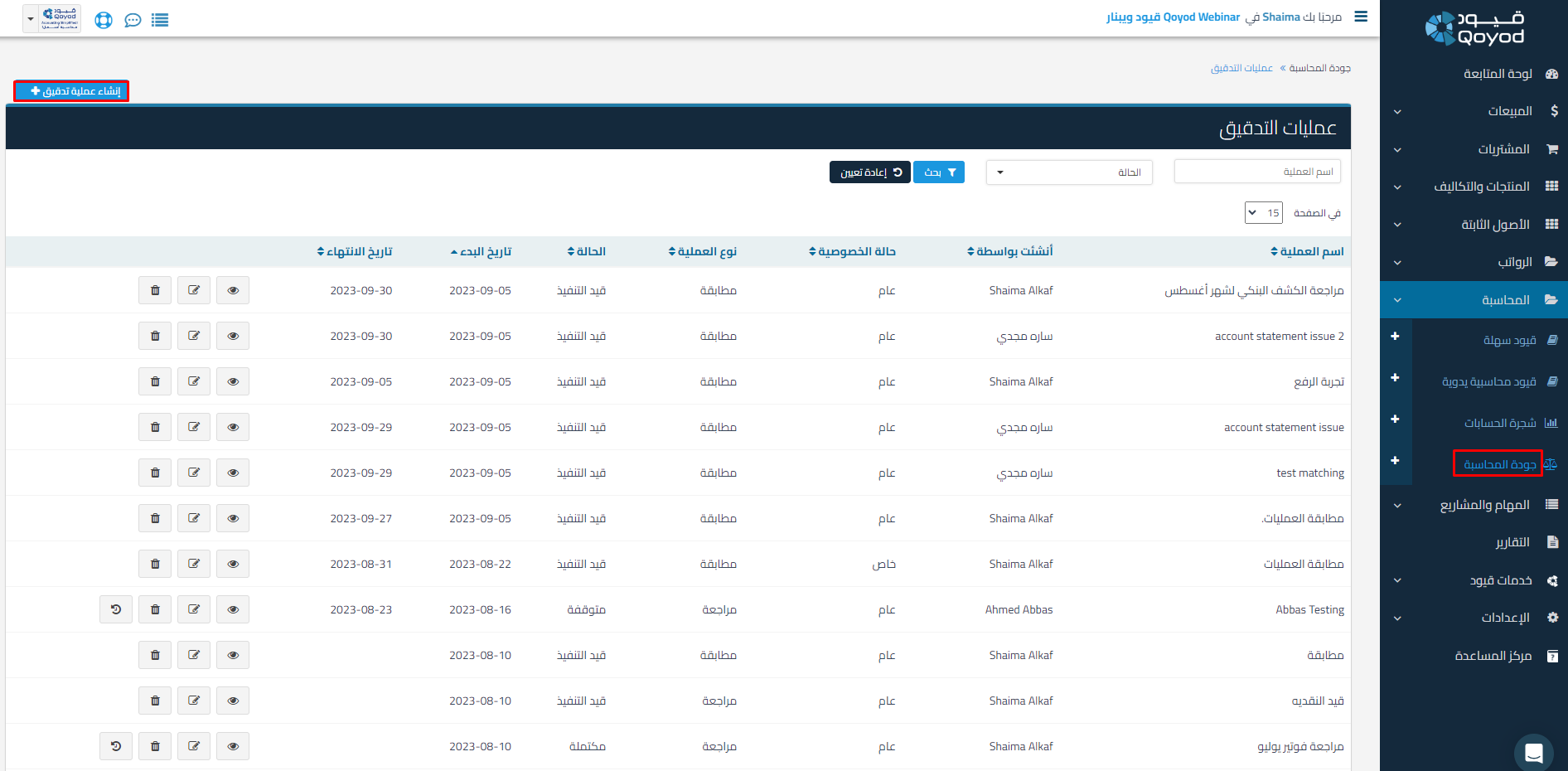
1- Through Accounting – Accounting Quality – Create a New Audit Operation
 View full size
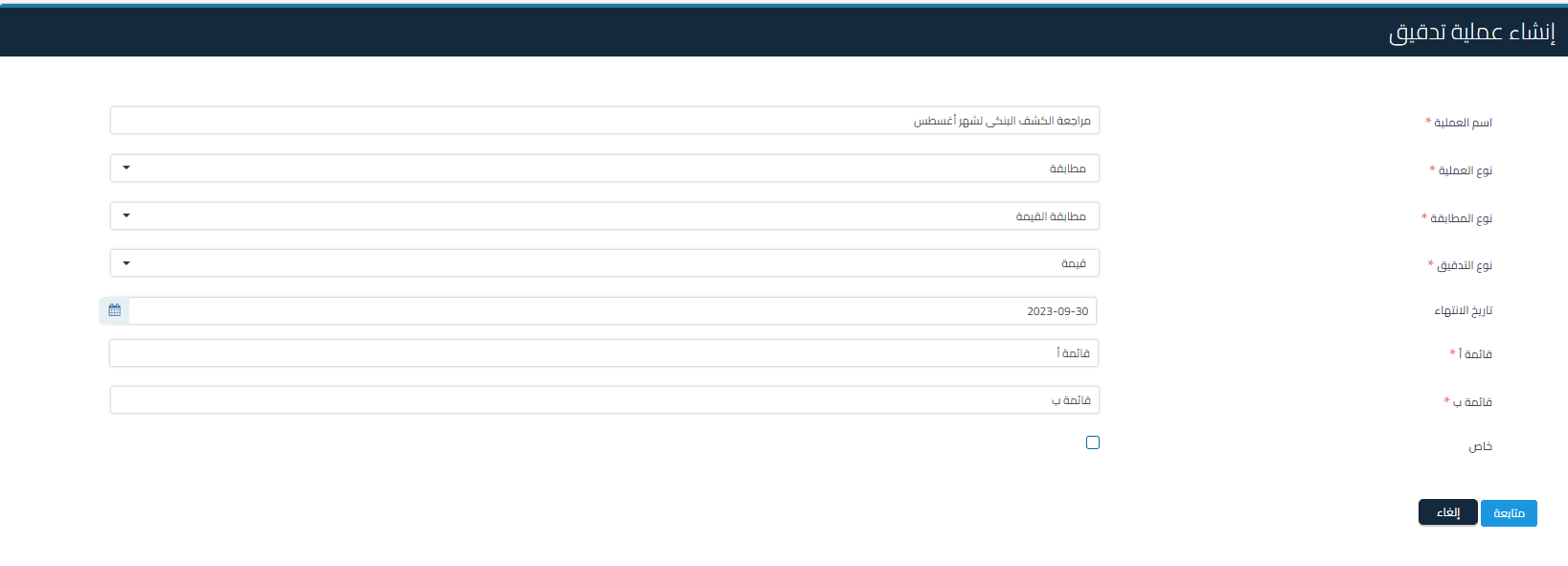
2- Select the Operation Type: Reconciliation, and Select the Audit Type ‘Value’
 View full size
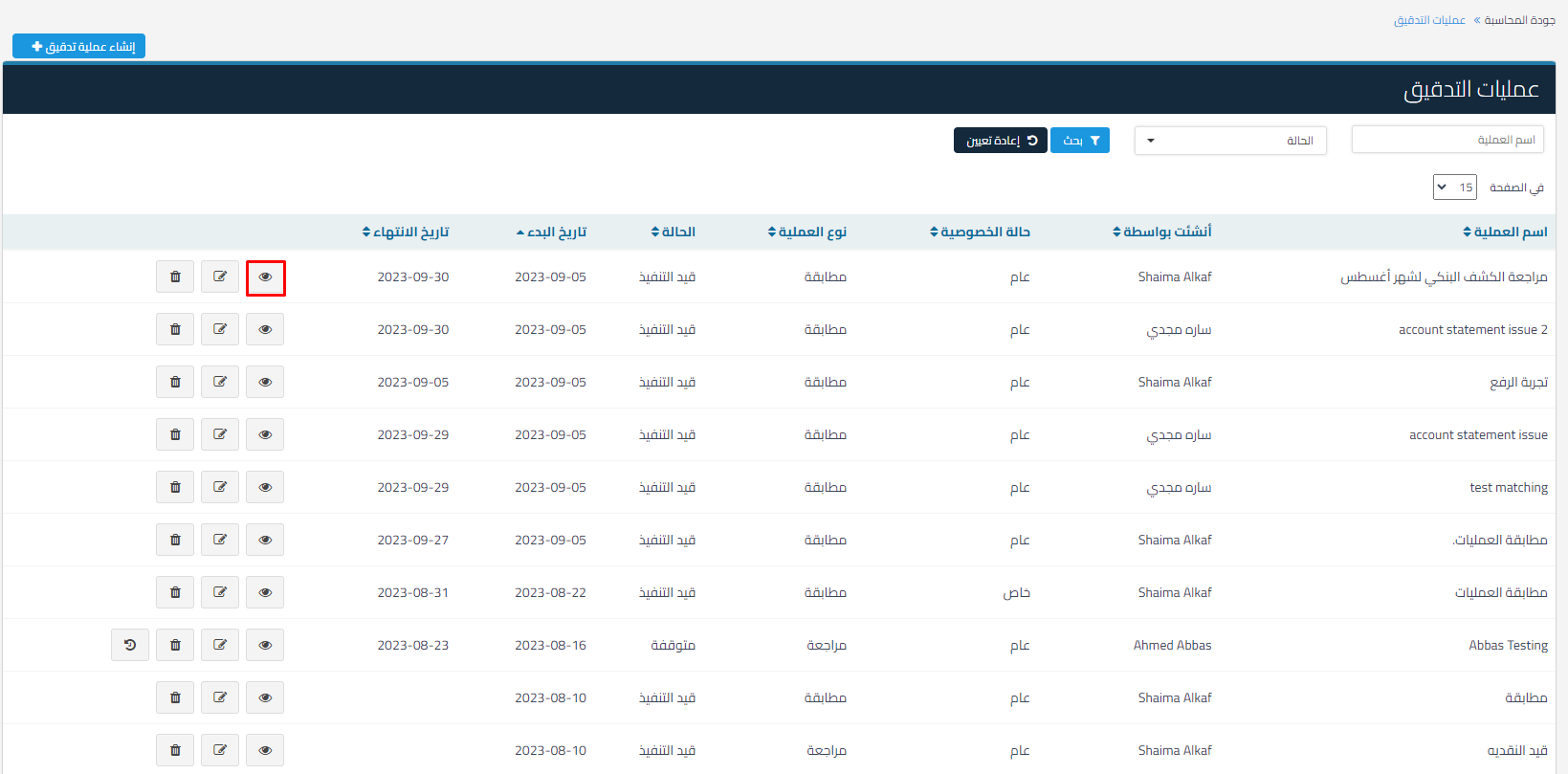
3- Click on View Audit Operation
 View full size
4- Click on Upload File and Select the Required File
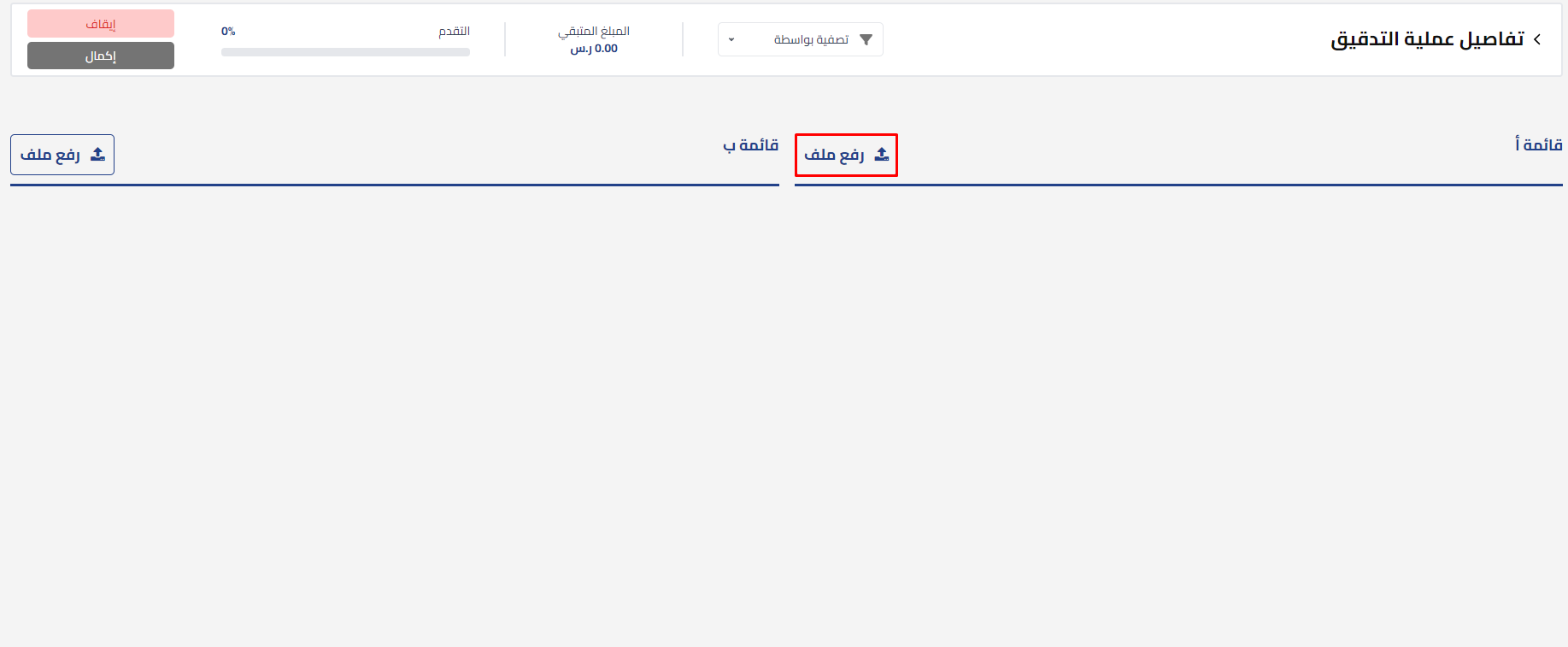 View full size
 View full size
5- Select the Required Sheet
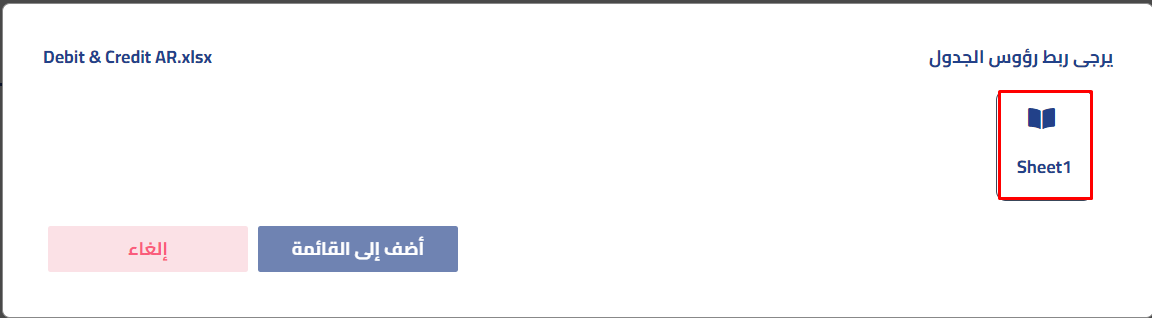 View full size
6- Select the Amount Type in the Uploaded File
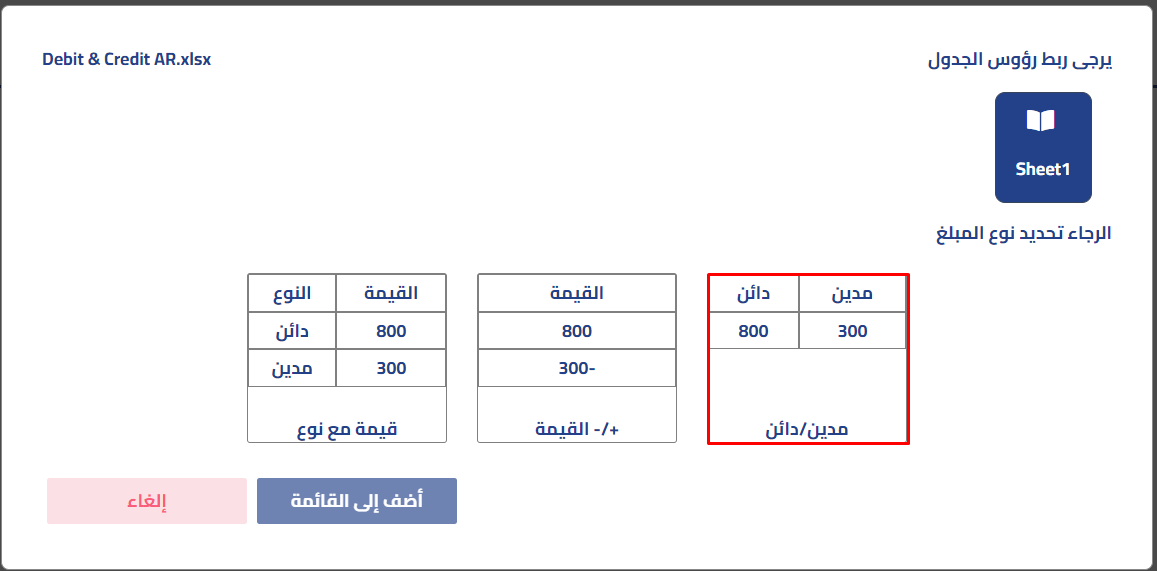 View full size
7- Then Link with Table Headers (Headers)
Mandatory items must be selected and appear with a checkmark in gray color, and you can add other items by clicking on them and selecting the associated table header
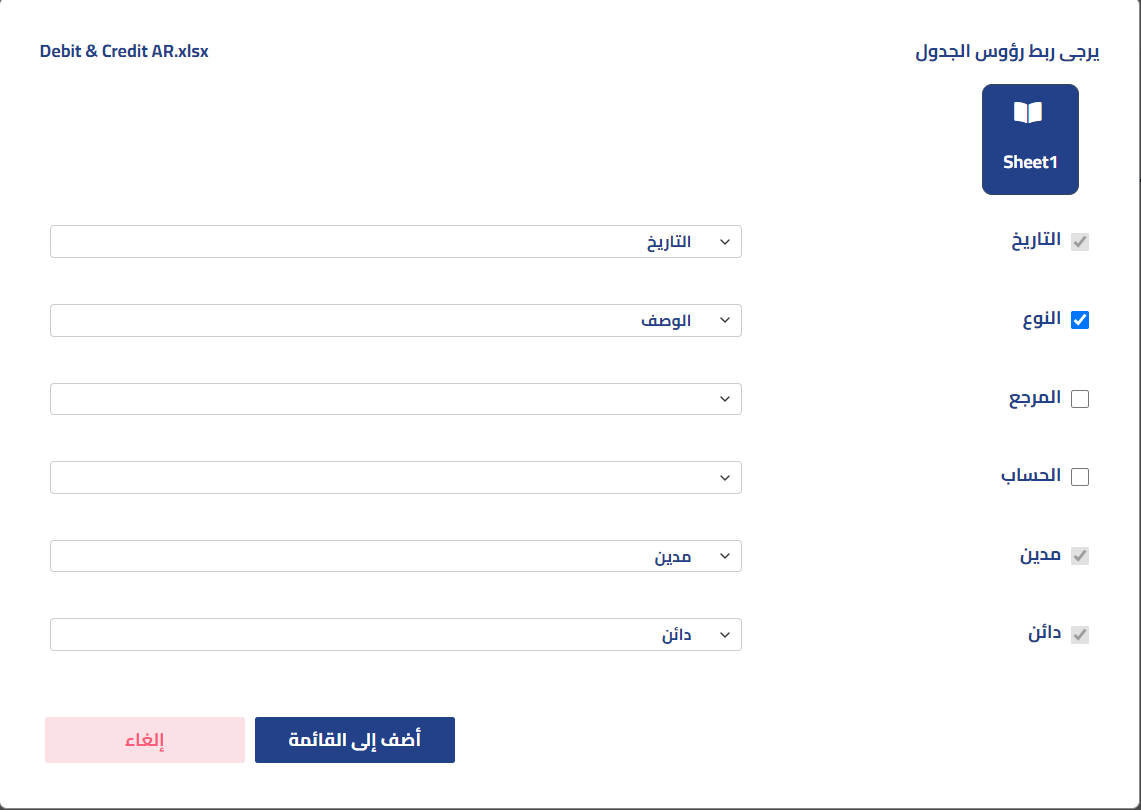 View full size
8- Click on Add to List and Then Refresh the Page to Display the Uploaded File Data
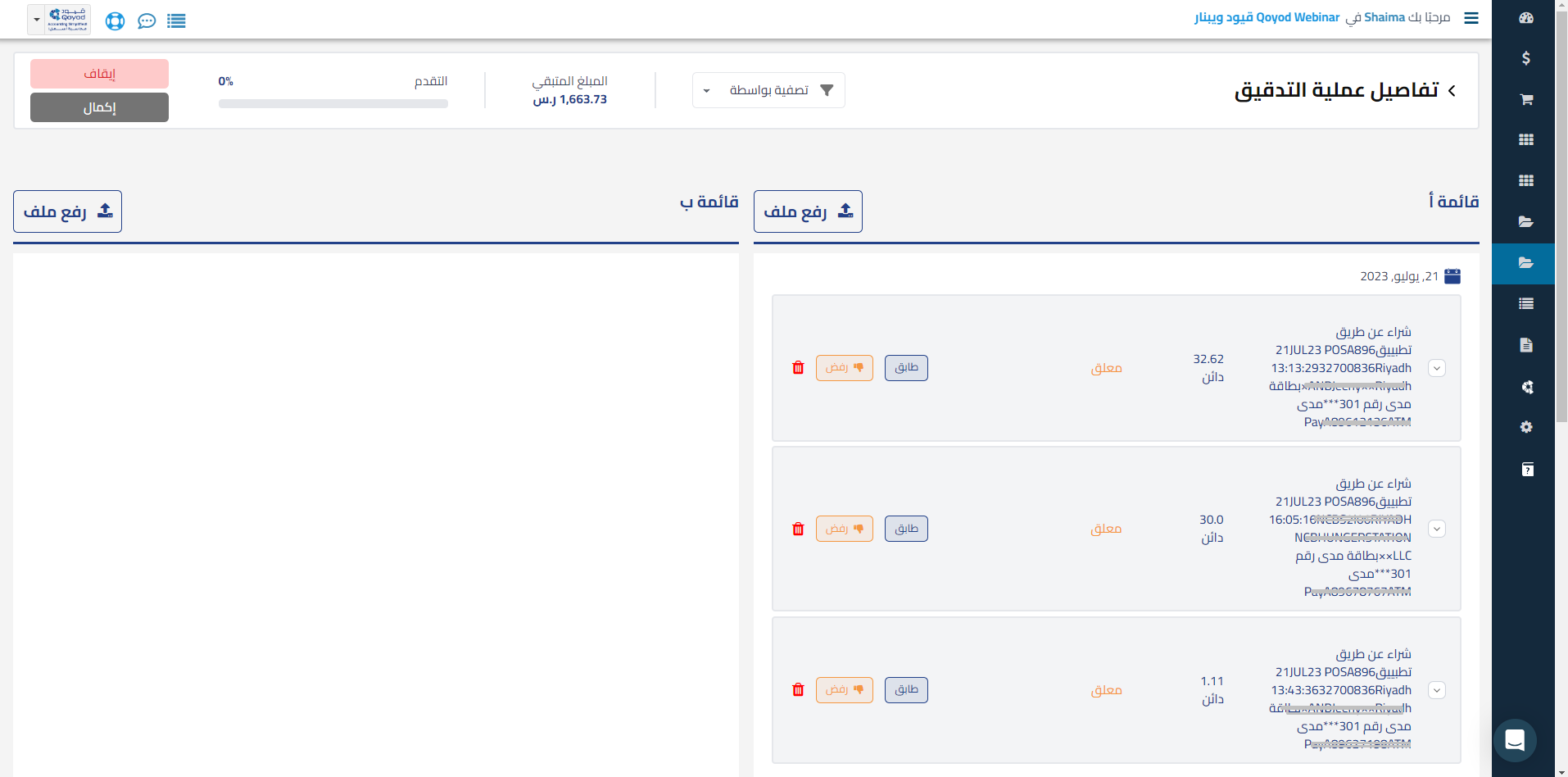 View full size
9- To Start Reconciliation, Add the Statement from Qoyod through Reports – Statement – Add to Audit Operation.
Here is the training course:
Review Commercial Documents – Entries – Values
Explanatory video:
Course topics:
00:37 How to create an audit operation
2:03 Create an audit operation (Review Documents)
3:32 Filter and add documents to a previous audit operation
6:08 Review the audit operation for documents with the ability to approve, reject, or delete the document
9:34 Filter and add entries with creating a new audit operation (Review Entries)
11:49 Review the audit operation for entries with the ability to approve, reject, or delete the entry
13:23 Pause the audit operation and then return to continue it
14:17 Create an audit operation (Review Values)
15:58 Filter values and add them to a previous audit operation
16:59 Review the audit operation for values with the ability to approve, reject, or delete the values
19:33 Create an audit operation (Reconcile Values)
21:11 Upload a statement file of type (+/-)
23:12 Filter values and add them to the audit operation
24:20 Reconcile values with the ability to complete them later or delete the values
27:53 Create an audit operation (Reconcile Values) with uploading a file of type (Value with Type) and performing the reconciliation
32:16 Create an audit operation (Reconcile Values) with uploading a file of type (Debit and Credit) and performing the reconciliation



