




Clarification on how to compare estimated values in budgets with actual values in the income statement, as the income statement is a report that shows the result of the business operations and includes all information related to revenues and expenses.
To compare estimated values with actual values for the income statement, you can follow these steps:
Step 1:
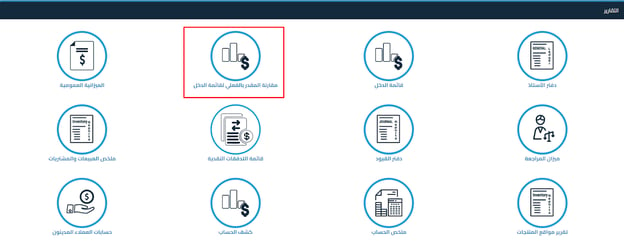
Through Reports – Click on: Compare Estimated vs. Actual for Income Statement
Step 2:
Select the following:
- Income statement comparison date,
- Compare with a previous period: Choose the last month, where the previous quarter will be made available soon
- Period: Select the number of periods to compare from two to 13 periods
- Level: Select the account level or choose to display only the account type
- Budgets: Select the budget you want to compare its estimated values with the actual income statement
Step 3:
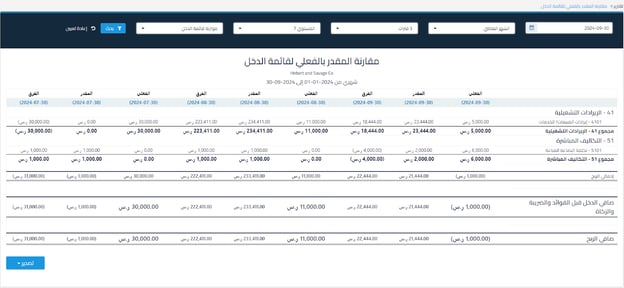
The report appears according to the previously selected options with the following details:
Each period has three (3) columns: Actual, Estimated, and Difference
The difference appears through the calculation: Estimated – Actual for each period separately.
Also, the totals for gross profit and net income before interest, tax, and zakat, as well as net profit for each of the actual, estimated, and difference for each period appear.
Step 4:
You can export the report through Excel or PDF.
Additional Notes:
- The report relies on accounts that contain actual transactions in the income statement.
- If there are accounts in the budget without actual transactions, they will not appear in the report and you can compare them in another report.



