




You can now print your organization’s address in parts on business documents. The Organization list (المنشأة) in the document designer has six new address variables, and you place each one wherever you want in the template, such as the header or the footer.
The new variables
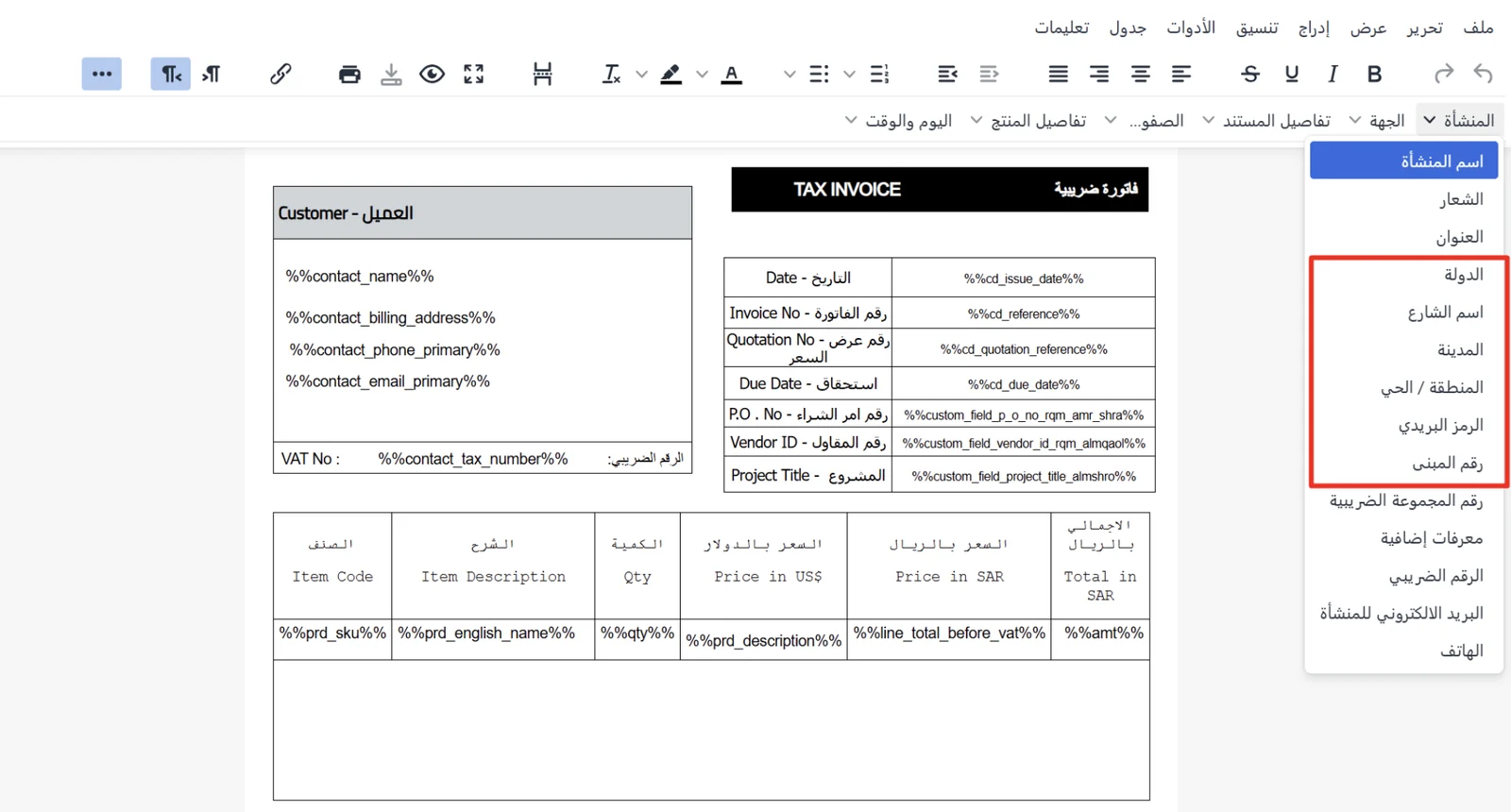
The six variables sit right under Address (العنوان) in the Organization list, above the tax group number:
- Country
- Street name
- City
- Region / district (one variable)
- Postal code
- Building number
 View full size
The values come from the national address you entered under Settings, then General Settings. If you have not added it yet, see Edit or Add Company Data.
The full Address variable stays as it is. Print the address on one line, use the parts on their own, or combine both in the same template.
How the values print
- A field left empty in your settings prints empty, with no separator and no placeholder text.
- Country prints in the document language you choose in the designer.
- Postal code and building number print exactly as you entered them, with no formatting.
How to add them
- Go to Settings, then General Settings, and open the settings tab of the document whose template you want to edit.
- At the bottom of the page, click Try the New Designer (تجربة المصمم الجديد), or Open Designer (فتح المصمم) if you already use the new designer.
- Place your cursor where the address part should appear.
- Click the (…) button in the toolbar and pick the variable from the Organization list.
The user needs access to General Settings. It is granted under Settings, then Users, then role management (إدارة المناصب), where you edit the user’s role (تعديل المنصب). For more on working in the designer, see How to Design and Customize Invoices and Business Documents.
Your existing designs
Saved designs and the ready-made templates keep working with no action from you. Nothing is added to a design automatically: the new variables appear only where you insert them.
Who this update is for
Businesses that want control over how the organization address is laid out, for example street name and building number in the header, city and postal code in the footer, instead of one long line. The document designer is available on all plans.
Read next