




Shipping, packing and delivery fees now have their own place on sales invoices and credit notes. You can add them as charges on the whole document, below the line items, each with its own reason, account and VAT rate. The feature is optional, and you turn it on in each document’s general settings.
Turning charges on
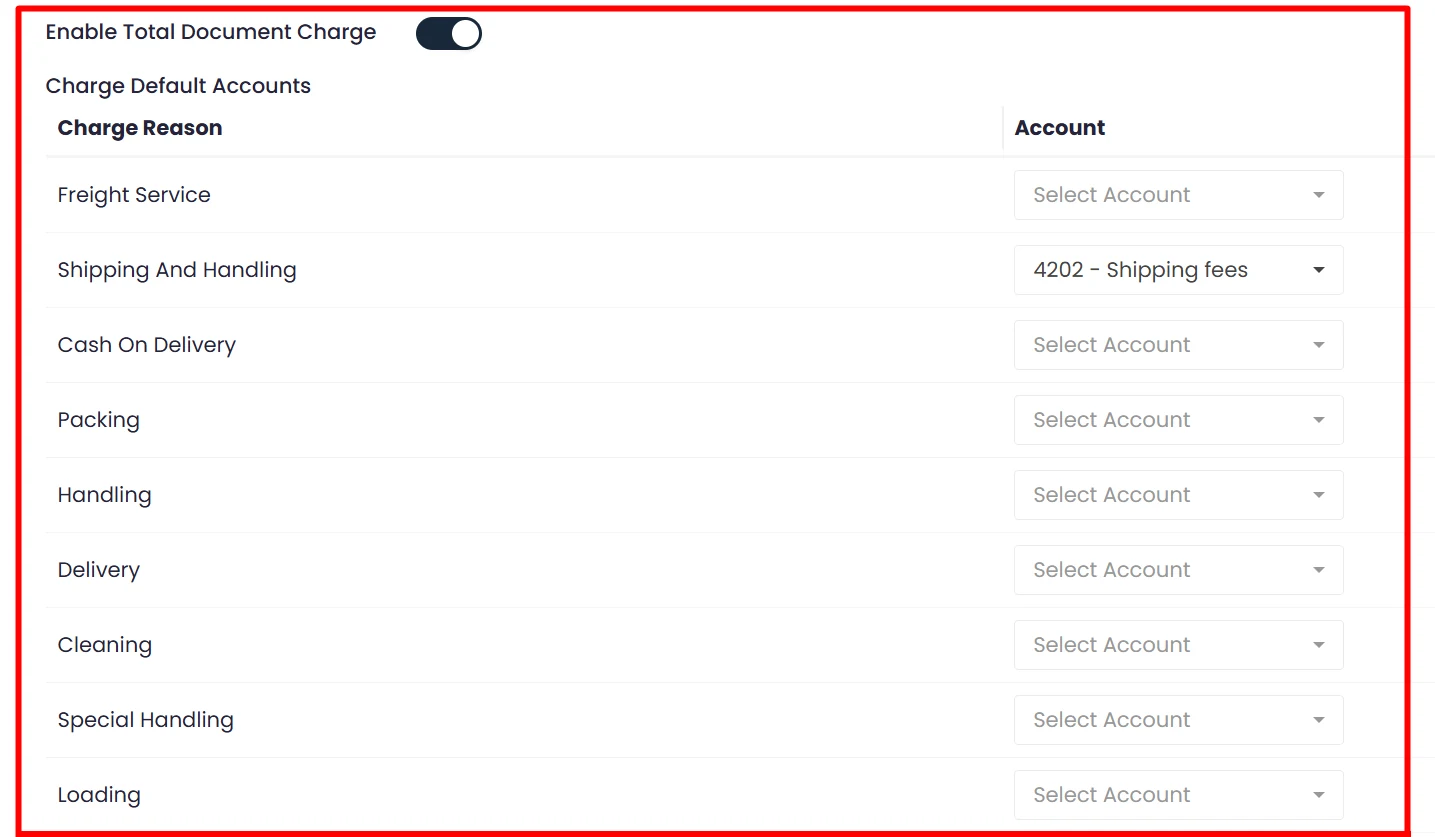
For sales invoices, go to Settings › General Settings › Sales invoice settings and turn on Enable Total Document Charge under Main Details. A Charge Default Accounts table then appears, where you set a default account for each charge reason.
 View full size
Adding charges to an invoice
Sales invoices now have a Charges section. Click Add charge, pick the reason from a ready-made list (such as Shipping And Handling, Handling, Packing or Delivery), choose its VAT rate and enter the amount. You can pick the account for each charge on the invoice and add as many charges as the document needs. Their sum shows as Total charges.
Each charge is added to the total before VAT, and its VAT is calculated at the rate you chose and included in the document’s VAT total. Say a 6,000 SAR line carries a 100 SAR Shipping and handling charge and a 35 SAR Delivery charge, all at 15%: the invoice comes to 6,135 SAR before VAT, 920.25 SAR VAT and 7,055.25 SAR in total.
 View full size
Charges on printed documents
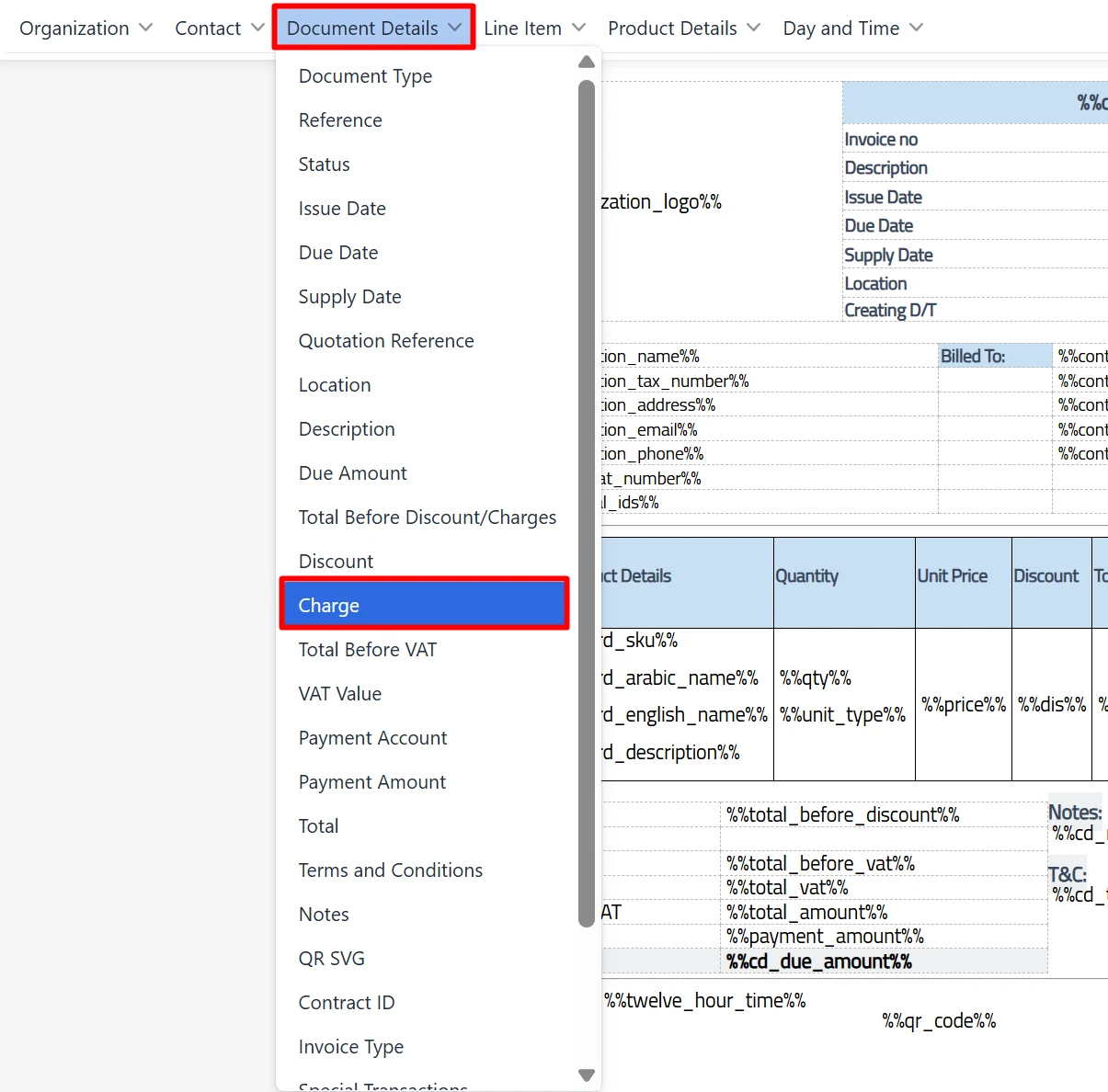
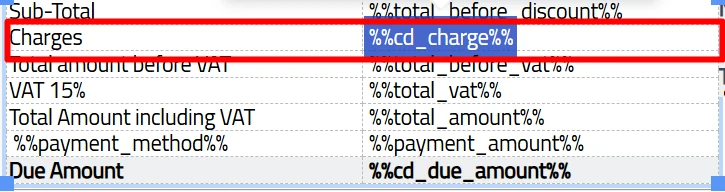
To show charges on exported and printed documents, add them in the invoice and note designer: under Document Details, choose Charge, and the %%cd_charge%% variable goes into your layout.
 View full size
 View full size
Who this update is for
Businesses that bill shipping, delivery or packing on top of what they sell and want customers to see those charges separately from the line items. If you add these fees today as a service line on the invoice, that still works.
Sales invoices and credit notes stay compliant with ZATCA’s e-invoicing requirements. Phase 2 linkage with ZATCA is available on the Professional and Advanced plans.
Read next