


You can now keep more than one print template for each type of business document in Qoyod, including invoices, vouchers, notes and quotes, and pick the right one every time you print or download a document. Set up a layout for each need, or for what different customers expect.
Manual journal entries already had multiple print templates. Business documents now have them too: invoices, vouchers and notes, and quotes, each type with its own set of templates.
Managing templates in the document designer
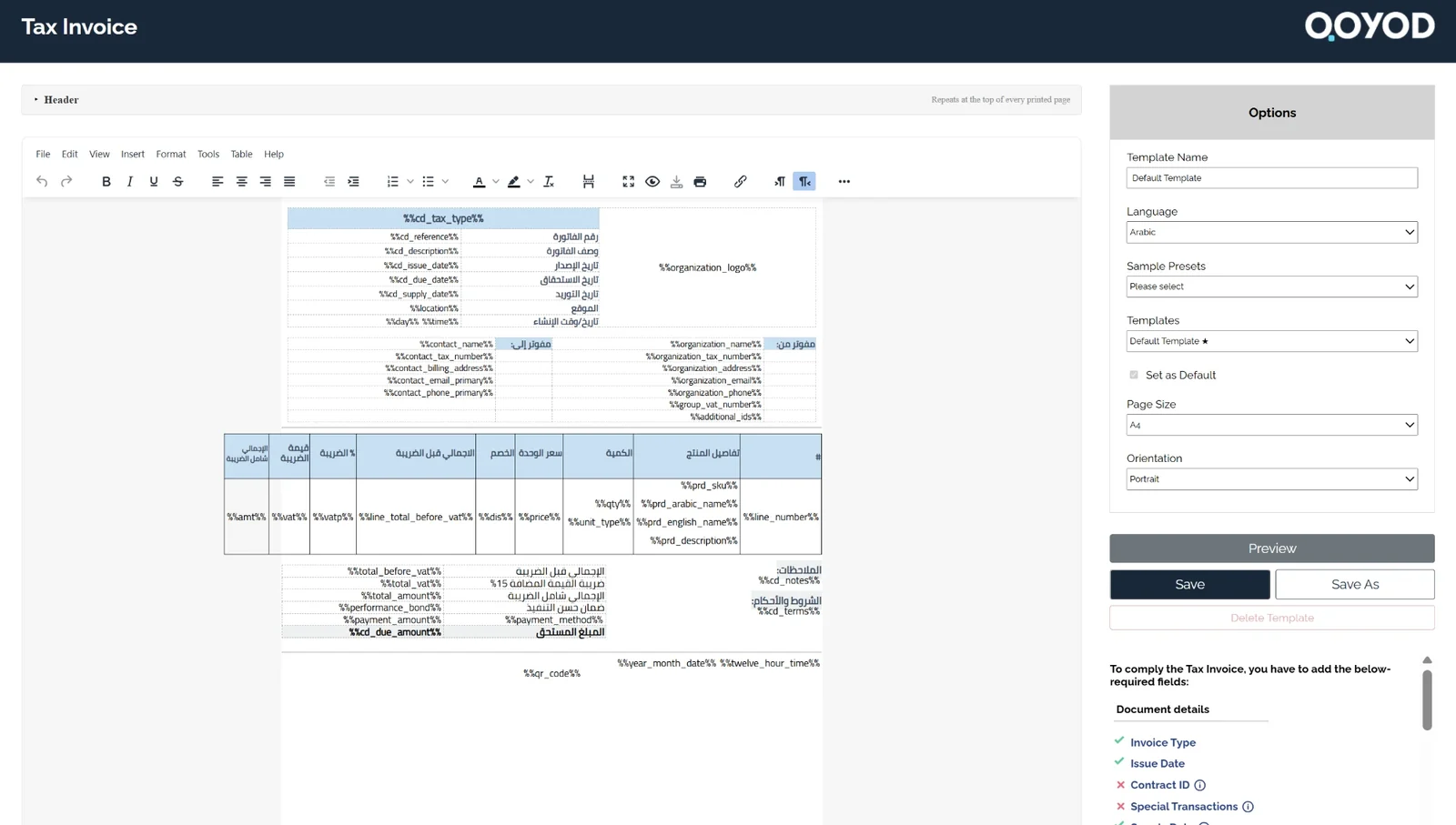
Templates are managed in the document designer in Settings, from the options panel, which holds both the template tools and the page settings.
- Give each template a name that sets it apart, so you recognise it in the list and when you print.
- See every template for that document type in one list, with a star (★) next to the default.
- Make the open template the default for that document type, and it gets the star (★) in the template list.
- Save the current design as a new template.
- Delete a template you no longer need.
- Preview the document before you save.
The same panel sets the language, page size and orientation for each template.
 View full size
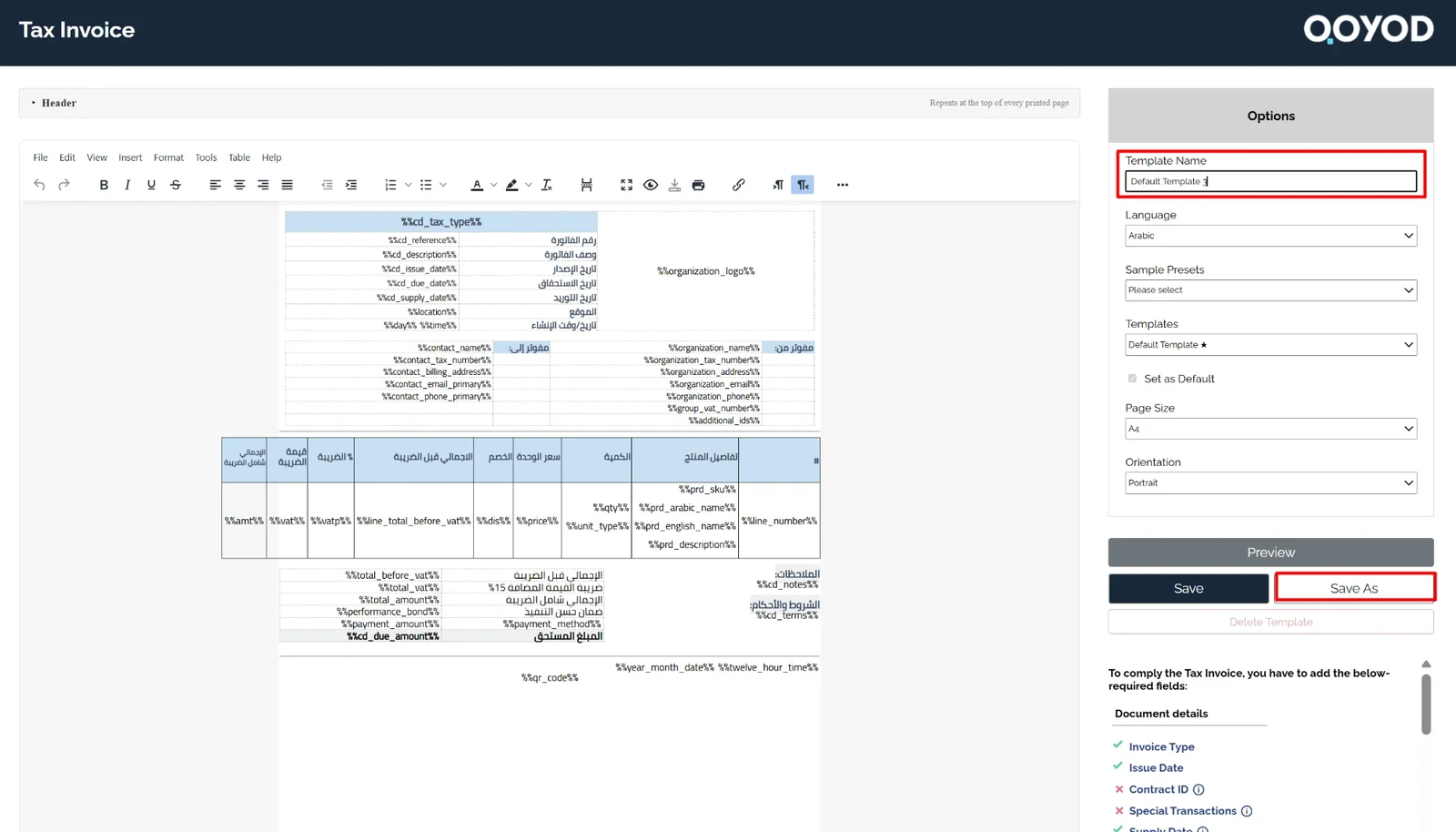
Creating a second template
Change the template name, adjust the design as you need, then save it as a new template. It joins the template list alongside your other templates.
 View full size
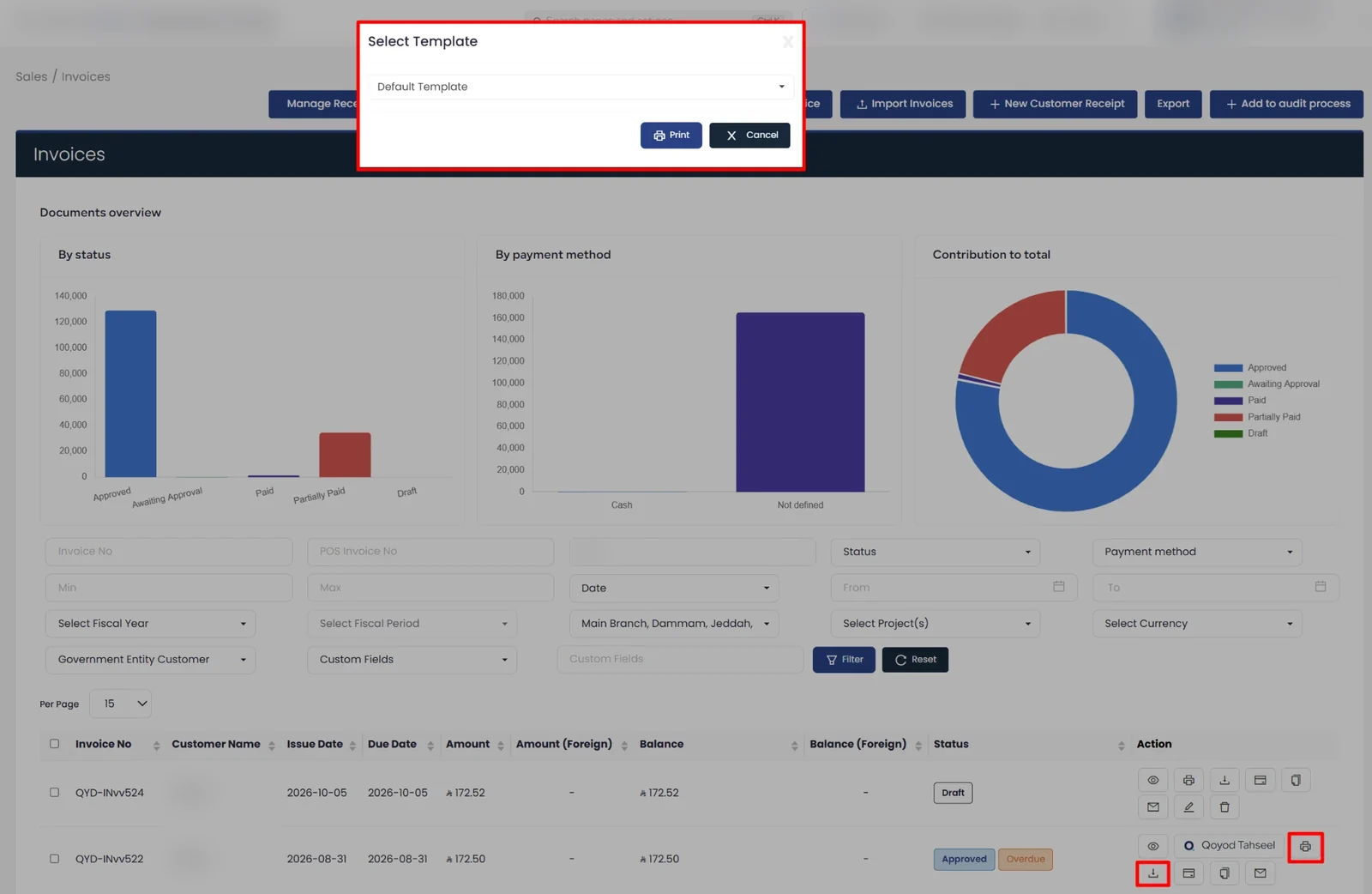
Choosing a template when you print or download
When you print or download a document from its list, a window opens asking you to choose a template. Pick the one you want from the list, then print, or cancel to close the window without printing.
 View full size
Who this update is for
Businesses that need more than one look for the same document, such as a quote styled one way for one customer and another way for the next. Set the templates up once, then choose between them each time you print.
Read next