




We launched the sales debit notes module in July, and followed it in August with the settlement, design, and reversal batch. This update closes the last gap: additional fields, which were available on invoices, quotes, and credit notes but not on debit notes.
Where the fields appear
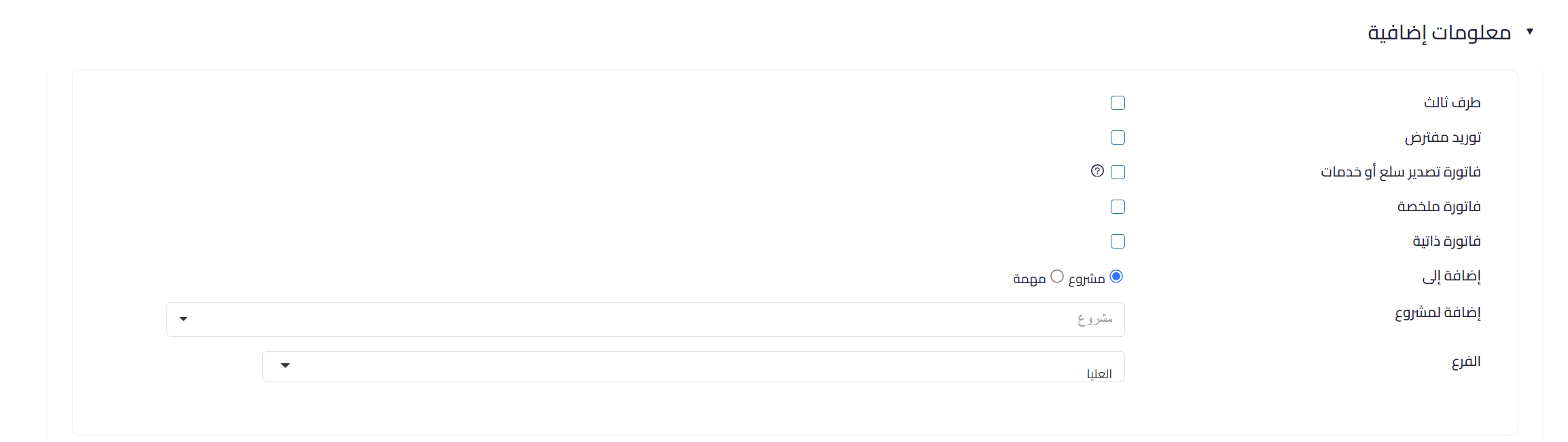
An “additional information” section now appears on the sales debit note creation form and on its details page, showing the fields the organization has defined under additional fields in general settings.
All of these fields are optional. Filling them in or editing them affects neither the journal entries, nor the note status, nor its submission to ZATCA.
 View full size
What’s new: editable after approval
This is the heart of the release. Additional fields stay editable even after the note is approved, regardless of its status: unused, partially used, or used.
Completing or correcting a value after approval no longer requires working around the document. It is the same behavior already in place for invoices and credit notes.
Choosing the fields in general settings
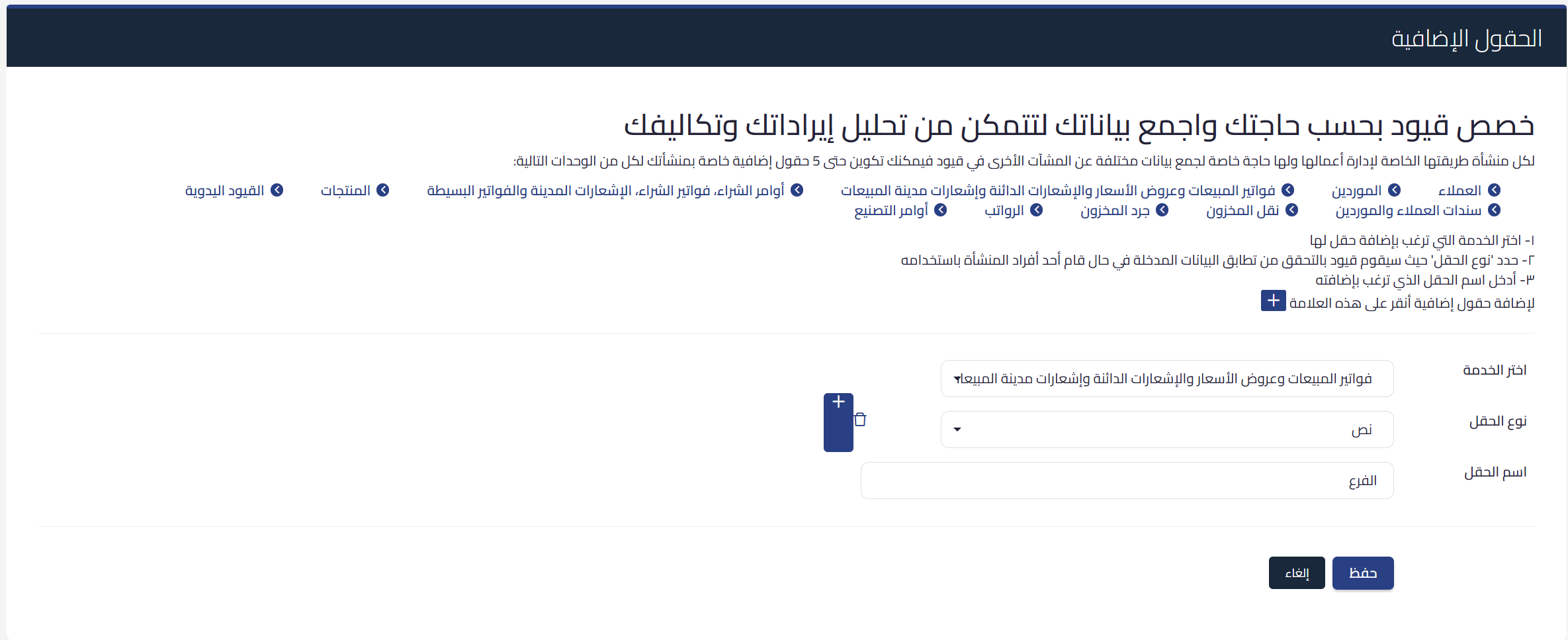
We added sales debit notes to the additional fields setup screen in general settings, under the same service that already groups sales invoices, quotes, and credit notes. From there the general administrator decides which fields appear on debit notes, exactly as with sales invoices and credit notes.
 View full size
The update is available now for every organization using sales debit notes.