




We’re excited to announce the launch of the Sales Debit Notes module in Qoyod. This module lets businesses issue debit notes linked to approved sales invoices, to settle additional amounts due from customers in an organized, documented way — with full compliance with ZATCA’s e-invoicing requirements.
A sales debit note is a commercial document issued after a sales invoice is approved, to increase the amount due from the customer. It is used when additional quantities are delivered that weren’t included in the original invoice, when the agreed price increases, or when extra fees or charges apply to the customer.
Permissions
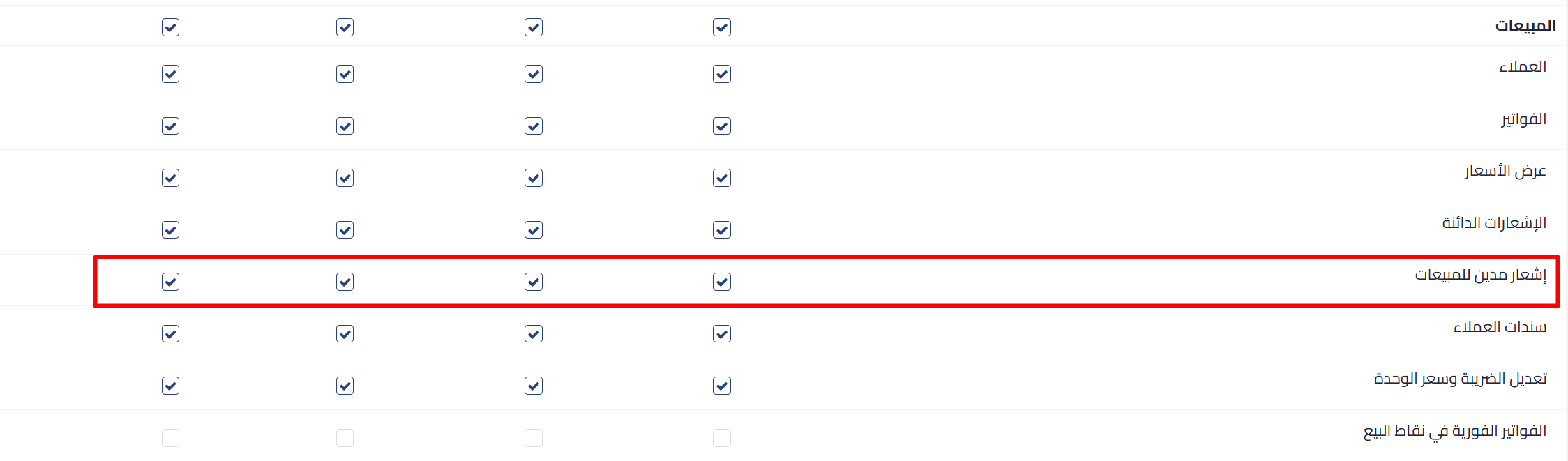
A dedicated set of permissions for sales debit notes has been added under role settings, covering viewing, creating, approving, and deleting debit notes.
The feature is enabled automatically for primary users, and is also enabled automatically for users who have credit note permissions.
Settings
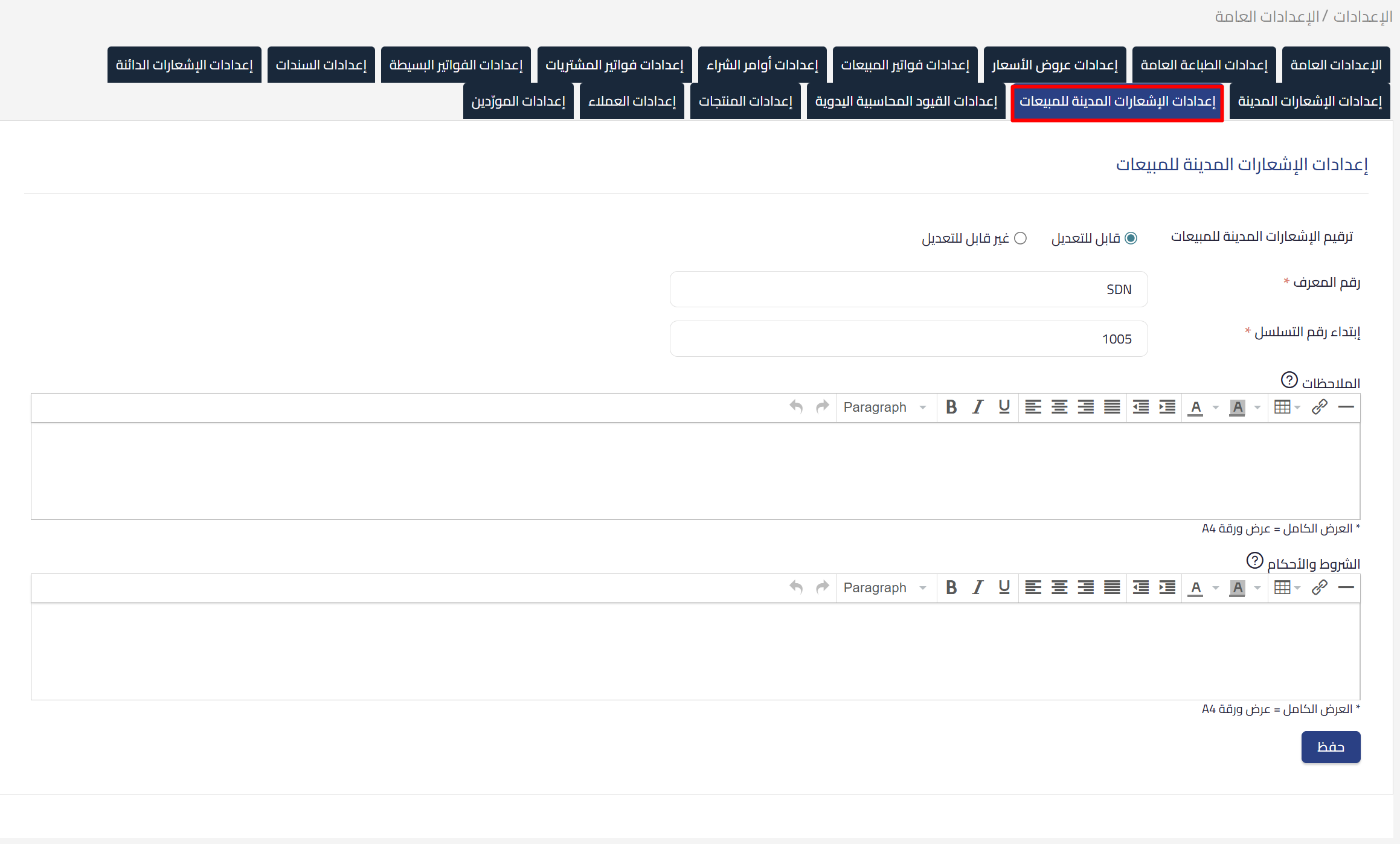
The general administrator can customize the default numbering prefix (default: SDN), the numbering method (automatic or manual), as well as the default notes and terms and conditions that appear on every new debit note.
Creating a Debit Note
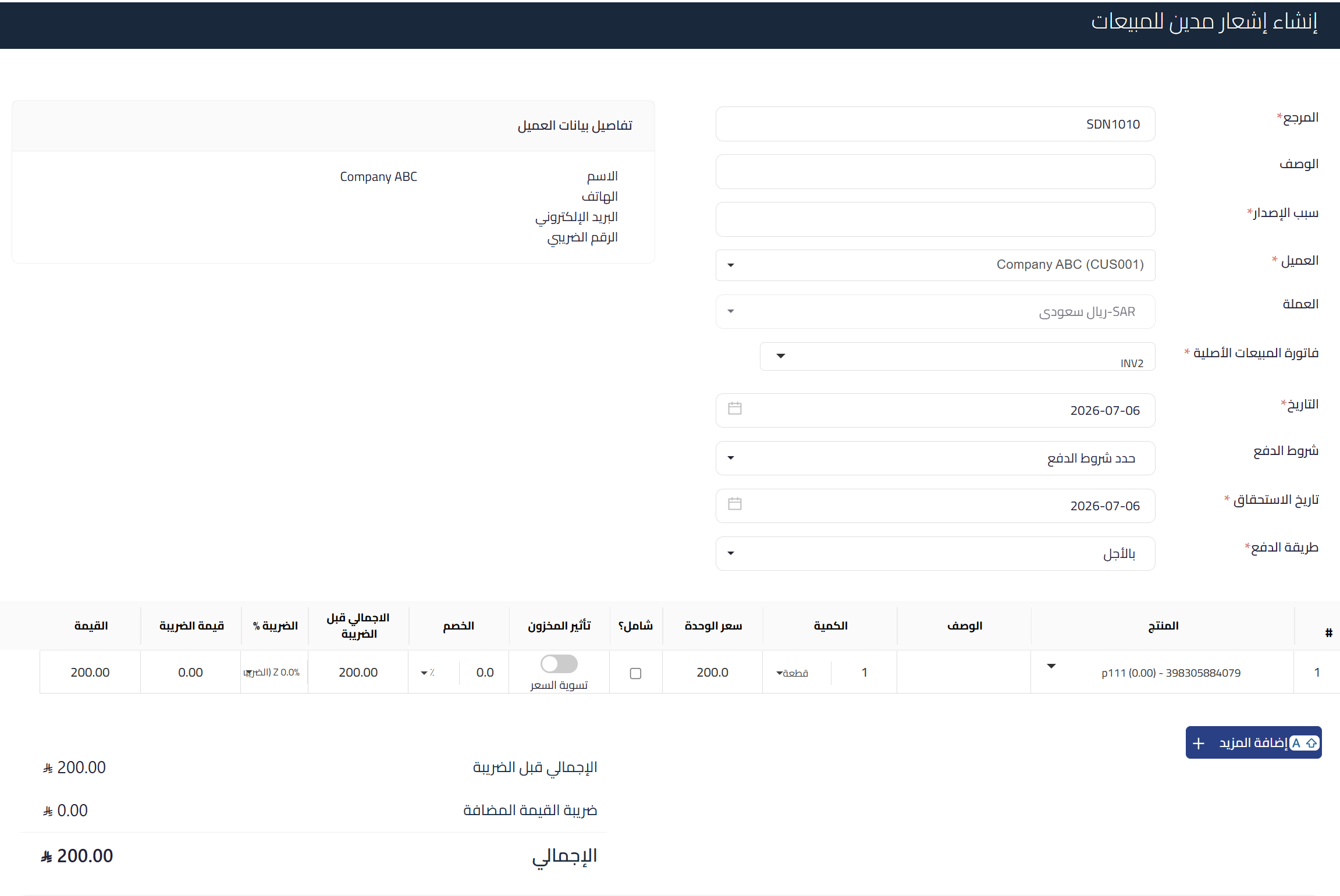
A debit note can be created in two ways: directly from the details page of an approved sales invoice, or from the debit notes list in the Sales module. Each debit note is linked to exactly one sales invoice and automatically inherits its customer, location, and currency. Line items are added manually with instant validation before saving. Discounts are available at the individual line-item level only — document-level discounts are not supported.
Inventory Impact
Each line item in a debit note includes an “Inventory Impact” toggle, shown only for tracked products. When enabled, the stock quantity at the debit note’s location decreases upon approval, and additional accounting entries are recorded at the current average cost. When disabled, the impact is limited to revenue and customer accounts, with no inventory movement. Untracked products and services don’t show this toggle and never affect inventory.

Approval and Accounting Entries
When a debit note is approved, the system automatically records a journal entry debiting accounts receivable with the note’s total including tax, and crediting sales and VAT separately for each line item. If inventory impact is enabled for any line, additional entries are added for cost of goods sold and inventory. A “Debited” flag is added to the linked sales invoice upon approval, and the debit note becomes read-only and can no longer be edited.
ZATCA Compliance
Sales debit notes are subject to e-invoicing as document type 383. The system automatically generates a tax-invoice debit note for commercial and government customers, subject to clearance via the Fatoora portal, and a simplified tax-invoice debit note for individual customers, reported within 24 hours of issuance. The ZATCA submission status is displayed on the debit note details page. Approved debit notes in onboarded businesses can never be deleted — users are directed to issue a credit note to correct any error.
Debit Notes List
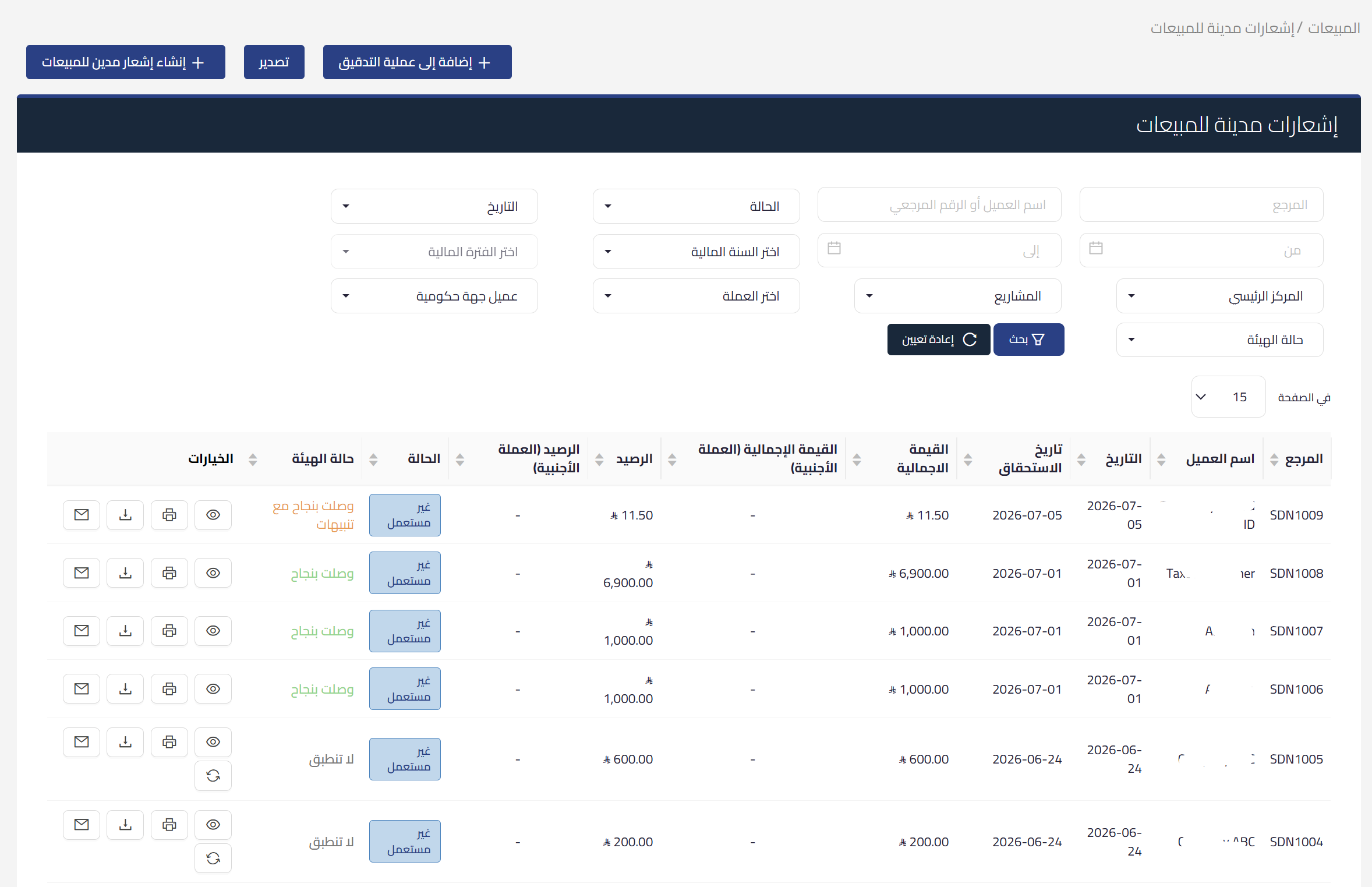
The debit notes list is accessible from the Sales menu and shows all debit notes with search and filtering by date range, customer name, settlement status, location, and ZATCA status. Available actions for each debit note appear directly in the table based on its status. When opening the module for the first time, a welcome page explains what a debit note is and when to use it, with a direct create button.
Tax Return and Reports
An approved debit note is included in the sales adjustments section of the VAT return form, increasing the net VAT due. The tax period is determined by the issue date or due date, as configured in the general settings. For government customers, VAT is recognized upon payment receipt, following the same cash basis applied to invoices. The debit note’s impact is also reflected in Qoyod’s financial reports.