




We updated the sales and purchases summary report in Qoyod, so it now brings a contact’s sales and purchases together in a single result when you set the type filter to purchases and sales for a contact linked as a customer and a supplier at once.
When the change applies
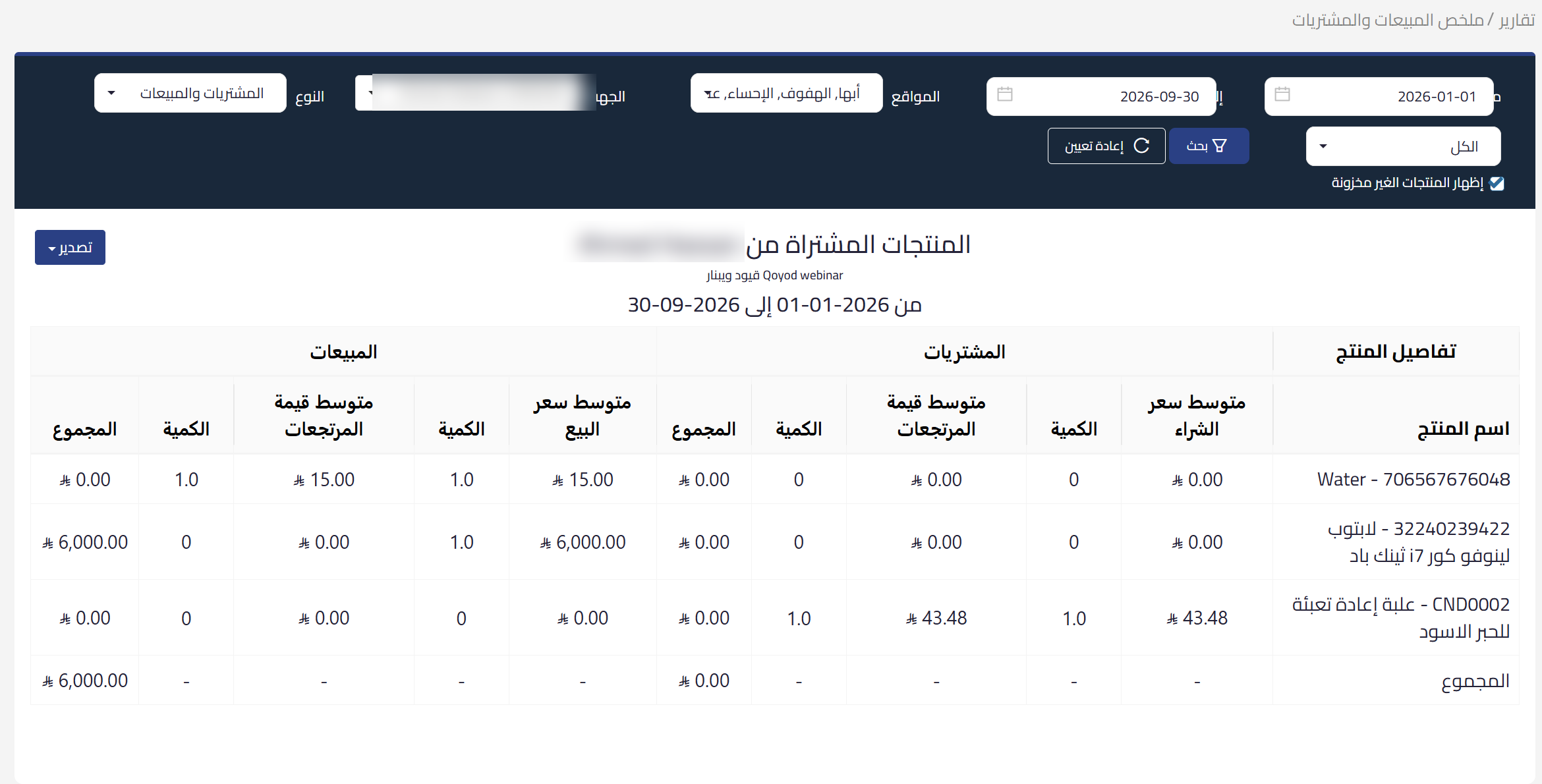
It applies when two conditions hold together: the type filter is set to purchases and sales, and the selected contact is linked as a customer and a supplier at once. Linking a customer to a supplier is an existing option in Qoyod; what is new here is what the report does with a linked contact.
 View full size
What you get
One combined result covering the contact’s sales and purchases together, instead of running two separate reports to see the full activity.
When you choose sales only or purchases only
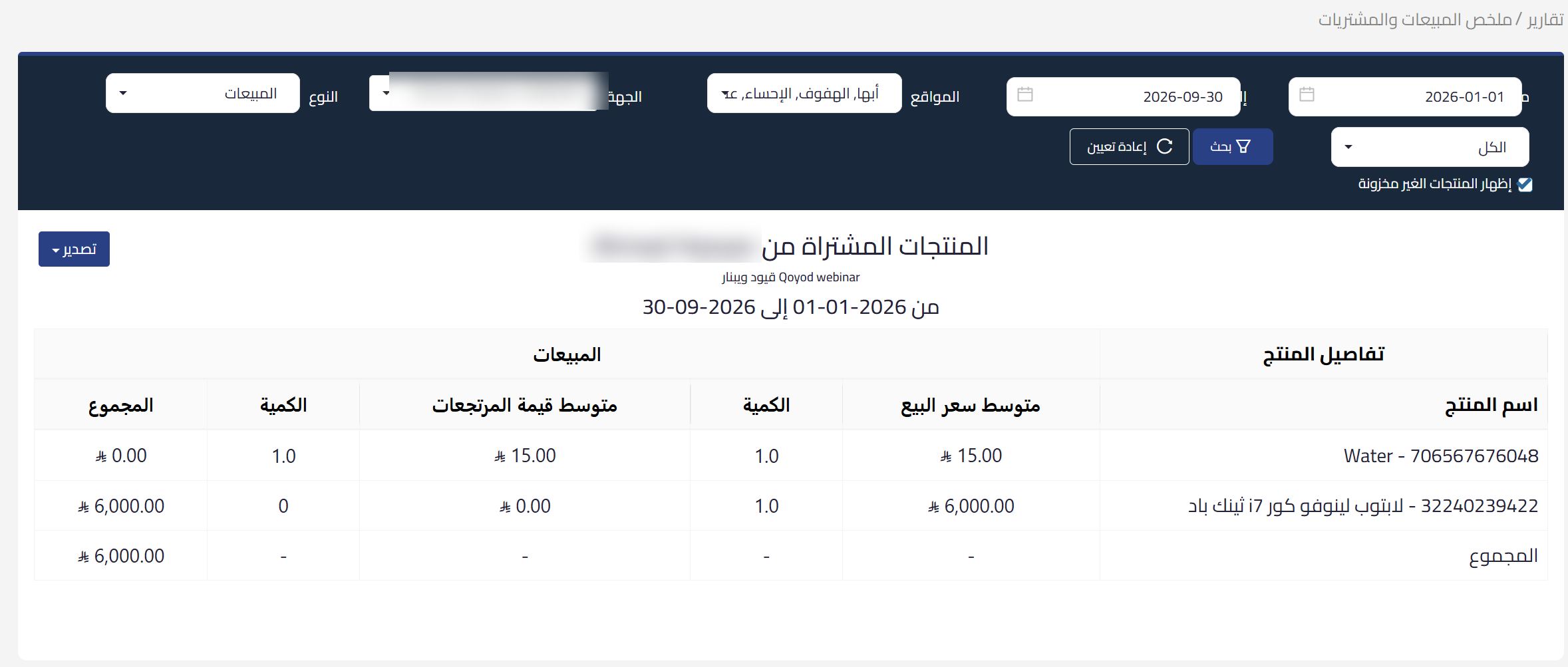
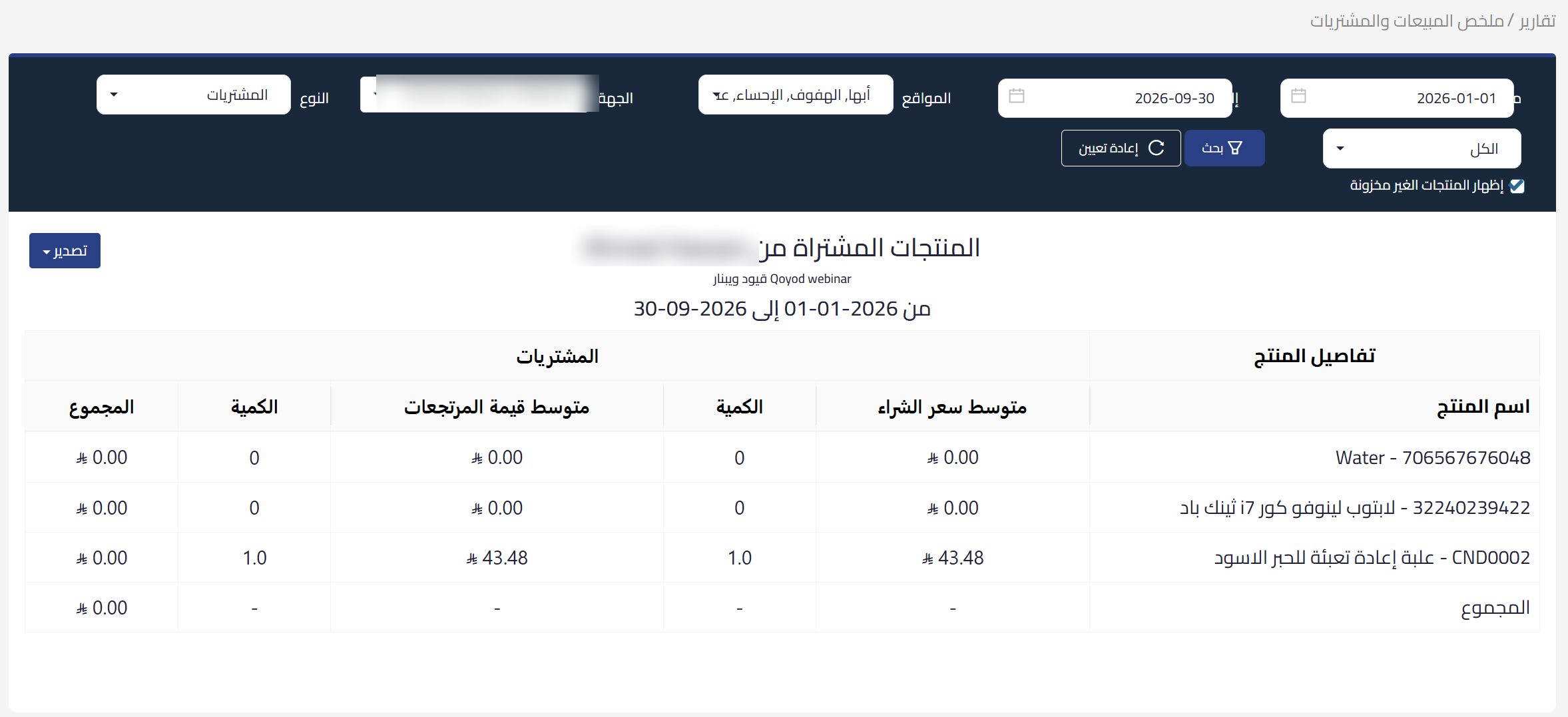
The report is limited to the type you chose, even if the contact is linked in both roles. Filtering by type keeps working exactly as it did.
 View full size
 View full size
Contacts not linked in both roles
Nothing changes for them, and they keep working as usual.
Who it is for
Businesses that buy from the same contact they sell to, and accountants who review these contacts and want one picture of the movement instead of assembling it from two reports.
The update is available now in the sales and purchases summary report.
For what the report covers, see the sales and purchases summary report. To link a customer to a supplier, see how to add a customer as a supplier and link the accounts. And if you want the contact’s movement in both roles as a statement, see how to run the customer / supplier statement report in Qoyod.