


Open a sales invoice that was converted from a quote and you now see the quote number it came from in the invoice details section (تفاصيل الفاتورة). You can also add that number to your invoice print template in the document designer.
The quote number in the invoice details
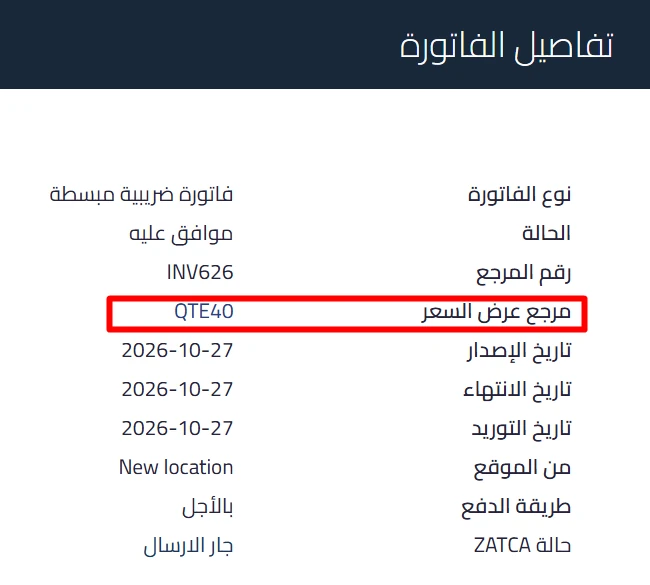
Sales invoices converted from a quote get a new row in the invoice details for the quote reference (مرجع عرض السعر), right after the reference number. It shows the quote number, for example QTE40, so you can tell which quote an invoice was built from without leaving the invoice.
 View full size
Adding it to your print template
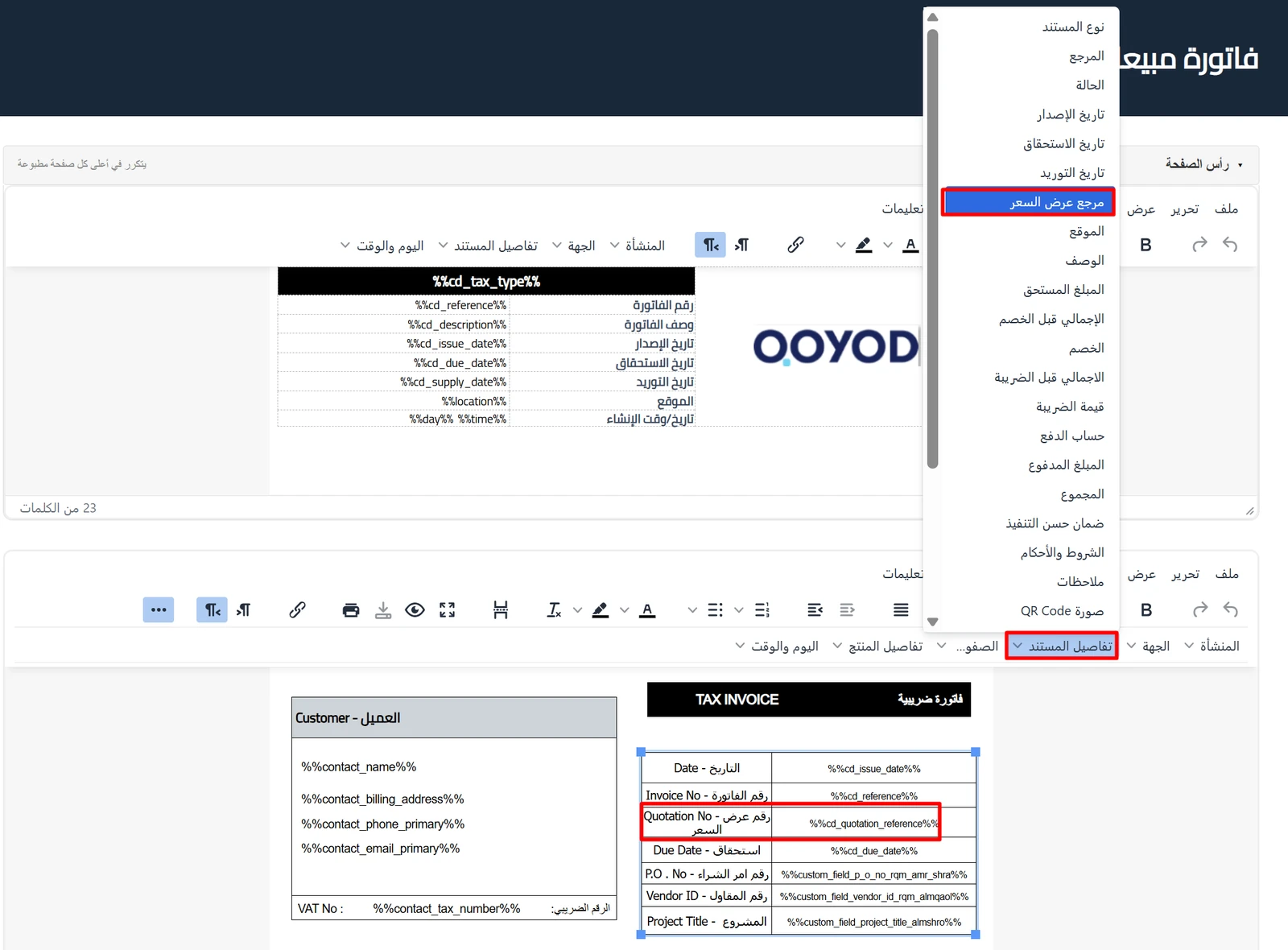
A quote reference field (مرجع عرض السعر) is now listed in the document details menu (تفاصيل المستند) of both the default and the new designer. Add it to your invoice template and the quote number prints on invoices converted from a quote.
If you edit templates by hand, the placeholder for this field is %%cd_quotation_reference%%.
 View full size
Who this update is for
Businesses that start a sale with a quote and then convert it to an invoice, and need to trace any invoice back to its quote during review, or show the quote number on the printed invoice. Quotes are available on the Professional and Advanced plans.
Read next