




A business running out of more than one location keeps hitting the same question: which customers belong to this branch? This update answers it by linking a customer to one or more locations, so what appears in customer lists and in business documents now follows each user’s location permissions.
A locations field on the customer record
We added a “locations” field to the customer form, where you set the locations a customer belongs to as you create or edit them. Those locations then appear on the customer’s details page.
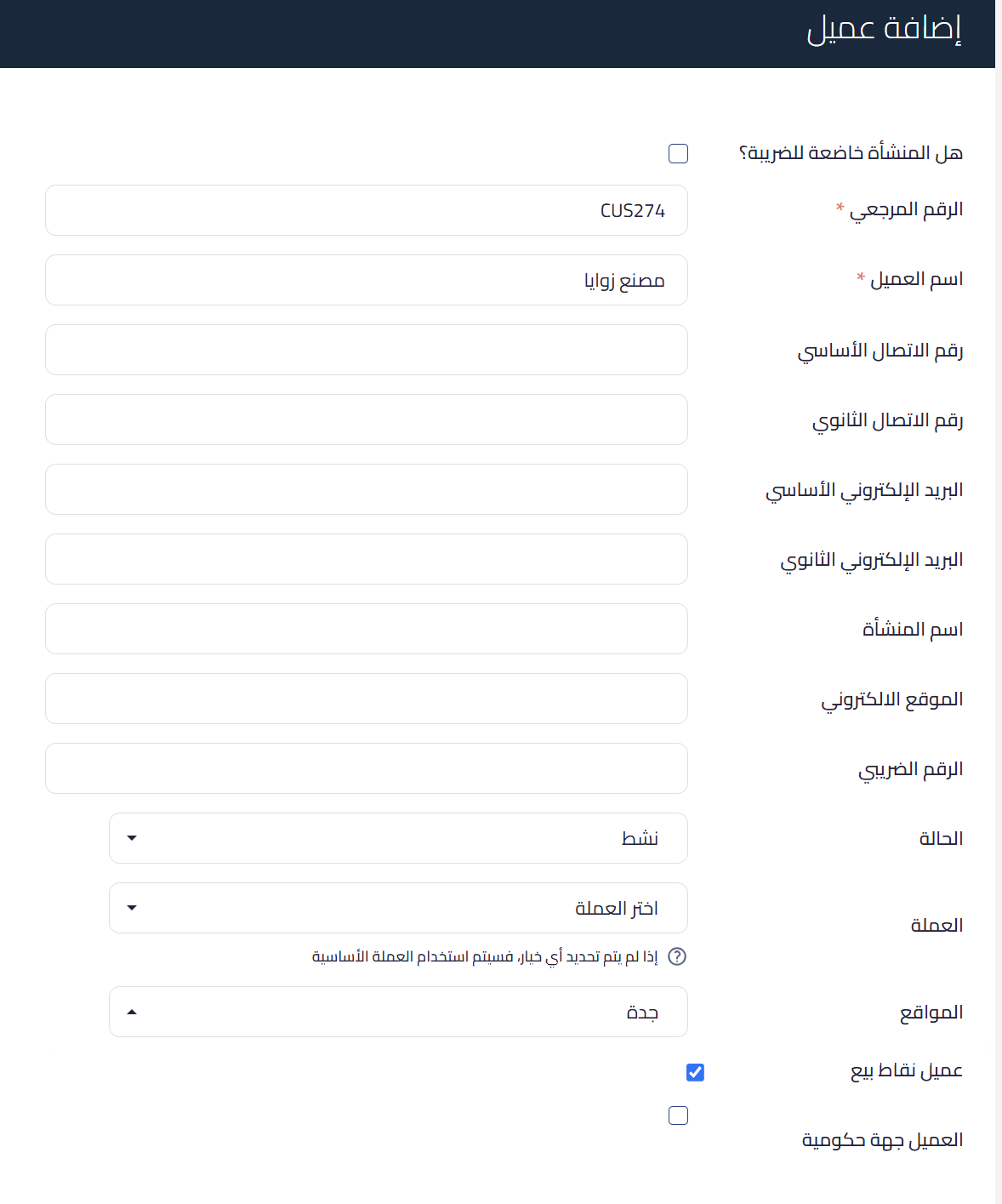 View full size
Linking works both ways
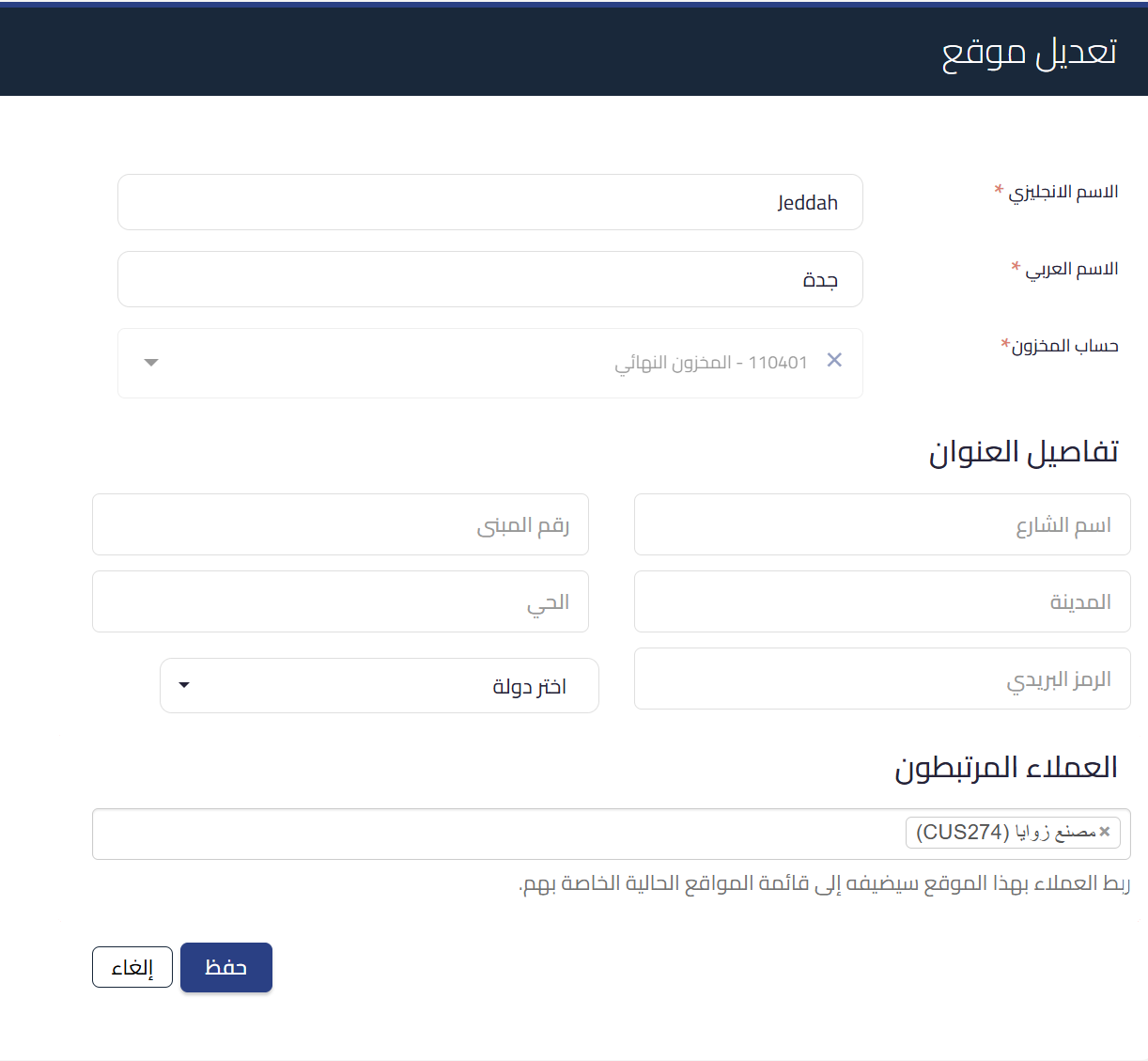
Neither path is mandatory. The location management page carries a “linked customers” field, where you add one or more customers to the location, and it reflects back onto the customer record: linking a customer to a location from here adds that location to their existing list. Removal works from both sides too.
 View full size
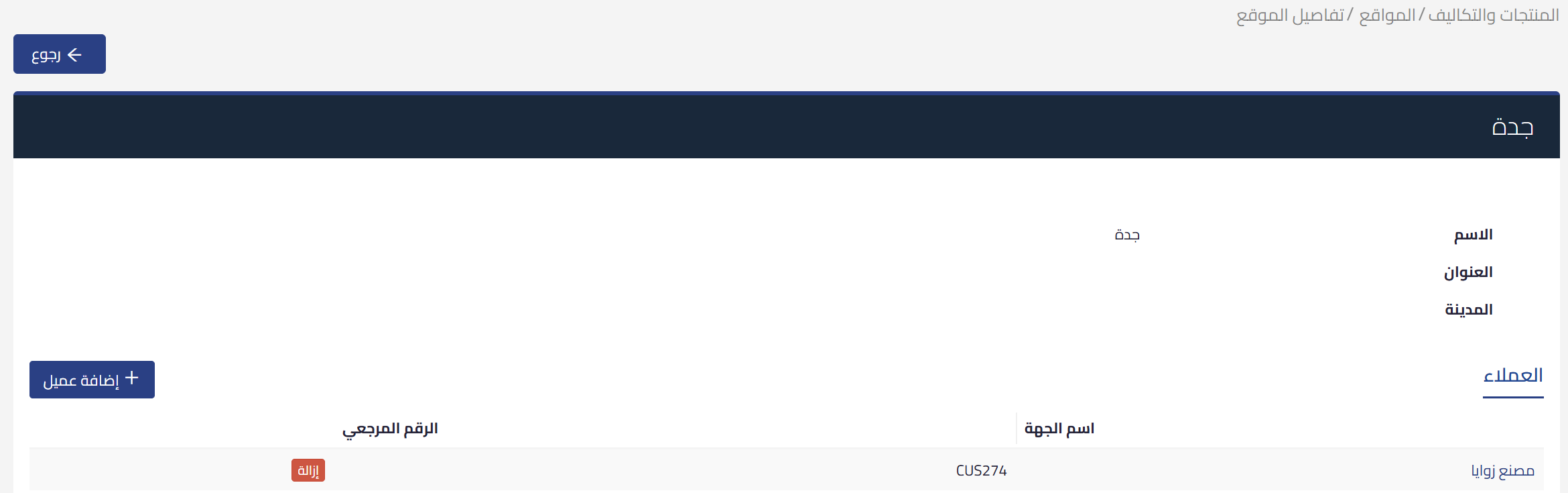
The location details page has a “customers” tab listing every customer linked to it, and from there you can add a new one or unlink an existing one.
 View full size
Filtering customers by location
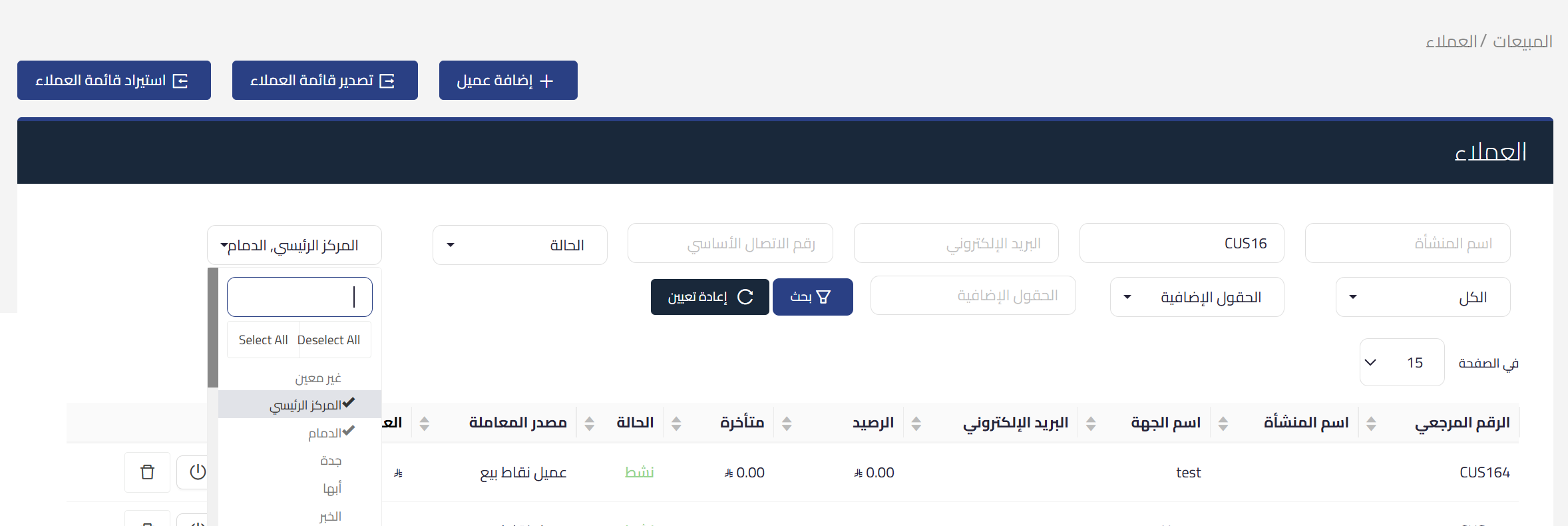
From the customers page you can filter the list by location, and more than one location can be selected at a time. There is also an “unassigned” option for customers not yet linked to any location, which is the practical way into sorting an existing list onto branches.
When adding a location to a customer, the user only sees the locations they have access to.
 View full size
On invoices and documents
When creating a sales invoice, credit note, quote, or sales debit note, and when duplicating any of them, the customer list shows customers linked to a location the user can access. Customers not linked to any location stay visible to all users, so nobody disappears from the list simply because they have not been linked yet.
If a user selects a customer and then changes the document location to one that customer is not linked to, the customer field resets automatically. The point is to keep the customer and the location consistent on the same document, the same intent behind the recent work on customer selection inside business documents.
Who changed what, and when
Every location link and unlink is recorded in the user operations report, showing who made the change and when.
The update is available now to all organizations using location management.