

Last updated: November 2026
Many businesses inherit their accounting software instead of choosing it. A previous accountant liked one tool, a friend recommended another, or a spreadsheet simply grew until it became a system nobody dares to touch. This guide takes the opposite route. It shows how to choose accounting software in Saudi Arabia on purpose: what the software must do, ten criteria you can score in an afternoon, how the choice changes with the size of the business, how to leave Excel safely, and which mistakes cost the most to undo.
It is written for owners, finance managers and accountants who are comparing options right now. For a market overview first, read our accounting software overview; if you run a small business and want a shortlist, see the cloud accounting comparison for small businesses.
What accounting software does that a spreadsheet cannot
An accounting program records every financial event once, in a structure that follows double-entry bookkeeping, and then builds every report from those same records. A spreadsheet stores numbers, but the logic that connects them lives in formulas that one person wrote and that nobody else checks.
The practical differences show up in daily work:
- One source of truth. A sales invoice updates receivables, VAT, revenue and the general ledger at the same time. In Excel each of those is a separate cell somebody must remember to change.
- Controls. Software can restrict who creates, edits and posts a document. A shared workbook cannot tell you who changed a figure last Tuesday.
- Reports on demand. A trial balance, income statement and balance sheet come from the ledger instead of being rebuilt by hand at month end.
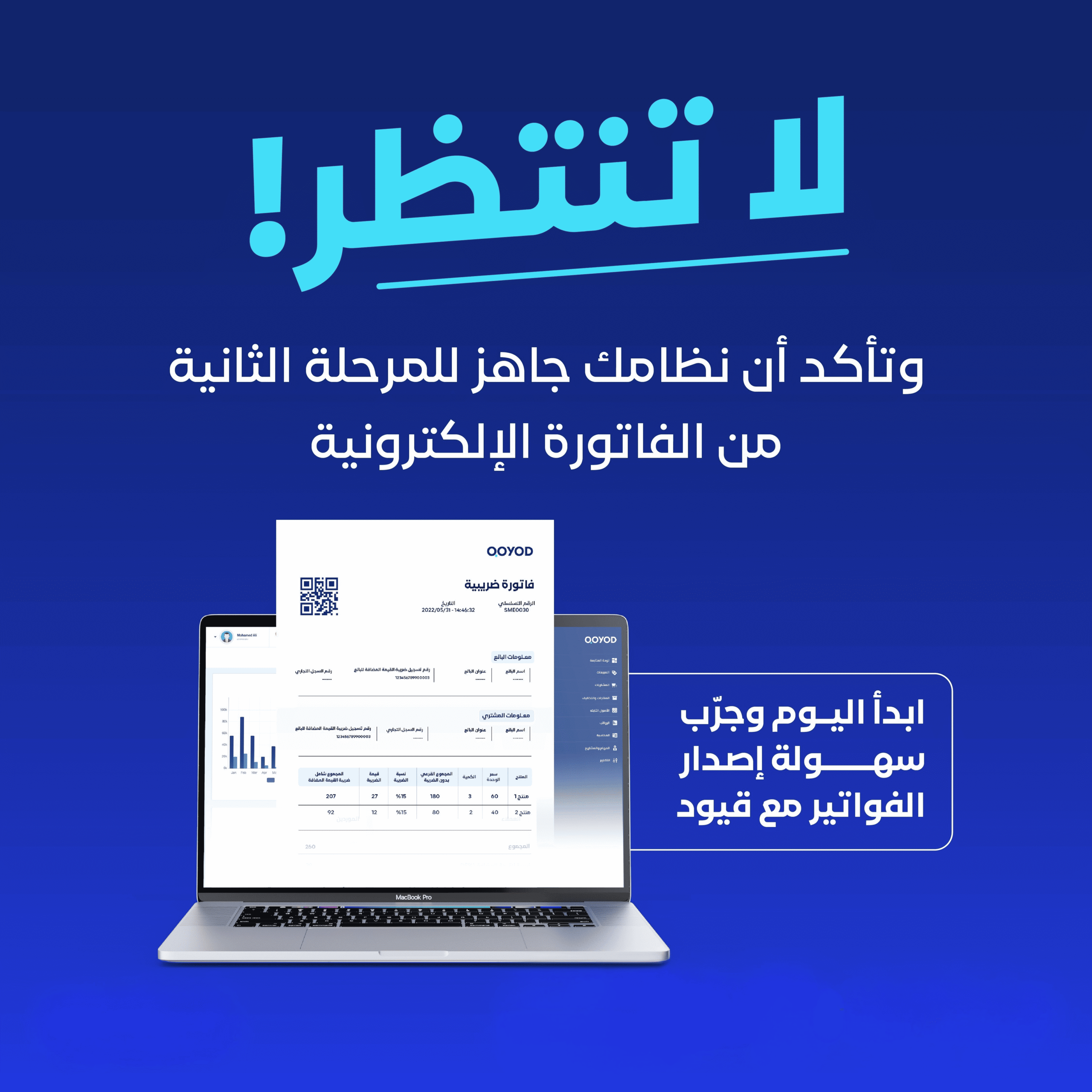
- Regulatory output. In Saudi Arabia an invoice is no longer just a PDF. Under e-invoicing Phase 2 it is a structured, signed document that is reported to or cleared by ZATCA, which a spreadsheet cannot produce on its own.
If you still keep books in a workbook, our article on when to stop managing invoices in Excel describes the signals that the workbook has reached its limit.
The main types of accounting software
Before scoring products, decide which category you are shopping in. Mixing categories is the most common reason a comparison goes nowhere.
Cloud accounting software
You open it in a browser, the vendor hosts it and updates it, and you pay a subscription. Access works from any connected device, so owners, accountants and branch managers can see the same figures without sending files around. This is the usual starting point for small and mid-sized businesses. Our guide to the benefits of cloud accounting programs covers the model in more depth.
Desktop or on-premise software
The program is installed on your own computer or server. You control the machine, but you also carry the backups, the updates, the remote access and the cost of the hardware. It tends to fit businesses with strict internal IT rules and a team able to run them.
ERP systems
An enterprise resource planning (ERP) system joins accounting with manufacturing, supply chain, human resources and more. It suits large, complex operations. For a business whose real need is invoices, VAT, inventory and reports, an ERP adds months of implementation and a long list of modules nobody opens.
Free and open-source tools
These cost nothing to download, but they may not include Saudi e-invoicing out of the box, so check this first, and someone on your team has to configure, secure and maintain them. They can work for a technical team with a narrow need. Treat them as a project, not as a free product.
Ten criteria for choosing accounting software
Score each criterion from 1 to 5 for every product on your shortlist. The ten items below are ordered from compliance basics to commercial terms.
1. Saudi e-invoicing compliance
Ask whether the product supports ZATCA e-invoicing Phase 2: generating the structured invoice, the QR code and the cryptographic stamp, and integrating with the Fatoora platform for clearance of standard invoices and reporting of simplified ones. Do not accept a general statement. Ask the vendor to show the flow with a test invoice. The detailed question of how compliance is described and verified is covered in our dedicated article on ZATCA requirements for accounting programs, and you can run a quick self-check with the ZATCA readiness check.
One more point: your own integration date is set by ZATCA and sent to you in its notification. Do not rely on a vendor, a blog or a colleague to tell you your date.
2. Arabic and English, and the way your team works
Check that invoices, statements and reports can be issued in the languages your customers and auditors expect. Open the product yourself and look at how Arabic text, right-to-left layouts and dates display on a printed invoice, not only on the screen.
3. Automatic VAT handling
The software should calculate VAT on every transaction and handle standard-rated, zero-rated and exempt cases without manual adjustment. Create three sample invoices, one of each kind, and confirm the totals against the VAT calculator. For the terms behind this, see the glossary entry on value added tax.
4. Reports you can use without rebuilding them
At a minimum you need an income statement, a balance sheet, a cash flow view, a trial balance, receivables and payables reports and a VAT summary. Ask to see them populated with real-looking data, then ask what happens when you need a report that is not in the standard list. Do not assume a report builder exists; confirm it.
5. Inventory and point of sale
If you sell goods, check stock levels, stock movement between locations and the valuation method. Our guide to inventory valuation methods shows why the method changes reported profit, and the glossary explains the perpetual inventory system. If you also run a shop, ask whether the point of sale is part of the same product or a separate one, how it is priced, and whether you can test it before you buy.
6. Branches, users and permissions
List the people who will touch the system: owner, accountant, sales, warehouse, an external auditor. For each, decide what they may see and what they may change. The software should let you set those limits per user and, if you have several locations, per branch. The accounting principle behind it is segregation of duties: the person who creates a payment should not be the only person who approves it.
7. Integrations with banks, stores and other tools
List the systems that already hold your data: bank accounts, an online store, a payment terminal, payroll. Then check which of them connect to the accounting product, and how. Ask whether a connection is direct or goes through a middle layer, because that affects who supports it when something stops syncing. Our integrations page lists what Qoyod connects to.
8. Support you can reach
Accounting problems appear at month end, at VAT filing time and when an invoice is rejected. Ask which channels the vendor offers, what languages support works in, and what the response process looks like. Send one real question during your trial and note how long the answer takes.
9. Data protection and your exit
Ask the vendor in writing how your data is protected, how backups are handled, and what you can export if you cancel. Do not accept a one-line assurance. A serious vendor can describe its process and put it in the contract. Whatever the answer, run a full export during the trial so you know what you would be able to take with you.
10. Total cost, not the headline price
Compare what each plan includes for users, branches and documents, and what is billed separately: extra users, a point-of-sale add-on, setup, training, extra integrations. Some vendors show pricing only after you create an account. Ask each vendor where its plans are shown, and read the plan page before you compare. Calculate the cost for your real number of users and branches over a full year.
Which software for a small, mid-sized or large business?
The same ten criteria apply to everyone. What changes is the weight you give each one.
| Business size | What matters most | What to avoid |
|---|---|---|
| Small business or freelancer | Ease of use for a non-accountant, e-invoicing compliance, VAT handled automatically, a clear subscription | Systems built for finance departments, long implementations, per-module pricing you will not use |
| Mid-sized business | Several users with different permissions, branches, inventory, bank reconciliation, integrations with the store or POS | A tool with no roles, or a heavy ERP rollout before the processes are stable |
| Large or multi-entity business | Cost centers, multiple legal entities or subscriptions, audit trail, API access, vendor support commitments in the contract | Choosing on a demo alone; skipping a pilot with real transactions |
Small businesses
The decision is mostly about time. You want to issue a compliant invoice in a minute, see what customers owe you, and hand clean numbers to an external accountant. Choose the simplest product that meets criteria 1 to 4 and 10, and do not pay for modules you will not open this year.
Mid-sized businesses
This is where permissions, branches and stock start to matter. A cost center structure lets you see which department or project consumes money. Check that bank reconciliation and your store or POS connections are part of the daily workflow rather than a project you plan to finish later.
Large businesses
Run a pilot. Load one month of real transactions, have two different users post them, and ask your auditor to review the output. If you need deeper integration with other systems, read the vendor’s API documentation before you sign, and ask what the commercial terms for API use are.
Moving from Excel to accounting software, step by step
The move is safer when you treat it as a short project with a start date, not as something you do whenever the quarter is quiet.
- Pick a cut-over date at a period boundary. The first day of a month or a quarter keeps the opening position clean.
- Tidy the chart of accounts. Decide the account structure on paper first. Merge duplicates, remove accounts that have not been used for years, and keep the naming consistent.
- Close the old books. Produce a trial balance as at the cut-over date and have the accountant confirm it. This is your opening balance and your reference.
- Prepare the lists. Customers, suppliers, products and, if you hold stock, quantities and cost per item. Remove duplicates and fill in the VAT numbers that are missing.
- Import in a test account first. Most products accept a spreadsheet template for bulk records. Import a small sample, read the error report, fix the source file, then import everything. Import is a manual, file-based step: allow time to review it.
- Enter the opening balances. Compare the new trial balance with the old one. They must agree before you continue.
- Run both systems for one period. Post real transactions in the new software and compare the totals with the old workbook at the end of the month.
- Set roles and switch off the old workbook. Give each person only the access they need, then archive the spreadsheet as read-only.
Qoyod supports bulk import through Excel templates for records such as customers, suppliers, products, opening balances and sales and purchase invoices. Import is a file-based step: you prepare the template, upload it and review the error report, so plan the clean-up before you upload.
Six mistakes that cost the most
Choosing on the lowest price
A cheaper subscription that charges separately for users, branches or e-invoicing support often ends up more expensive than a plan that includes them. Compare the yearly total for your real setup.
Skipping the trial
A demo shows what the vendor wants you to see. A trial shows how the product behaves with your customers, your VAT cases and your accountant. Use it on real documents.
Buying an ERP for a simple business
If your needs are invoicing, VAT, inventory and reports, an ERP adds cost and delay. Move to one when the operation genuinely needs manufacturing or complex supply chain modules.
Depending on one person’s habits
If the choice is driven only by the tool your accountant already knows, you tie the business to that person. Pick a product several people can learn, with documentation and support that do not depend on one individual.
Ignoring the exit
Before you commit, find out how you would get your data out. If a vendor cannot describe an export, treat that as a warning about every other promise.
Taking compliance on trust
Phase 2 compliance is demonstrated by a working flow, not a logo. Issue a test invoice, check that the QR code scans, and ask the vendor to explain what happens when ZATCA rejects a document.
Questions to ask every vendor before you sign
Print this list and bring it to every call. A vendor who answers clearly and in writing is easier to work with after the contract is signed.
- Does the product support ZATCA e-invoicing Phase 2, and can you show me a test invoice going through the Fatoora flow?
- Which plan includes the number of users and branches I have today, and which items are billed on top?
- What can I export, in which formats, and can I do it myself?
- How do you protect my data, and how are backups handled? Please answer in writing.
- Which of my existing systems connect, and are those connections direct or through a third party?
- What support channels do you offer, and what is the process when an invoice is rejected?
- Can I test the point of sale, if I need one, before I buy it?
- What happens to my data and my access if I stop paying?
Where Qoyod fits
Qoyod is a cloud accounting product built for the Saudi market. Here is how it relates to the criteria above, limited to what we can state with confidence.
- Compliance (criterion 1). Qoyod is compliant with ZATCA e-invoicing Phase 2 and integrates with the Fatoora platform; Phase 2 linkage is available on the Pro and Advanced plans. See the pages on Phase 2 compliance and ZATCA integration, and the e-invoicing overview.
- VAT and reports (criteria 3 and 4). VAT is calculated automatically on transactions, and the product provides standard financial statements including an income statement and a balance sheet.
- Inventory and branches (criteria 5 and 6). Depending on the plan, the product tracks inventory across stores and branches, supports transfers between locations, and lets you control access by user role. Included users, locations and inventory features depend on the plan. It also supports cost centers and multiple currencies.
- Point of sale (criterion 5). Qoyod has its own point of sale. It is a separate paid add-on, added after you subscribe, so budget for it in criterion 10.
- Integrations (criterion 7). Qoyod connects to e-commerce platforms such as Salla and Zid, and supports bank statement import for reconciliation with selected banks. Browse the full list on the integrations page.
- Collection (extra). Qtahseel is Qoyod’s invoice collection management service.
- Trial (criterion 10). Qoyod offers a 14-day free trial. Each plan covers a different scope: ZATCA Phase 2 linkage is available on the Pro and Advanced plans, and some inventory and purchasing capabilities depend on the plan, so check the plan scope with the sales team before you test. Plan pricing is shown after you sign up.
Start your free trial and review the plans
For a related decision, read our comparison of integrated accounting software, which explains how connected modules change the way a business works.
Industry notes: what the choice looks like in practice
The ten criteria are universal, but the weighting differs by industry. These are patterns, not rules; test them against your own operation.
- Retail and shops. Stock accuracy and the point of sale come first. Check how stock is updated when you sell, and what happens when the till has no connection.
- Restaurants and cafes. The kitchen and the till matter more than the ledger. Make sure you understand which restaurant tools sit inside the accounting product and which are separate products with their own setup.
- Contractors and project businesses. Cost centers decide whether you can see profit per project. Ask how costs are assigned and reported.
- Online stores. The connection between the store and the invoice matters most. Check how orders become invoices, how returns are recorded and who supports the connection.
- Service firms and consultants. Clean invoicing, tracking what you owe suppliers and clear receivables reports matter more than stock. A simple product is usually enough.
- Businesses managing costs closely. A template such as the operating costs statement helps you define what you want to see before you choose a product, which makes the demo easier to judge.
A quick scoring method
When the shortlist has two or three products, a simple method keeps the discussion honest.
- Give each criterion a weight of 1 to 3 according to how much it matters to your business. Compliance and total cost are a sensible place to start.
- Give each product a score of 1 to 5 on each criterion, based on what you tested, not what you were told.
- Multiply score by weight and add the results.
- Discuss any criterion where two people disagree by more than one point; that is where the real differences are.
- Run a final test: have the person who will use the product every day complete one full cycle, from quotation to invoice to payment to report.
If two products finish close together, choose the one with the clearer exit and the clearer support process. Those are the two things that are hardest to change later.
Frequently asked questions
Can I keep using Excel instead of accounting software?
For a very small operation with a handful of documents, a workbook can work for a while. The limits appear when you need Phase 2 e-invoicing, several users, controls over who edits what, or reports you must trust. At that point software reduces risk rather than adding cost.
Is Qoyod compliant with ZATCA e-invoicing Phase 2?
Yes. Qoyod is compliant with ZATCA e-invoicing Phase 2 and integrates with the Fatoora platform. When your own business must integrate is decided by ZATCA and communicated to you in its notification.
How long is the Qoyod free trial?
The free trial lasts 14 days. Plan scope differs, so confirm which capabilities your plan includes. The point of sale is a separate paid add-on, added after you subscribe.
Can I import my data from Excel?
Yes, through Excel templates for several record types, including customers, suppliers, products, opening balances and sales and purchase invoices. The import is manual and file-based, so review the error report and compare your opening trial balance after loading.
Does accounting software connect to online stores?
Many do, but the mechanism differs from one platform to another. Qoyod connects to stores such as Salla and Zid. Always ask whether a connection is direct or goes through a third-party app, because that decides who supports it.
Do I still need an accountant?
Yes, for judgment: the chart of accounts, closing the books, tax positions and audit support. Software removes repetitive entry and gives the accountant cleaner records, but it does not replace professional review. If you are weighing how automation changes the role, read will AI replace accountants.
Next step
Write down your ten criteria and weights today, shortlist two or three products, and test each one with real documents from last month. If you want to see how Qoyod handles them, open a free trial account and run your own invoices through it, after confirming with the sales team which capabilities your plan covers. For the basics of recording and classifying transactions, the glossary entries on bookkeeping and accounting books are a good place to start, and our accounting overview gives the wider picture.
You can also read the official ZATCA description of the e-invoicing roll-out phases to see how the roll-out is organised in phases and waves.