




Qoyod POS on Android now connects to more printers and tells you straight away when a printer goes offline. The update is on the Android app only, under Settings > Printers, and covers adding and editing printers plus the alerts in the cart and on print.
What is new
USB printers (Epson and Sunmi Cloud Printer):
- Connect the printer with a cable and grant the device’s USB permission when it asks.
- If the cable is unplugged, the printer is marked offline and the cashier sees «The USB printer was disconnected. Check the cable.»
- Plugging the cable back in restores the printer.
Three connection types in one search:
- Network connection: the device and the printer must be on the same network.
- Bluetooth connection: the printer must be paired in Android settings first.
- USB: may not work on every device.
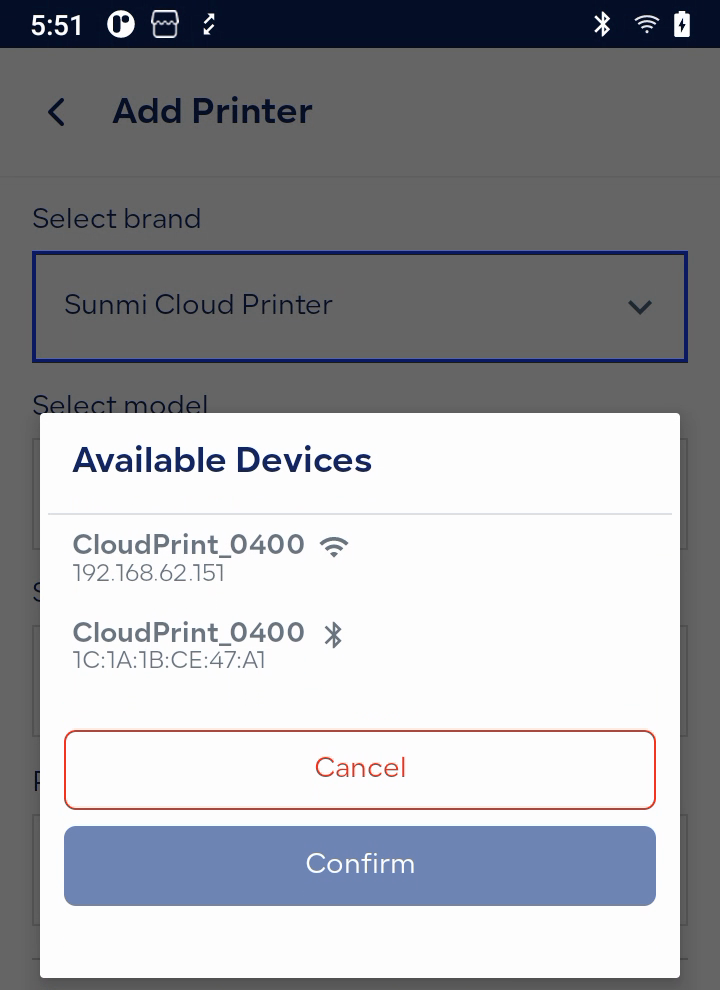
Each type comes with a hint on what to check.
Brand list:
- Sunmi Device (built-in), Sunmi Cloud Printer, Epson, Pax (Geidea), Keyto, Beyond (Trendit) and Hala (Topwise).
- Earlier updates named only Epson and Sunmi.
- Only one built-in printer can be added per device.
- On Hala devices the built-in printer is added and connected automatically.
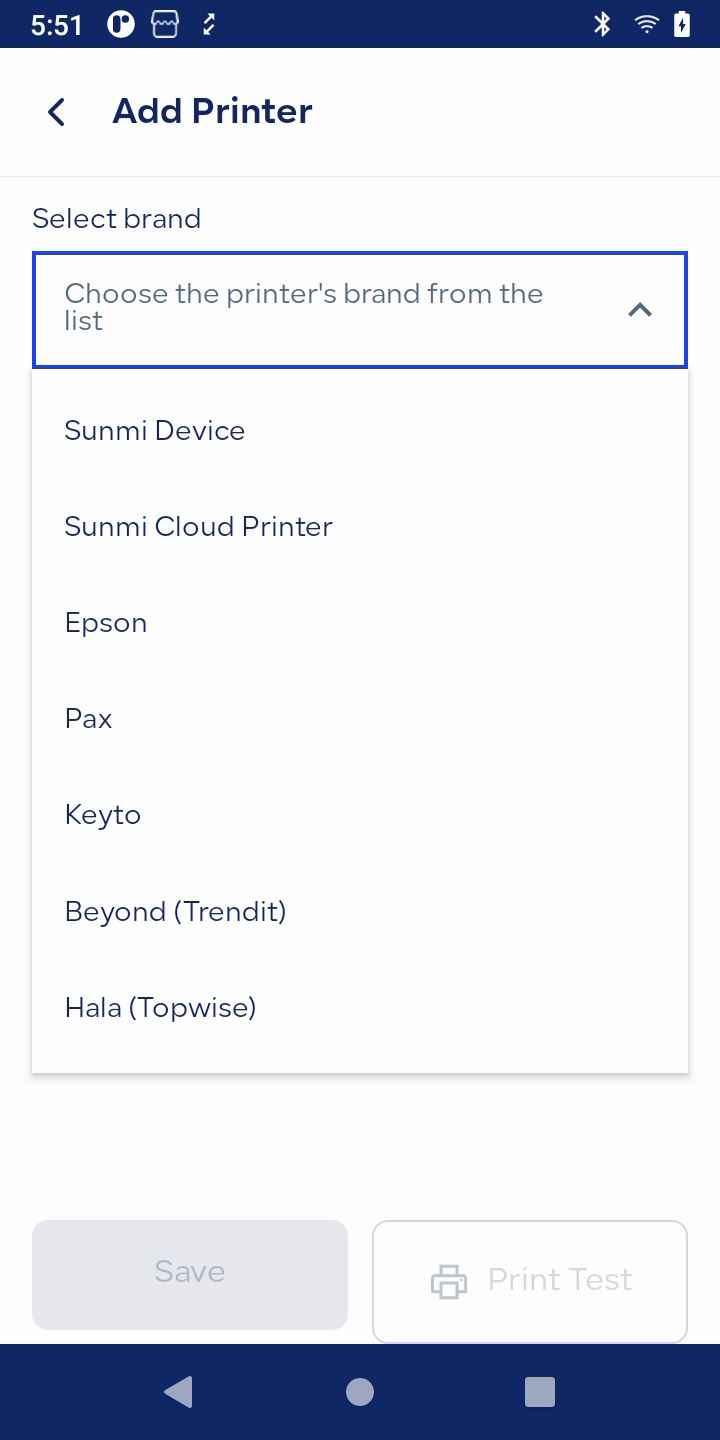
Offline printer alerts:
- The app keeps checking printer connections while it is open.
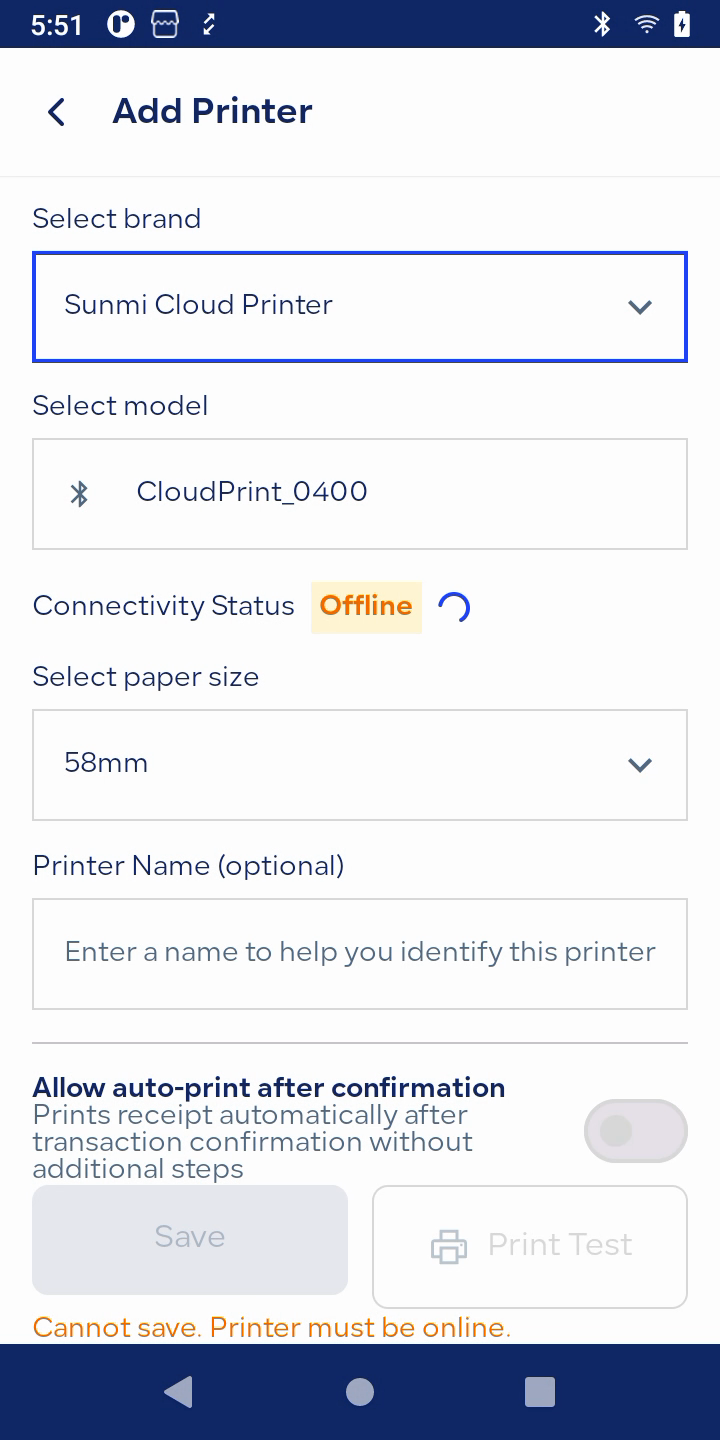
- If a printer is offline, the cart shows «Printer is offline» with a «Printer settings» shortcut.
- The same alert appears when printing an invoice, credit note, report or session report.
Paper size: 58 mm or 80 mm per printer.
How to add a USB printer
- Connect the printer by cable.
- Go to Settings > Printers > Add.
- Choose the brand and model.
- Pick the printer found over USB and allow access.
- Choose the paper size, run a test print, and save.
Printer settings are available to users who can open Settings.
Limits to know
- USB is available for Epson and Sunmi Cloud Printer only.
- A printer cannot be saved while it is offline.
Who it is for
Merchants with existing printers or other Android POS devices, resellers, and busy counters. You use the hardware you already own with no forced purchase, and you get fewer failed prints and fewer «printer not working» calls.
