


Have a thermal receipt printer from a brand outside Qoyod’s list? The Android POS App now has an “Other ESC/POS Printers” option. Connect the printer over your shop network or Bluetooth, and run a test print before you rely on it. Results vary by printer model, and Qoyod cannot guarantee how printers outside its list will perform.
One new choice in the brand list
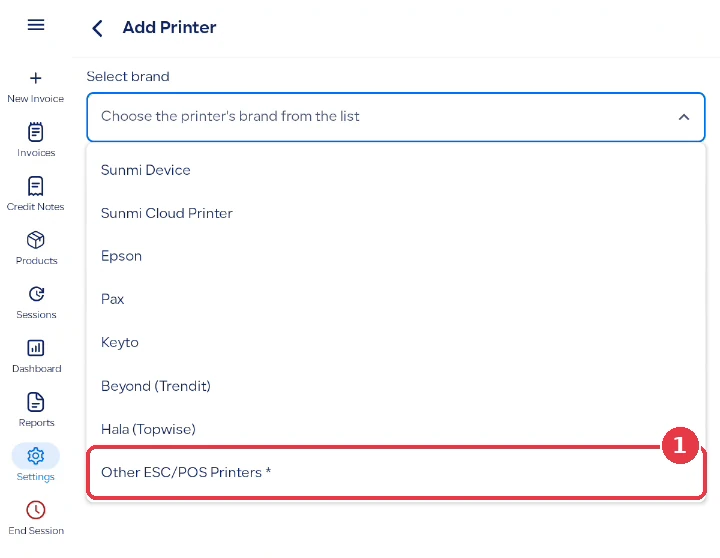
Until now you could add printers from the listed brands only: Sunmi, Epson, Pax, Keyto, Beyond (Trendit) and Hala (Topwise). The “Select brand” list now ends with “Other ESC/POS Printers”, for thermal receipt printers that use the common ESC/POS standard and can print pictures.
 View full size
Connect it, check it, then run a test print
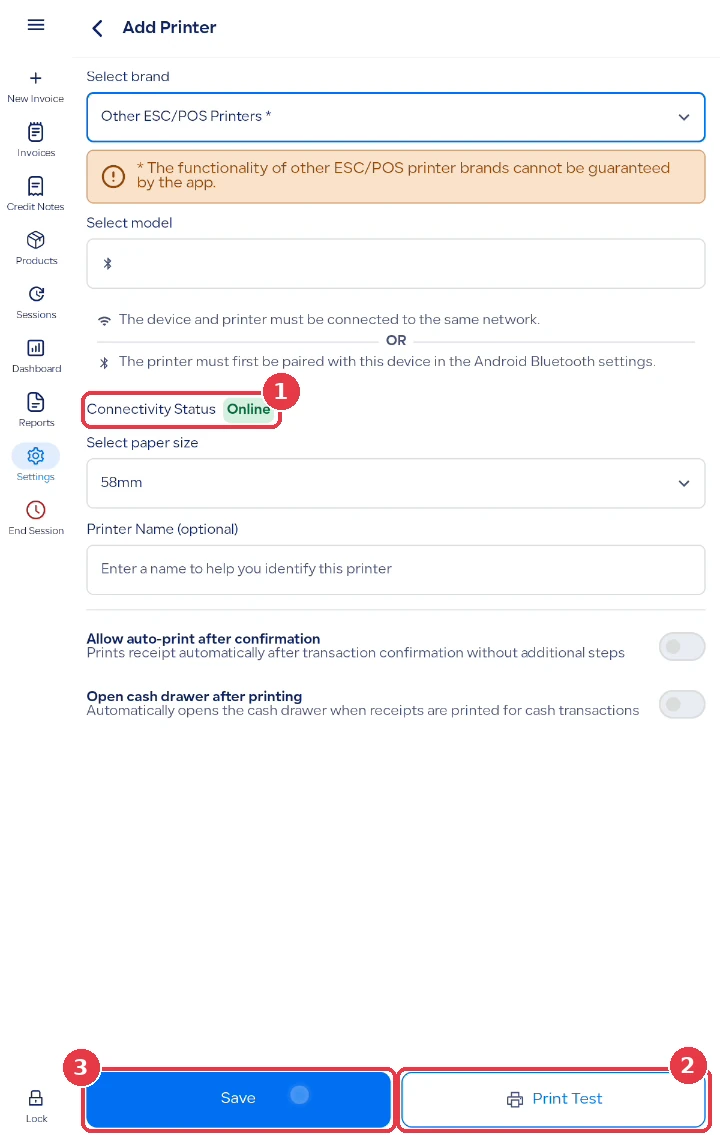
- Put the printer on the same network as your POS device, or pair it in the Android Bluetooth settings.
- The app looks for the printer itself. You pick it from “Available Devices” and there is no address to type.
- “Connectivity Status” shows “Online” or “Offline”, and a new printer can be saved only when it is online.
- Choose 58mm or 80mm paper, then tap “Print Test”.
 View full size
The test page is short and does not show Arabic text or the invoice QR code. Make one real sale and check the full receipt before you rely on the printer.
What to know
- When you choose this option the app shows a notice: “* The functionality of other ESC/POS printer brands cannot be guaranteed by the app.”
- A USB cable does not work with this option. Use your shop network or Bluetooth.
- Sales receipts, return receipts and the session and daily reports print in the same design as on the listed brands, and printing does not need an internet connection.
- For printing you can count on every day, choose one of the listed brands.
Who this update is for
Small shop owners who already own a thermal receipt printer from a brand outside our list and want to try it with Qoyod POS before buying a new one. The option is on the Android POS App only, on all POS plans at no extra charge. Web POS prints through the browser.
Read next