




This article explains how to prepare your annual financial statements in Qoyod to the requirements of the Qawaem programme: from the initial check you see before subscribing to the add-on, to exporting the four statements as a PDF with the declaration of exemption from appointing an auditor.
What is this, and when do you use it?
The Qawaem financial statements add-on in Qoyod’s accounting software prepares your financial statements from the transactions recorded in your account, to the requirements of the Saudi Business Center’s Qawaem programme. It is built for small and micro entities exempt from appointing an external auditor. Use it in these cases:
- Preparing the income statement, statement of financial position, statement of changes in equity and statement of cash flows for the financial year before you upload them to the Qawaem platform.
- Adding the exemption declaration as the first page of the file.
- Seeing which items in your financial data may need review before you subscribe to the add-on.
See the release announcement for what was added.
Subscribing after the initial check
- Open Reports, then the Qawaem financial statements page («القوائم المالية (قوائم)»).
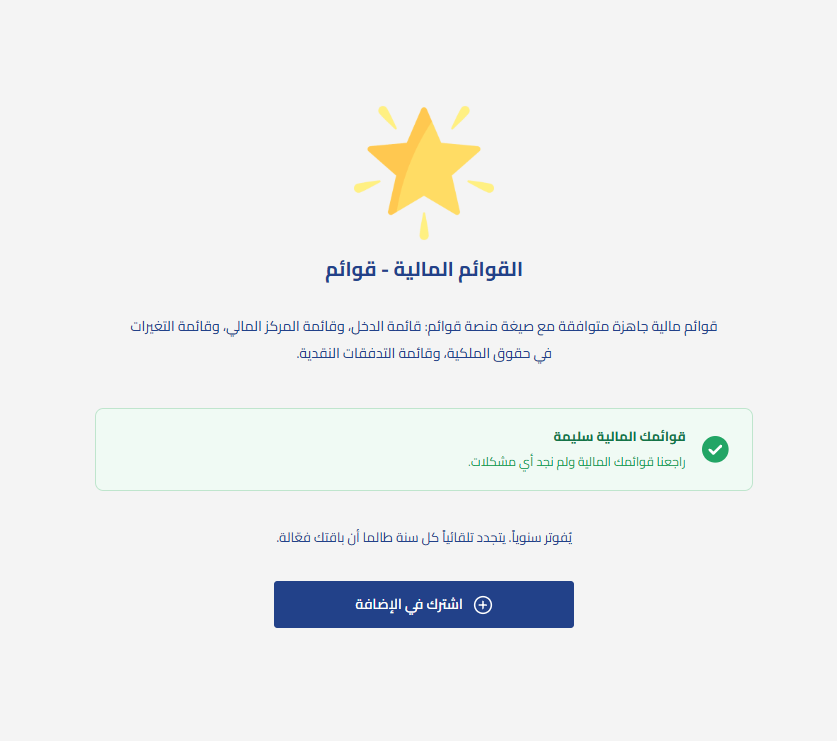
- The add-on’s subscription page shows the result of an initial check of the financial data recorded in Qoyod.
- If you see a message that your financial statements are sound («قوائمك المالية سليمة»), the check found no issues and you can go straight to the next step.
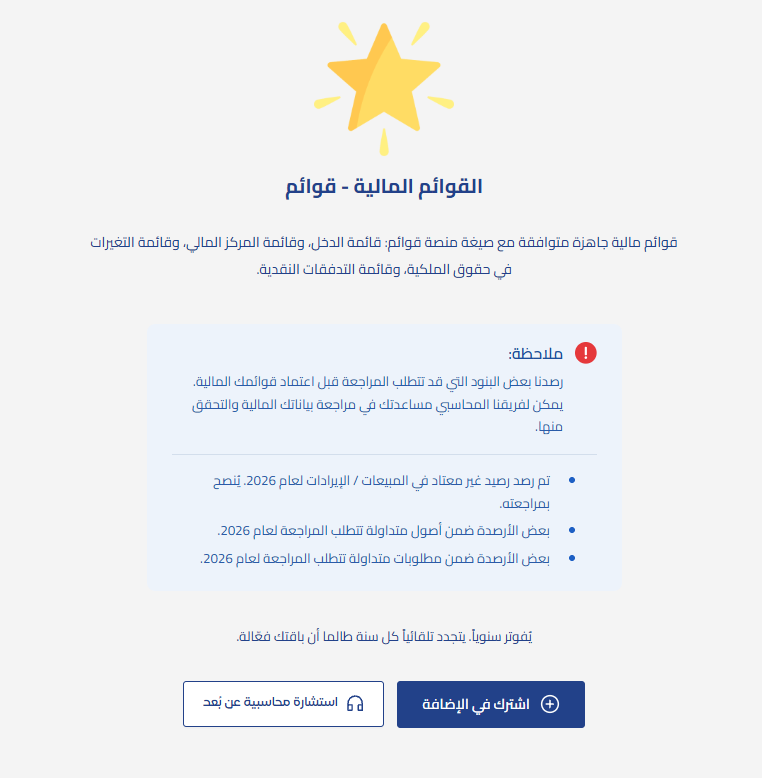
- If you see a note box («ملاحظة»), review the items it lists before you subscribe.
- Press the subscribe button («اشترك في الإضافة»).
 View full size
The note box lists the items the check picked up: an unusual balance under sales and revenue, for example, or balances under current assets and current liabilities that need review. The note doesn’t stop you from subscribing, but we recommend reviewing those items before you subscribe. You can also request a remote accounting consultation («استشارة محاسبية عن بعد») from the same page.
 View full size
Viewing the four statements
- Open Reports, then the Qawaem financial statements page.
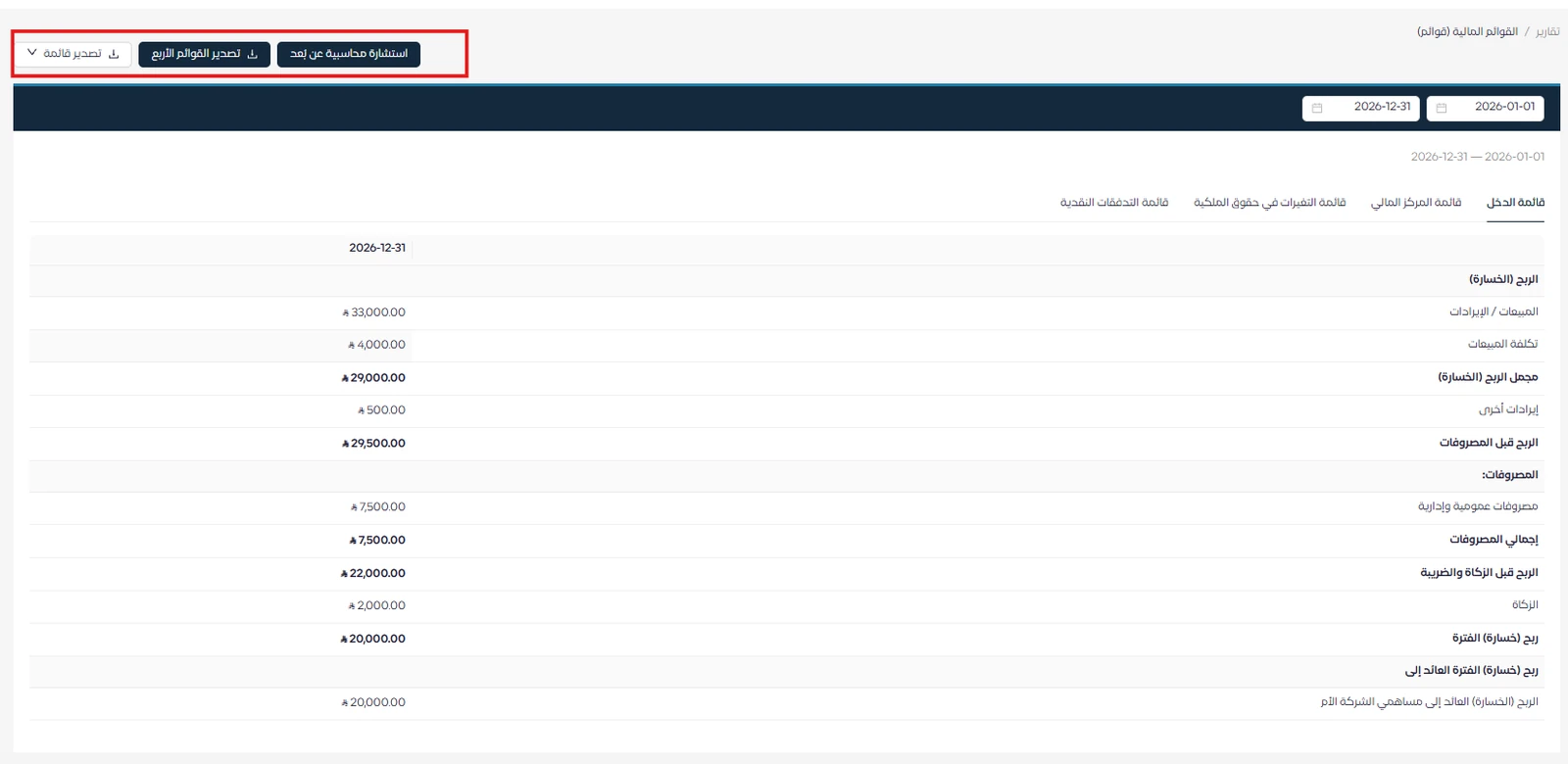
- Set the from and to dates covering the financial year you need.
- Review each statement in its tab: the income statement («قائمة الدخل»), the statement of financial position («قائمة المركز المالي»), the statement of changes in equity («قائمة التغيرات في حقوق الملكية») and the statement of cash flows («قائمة التدفقات النقدية»).
 View full size
Exporting the statements with the exemption declaration
- Press the export-all button («تصدير القوائم الأربع») to export the full file, or pick one statement from the export menu («تصدير قائمة»).
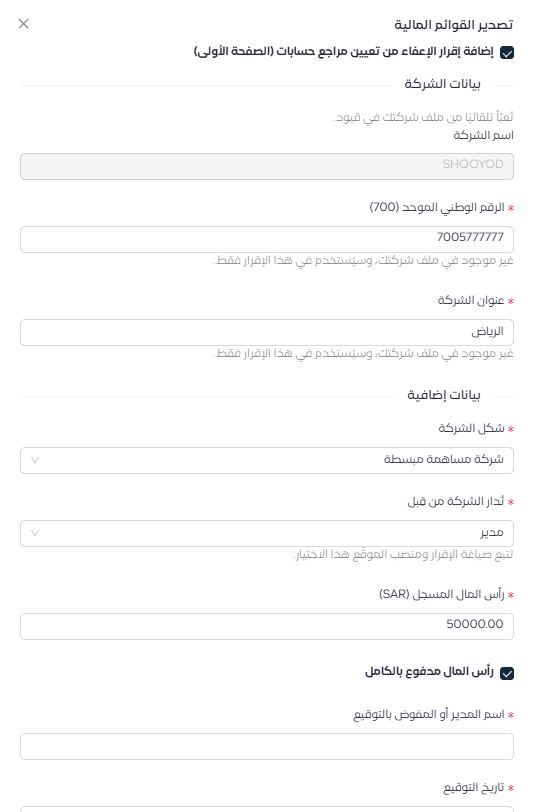
- The export window opens («تصدير القوائم المالية»).
- To include the declaration, tick the option to add the declaration of exemption from appointing an auditor as the first page.
- Fill in the company details and additional details described in the fields section below.
- Complete the export, then download the PDF.
 View full size
Fields
These fields appear in the export window. Each is described in English, with the Arabic label you see on screen in parentheses.
Company details («بيانات الشركة»)
- Company name («اسم الشركة»): filled in automatically from your company profile in Qoyod.
- Unified national number (700) («الرقم الوطني الموحد (700)», required): if it isn’t in your company profile, enter it here. It is used for this declaration only.
- Company address («عنوان الشركة», required): if it isn’t in your company profile, enter it here. It is used for this declaration only.
Additional details («بيانات إضافية»)
- Company form («شكل الشركة», required): choose it from the list.
- Who manages the company («تُدار الشركة من قبل», required): choose from the list, for example a manager («مدير»). The declaration’s wording and the signatory’s title follow this choice.
- Registered capital (SAR) («رأس المال المسجل (SAR)», required): enter the registered capital in riyals.
- Capital fully paid («رأس المال مدفوع بالكامل», optional): tick it if the capital is fully paid.
- Name of the manager or authorised signatory («اسم المدير أو المفوض بالتوقيع», required): the person who will sign the declaration.
- Signature date («تاريخ التوقيع», required): the date the declaration is signed.
After the export
Sign and stamp the file, then upload it to the Qawaem platform yourself. Qoyod does not upload the statements for you and is not connected to the Qawaem platform.
Notes
- The Qawaem financial statements add-on is a paid add-on: 575 SAR a year including VAT, renewing automatically while your Qoyod plan is active.
- The add-on is built for entities exempt from appointing an external auditor. To find out whether your business is exempt, check the Ministry of Commerce requirements.
- The message that your financial statements are sound means the initial check found no issues in your data. It is not a review by an auditor.
- The file holds the four statements, plus the declaration page if you add it. It does not include the notes to the financial statements: you can prepare the notes manually and attach them.
- The export format is PDF.