



Cleaning Company Management Software in Saudi Arabia: accounting, purchasing and materials for every contract
Qoyod is cleaning company management software. In an illustrative example, you issue an office tower its monthly contract invoice for SAR 21,600.00 before tax, SAR 24,840.00 with 15% VAT. The client pays SAR 13,500.00, you record it with a receipt voucher against the same invoice, and SAR 11,340.00 stays on its statement. All of that is on every plan, and from the Pro plan you pick the contract project for each line of a supplier’s materials invoice.
14 days free on the Basic plan, no credit card. The trial gives you the accounting system, invoicing, receipt vouchers, the customer statement and the receivables aging report. Suppliers, purchase orders, purchase invoices, stocked products, stock counts and transfers, projects, custom fields and Phase 2 integration with ZATCA are on the Pro and Advanced plans, and fixed assets, recurring invoices and dimensions are on the Advanced plan. The free trial runs on the Basic plan, and each plan’s scope differs. Talk to sales to choose your plan.
- Qoyod accounting software is approved by ZATCA for e-invoicing
- Technical support 24 hours a day, 7 days a week

From a residential compound contract to hospital materials: what Qoyod records for a cleaning company
Qoyod records what a cleaning company needs around each contract: a service item for each visit type, the contract invoice, the contract number in a custom field, a materials invoice whose lines are split across contract projects, the purchase order before it, and materials stock in stock locations. Items and invoices are on every plan; custom fields, purchasing, projects and inventory start on the Pro plan, and the recurring invoice is on the Advanced plan.
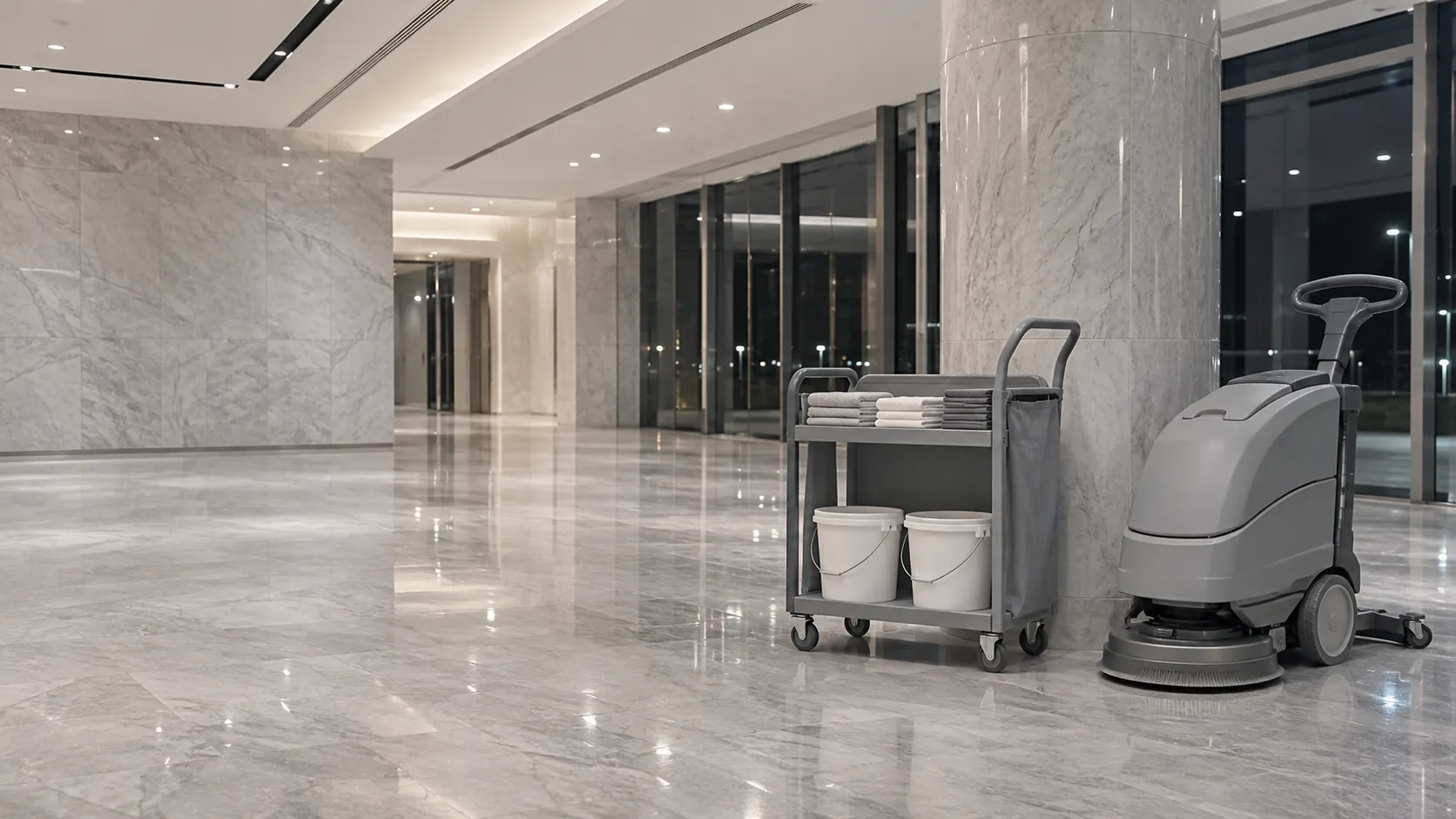
“A cleaning contract for a residential compound with weekly visits”
You add a service item for each visit type, such as regular cleaning and deep cleaning, with its default price and revenue account, and write the visit date in the line description. On every plan.
“The same contract invoice every month”
On the Advanced plan you turn an approved contract invoice into a recurring transaction with a start date, a repeat type and an end, and its next invoices are created as drafts, awaiting approval or approved, depending on your permissions.
“The hospital contract number in a field on its invoices”
You add a text custom field for the contract or purchase order number on sales invoices, fill it in on each invoice, and filter documents and reports by it. From the Pro plan.
“Disinfectants and consumables for three contracts on one supplier invoice”
You pick the contract project for each line of the supplier’s materials invoice, so one invoice is split across your contract projects. From the Pro plan.
“A materials request waiting for the general manager’s approval”
From the Pro plan you create a purchase order for materials that stays “Draft” or “Awaiting approval” until the person with approval rights approves it. You then convert it into a purchase invoice where you adjust the price and quantity, and the accounting effect starts with the purchase invoice.
“Materials moving to a client’s site”
If you add the contract site as a location in Qoyod, you move materials to it with a stock transfer, pick the contract project for each line, and link that location’s stock count to its project. Stock transfers and counts start on the Pro plan, with three locations there and five on Advanced, and each extra location is a paid add-on.
“A minimum for every material in the warehouse”
You set a reorder point for each product in each stock location, and an alert shows on the dashboard when it is reached. Stocked products start on the Pro plan.
“Materials you returned to the supplier”
If you return materials to a supplier, the debit note returns the quantity to stock when it is created, its entry reverses the stock movement, the tax and the supplier account, and the invoice takes the status “Returned”. From the Pro plan.
Cleaning company accounting software: contracts and materials in Qoyod accounting software, and three products connected to it
At the center is Qoyod accounting software, holding contract invoices and their receipts, materials invoices and the company’s accounts. Three products connect to it: the Payroll add-on for the payroll of workers and staff, Qoyod HR for the company’s employee files, and an accounting team from Qoyod Pro Services. The Payroll add-on is paid, and Qoyod HR has its own subscription.
Connections table: each product and what passes between it and Qoyod accounting software
| From | To | What passes |
|---|---|---|
| Payroll add-on | Qoyod accounting software | The payroll journal entry when the run is completed; the add-on is paid and separate from the plans |
| Qoyod HR | Qoyod accounting software | Connection available now; Qoyod HR is a standalone system on its own subscription |
| Qoyod Pro Services | Qoyod accounting software | Recording the company’s transactions, reconciling its bank accounts and preparing the VAT return, handled by an accounting team in your account |
| Qoyod accounting software | Fatoora platform | Tax and simplified invoices, in Phase 2 from the Pro plan |
The trial gives you the accounting system, invoicing, receipt vouchers, the customer statement and the receivables aging report. Suppliers, purchase orders, purchase invoices, stocked products, stock counts and transfers, projects, custom fields and Phase 2 integration with ZATCA are on the Pro and Advanced plans, and fixed assets, recurring invoices and dimensions are on the Advanced plan. The free trial runs on the Basic plan, and each plan’s scope differs. Talk to sales to choose your plan.
Office, warehouse, payroll, staff and accountant: where each Qoyod product works in a cleaning company
A cleaning company starts with Qoyod accounting software and adds the rest when it needs it.
Contract invoices: one invoice per client facility, one receipt voucher per payment
You add a service item for each visit type, issue each facility you serve its contract invoice, and record every payment with a receipt voucher against the same invoice. Its statement shows its invoices, receipts and balance, and the receivables aging report sorts what your clients owe into four periods, all on every plan. From the Pro plan you pick the contract project on its invoices, and on the Advanced plan you make the contract invoice a recurring transaction.

Materials warehouse: a purchase order and a supplier invoice with lines for each contract
From the Pro plan you add suppliers of disinfectants, consumables and uniforms, create the purchase order for the person with approval rights to approve, then convert it into a purchase invoice where you pick the contract project for each line, and pay the supplier with a supplier payment voucher. Materials are stocked products with a balance in each stock location, and each has a reorder point whose alert shows on the dashboard.

Workers’ payroll in the Payroll add-on: the payroll run, its entry and work schedules
The Payroll add-on is paid and separate from the plans. You use it to prepare the payroll for workers and staff, and when the run is completed its journal entry is created in your accounts. You set each employee’s cost type as direct or indirect, and work schedules set the shifts, their times and their hours.

Employee files and leave: Qoyod HR for the company’s staff
For the company’s staff: a file for each employee with their documents and each document’s expiry date, an attendance record across all branches, leave, and payroll. Qoyod HR is a standalone system on its own subscription, and the connection to your Qoyod Accounting account is available now.

Qoyod accountants for the cleaning company: recording its transactions and preparing its return
An accounting team from Qoyod records your company’s transactions as they happen from the documents you approve, reconciles its bank accounts, prepares the VAT return, and sends you monthly financial reports including the income statement and the balance sheet. To get started, the setup service prepares your chart of accounts remotely and enters your products, customers and suppliers.

A materials invoice for three contracts, an office tower contract, stock at the hospital site and a floor machine: four examples from a cleaning company
The figures are an illustrative example for a VAT-registered cleaning company: the materials and contract invoices carry 15% VAT as the general rule, and in the machine example the amount is as it appears on the document. The aim is to show what Qoyod records at each step.
A materials invoice of SAR 48,000.00 before tax, SAR 41,000.00 of it on three contracts
- The supplier’s materials arrive with an invoice of SAR 48,000.00 before tax, 15% VAT on it of SAR 7,200.00, and a total of SAR 55,200.00.
- From the Pro plan you record it as a purchase invoice located at the company warehouse and pick the contract project for each line: SAR 18,000.00 for the residential compound, SAR 14,000.00 for the hospital and SAR 9,000.00 for the office tower, with a fourth line of SAR 7,000.00 for warehouse reserve stock.
- So the three lines on contract projects total SAR 41,000.00.
- You pay the supplier SAR 30,000.00 with a supplier payment voucher allocated to the invoice, which takes the status “Partially paid” with SAR 25,200.00 left on it.
One supplier invoice, and a contract project for each of its lines. From the Pro plan.

An office tower contract at SAR 21,600.00 a month before tax: a SAR 13,500.00 receipt leaves SAR 11,340.00
- You add a “Regular cleaning” service item with a default price of SAR 21,600.00 and its revenue account.
- You issue the office tower its monthly invoice with a single line of SAR 21,600.00 before tax and write the visit dates in the line description. VAT at 15% is SAR 3,240.00, and the total is SAR 24,840.00.
- The client pays SAR 13,500.00, you record it with a receipt voucher against the same invoice, and SAR 11,340.00 stays on its statement.
- The remaining amount shows in the receivables aging report within its four periods.
An invoice for each month of the contract, a receipt voucher for each payment, and the balance on the customer statement. On every plan.

The hospital site as a location in Qoyod: moving materials to it and counting them against the contract project
- From the Pro plan you add the hospital site as a location in Qoyod, one of the three locations on this plan.
- You move materials to it from the company warehouse with a stock transfer, and pick the hospital contract project for each line.
- When you count the stock at that location, you link the count to its project and enter the actual quantity of each material.
- The balance is adjusted to the actual quantity, and the difference entry is posted to the cost account you choose for missing quantities.
A count for one location with one project. From the Pro plan, and each extra location is a paid add-on.
A SAR 38,400.00 floor cleaning machine: a fixed asset in an employee’s custody
- On the Advanced plan you record the machine as a fixed asset at its cost of SAR 38,400.00.
- In its additional information you enter the name of the employee who holds it and the asset barcode.
- You run depreciation for a period you choose and its entry is created; you add the depreciation expense account yourself.
- You see the machine’s book value on its asset page.
The machine is a fixed asset in an employee’s custody, and its depreciation is an entry for a period you choose. On the Advanced plan.

The trial gives you the accounting system, invoicing, receipt vouchers, the customer statement and the receivables aging report. Suppliers, purchase orders, purchase invoices, stocked products, stock counts and transfers, projects, custom fields and Phase 2 integration with ZATCA are on the Pro and Advanced plans, and fixed assets, recurring invoices and dimensions are on the Advanced plan. The free trial runs on the Basic plan, and each plan’s scope differs. Talk to sales to choose your plan.
Client facility balances, material prices and their tax: six reports a cleaning company manager reads
Each card here is a question from the company manager and the report that answers it. The customer statement and the receivables aging report are on every plan; purchase reports and filtering the statement by project start on the Pro plan.

“What does the hospital owe on its contract invoices, and what has it paid?”
Shows the customer’s invoices, receipts and balance for the period you set, on every plan. From the Pro plan you filter it by contract project, so the transactions linked to both the customer and the project show together.
“The facilities late in paying their contract invoices”
receivables aging report
Sorts the amounts your clients owe into four periods: 1 to 30 days, 31 to 60, 61 to 90, and more than 90 days, with a summary view and a detailed view by invoice. On every plan.
“The net amount each facility owes after notes and vouchers”
Accounts receivable report
From the Pro plan, the accounts receivable report shows the net amount due from each customer, including the effect of credit notes and unused vouchers.
“What did we pay for disinfectant on average, and from which supplier?”
Sales and purchases summary report
From the Pro plan, the sales and purchases summary report shows the average purchase price and quantity for each product, and you filter it by period, by one or more locations and by a single supplier.
“The price of the same material this quarter and in earlier quarters”
Product purchases report
Shows each product’s purchases compared with earlier periods, by year, quarter, month or week, and exports to PDF, from the Pro plan.
“Input VAT on materials suppliers’ invoices”
Tax purchase invoices report
Shows the input VAT on each tax purchase invoice with its serial number and reference number, from the Pro plan.
The cleaning company’s accounts behind the contracts: machines, purchased services, dimensions and cash
Client and materials reports answer for the contracts. These cards cover the whole company: the income statement filtered by contract project, cleaning machines, the services the company buys, and cash movement. Anyone who subscribes to the bookkeeping service starts with a free consultation session with Qoyod’s financial advisor.

“The hospital contract in the income statement: its invoices and its cost invoices by project”
Income statement filtered by project
You open a project for each contract, pick it under “Additional information” on its invoices and cost invoices, and filter the income statement by it. A sales invoice carries a single project. From the Pro plan.
“The cleaning machines the company bought”
Fixed assets
You record cleaning machines as fixed assets, run Depreciation for a period you choose and its entry is created, add the depreciation expense account yourself, and see each asset’s book value on its asset page, on the Advanced plan.
“Waste removal and other services the company buys”
Non-stocked products
You define a service you buy, such as waste removal, as a non-stocked product and record it with a purchase invoice from the Pro plan; the sales and purchases summary report shows these products if you turn on the option to display them.
“Materials purchases split by department and site”
Dimensions analysis report
On the Advanced plan you analyze purchase invoices, simple invoices and debit notes by dimensions, with rows by product, location, department or project and columns by dimension or period, in value or quantity.
“The company’s cash box and bank account from the start of the quarter to its end”
Cash flow statement
Shows the cash that came into the company and went out of it in the period you set, from the Pro plan.
“A facility ended its contract with a balance still owed”
Manual journal entry
You record what you decide is a bad debt with a manual entry to the bad debts expense account, which reduces the customer’s balance. If they pay it later, you record a reversing entry that brings the amount back as revenue.
“The company’s accounts from any device”
Cloud-based
Works from any internet-connected device, so you reach your company account from the Qoyod mobile app on the App Store, Google Play and AppGallery, or from the browser.
The income statement and manual entries are on every plan; projects, purchase invoices and the cash flow statement start on the Pro plan; fixed assets and dimensions are on the Advanced plan.
Billing clerk, warehouse clerk and general manager: what each user can do in the cleaning company’s accounts
In a cleaning company the billing clerk issues contract invoices, the warehouse clerk requests materials, and the manager approves. So each of them signs in to Qoyod as their own user, and you set their permissions.
“A role for every user in the company’s accounts”
Every user has a role, and for each service in the role you set the permissions: read, create, delete and approve.
“The cleaning visit price recorded on the invoice”
You grant the “Edit tax and unit price” permission in the role to whoever you choose.
“A discount cap for each employee on contract invoices”
You set each user’s maximum discount percentage on invoices, and the cash box, bank account or petty cash they collect into.
“Disinfectant purchase orders and who can approve them”
You grant the permission to approve purchase orders to whoever you choose, and an order saved by anyone else stays “Awaiting approval” until they approve it.
“Each user’s trail on contract invoices and their documents”
The user activity report records who created, edited or deleted each document and when, and it opens for whoever you grant the permission to in role management.
Badr and Areej in the cleaning company’s accounts: the service item price as recorded, and a discount with a cap
- The accounts have two users, Badr and Areej, each with a “Billing clerk” role that reads and creates sales invoices; delete and approve belong to the general manager.
- The “Edit tax and unit price” permission stays with the general manager, so each of them issues the invoice at the price recorded for the service item, and the highest discount each can give is 3%.
- The disinfectant purchase order Badr saves stays “Awaiting approval” until the general manager approves it.
- If Areej edits a contract invoice, her name and the edit date show in the user activity report.
Each user has their limits, and each edit carries its author’s name and date.

Roles, permissions and the user activity report are on every plan; purchase orders and their approval start on the Pro plan. The number of users varies by plan.
Cleaning company e-invoices: the type of each invoice, the VAT rate and integration dates
Integration with the Fatoora platform is Phase 2, from the Pro plan. The invoice type is set by the customer record: a customer whose record carries their VAT number gets a tax invoice that is cleared by ZATCA before it reaches them, and a customer whose record has no VAT number gets a simplified tax invoice reported to ZATCA within 24 hours, unless you mark them as a “Government entity customer”, in which case they get a tax invoice even without a VAT number. The standard VAT rate is 15%, and how it applies to your cleaning contracts is for your tax advisor to settle.

Source:Zakat, Tax and Customs Authority.
The VAT return form for your period is generated from your invoices, and you file it on the ZATCA portal if the business is registered, or Qoyod’s VAT service reviews and submits it for you.
A cleaning company starting with a small office, one with a warehouse and sites, and one with machines and monthly contracts
Every size starts from the same base: a service item for each visit type, an invoice for each contract, and a receipt voucher for each payment. That base serves on-demand cleaning centers as well as companies that contract with facilities, and if your work is in clothing, Qoyod’s laundry page is closer to what you need.
A cleaning company starting with an office and a small team
On every plan: a service item for each visit type, an invoice for each contract, a receipt voucher for each payment, a statement for each customer, and the receivables aging report.
- Qoyod accounting software
- Qoyod Pro Services

A company with a materials warehouse and contracts at several sites
From the Pro plan: suppliers, purchase orders and purchase invoices, a project for each contract, custom fields for the contract number, stocked products with stock counts and transfers across three locations, and Phase 2 integration with ZATCA.
- Qoyod accounting software
- Payroll add-on
- Qoyod HR

A company with cleaning machines and contracts billed on repeat
On the Advanced plan: recurring invoices for fixed-amount contracts, fixed assets for cleaning machines, dimensions for analyzing purchases, five stock locations, and each extra location is a paid add-on.
- Qoyod accounting software
- Payroll add-on
- Qoyod HR
- Qoyod Pro Services
The trial gives you the accounting system, invoicing, receipt vouchers, the customer statement and the receivables aging report. Suppliers, purchase orders, purchase invoices, stocked products, stock counts and transfers, projects, custom fields and Phase 2 integration with ZATCA are on the Pro and Advanced plans, and fixed assets, recurring invoices and dimensions are on the Advanced plan. The free trial runs on the Basic plan, and each plan’s scope differs. Talk to sales to choose your plan.
Questions cleaning company managers ask before the trial
A supplier invoice has disinfectants for three contracts: how do I split it across the contracts?
You pick the contract project for each line of the supplier’s materials invoice, so one invoice is split across your contract projects. From the Pro plan.
A client’s site holds stock of our materials: how do I move materials there and count them?
If you add the contract site as a location in Qoyod, you move materials to it with a stock transfer, pick the contract project for each line, and link that location’s stock count to its project. Stock transfers and counts start on the Pro plan, with three locations there and five on Advanced, and each extra location is a paid add-on.
The residential compound contract is billed the same amount every month: which plan covers that?
On the Advanced plan you turn an approved contract invoice into a recurring transaction with a start date, a repeat type and an end, and its next invoices are created as drafts, awaiting approval or approved, depending on your permissions.
Contract invoices paid late: how do I see how overdue each one is?
The receivables aging report sorts the amounts your clients owe into four periods: 1 to 30 days, 31 to 60, 61 to 90, and more than 90 days, with a summary view and a detailed view by invoice. On every plan.
Workers’ salaries and shifts: how are they recorded in Qoyod?
The Payroll add-on is paid and separate from the plans. You use it to prepare the payroll for workers and staff, and when the run is completed its journal entry is created in your accounts. You set each employee’s cost type as direct or indirect, and work schedules set the shifts, their times and their hours.
We bought a floor cleaning machine: what entry does it go into our accounts with?
You record cleaning machines as fixed assets, run depreciation for a period you choose and its entry is created, add the depreciation expense account yourself, and see each asset’s book value on its asset page, on the Advanced plan.
VAT on cleaning contracts: at what rate do I issue the invoice?
The standard VAT rate is 15%, and how it applies to your cleaning contracts is for your tax advisor to settle.
How does Qoyod work as accounting software for cleaning centers that serve customers on demand?
The invoice type is set by the customer record: a customer whose record carries their VAT number gets a tax invoice that is cleared by ZATCA before it reaches them, and a customer whose record has no VAT number gets a simplified tax invoice reported to ZATCA within 24 hours, unless you mark them as a “Government entity customer”, in which case they get a tax invoice even without a VAT number. Integration is Phase 2, from the Pro plan. Qoyod’s point of sale system is a paid add-on after you subscribe.
Our customers and suppliers are in Excel files: who enters them into Qoyod?
The remote setup service prepares the chart of accounts and enters products, customers and suppliers; it does not include journal entries or opening balances. The opening balances entry service transfers your balances from your previous system into Qoyod, based on the lists you provide.
What does Qoyod include as accounting software for cleaning companies during the free trial?
The trial runs 14 days on the Basic plan, no credit card, with the accounting system, invoicing, receipt vouchers, the customer statement and the receivables aging report. Suppliers, purchase orders, purchase invoices, stocked products, stock counts and transfers, projects, custom fields and Phase 2 integration with ZATCA are on the Pro and Advanced plans, and fixed assets, recurring invoices and dimensions are on the Advanced plan.
Try Qoyod on a cleaning contract you already have: its invoice, its payment voucher and its client’s statement
Open your account, add a client facility and a service item for its visit, then issue its contract invoice and record the first payment with a receipt voucher. For materials invoices and contract projects, talk to sales about the Pro plan.
The trial gives you the accounting system, invoicing, receipt vouchers, the customer statement and the receivables aging report. Suppliers, purchase orders, purchase invoices, stocked products, stock counts and transfers, projects, custom fields and Phase 2 integration with ZATCA are on the Pro and Advanced plans, and fixed assets, recurring invoices and dimensions are on the Advanced plan. The free trial runs on the Basic plan, and each plan’s scope differs. Talk to sales to choose your plan.