




You can now tell receipt voucher reference numbers apart from payment voucher reference numbers in Qoyod, through a new option in the Receipt Settings tab. Once it is switched on, each voucher type gets its own prefix and its own number sequence, so you know a voucher’s type from its reference number directly, without opening the voucher itself.
Where the option lives
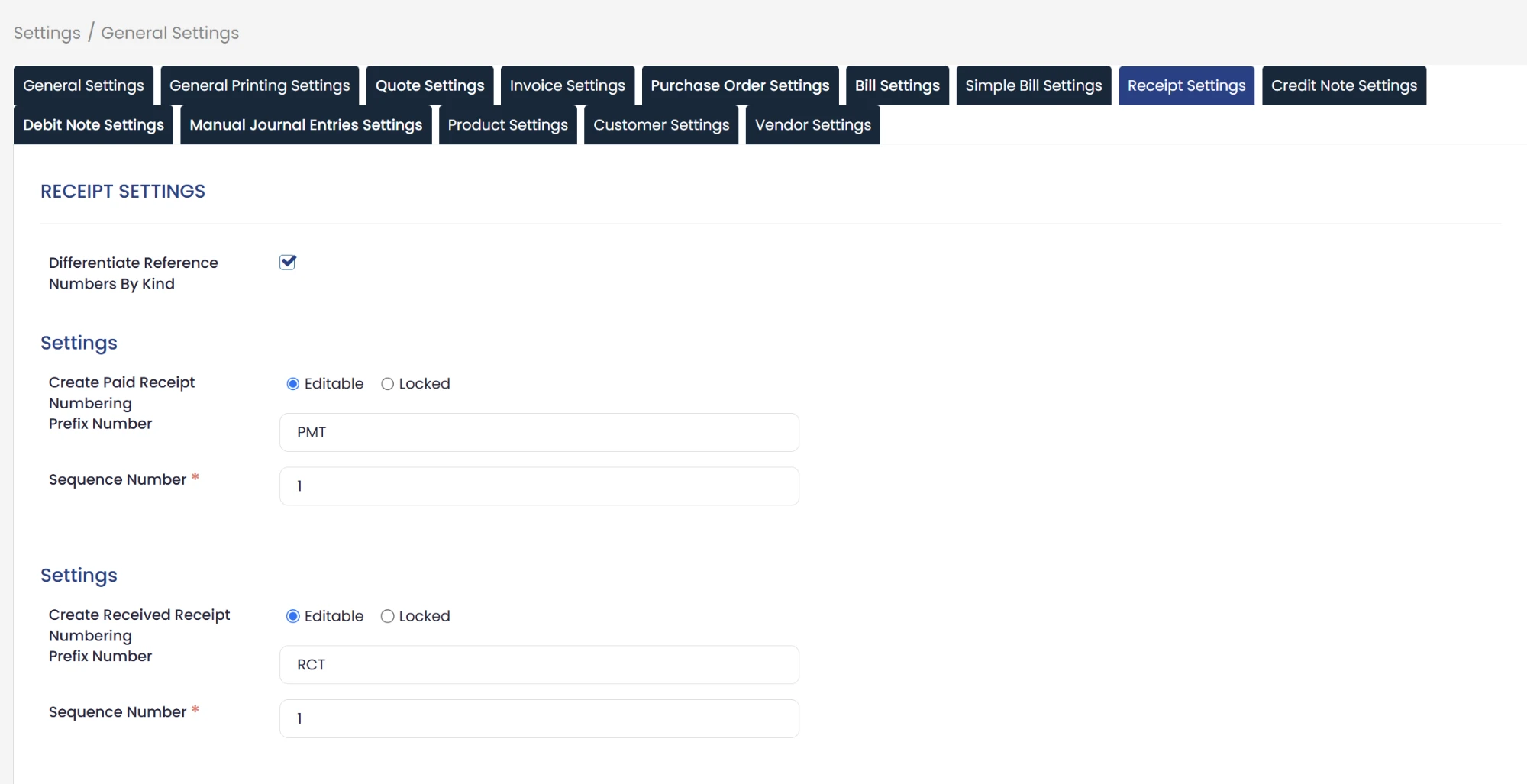
Settings, then General Settings, then the Receipt Settings tab, where the Differentiate Reference Numbers By Kind option appears.
 View full size
What happens when you switch it on
- Payment vouchers get their own prefix (PMT) and their own number sequence.
- Receipt vouchers get their own prefix (RCT) and their own number sequence.
- You set the starting number for each sequence to suit your accounting system.
The tab holds two separate settings blocks, Create Paid Receipt Numbering for payment vouchers and Create Received Receipt Numbering for receipt vouchers, and each block holds a Prefix Number field that carries the prefix, along with a Sequence Number field where you enter the number the numbering starts from.
What happens if you leave it off
The system keeps working as usual, and receipt and payment vouchers keep sharing the same numbering (PYT), with no change at all.
Who it is for
Businesses that issue a large number of receipt and payment vouchers and need to separate them at a glance from the reference number, accountants who review vouchers and send them to customers and suppliers, and anyone who wants voucher numbering in Qoyod to match the document numbering they already work with.
The option is available now in General Settings, under the Receipt Settings tab.
For the full steps, see how to separate receipt and payment voucher reference numbers in Qoyod.