




We are pleased to announce that simple invoices can now be returned through debit notes in Qoyod, in the same established way already used with purchase invoices. You can now create a debit note linked to a specific simple invoice, carrying that invoice’s details and reflecting its effect on the supplier balance and on the related journal entries as soon as it is approved.
Before this release the simple invoice had no return path of its own, so correcting purchases recorded on a simple invoice meant stepping away from the original document and handling it another way. This release closes that gap: the simple invoice now has a return path of its own through a debit note, in the same established way already used with purchase invoices.
Where to find it
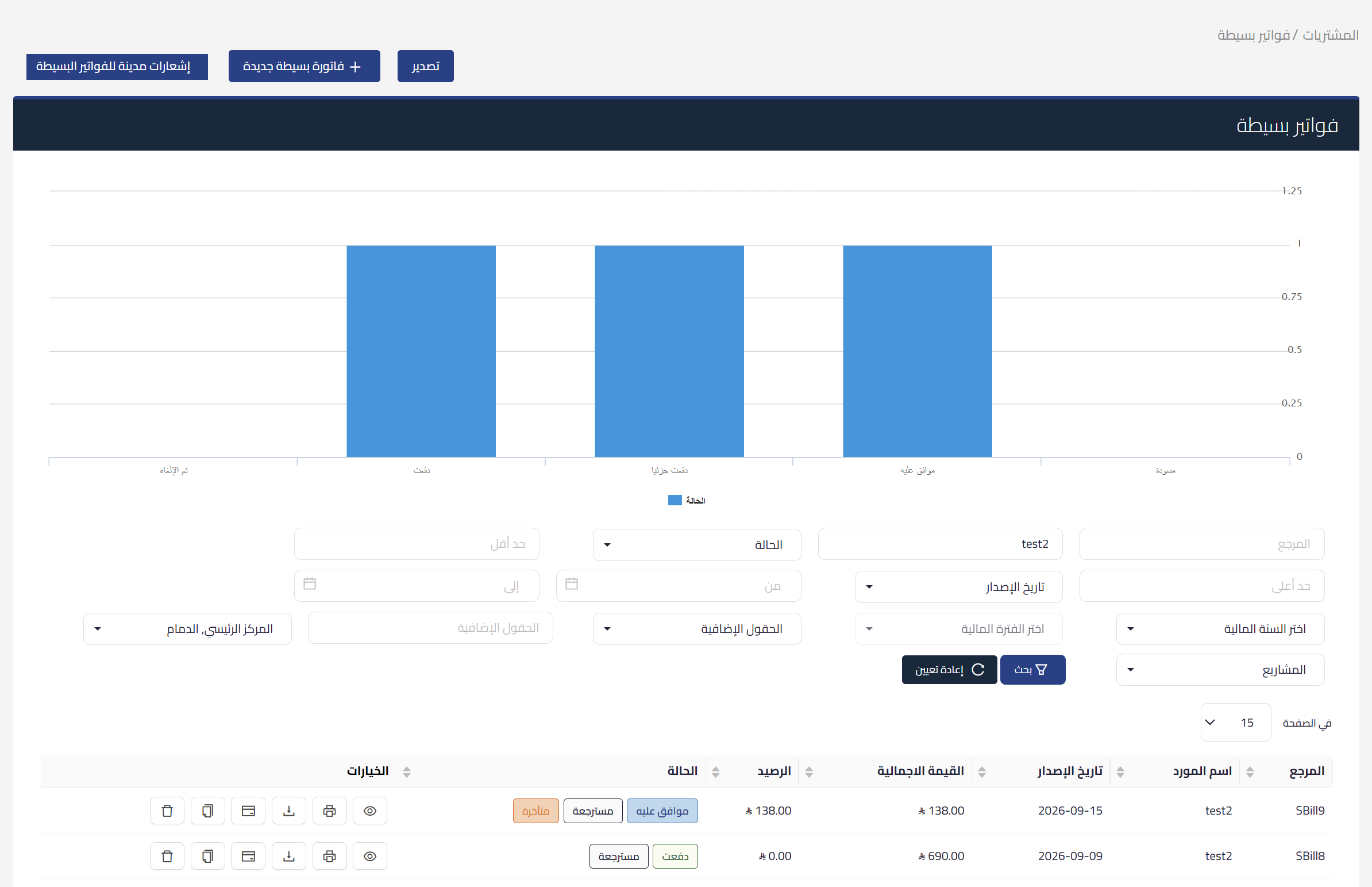
There are two entry points, both inside the simple invoices section under Purchases:
- The new simple invoice debit notes tab at the top of the simple invoices section, where you review the notes and create a new one.
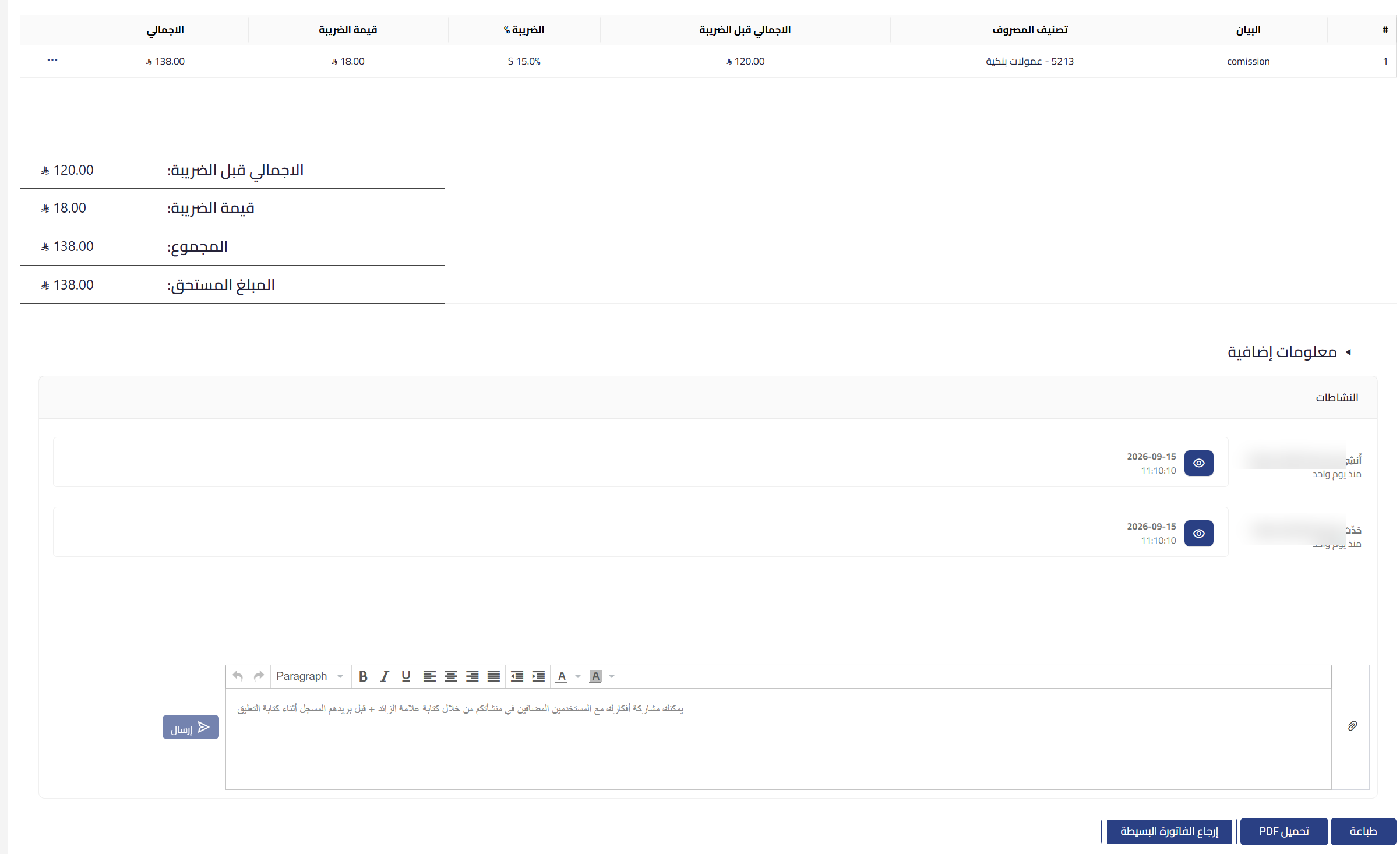
- The return simple invoice button available directly on the simple invoice view page, beside download PDF and print.
 View full size
 View full size
How it works
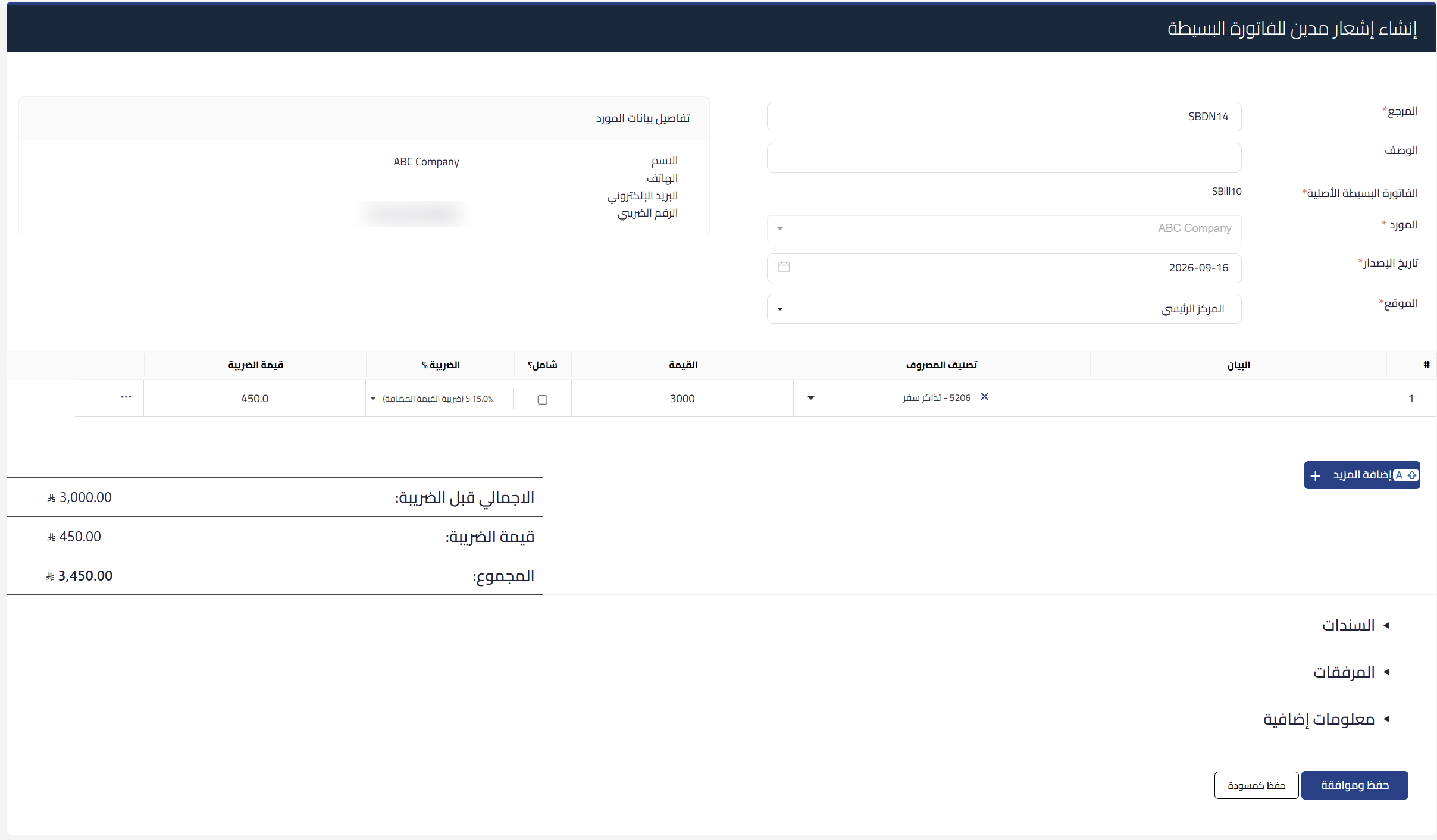
When you pick the original invoice inside the creation form, or select it for return from its own page, the create simple invoice debit note form opens preloaded with that invoice’s data. The note carries its own reference, and the top of the form shows the original simple invoice, the supplier, the issue date and the location, along with a supplier details card showing the name, phone, email and tax number. Below the form are collapsible sections for vouchers, attachments and additional information. You then save the note as a draft, or save and approve it in one step if you hold the approve permission.
 View full size
What is copied automatically
The system copies every detail of the original invoice into the new note, so you do not re-enter any of it by hand:
- Expense categories and amounts at the line level.
- The value-added tax rate and its amount.
- The location linked to the invoice.
- The projects, dimensions and additional fields tied to each line.
All of these fields stay editable before you save, so you can issue a note for the full invoice value or for part of it, matching what was actually returned.
A warning on a repeated return
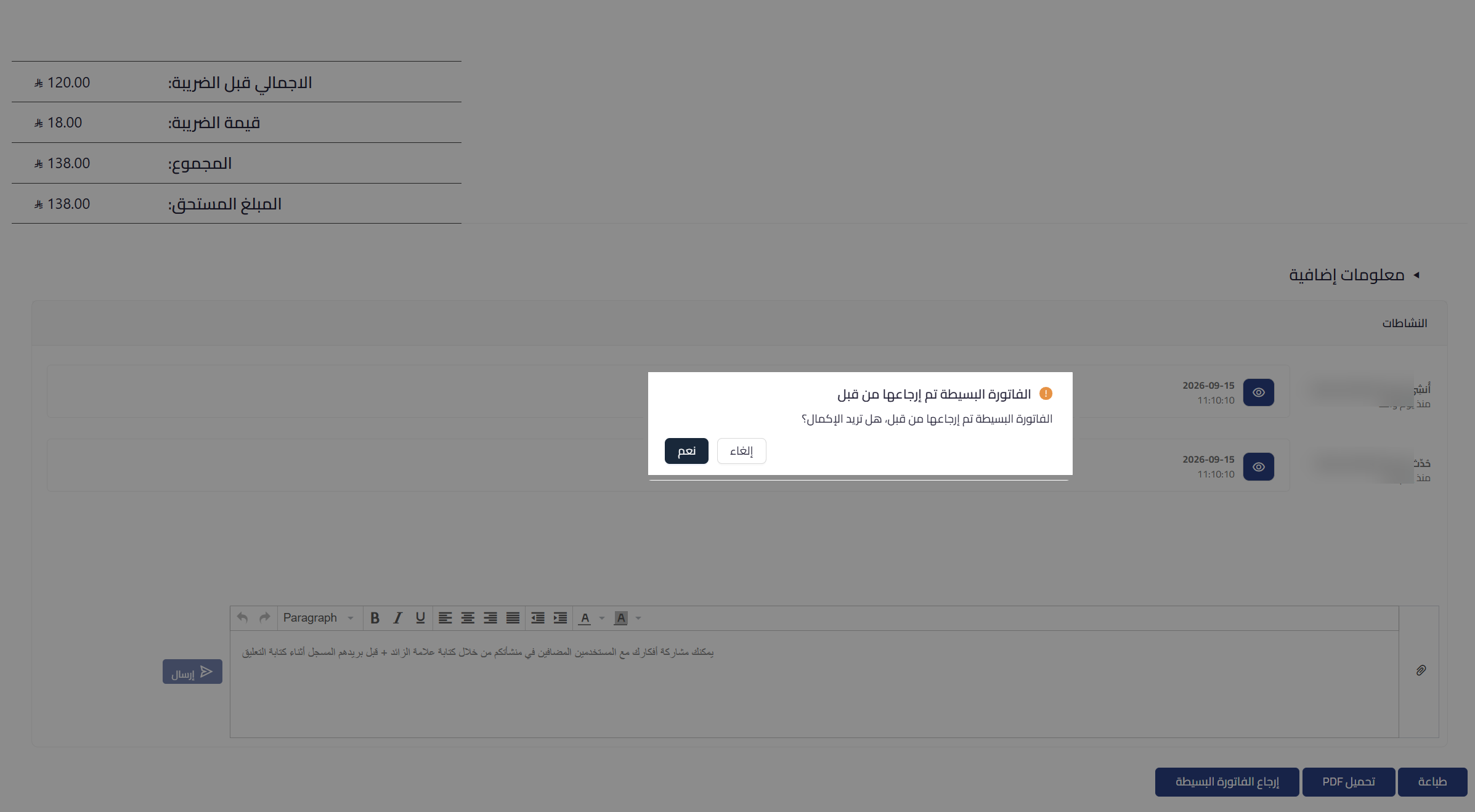
If the simple invoice has already been returned before, a warning appears telling you the simple invoice has been returned before and asking whether you want to continue. Press yes if the second return is intentional, or cancel to step back. It is a confirmation prompt, not a block.
 View full size
A clear marker in the invoice list
The simple invoices list now shows a returned marker next to the invoice status, so at a glance you separate the invoices that have been returned from those that have not, without opening each one.
The effect after approval
These notes are reflected on the supplier balance and on the related journal entries as soon as they are approved. They appear in detail on the supplier page and in the related financial and tax reports, among them the account statement, the debit notes tax report and the supplier payables summary.
A custom print design
We added a print design built for this type of note, one that presents the simple invoice data in the form that suits it.
Settling the note value
Once the note is approved you settle its value in one of three ways, depending on what you agreed with the supplier:
- Allocate it to a future simple invoice for the same supplier.
- Receive the funds.
- Split the value between both methods.
Permissions
We updated the system permissions to include independent permissions for these notes: view, create, approve and delete. The view and create or edit permissions are granted automatically to every user who already holds the read and create permissions on simple invoices, with no manual setup. The approve and delete permissions are granted separately.
API integration
The notes are fully available through the API, so developers integrate with them in the same established way as with simple invoices and the existing notes.
What makes it useful
- A proper return path for the simple invoice, on the same established logic as purchase invoices.
- Two entry points for creation: a dedicated tab for the notes, and a direct button on the invoice page.
- Automatic copying of every invoice detail, still editable before you save.
- A warning that protects you from an unintended double return.
- A returned marker in the list that saves you from opening each invoice.
- A direct accounting effect on the supplier balance and the journal entries on approval.
- A custom print design that presents the simple invoice data properly.
- Three ways to settle the note value with the supplier.
- Independent permissions, with view and create switched on automatically for whoever already holds them on simple invoices.
- Full support through the API.
Who it is for
Businesses that record their expenses and purchases on simple invoices and need to return some of them, purchasing teams that track what was returned to each supplier, and accountants reviewing the effect of those returns on supplier balances and on the journal entries before closing the period.
The feature is available now in the simple invoices section under Purchases, and in the new simple invoice debit notes tab. It is a return and settlement path inside Qoyod that records the effect of the return on the supplier and on your books as soon as the note is approved.
For the full steps, see how to return a simple invoice with a debit note in Qoyod.