




We added an advanced analysis option to the Customer/Vendor Statement report in Qoyod, so you can now filter the statement by transaction type instead of reading the whole movement every time.
Where the option lives
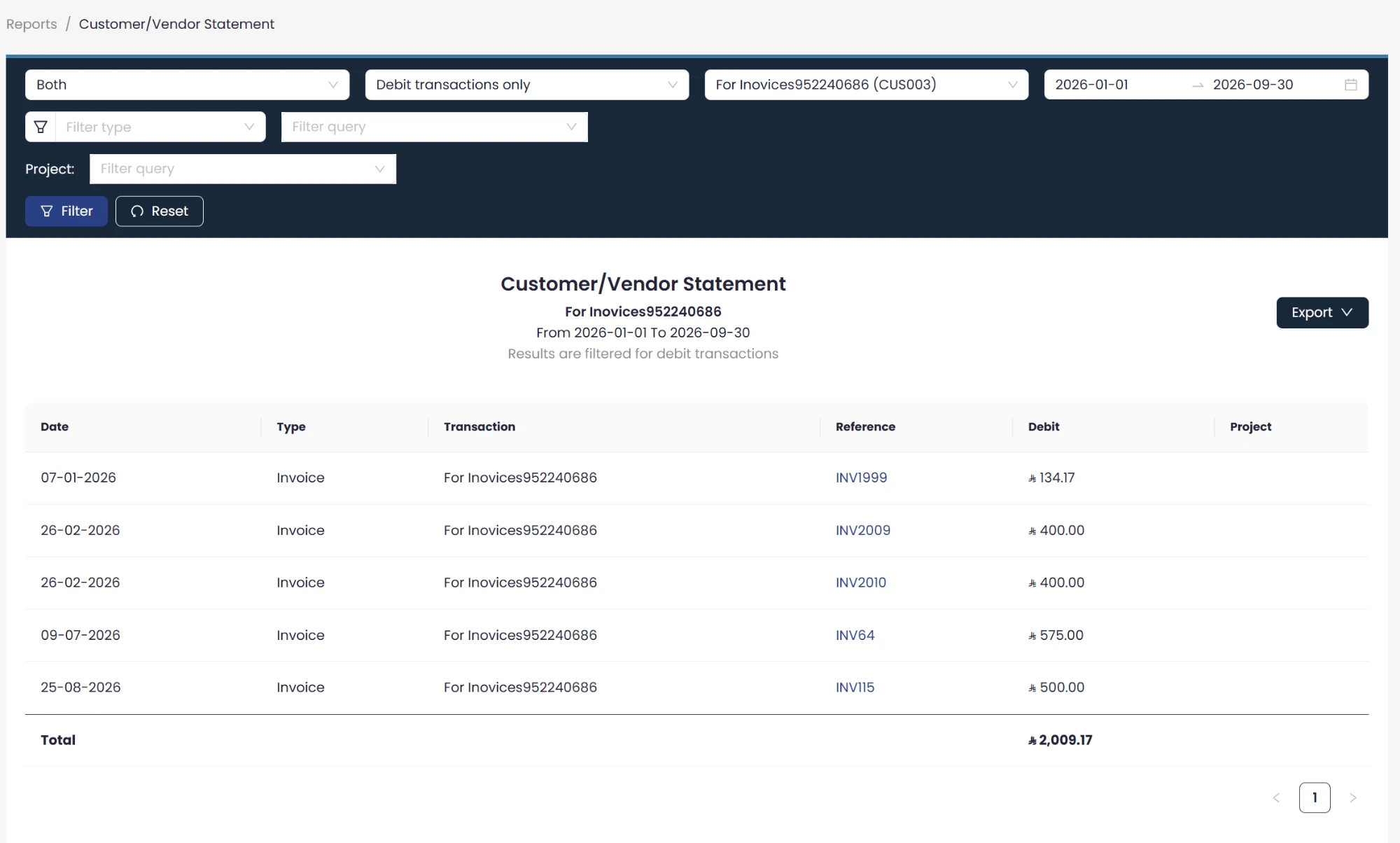
Reports, then Customer/Vendor Statement, inside the filter bar at the top of the report, beside the period, the contact, and the Filter type and Filter query fields.
 View full size
The three choices
- Debit transactions only: the statement is limited to the debit movement.
- Credit transactions only: the statement is limited to the credit movement.
- All transactions: the full statement, with no filtering.
What happens when you pick one side
When you choose debit transactions only or credit transactions only, Qoyod hides the unused column, and hides the opening balance, closing balance and net movement rows as well. Those rows express both sides together, so they carry no meaning in a statement that shows one side, and what stays in front of you is the movement you asked for with the Total row beneath it. When you choose debit transactions only, the report header carries the line Results are filtered for debit transactions, so whoever reads the statement knows the basis it was produced on.
The filter carries into the exported file
This filter is reflected automatically when you export the report to PDF and Excel, so the file reaches the other party or your accountant in the same shape it had on screen, with no columns or rows to delete after the export.
Who it is for
Businesses reconciling with a contact they both buy from and sell to, who sometimes need to review one side of the movement only, and accountants who want to share a statement focused on what is owed to them or by them instead of the full statement.
The option is available now in the Customer/Vendor Statement report under Reports.
For the full steps, see how to run the customer / supplier statement report in Qoyod.