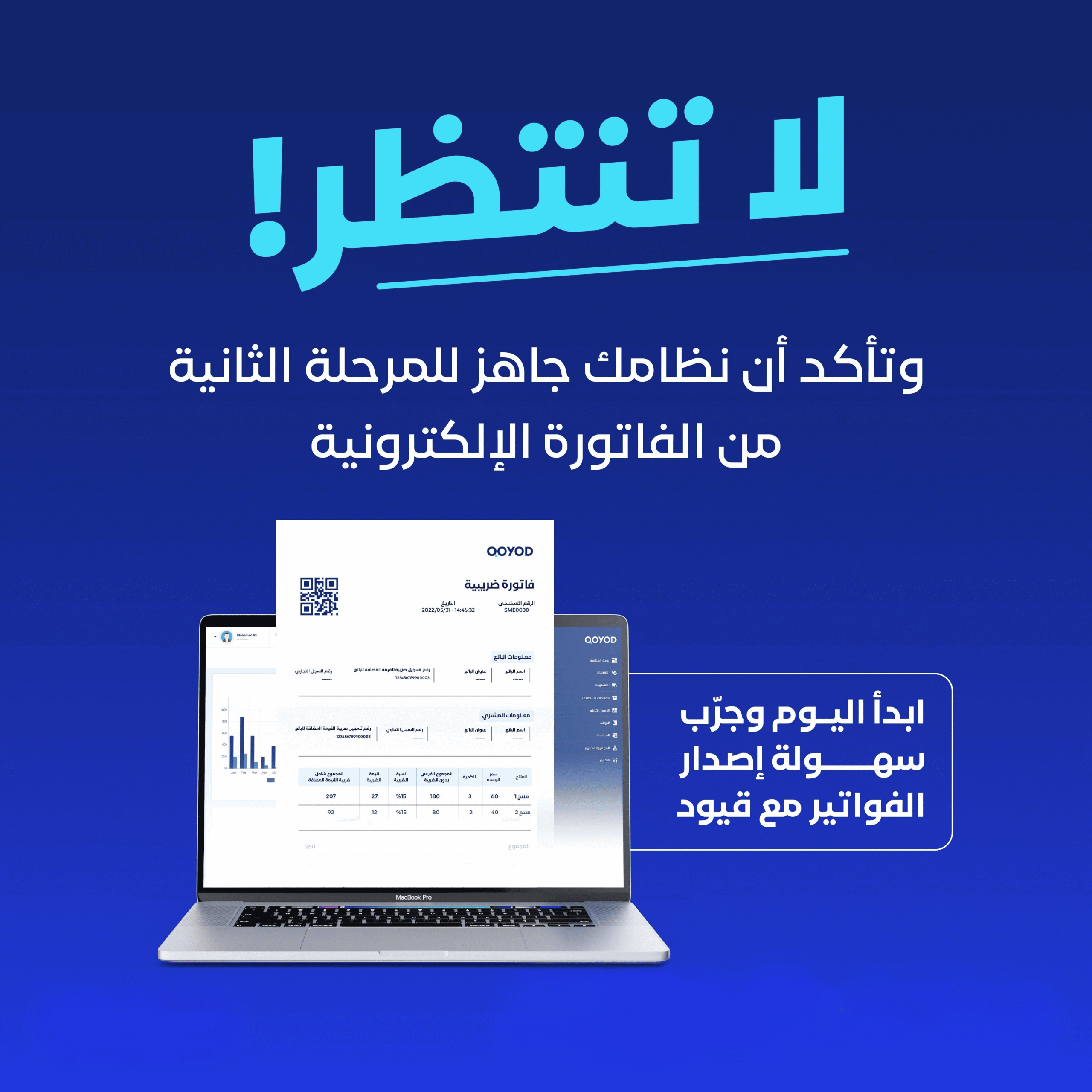
Choosing an integrated accounting software is not a purely technical decision, it is an operational one that shapes how your business runs day to day for years. The gap between a generic tool and a true integrated platform shows up in the first month: in the hours you save, in the accuracy of your reports, and in your peace of mind during tax filing season. This guide explains what sets integrated accounting software apart, and how to pick the right system for your business in Saudi Arabia.
What integrated accounting software actually means for a Saudi business
Integrated accounting software is more than a digital journal for daily entries. It is one connected system that ties together e-invoicing, inventory management, supplier and customer accounts, point of sale, payroll, and financial reporting. Every module feeds the others automatically, so the same data is never entered twice.
In contrast, a generic or partial accounting tool forces you to wire those pieces together manually: issue an invoice in one place, deduct stock in another, copy the figure into a customer ledger, then reconcile everything in Excel at month-end. The manual model looks reasonable on day one, but it collapses quickly as your business grows and the invoice count rises.
The operational reality in Saudi Arabia specifically demands an integrated system. Technical integration with the Fatoora platform under ZATCA phase two requires real-time invoice clearance. Value-added tax (VAT) returns are quarterly. And financial reports for banks and lenders are now a precondition for any expansion decision. Disconnected tools cannot keep up with any of that.
The most common accounting challenges Saudi businesses face
Every business owner in Saudi Arabia runs into the same short list of recurring accounting problems, and they all share one root cause: the absence of a single integrated system that links invoices to inventory to the general ledger.
1. A gap between invoices and inventory. A sales invoice goes out but the item never leaves stock on paper. Or goods arrive from a supplier and never get logged. Within two months, the inventory figure in your system has drifted far from reality and you are forced into a full manual stocktake to close the gap.
2. Lost receivables and payables. A customer bought on credit and has not paid. A supplier is waiting on a payment. You do not have an up-to-date list of who owes you and who you owe. The outcome is late collections, duplicate payments by mistake, or a damaged supplier relationship.
3. Tax returns with numbers you cannot verify. At quarter-end, you sit down to assemble a VAT return from four sources: an invoice file, a purchases spreadsheet, a cash-register report, and notes on your phone. Any error invites a penalty, and any rush forfeits an input-tax deduction you were entitled to.
4. No visibility into real profit. You know total sales, but you do not know your true margin, because cost is spread across supplier invoices, rent, payroll, and general expenses. Big decisions (expansion, hiring, equipment purchases) end up being made on instinct, not numbers.
What a business actually needs from its accounting software
To tell the difference between a basic accounting tool and an integrated accounting platform, look at what happens inside each daily operation. The table below compares the two models across five core tasks:
| Task | Basic accounting tool | Integrated accounting platform |
|---|---|---|
| Issuing a sales invoice | Manual entry; no effect on inventory | Invoice issued and item deducted from stock in real time |
| Receiving goods from a supplier | A purchase invoice is logged, nothing else | Stock increases, journal entry posts, payables update, all at once |
| Tracking a credit customer | A side note or Excel sheet | Live customer statement with due-date alerts |
| Filing the VAT return | Manual roll-up from scattered sources | VAT report ready to submit, straight out of the system |
| Making an operational decision | Personal estimate, approximate numbers | Detailed profitability report by branch, item, and period |
| Opening a new branch | Set up a separate system, re-enter the data | Add the branch inside the same account, no data duplication |
The right integrated accounting software for any Saudi business has to deliver three non-negotiable capabilities:
- An automatic link between the invoice, the inventory movement, and the journal entry inside a single workflow, with no manual handoff between steps.
- Official e-invoicing approval from ZATCA phase two, with automatic submission to the Fatoora platform in digitally signed XML.
- Real-time financial reports (income statement, balance sheet, cash flow) with filters by branch, period, and cost center.
How to organize your books step by step
Moving from a disconnected setup to integrated accounting software does not require pausing the business. It is a sequence of clear steps spread over one or two weeks. This is the sequence the Qoyod onboarding team applies with every new customer:
E-invoicing and ZATCA compliance for Saudi businesses
ZATCA-approved e-invoicing is now a baseline requirement for every VAT-registered entity. Phase two mandates real-time submission of invoices in digitally signed XML, either via Clearance for tax invoices, or Reporting within 24 hours for simplified invoices. Any integrated accounting platform that serves Saudi businesses has to be ZATCA-certified and connected directly to the Fatoora platform.
Every invoice must include the entity name and tax number, the sequential invoice number, the date and time, an itemized list, the VAT rate (15% or exempt), totals before and after VAT, and a QR code. For a side-by-side view of vendor options, the guide on e-invoicing pricing in Saudi Arabia is worth reading before choosing a provider.
How to evaluate a ZATCA-certified system for your sector
When evaluating any integrated accounting platform through a tax-compliance lens, verify the following criteria:
- Official certification from the Zakat, Tax and Customs Authority (ZATCA) for phase two, with a verifiable approval number.
- Automatic invoice transmission in digitally signed XML, with no manual export step.
- Long-term cloud storage of signed invoices (no less than six years).
- A simulation environment for testing invoices before going live.
- Input and output VAT reports ready monthly and quarterly.
- Invoice issuance in under two seconds, so the system does not slow down daily operations.
Where Qoyod fits in specifically for Saudi businesses
Qoyod’s integrated accounting software pulls together, inside one account: cloud accounting, ZATCA-approved e-invoicing, multi-branch inventory, point of sale, customer and supplier accounts, payroll, and real-time financial reports. Every module is automatically linked to the others, no data transfers, no duplicate entry.
The platform supports multiple branches and warehouses inside the same account, with stock transfers between locations and either consolidated or detailed reports. It runs fully in the cloud, so you can access it from any device anywhere, and share it with your external accountant or finance manager under fine-grained permissions.
For those starting a new business or migrating from another system, the setup service and the bookkeeping service are part of Qoyod Pro Services, alongside the app marketplace that connects Qoyod to partner systems for more advanced use cases.
Frequently asked questions
What’s the difference between integrated accounting software and generic accounting software?+
Does Qoyod work for a small business with a single employee?+
How does Qoyod handle ZATCA e-invoicing?+
Can I migrate my company’s data from another platform to Qoyod?+
Does the platform support multiple branches and warehouses?+
Is support available in Arabic and around the clock?+
Choosing integrated accounting software is not a technical decision you can postpone. It decides how many hours of your time will be spent entering data instead of making decisions. The gap between an organized business and a chaotic one is not the size of its sales, it is the ability to see numbers in real time and stay compliant with ZATCA without manual overhead. That gap is exactly why Qoyod is the right fit for Saudi businesses looking for an integrated accounting platform that grows with them.