




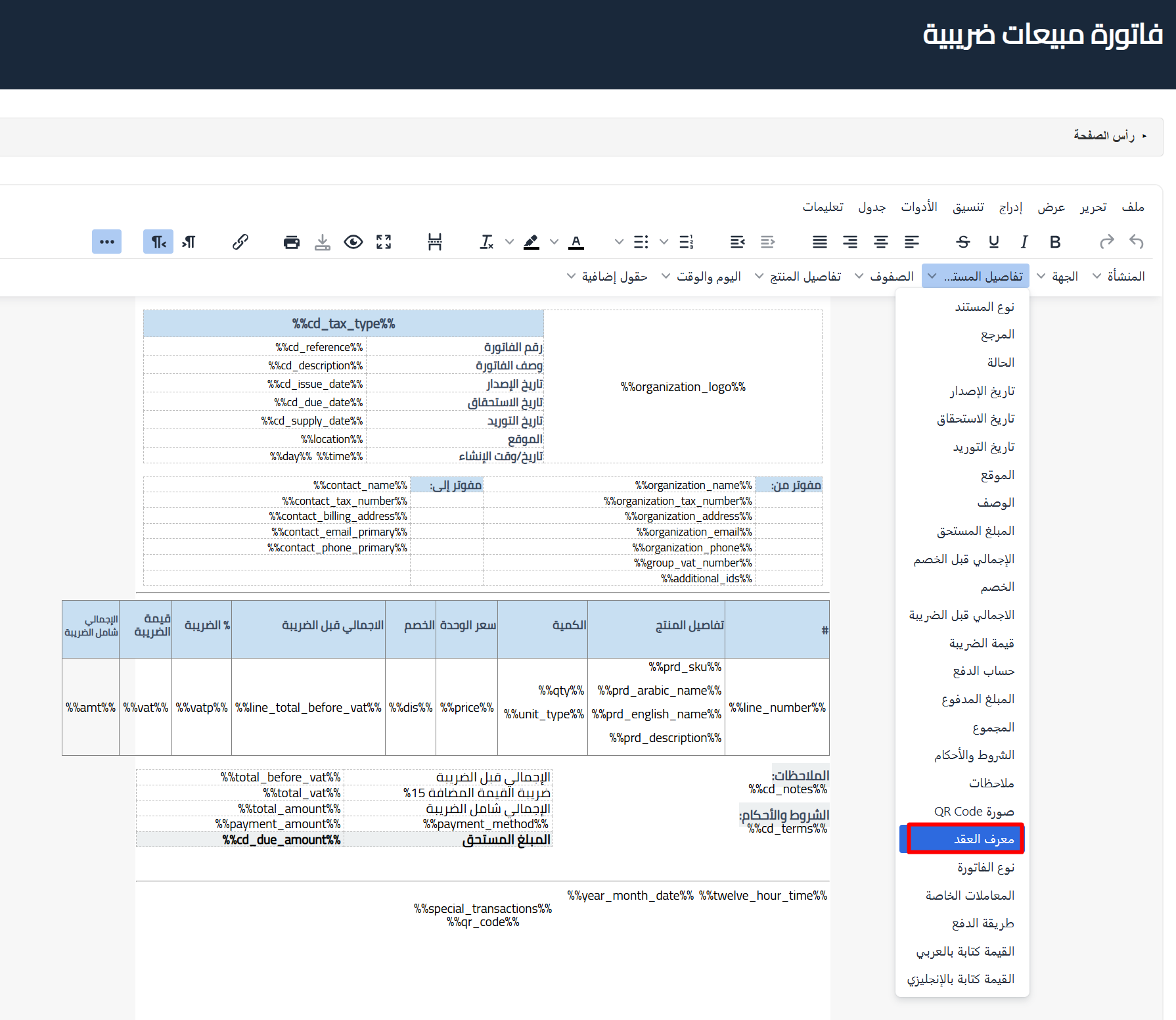
Establishments that have enabled the “Establishment contracts with government entities” option in General Settings can now add a Contract ID field to their documents, in both the invoice designer and the default designer, and position it freely within the invoice template.
The Contract ID appears under the document details inside the designer, so you can drag and drop it wherever it fits best to match the layout your government contracts require.
 View full size
Who benefits?
Establishments contracting with government entities that need to show the contract reference on their invoices. The field links each invoice to its government contract, making reconciliation, auditing, and dues review easier for accounting teams.
How to add it
- Enable the “Establishment contracts with government entities” option in General Settings.
- Open the invoice designer or the default designer.
- Add the Contract ID field from the document details and place it in the template.